Maintaining consistent scanning policies, collecting forensic evidence, and ensuring accurate device information for audits and asset management remain ongoing challenges for critical infrastructure organizations. MetaDefender Drive v4.4.6 addresses these challenges with automated policy synchronization across deployments, Windows forensic artifact collection, and hardware identification reporting.
Automatically Synchronize Approved Settings Through MetaDefender Kiosk™
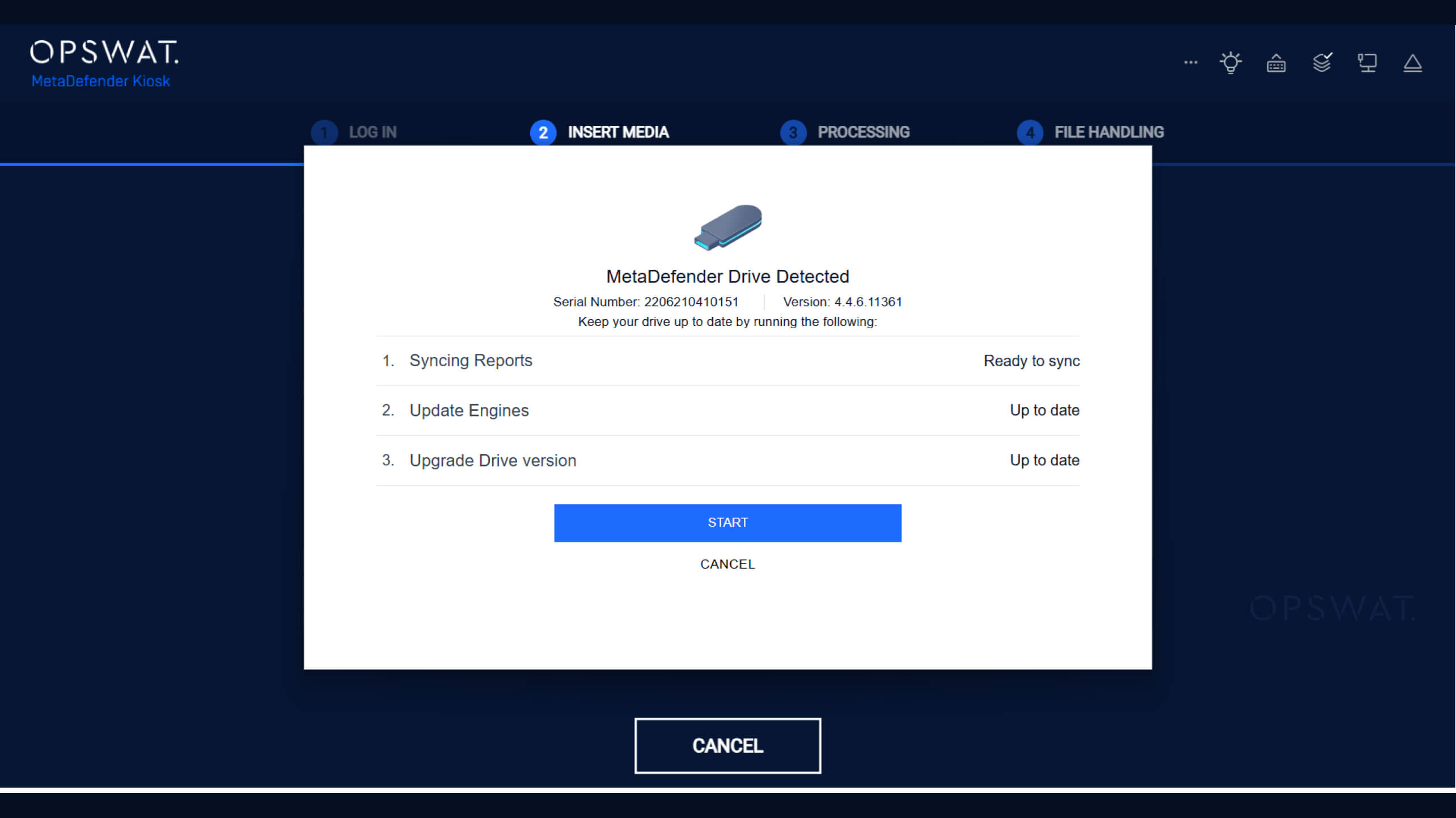
Keeping every MetaDefender Drive device aligned with the latest approved security policies is an operational challenge when multiple devices are deployed across different locations. MetaDefender Drive now automatically synchronizes approved settings from My OPSWAT™ Central Management to all enrolled MetaDefender Drive devices when they connect to a running MetaDefender Kiosk.
This enhancement enables maintaining consistent policies across MetaDefender Drive deployments, centralized policy management, and automated policy synchronization during normal MetaDefender Kiosk operations.
Collect Windows Forensic Artifacts During Scans
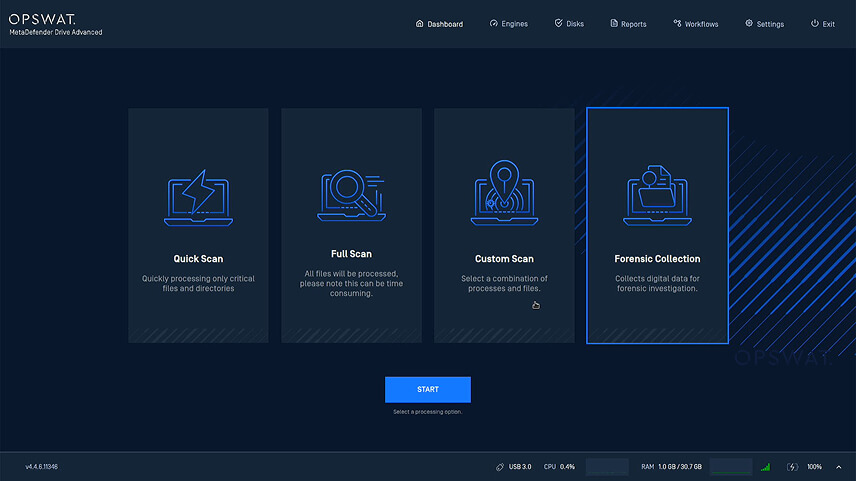
Forensic Collection is a processing option in MetaDefender Drive that captures predefined Windows forensic artifacts from a target Windows machine while preserving evidence integrity through MetaDefender Drive's trusted, read-only boot environment. The collected artifacts can be imported into third-party forensic analysis tools for investigation.
MetaDefender Drive administrators can define the forensic artifacts to be collected based on their organization's requirements, enabling operators to execute the collection workflow using the predefined policy seamlessly. Collected artifacts include NTFS Master File Table, event logs, registry hives, prefetch files, and browser history.
These artifacts provide valuable evidence for incident response, threat hunting, and forensic investigations. The process enables offline forensic evidence collection, read-only acquisition from Windows systems, and collection of predefined forensic artifacts without modifying source data.
How to Run a Forensic Collection
1. Boot the target machine using MetaDefender Drive, then select Forensic Collection from the Dashboard and Start to start the forensic collection.
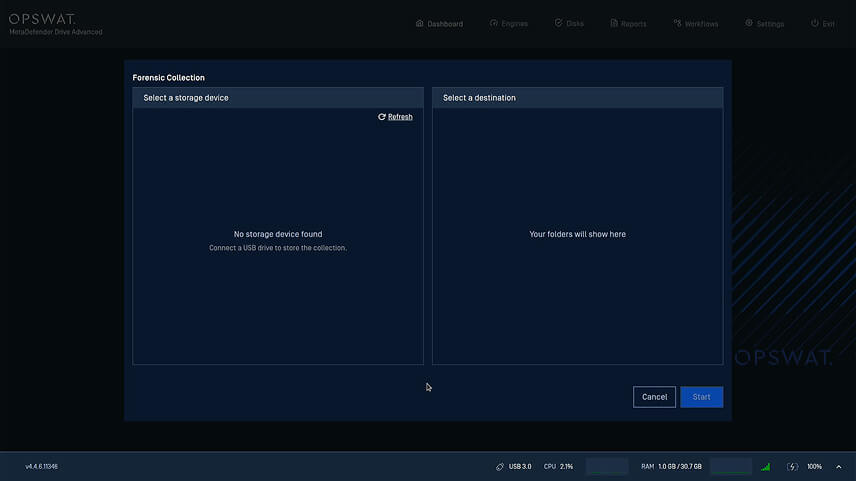
2. Connect an external USB storage device that will store the collected forensic artifacts. If no storage device is detected, click Refresh.
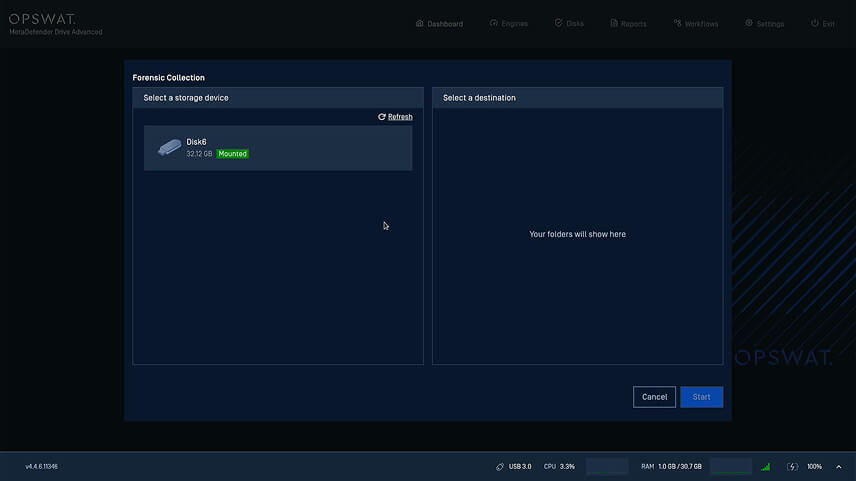
3. Select the USB storage device, then select the destination folder where the forensic collection will be saved.
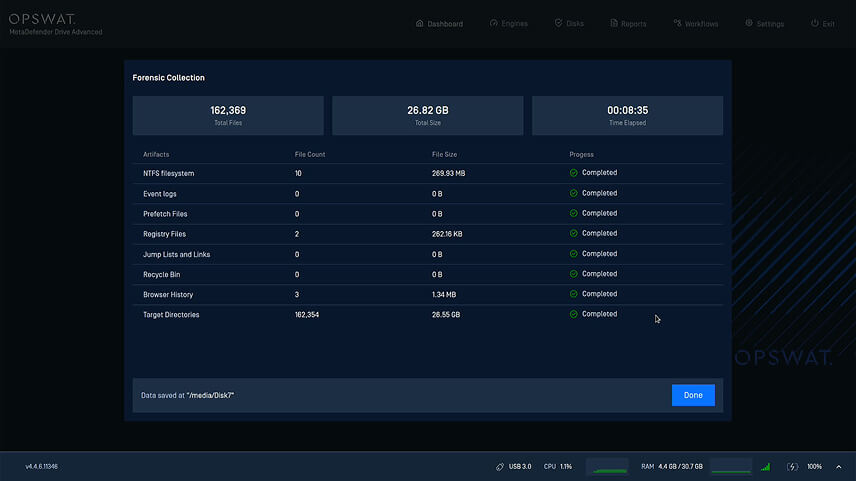
4. Monitor collection progress, including: total files collected, total collection size, elapsed time, per-artifact progress, and collection status, with the option to monitor each artifact category independently throughout the collection process.
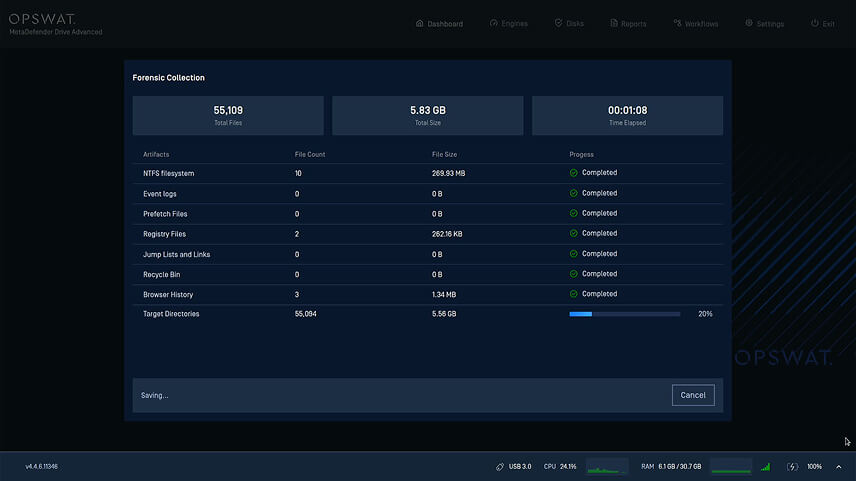
5. Once writing finishes, MetaDefender Drive displays the collection location. The USB device can now be safely removed for offline analysis.
Hardware Identification Reporting
MetaDefender Drive scan reports now include additional hardware identification details collected during each scan, improving traceability across enterprise environments and enabling administrators to associate scan results with specific physical assets.
Scan reports now include identifiers such as:
- Machine serial number or the hardware service tag when available
- Storage drives’ serial numbers
This enhancement helps security teams to extract and analyze forensic evidence directly from MetaDefender Drive scans, supporting faster incident response and reducing the need for separate forensics tools. They also help organizations investigate potential compromises and build detailed incident timelines without requiring manual data collection or device imaging.
Release Details
Product: MetaDefender Drive
Release Date: June 18, 2026
Release Notes: Learn more here
To update MetaDefender Drive, download the latest version of MetaDefender Drive Toolkit and follow the installation instructions.