Learn More about Benny Czarny's Book Cybersecurity Upside Down

Learn More
We utilize artificial intelligence for site translations, and while we strive for accuracy, they may not always be 100% precise. Your understanding is appreciated.

Deep CDR™ Technology

File Regeneration that Protects from Evasive Malware and Zero-Day Exploits

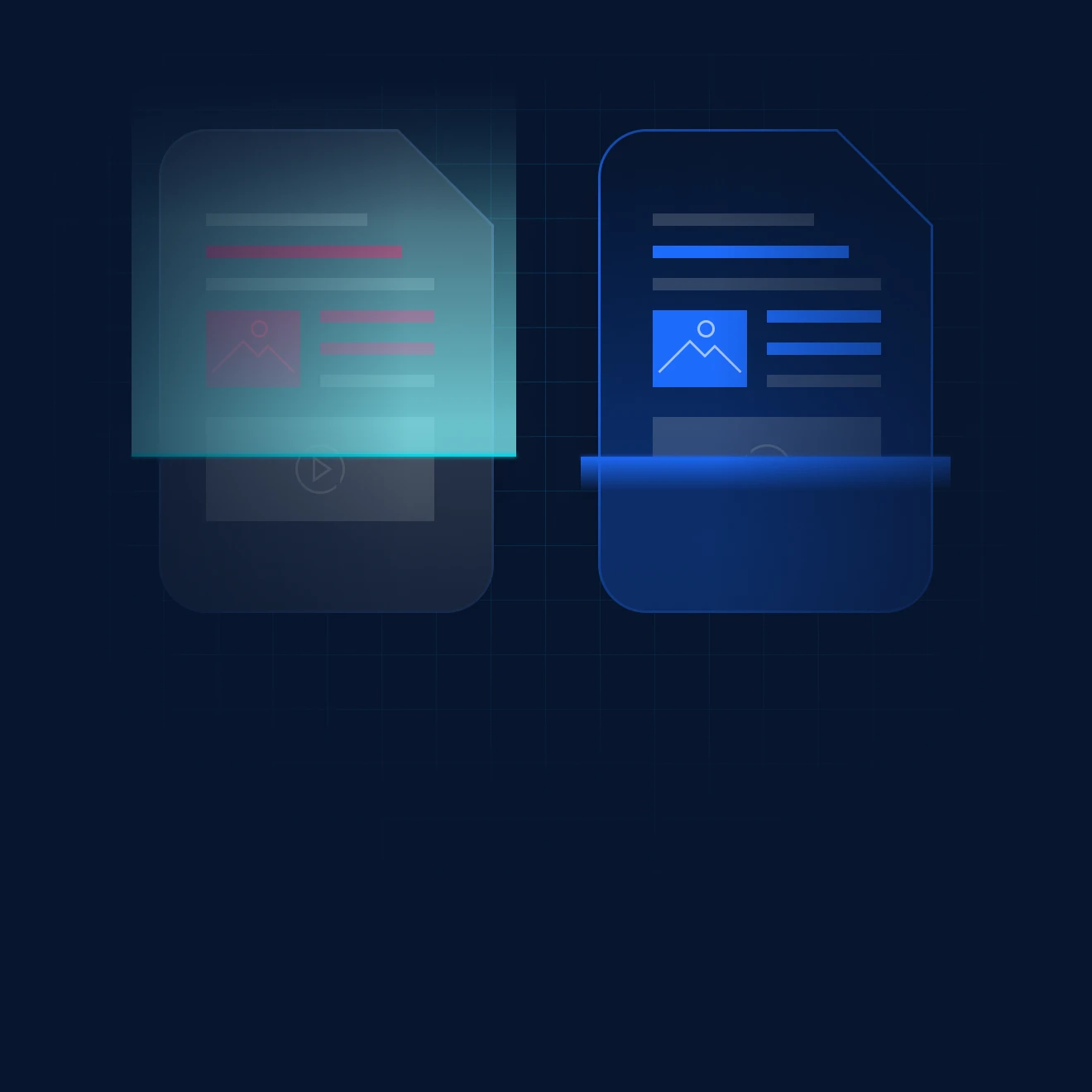
Traditional antivirus solutions miss unknown threats. Deep CDR™ Technology eliminates them entirely. Each file is disarmed and regenerated, ensuring only safe, clean and useable content reaches your systems.

Processes Files in Milliseconds

Supports Embedded Objects

Sanitizes 200+
File Types

200+
File Conversion Options

Recursively Scans Archives

Tailored Security Policies

Here’s Why Deep CDR™ Technology Matters

Insufficient Protection

AI and heuristic-based anti-malware solutions don’t disarm all file-based threats.

Undetected Threats

Zero-day threats, targeted attacks, and evasive malware may go undetected by antivirus engines.

Evasive Malware Tactics

Evasive malware avoids detection by using obfuscation techniques like steganography to deliver compressed, archived, or encrypted payloads.

Macro and Script Limitations

Outright bans on macros in Office docs and JavaScript in PDFs are difficult to enforce and may limit vital functionality.

Incomplete Archive Scanning

Traditional CDR solutions are incapable of recursively scanning archives and zip files.

How It Works

By focusing on prevention rather than just detection, Deep CDR™ Technology enhances anti-malware defenses, protecting organizations from file-based attacks, including targeted threats. It neutralizes potentially harmful objects in files traversing network traffic, email, uploads, downloads, and portable media before they reach your network.

Step 1

Evaluate & Verify

Step 1

Evaluate & Verify

The file type and consistency are evaluated, ensuring the correct file extensions to prevent file masquerading attacks.

Step 2

Create & Hold

Step 2

Create & Hold

A placeholder file is created to securely hold approved content during the sanitization process.

Step 3

Disarm & Rebuild

Step 3

Disarm & Rebuild

The original file is disarmed, and approved objects are moved into the placeholder, preserving the original file’s structure before regenerating usable components like pointers and tables.

Step 4

Test & Validate

Step 4

Test & Validate

The regenerated file undergoes integrity testing to ensure it remains fully functional and threat-free.

Step 5

Quarantine & Protect

Step 5

Quarantine & Protect

The original file is quarantined for security and further analysis, preventing any residual threats from accessing the network.

Core Benefits

Comprehensive

Protection from out-of-policy or potentially malicious code, with support for a wide range of objects beyond just macros.

Powerful

Enough to defeat obfuscation techniques, including steganography, by removing potential threats.

Reliable

Threat removal for complex files that maintains file usability

Flexible

Configuration enables allowlisting, removing, or examining active content such as macros or URLs.

In-Depth

Reporting of sanitized components and forensic data for malware analysis.

Efficient

Enough to disarm and regenerate new, usable files in milliseconds.

See It in Action

Zero-day Protection

Effectively eliminate zero-day targeted attacks by relying on prevention rather than detection

1 of 6
  • Deep CDR™ Technology — Zero-day Protection
    Zero-day Protection

    Effectively eliminate zero-day targeted attacks by relying on prevention rather than detection

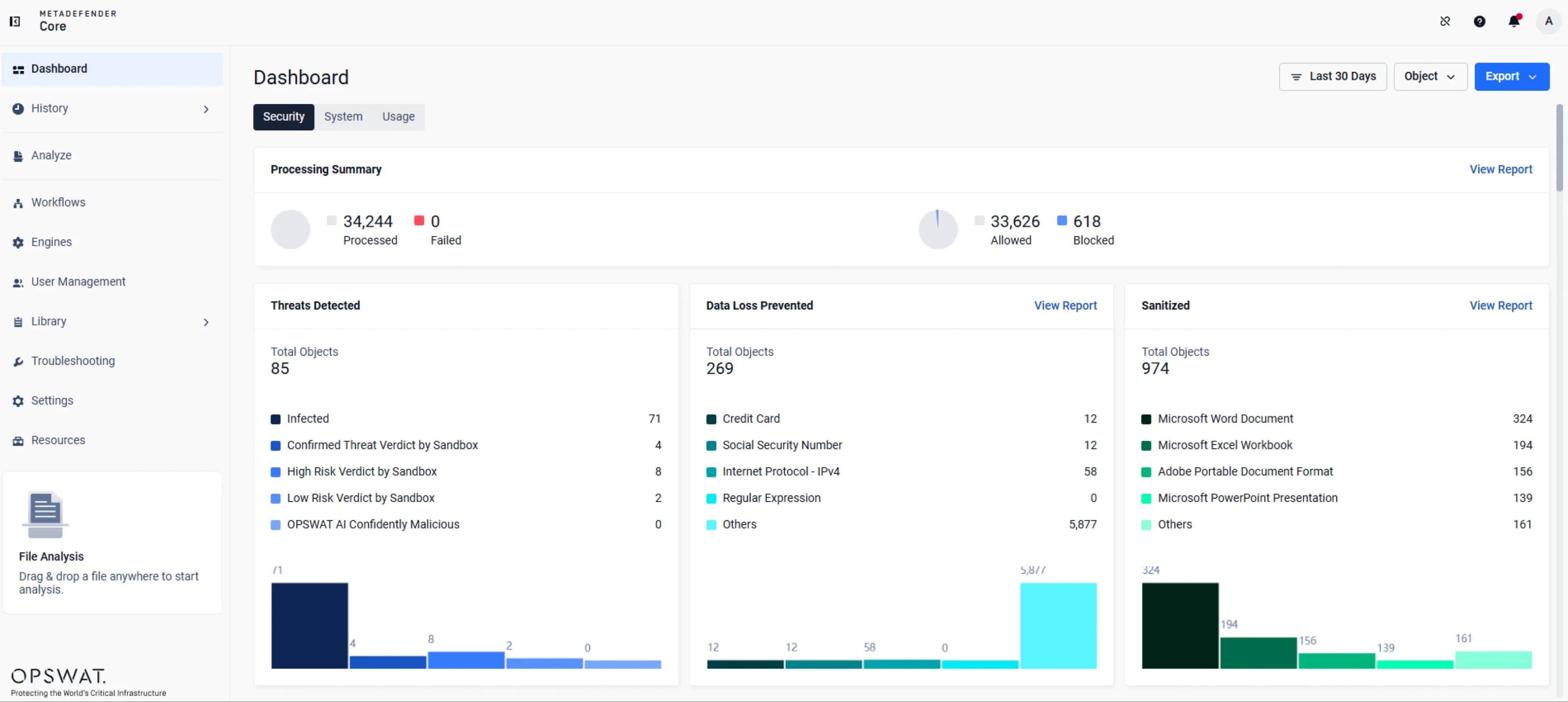
  • Deep CDR™ Technology — Deep CDR
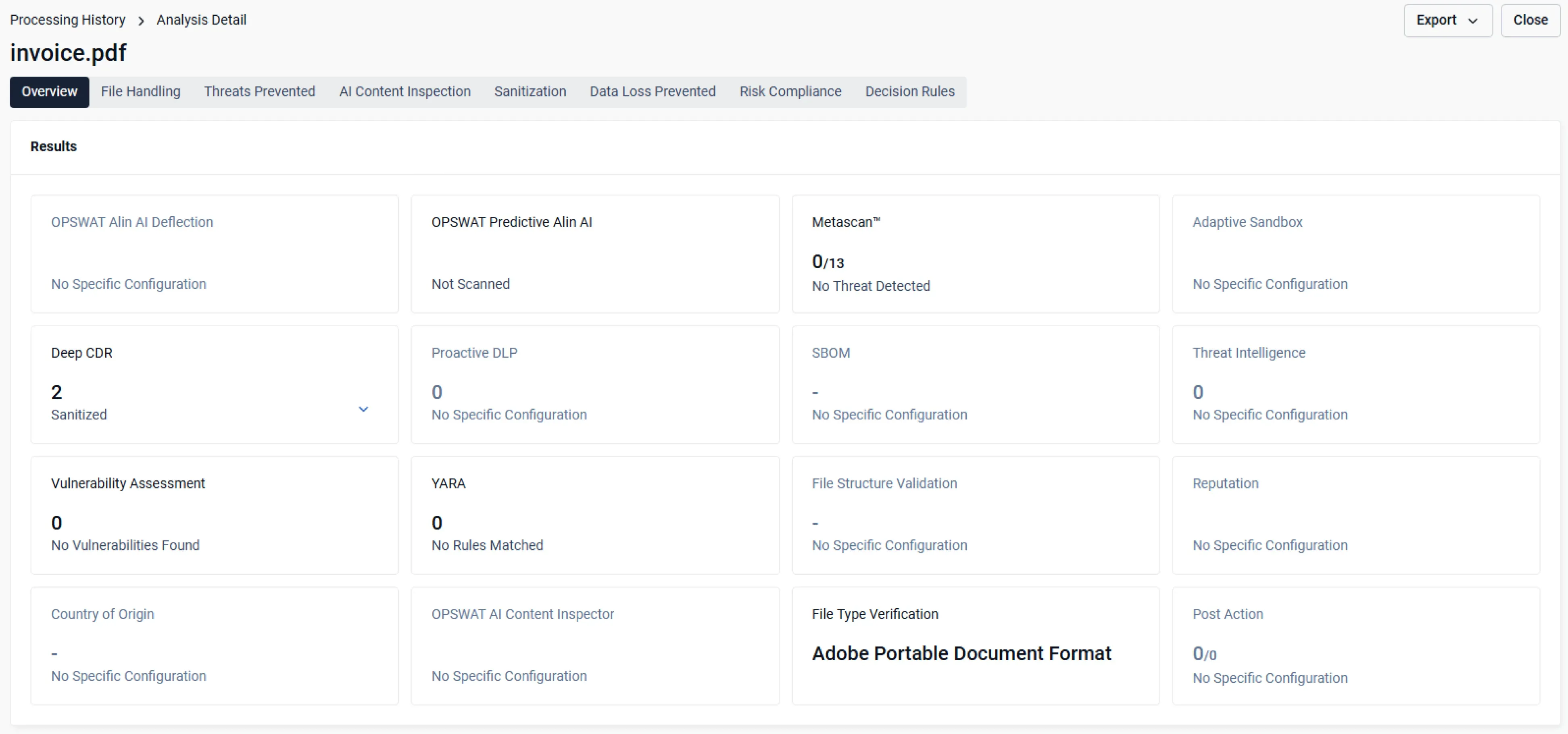
    Deep CDR

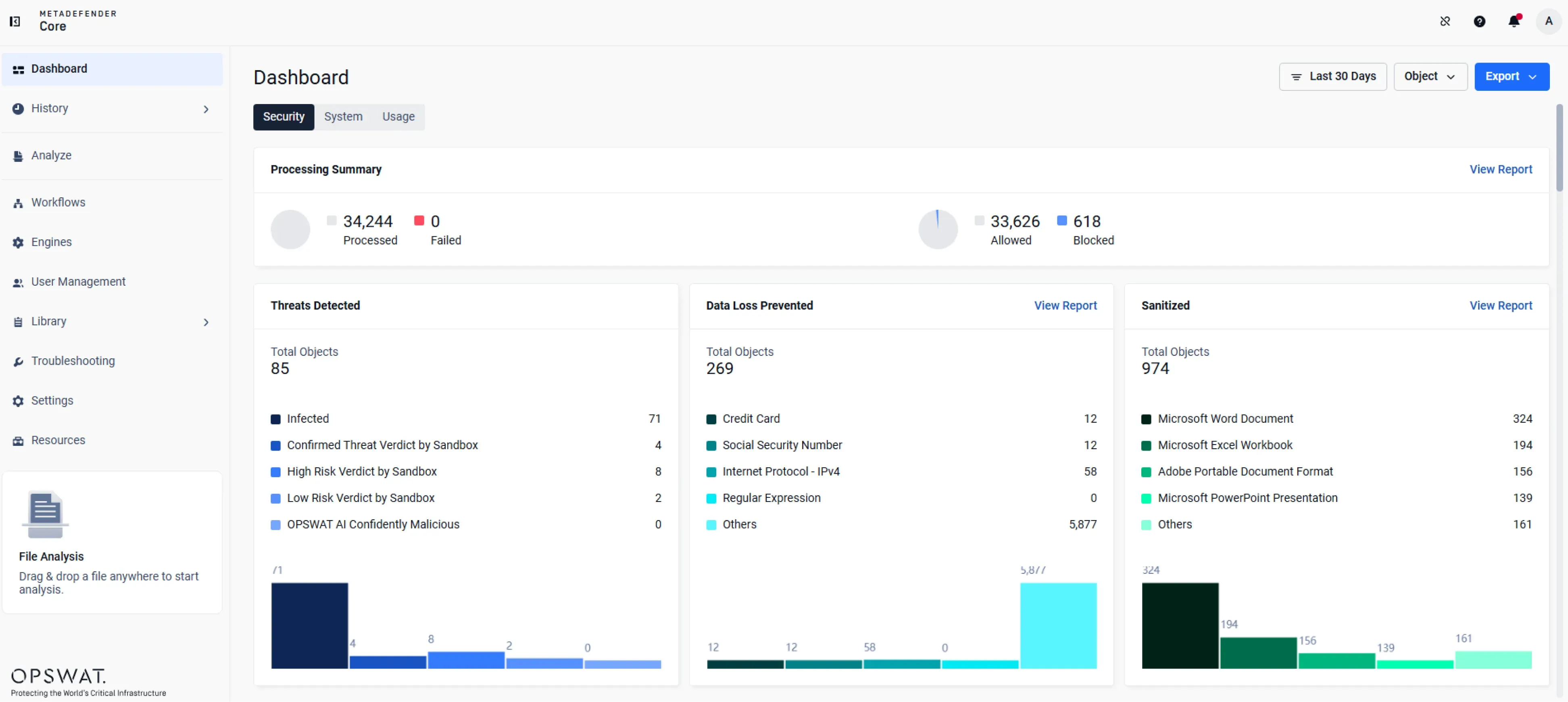
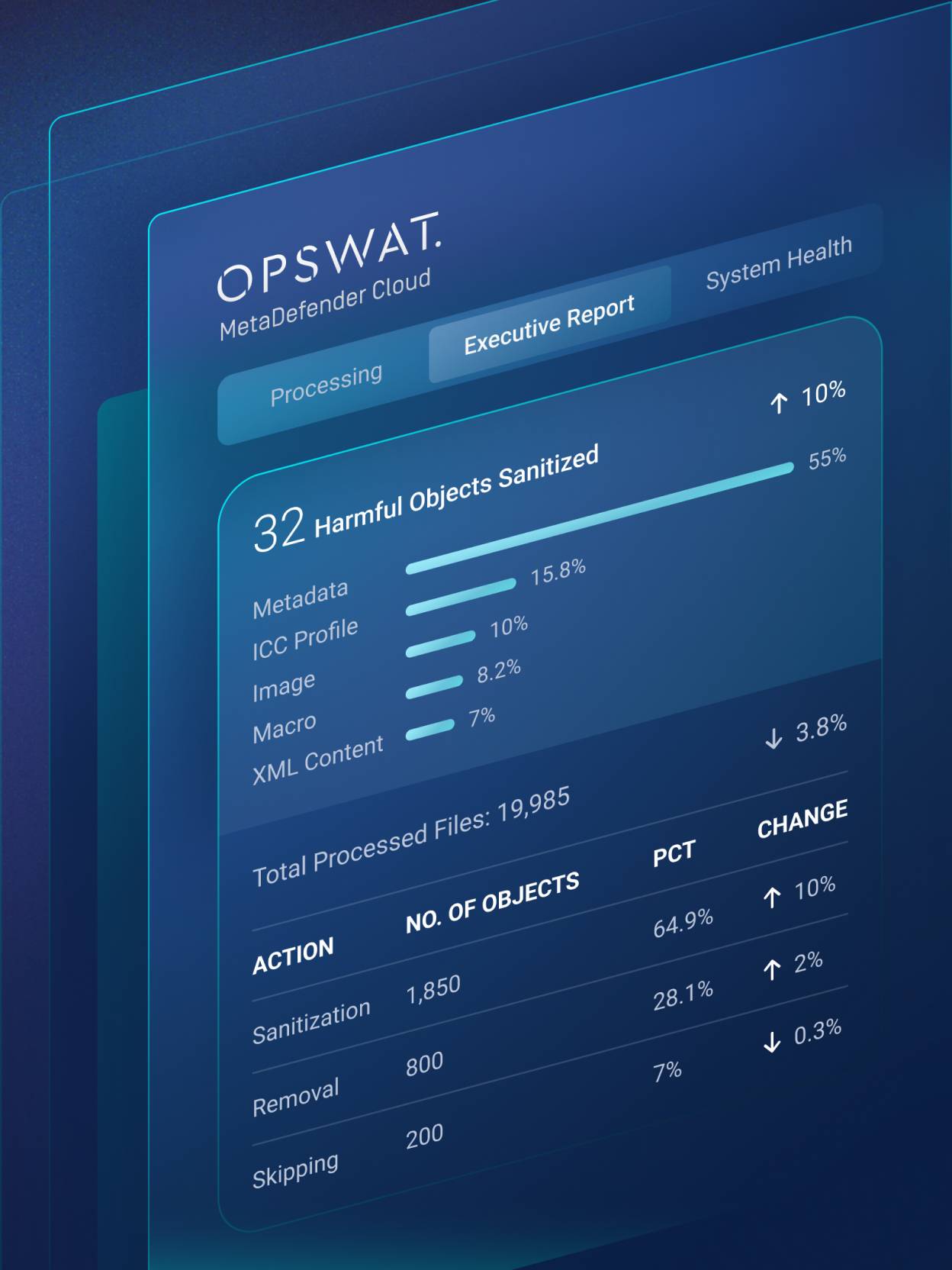
    Real-time data enhances visibility and control.

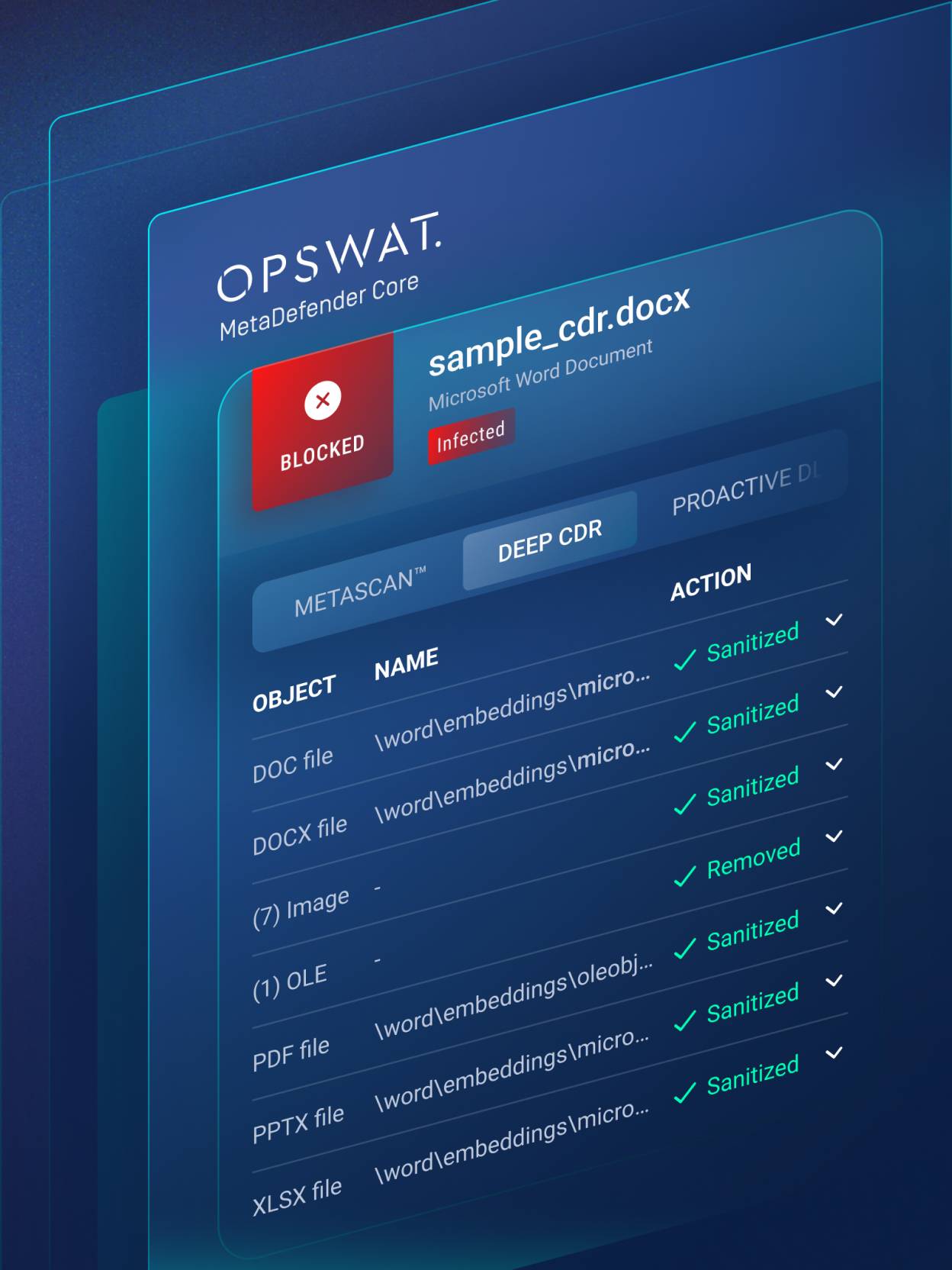
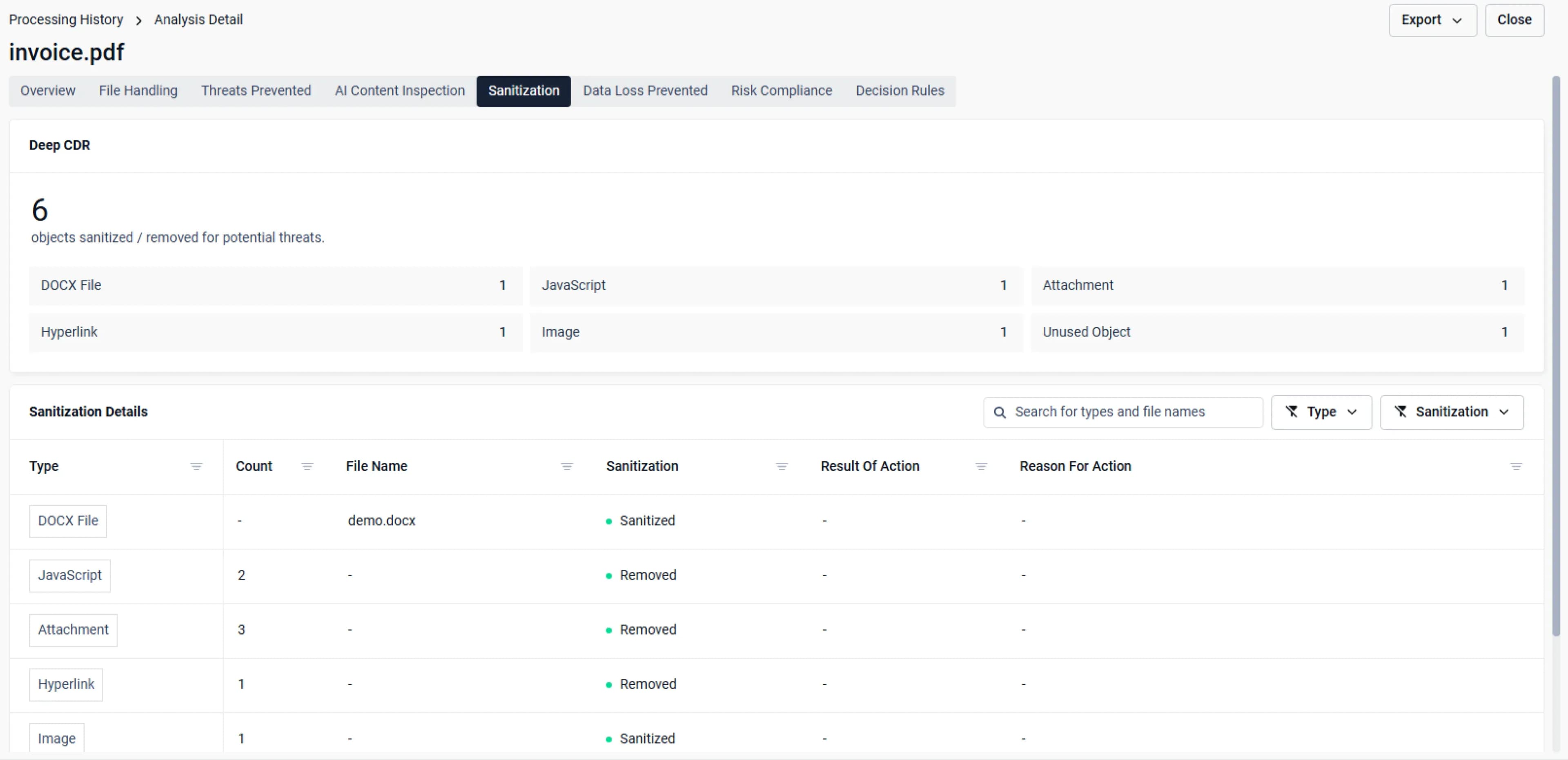
  • Deep CDR™ Technology — Sanitized Objects
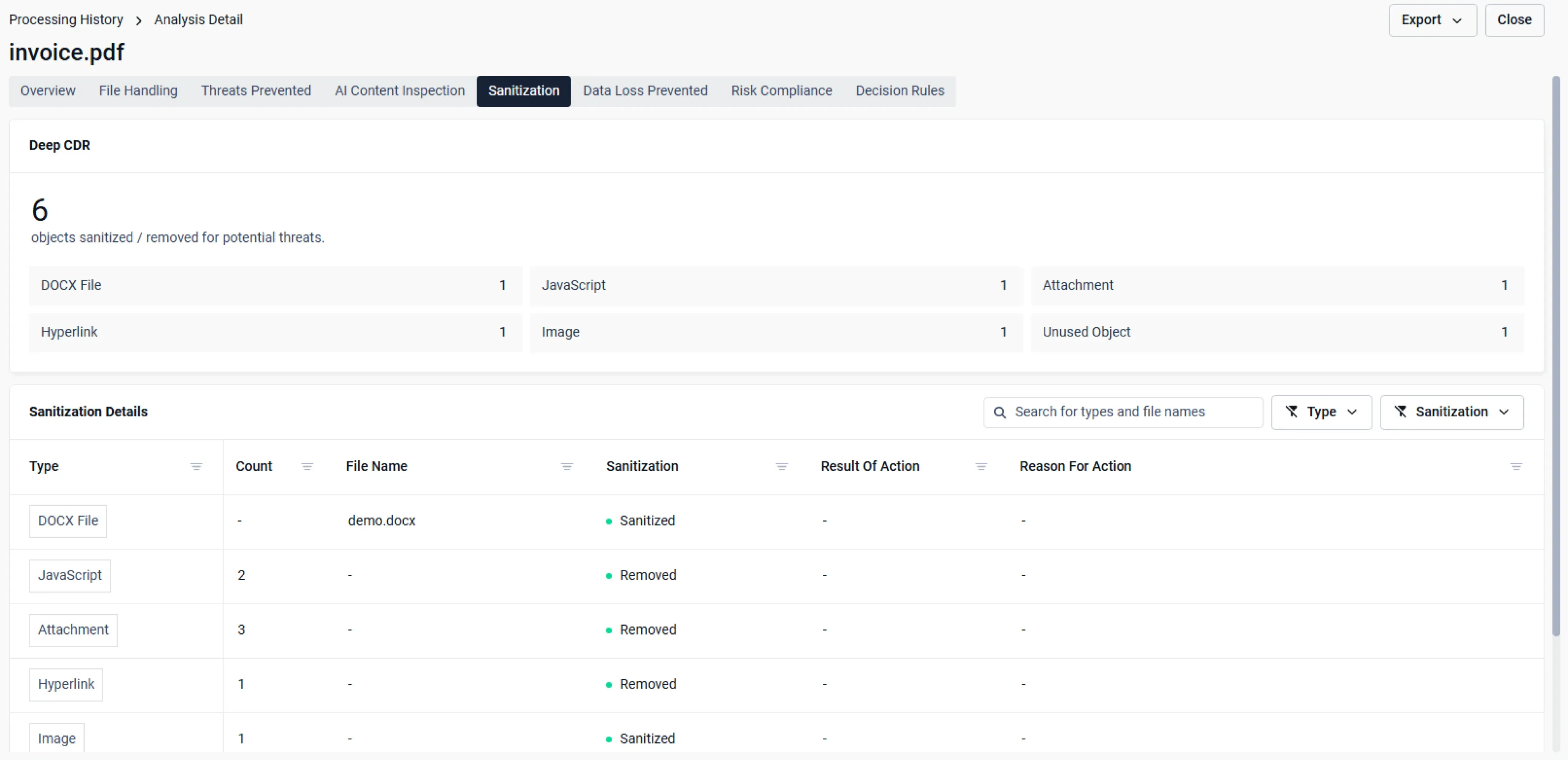
    Sanitized Objects

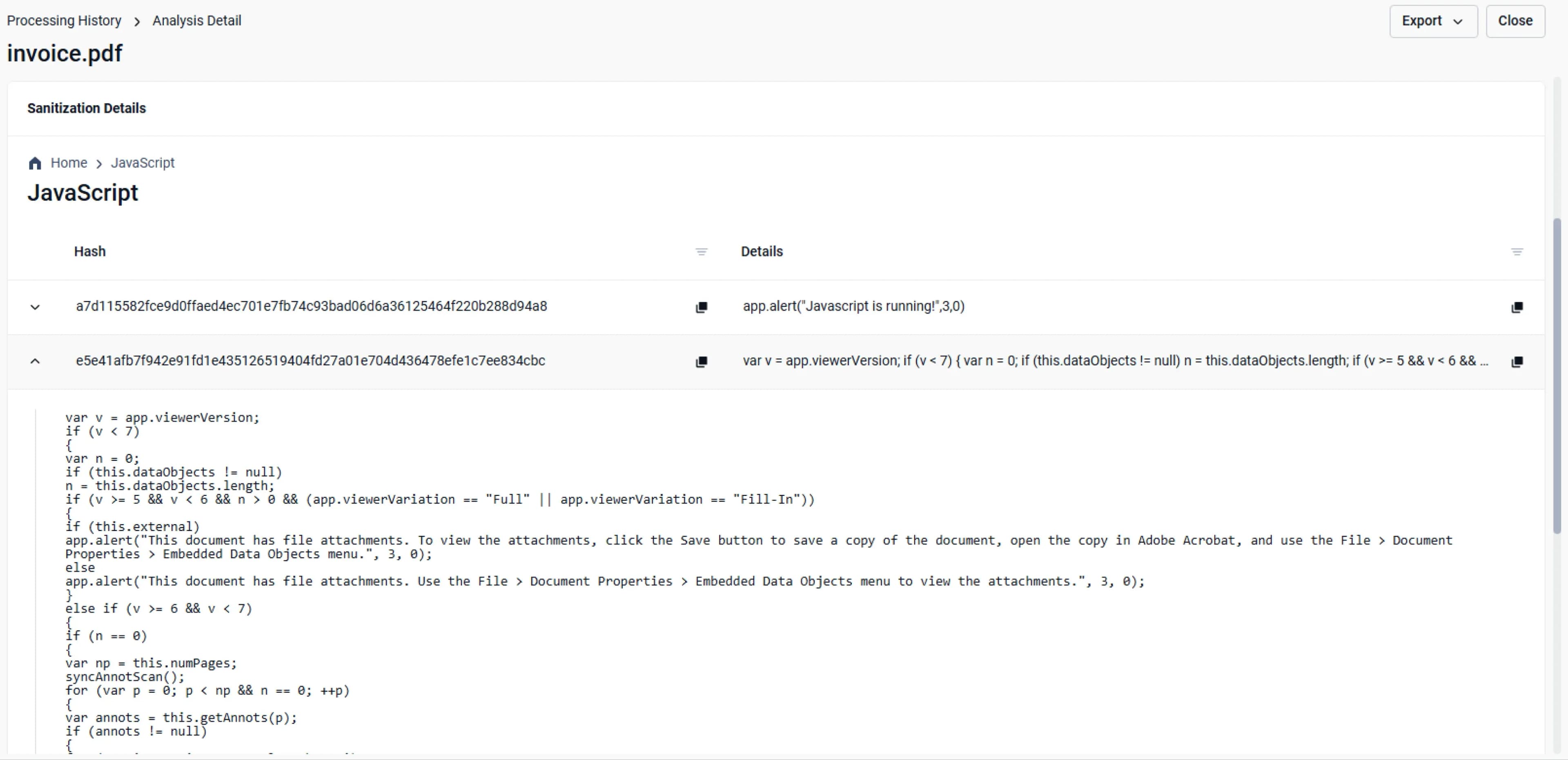
    Object listing enhances visibility into all processed objects within a sanitized file.

  • Deep CDR™ Technology — Customizable Action
    Customizable Action

    Customize how potentially harmful objects are handled to align with your specific goals.

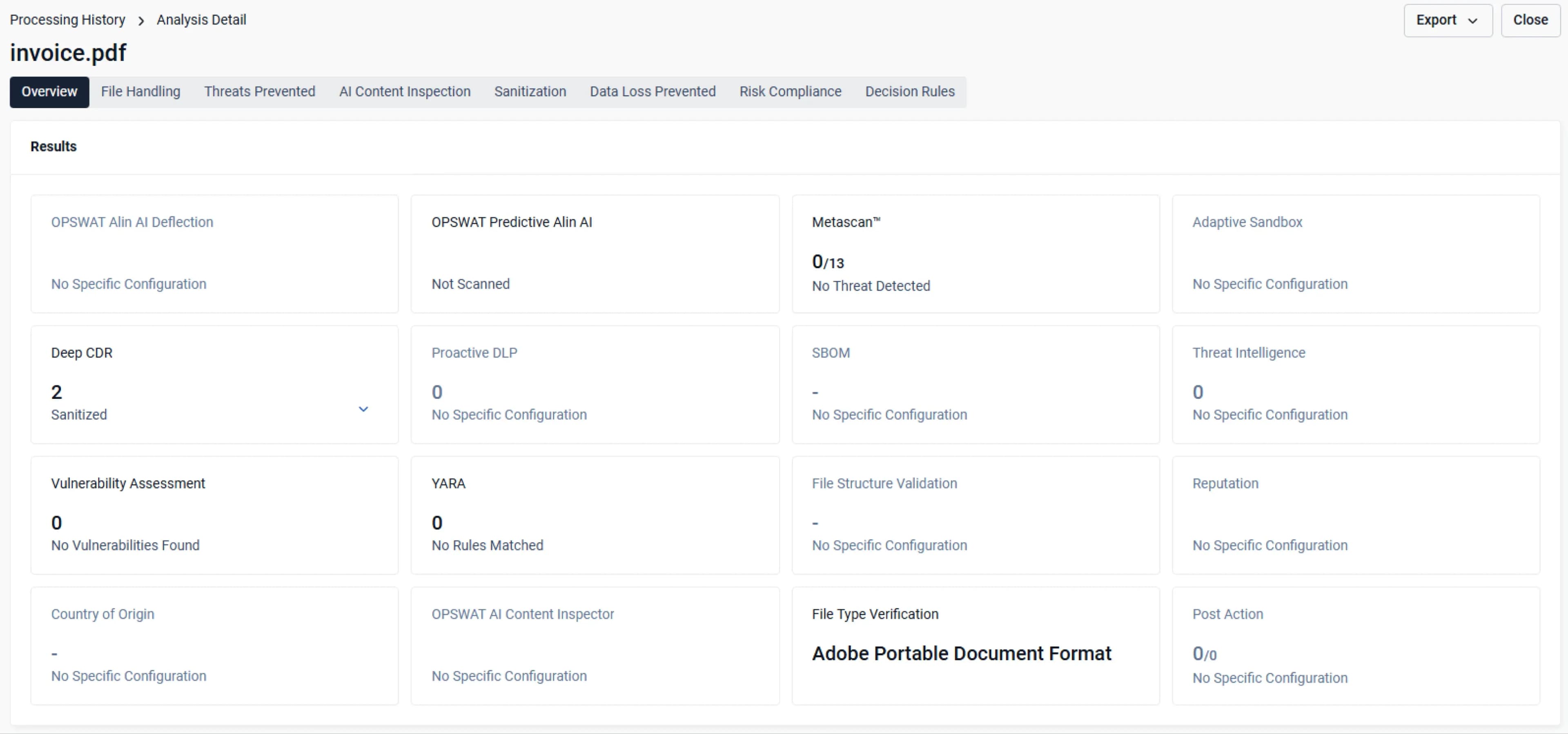
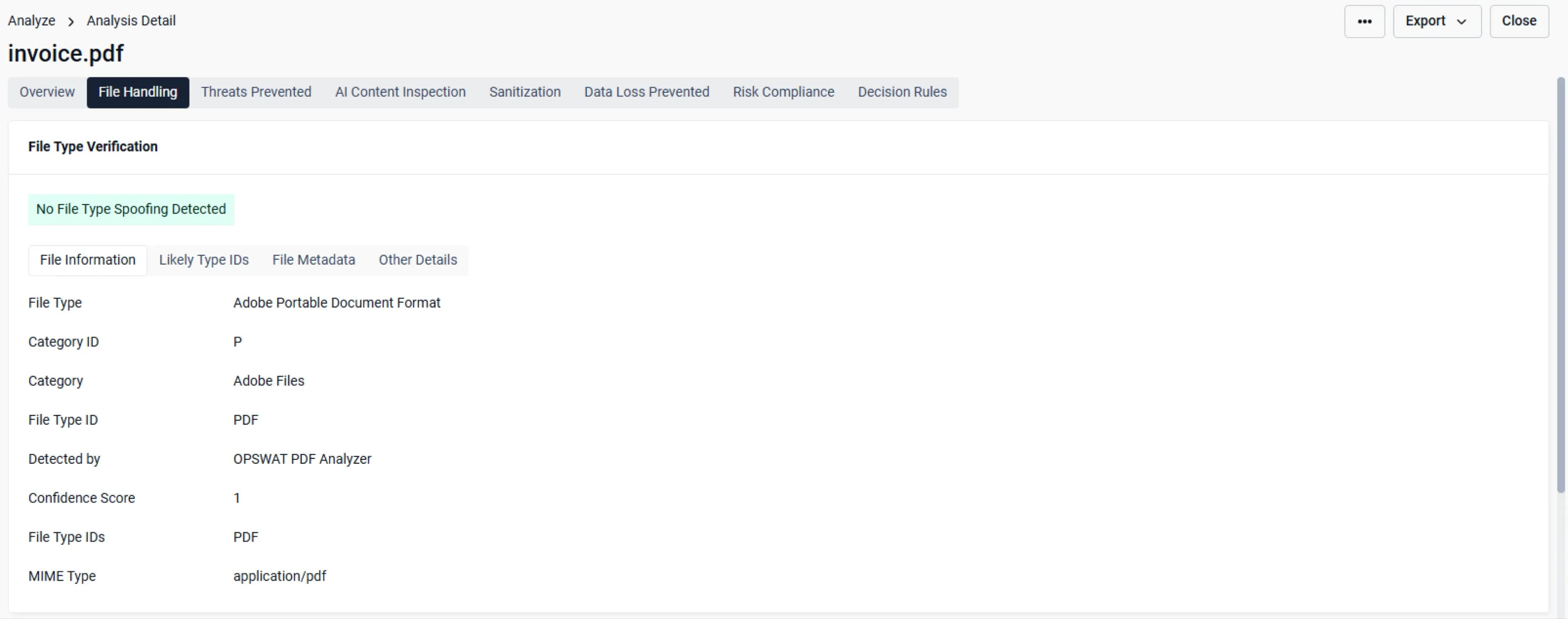
  • Deep CDR™ Technology — File Type Verification
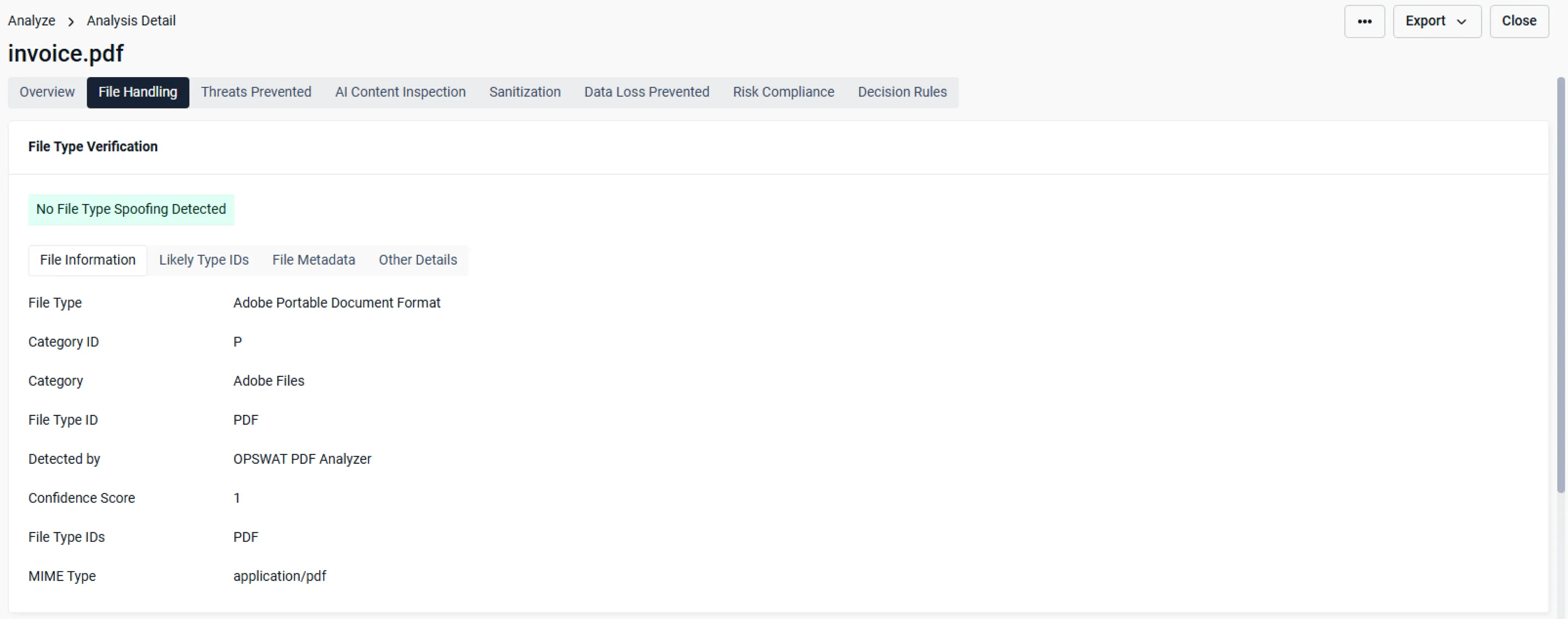
    File Type Verification

    Object listing enhances visibility into all processed objects within a sanitized file.

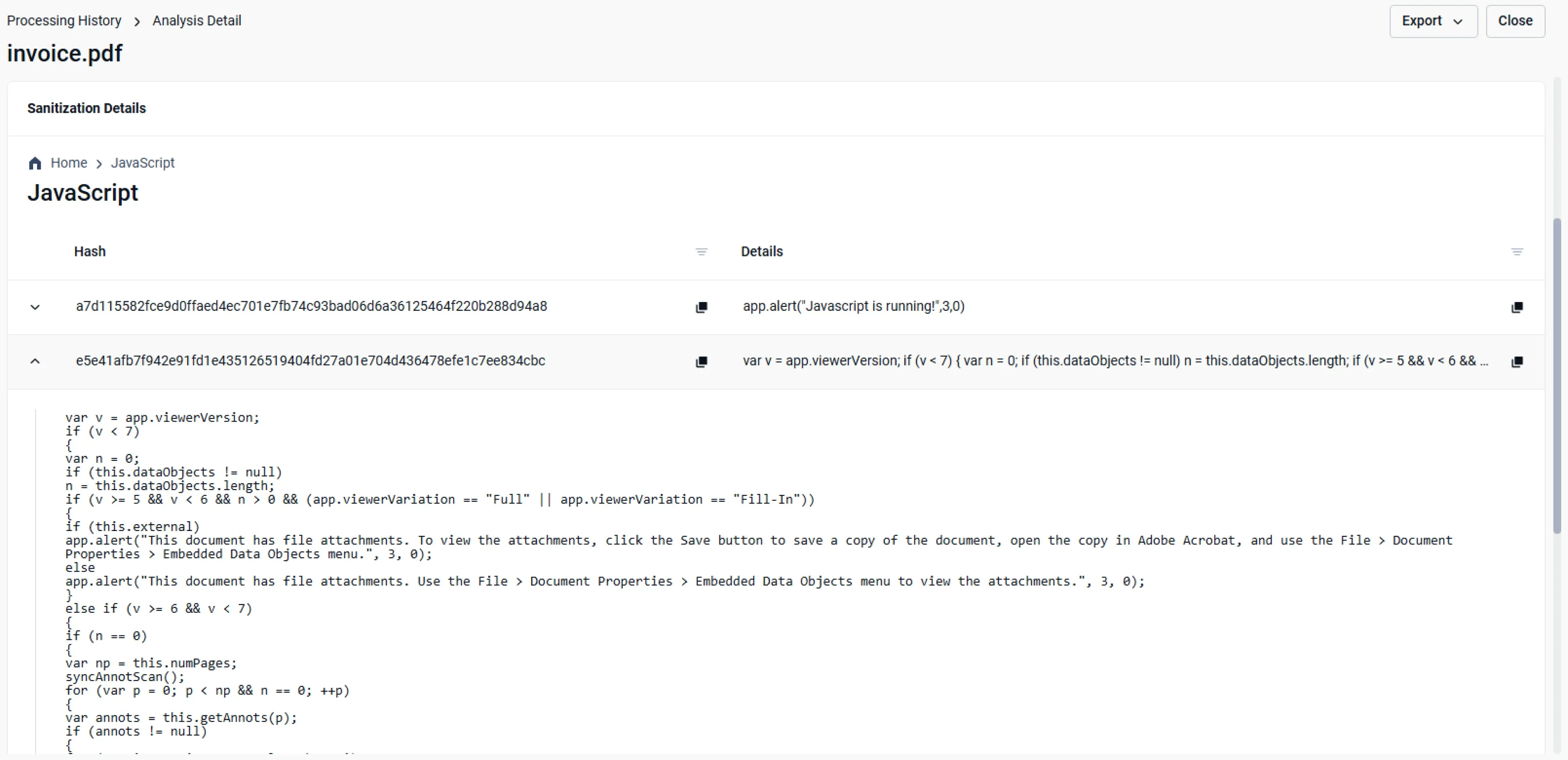
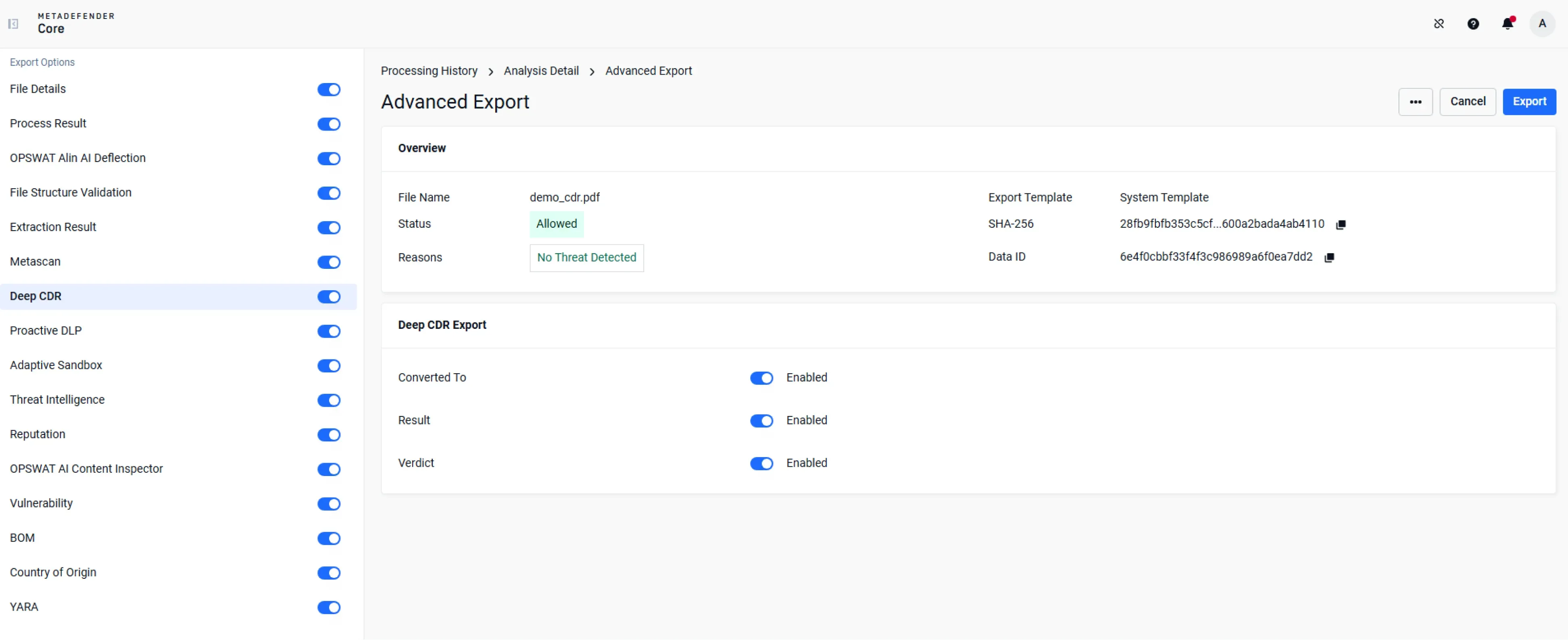
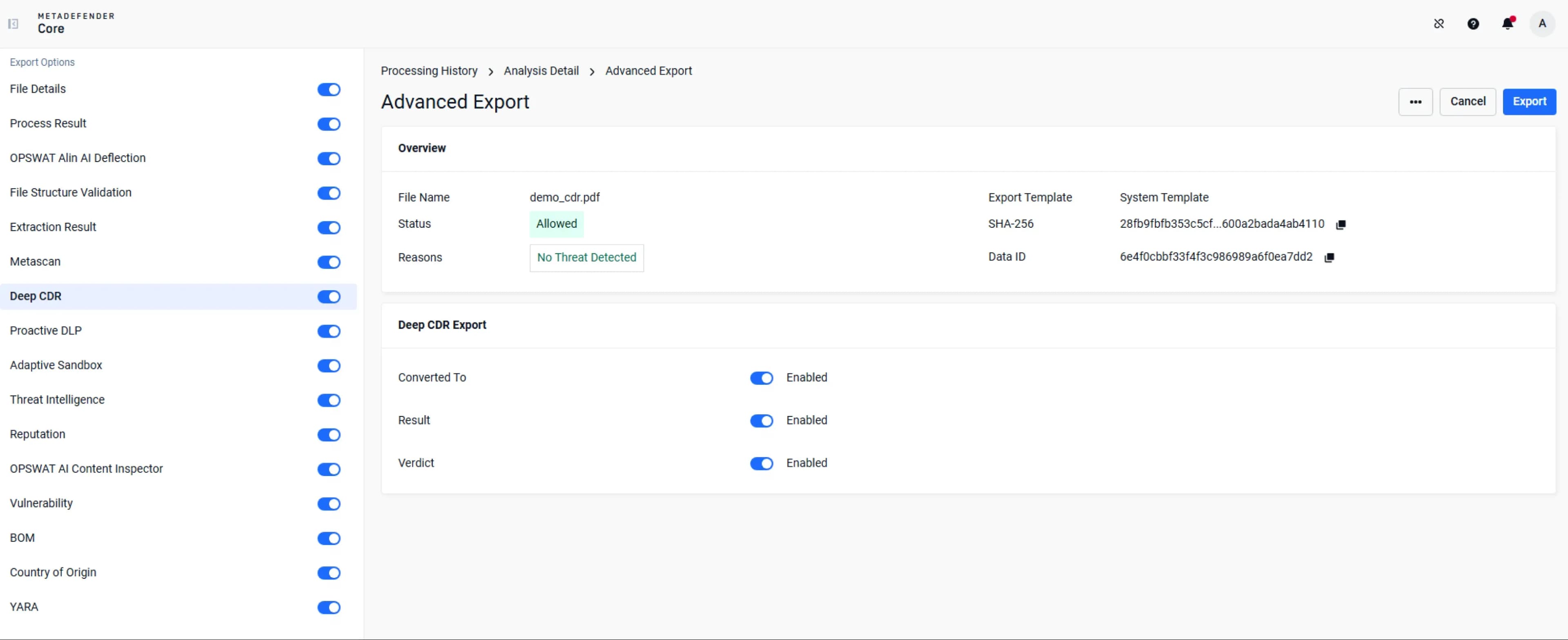
  • Deep CDR™ Technology — Deep Diagnostic Data Export
    Deep Diagnostic Data Export

    Deep CDR™ Technology returns detailed forensic info for the disarmed files.

Explore 200+ Supported File Types

Explore the file types below and click through to see performance data, supported versions and review sample files.

Supported File Types

230
Filters

Word Documents

Category: Microsoft Office Files

File Types: doc, docx, docm, dot, dotx, dotm, rtf

Supported Versions: 97-2003, 2007 and later. Not support version 95 or older

View Sanitized Files

Excel Spreadsheets

Category: Microsoft Office Files

File Types: xls, xlsx, xlsm, xlsb, xlt, xltx, xltm, xlam

Supported Versions: 97-2003, 2007 and later. Not support version 95 or older

View Sanitized Files

PowerPoint Presentations

Category: Microsoft Office Files

File Types: ppt, pptx, pptm, pot, potx, potm, pps, ppsx, ppsm, ppam, sldx, sldm

Supported Versions: 97-2003, 2007 and later. Not support version 95 or older

View Sanitized Files

Visio Drawings

Category: Microsoft Office Files

File Types: vsd, vsdx, vssx, vstx, vsdm, vssm, vstm, vsx, vtx, vdx

Supported Versions: VSD: 2003-2010; VSDX, VSSX, VSTX, VSDM, VSSM, VSTM: 15.0, 16.0; VSX, VTX, VDX: 11.0, 12.0, 14.0, 15.0, 16.0

View Sanitized Files

OneNote

Category: Microsoft Office Files

File Types: one

Supported Versions: OneNote 2010 and later

Outlook Files

Category: Microsoft Office Files

File Types: eml, msg, oft, pst, mbx, tnef

View Sanitized Files

Microsoft Project Files

Category: Microsoft Office Files

File Types: mpp

Text Documents

Category: OpenDocument Files

File Types: odt, ott

Supported Versions: 1.0, 1.1, 1.2, 1.3

View Sanitized Files

Spreadsheets

Category: OpenDocument Files

File Types: ods, ots

Supported Versions: 1.0, 1.1, 1.2, 1.3

View Sanitized Files

Presentations

Category: OpenDocument Files

File Types: odp, otp

Supported Versions: 1.0, 1.1, 1.2, 1.3
Deployment Options

Deep CDR™ Technology

MetaDefender Cloud

Easy scalability, 24/7 availability, and minimal overhead

Deep CDR™ Technology

MetaDefender AMI

Deployment in your AWS account to process files

Deep CDR™ Technology

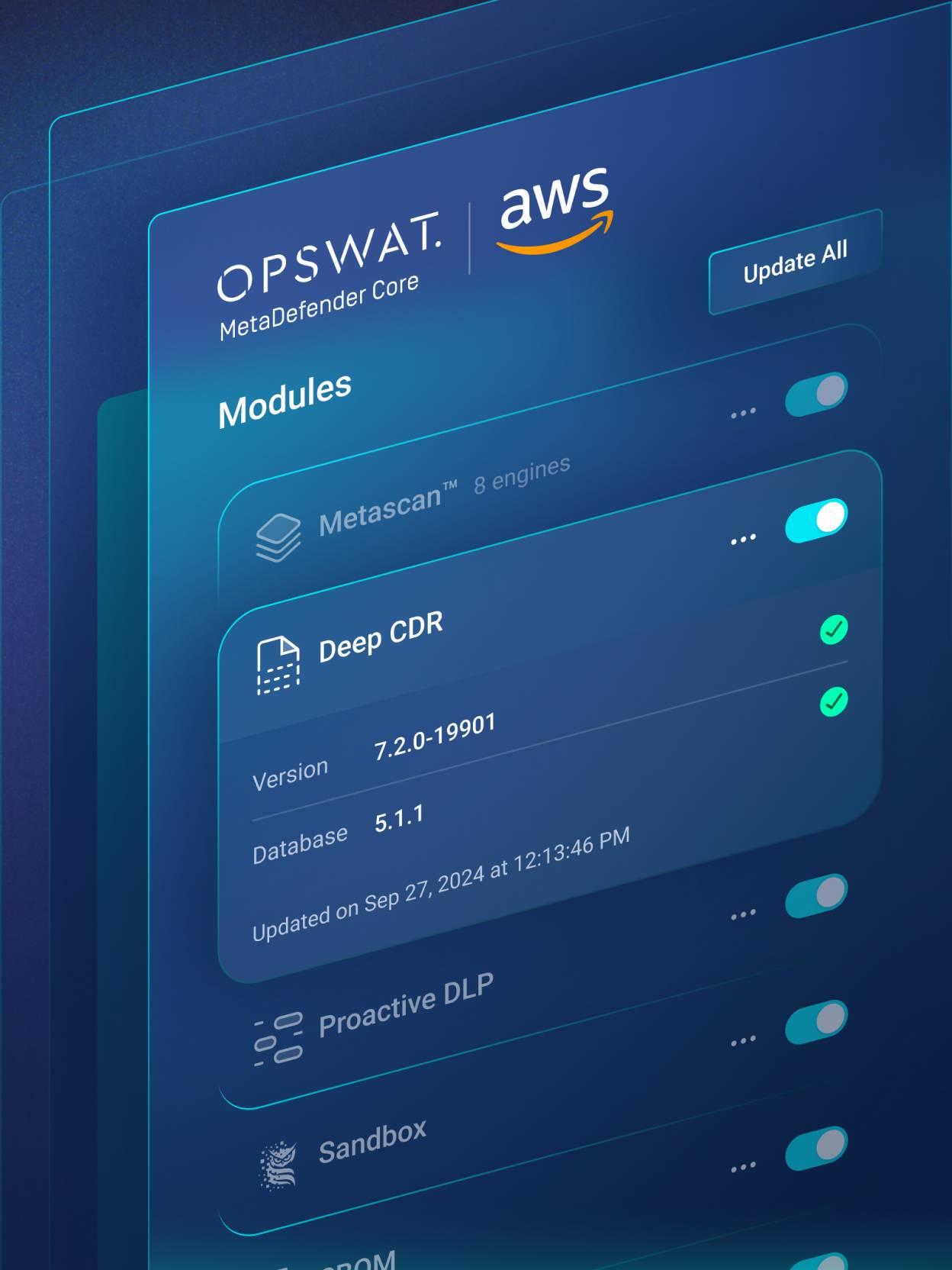
MetaDefender Core

Ideal for on-premises deployments with strict constraints

Deep CDR™ Technology Reports & Diagnostics

Customers Talk about Deep CDR™ Technology

  • genesis

    “We could see their product had a proven track record for what we needed it to do. We felt confident in engaging OPSWAT for a solution.”

    Adam Whitmore
    Engineering Manager for Systems Infrastructure, Genesis Energy
  • muroran city logo

    “We believe that OPSWAT and FileZen S are indispensable to our city in order to conduct operations that are safe and do not compromise efficiency.”

    Sho Sawada
    Chief of ICT Promotion Section , Planning and Finance Department, Muroran City Hall
  • clalit logo

    “...OPSWAT’s Deep CDR™ Technology gives us the broadest list of supported files, the best integrations to third parties, and the easiest management interface.”

    Tamir Shahar
    Infrastructure Architect, Clalit Health Services
  • hapool logo

    "With OPSWAT’s MetaDefender [Email Security] in place, every entry point is covered.... Knowing that no malicious content can enter our network gives us peace of mind."

    Guy Elmalem
    IT and Cyber Infrastructure Manager, Hapool Insurance
  • testimonial fuji video logo

    “OPSWAT’s was far superior compared to the sanitization engines proposed by other companies.”

    Kouji Daicho
    Senior Manager of the Information System Section,
    Digital Promotion Office, Fuji City
  • hibob logo

    “With a CDR solution [like OPSWAT], we can be sure that files uploaded to our platform are clean of all malware.”

    Tamir Ronen
    Information
  • uniquewire logo

    “You have to control what goes onto your network, period. It's going to take holistic solutions like OPSWAT... to reduce that threat.”

    Brian Feucht
    President, Unique Wire
Geoff Bard avatar

"Deep CDR™ Technology is a fast way to deconstruct and reconstruct files, with the reconstruction keeping their integration. It can deal with zero-day threats without the need for signatures and heuristics."

Geoff Bard
Network and Infrastructure Admin, Genesis Energy

Learn How Deep CDR™ Technology Protects Your Organization from File-Borne Attacks

Fill out the form and we’ll be in touch within 1 business day.
Trusted by 2,100+ businesses worldwide.