Automate File Trust at
Microsoft 365 Scale
MetaDefender™ for Microsoft 365 is OPSWAT’s file threat prevention solution for inspecting and sanitizing files and emails across Exchange Online, Teams, SharePoint Online, and OneDrive beyond native security as AI-assisted threats scale.
- Full Microsoft 365 Coverage
- Advanced Layered Prevention
- Encrypted File Sanitization
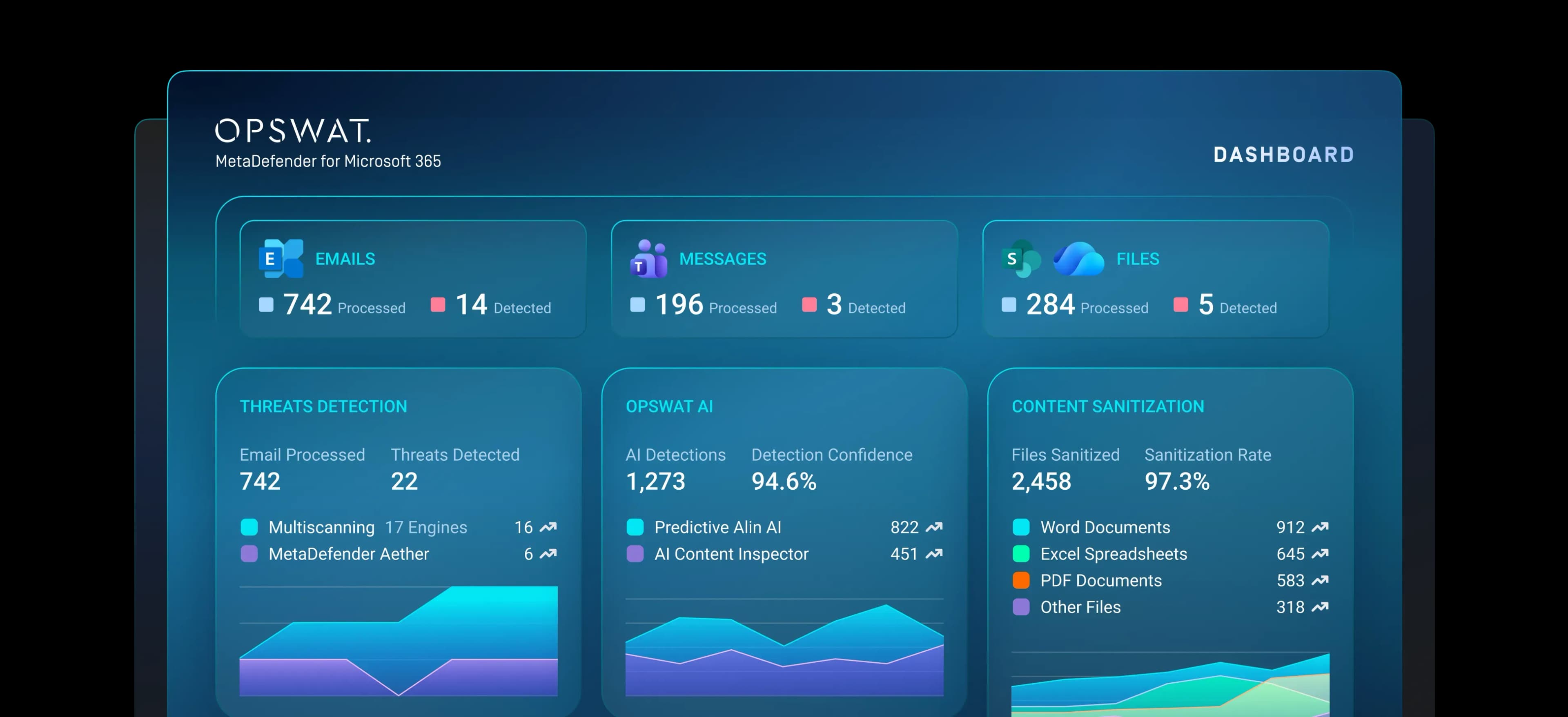
























File Threat Prevention Across
the Microsoft 365 Tenant
MetaDefender for Microsoft 365 strengthens Office 365 malware protection by applying multi-layered prevention and detection-based technologies. It helps organizations minimize exposure before emails reach users, reduce dependence on post-delivery remediation, and fortifies Microsoft 365 defenses against automated, evasive, and AI-assisted threats.
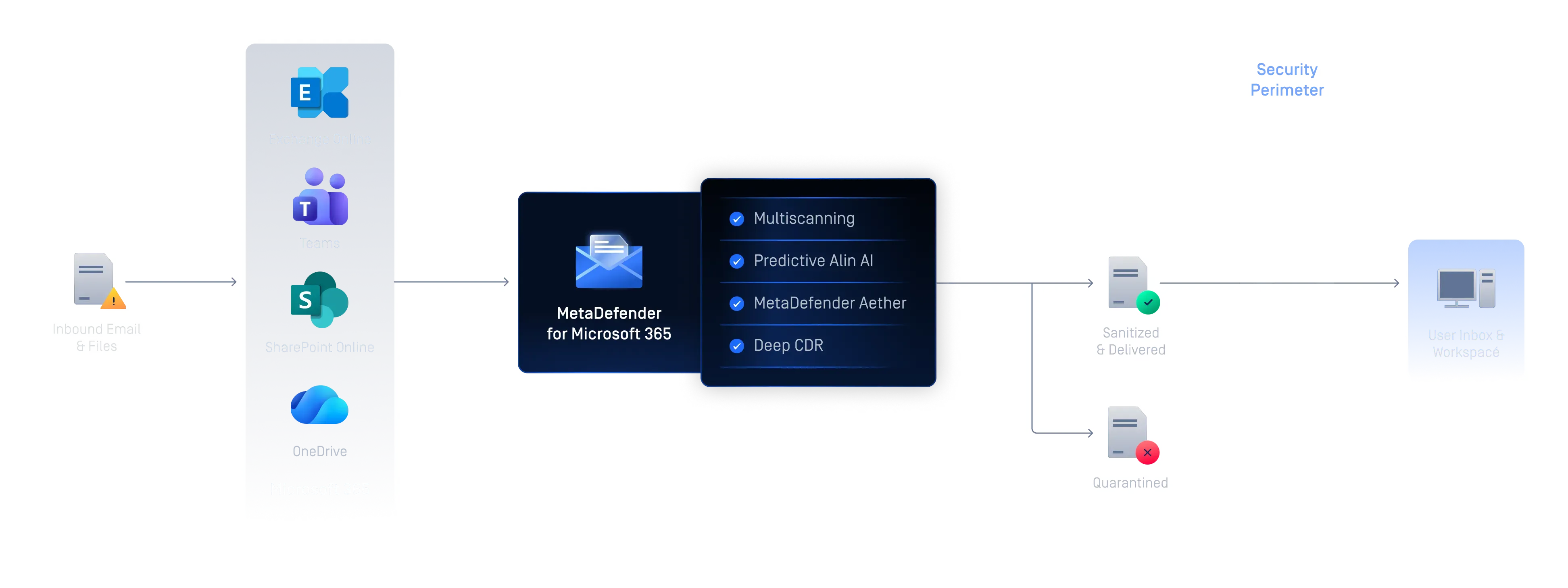

Microsoft 365 File and Email Threat Protection
As collaboration workflows become a growing target for AI-assisted and automated attacks, native controls alone may not provide the layered file inspection and sanitization security leaders need across the full Microsoft 365 tenant.

File Threat Prevention Before Delivery
Minimizes the exposure window by applying layered threat prevention before suspicious content reaches inboxes or moves through shared Microsoft 365 workspaces, including password-protected files.

Secure Content Processing Across Cloud Collaboration
Reduces manual triage and maintains clearer tenant-wide visibility across Microsoft email, Teams, SharePoint, and OneDrive.

Compliance and Data Protection for Microsoft 365 Workflows
Helps compliance, risk, and privacy teams document how files are inspected, sanitized, and controlled before they move through regulated Microsoft 365 workflows.
See MetaDefender for Microsoft 365 in Action
Explore how MetaDefender for Microsoft 365 inspects, analyzes, and sanitizes files across Exchange Online, Teams, SharePoint Online, and OneDrive to help protect users and keep collaboration moving.
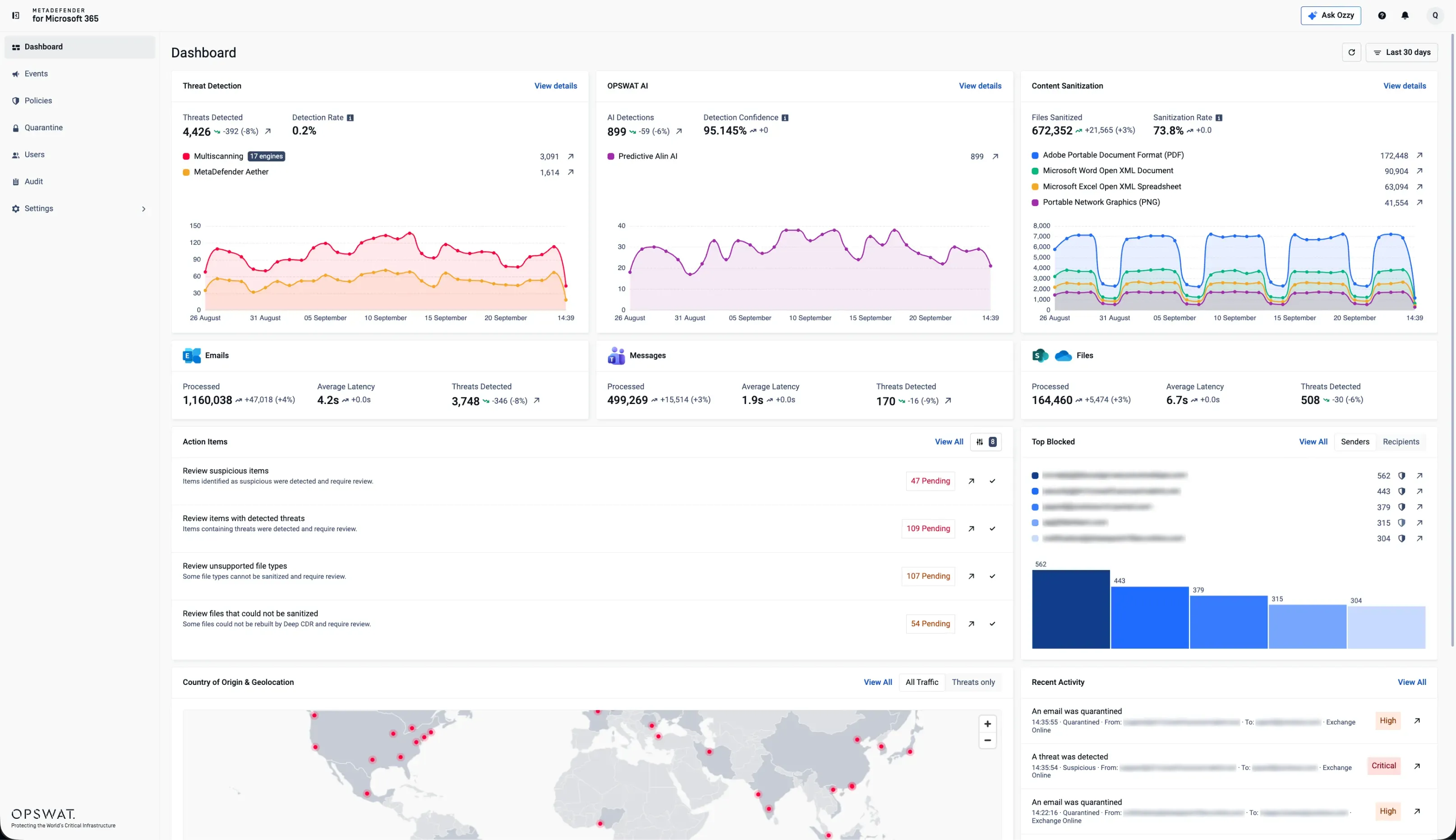
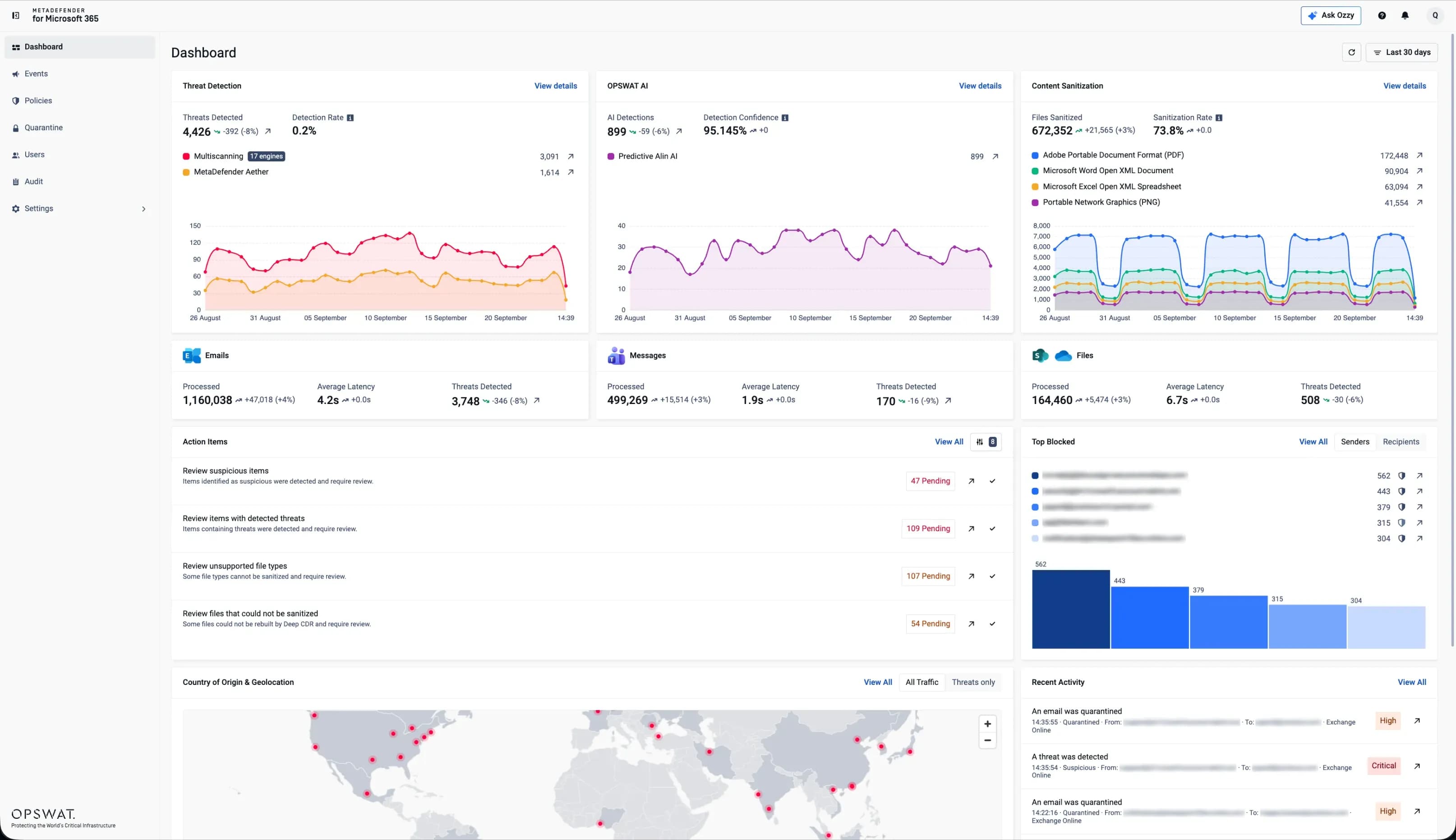
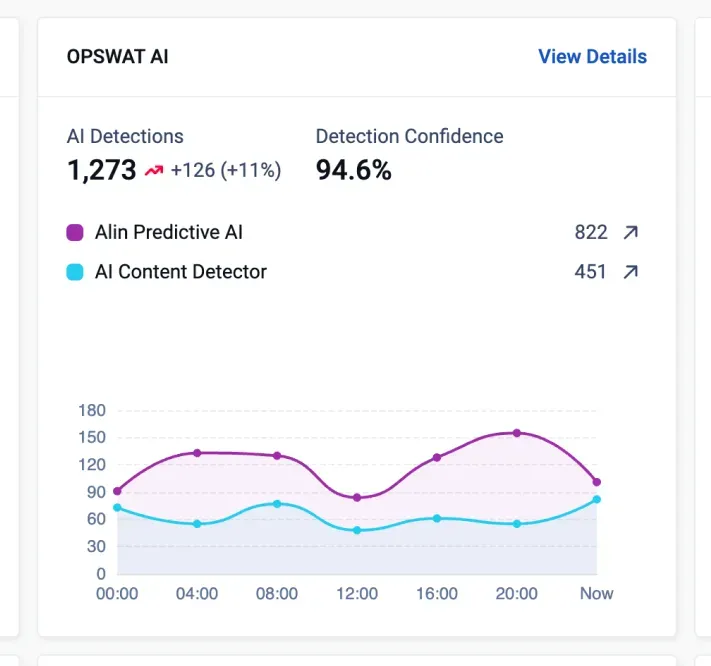
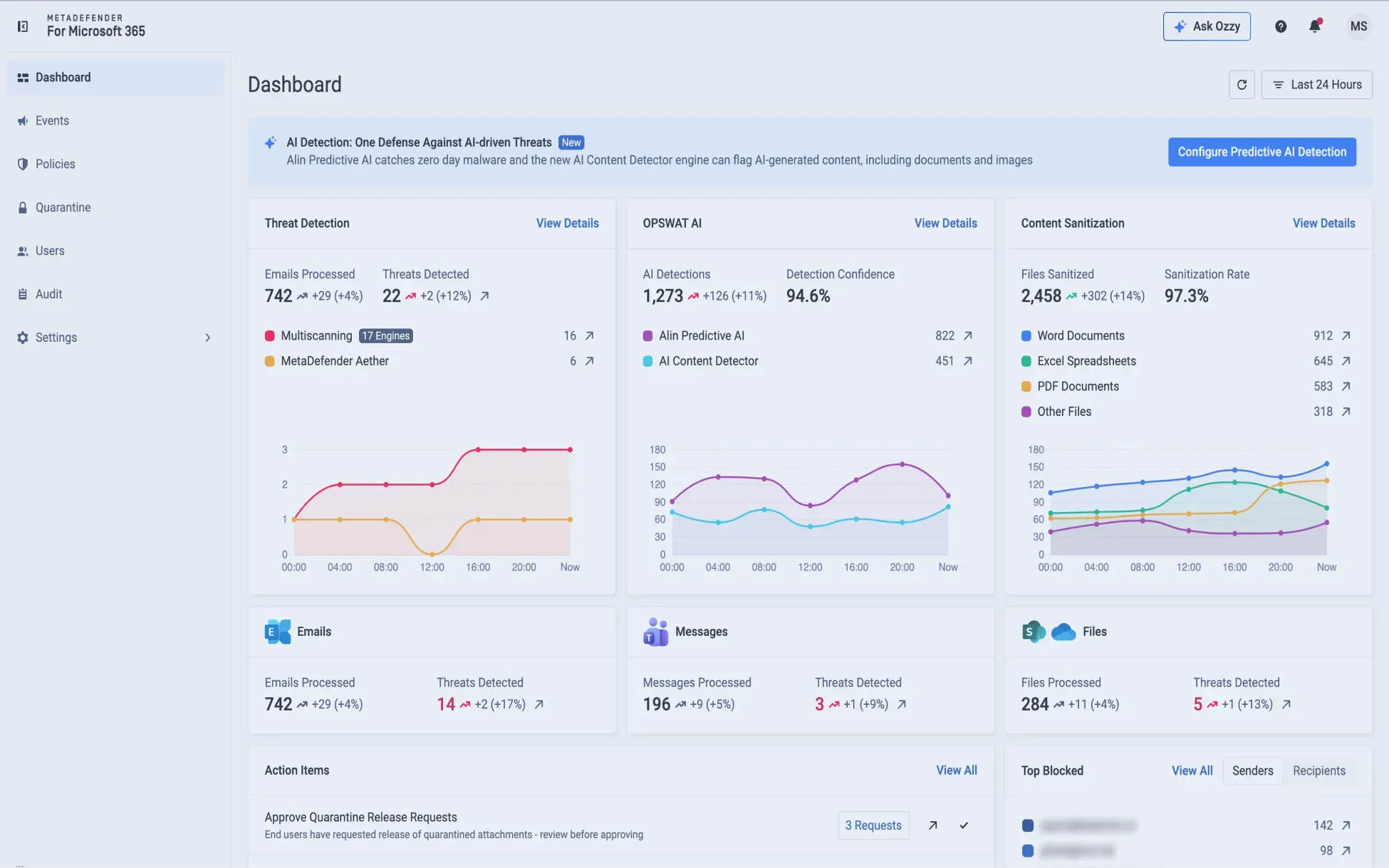
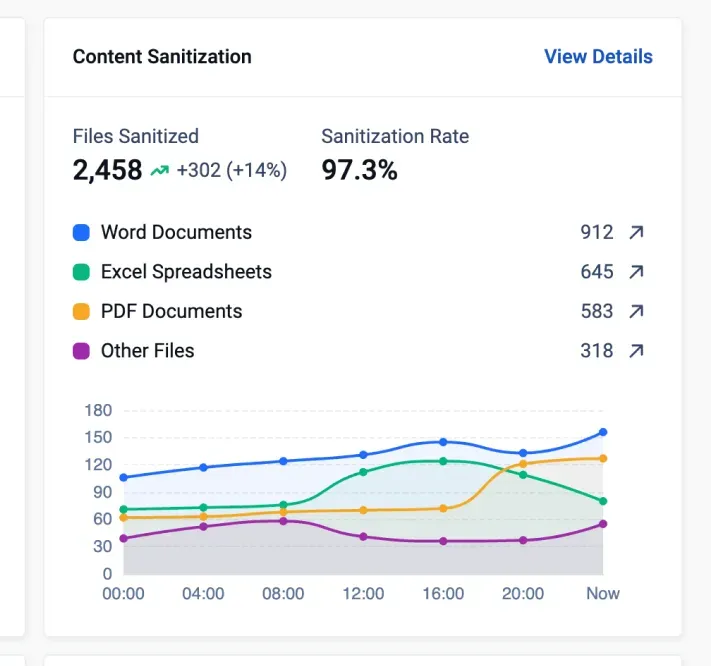
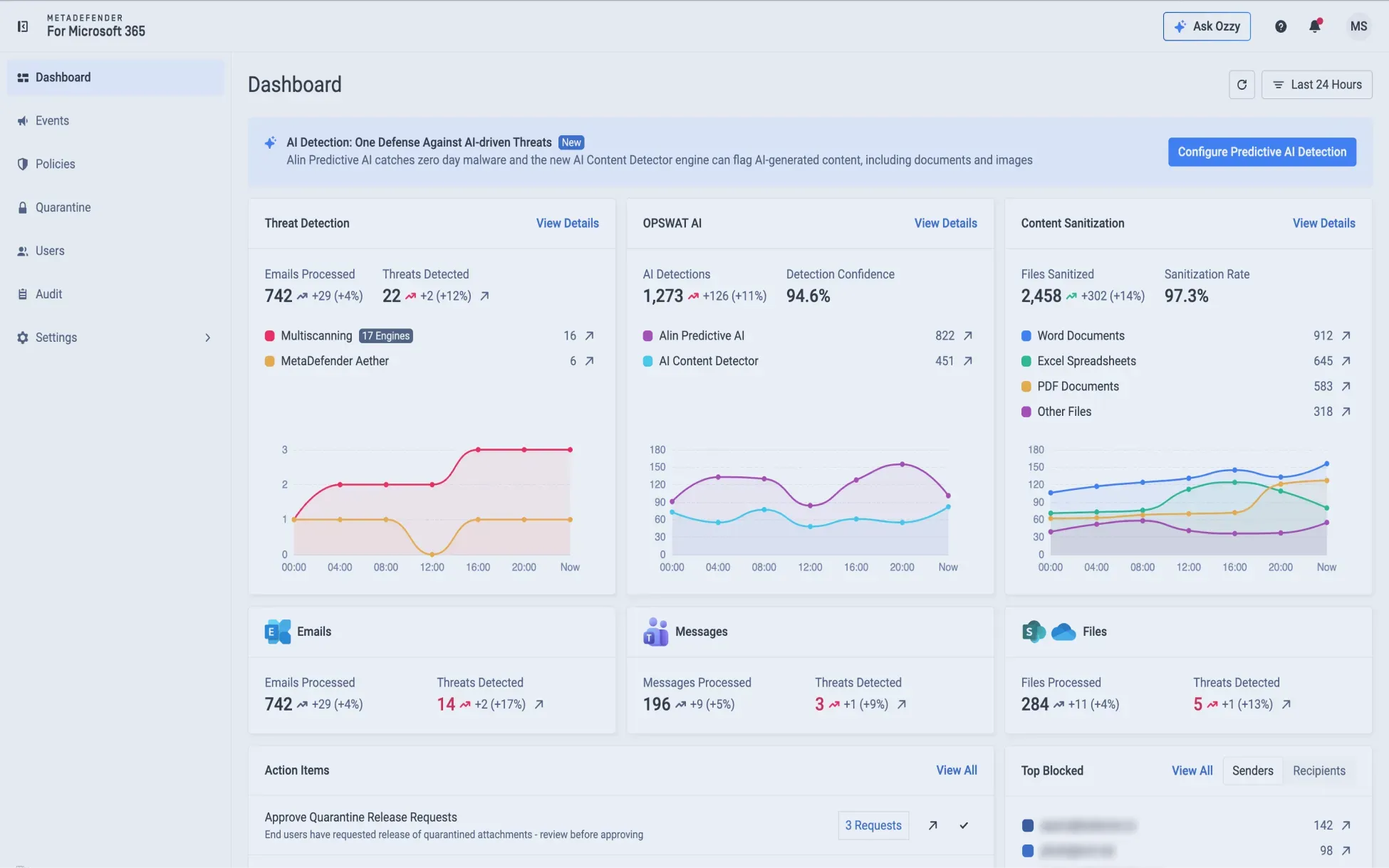
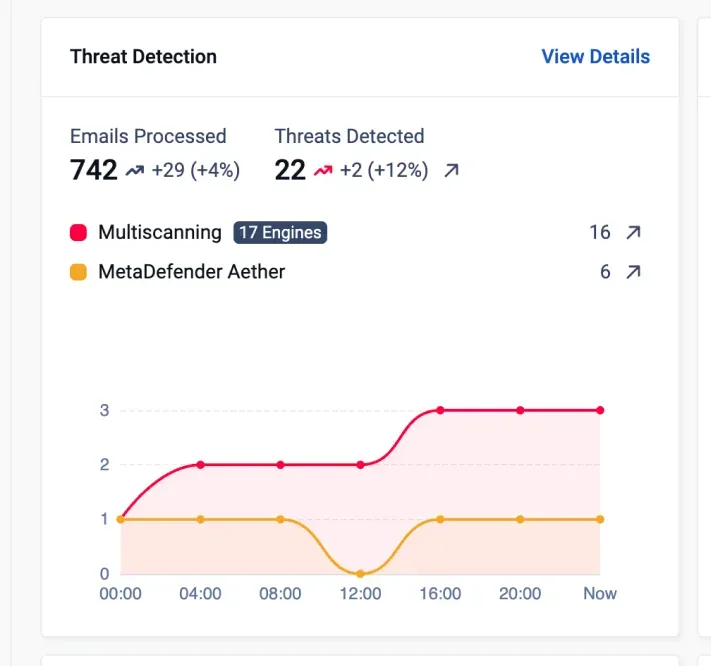
Monitor emails and files scanned, sanitized, and sandboxed across Microsoft 365 to quickly identify and prioritize suspicious activity for further analysis.
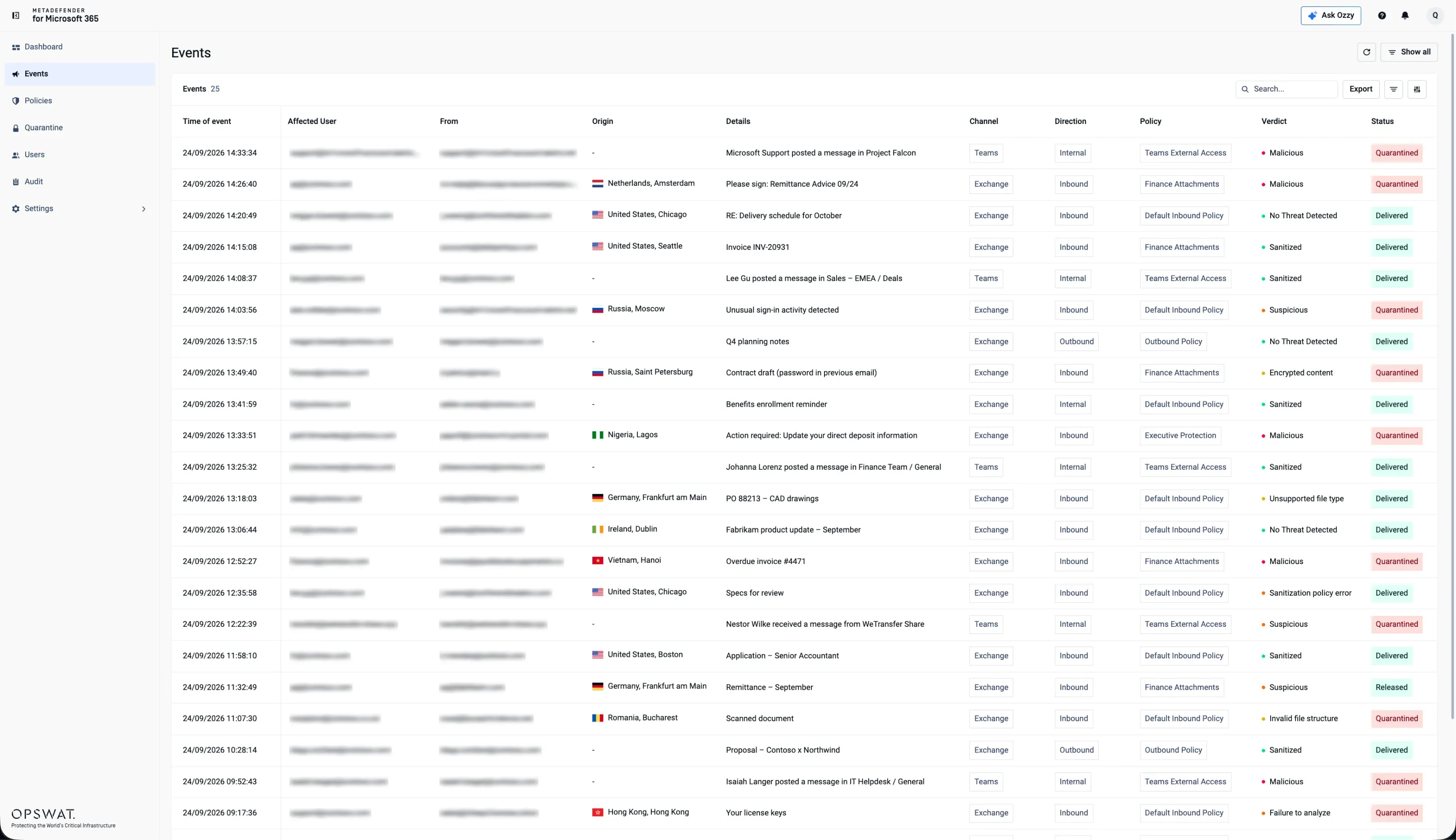
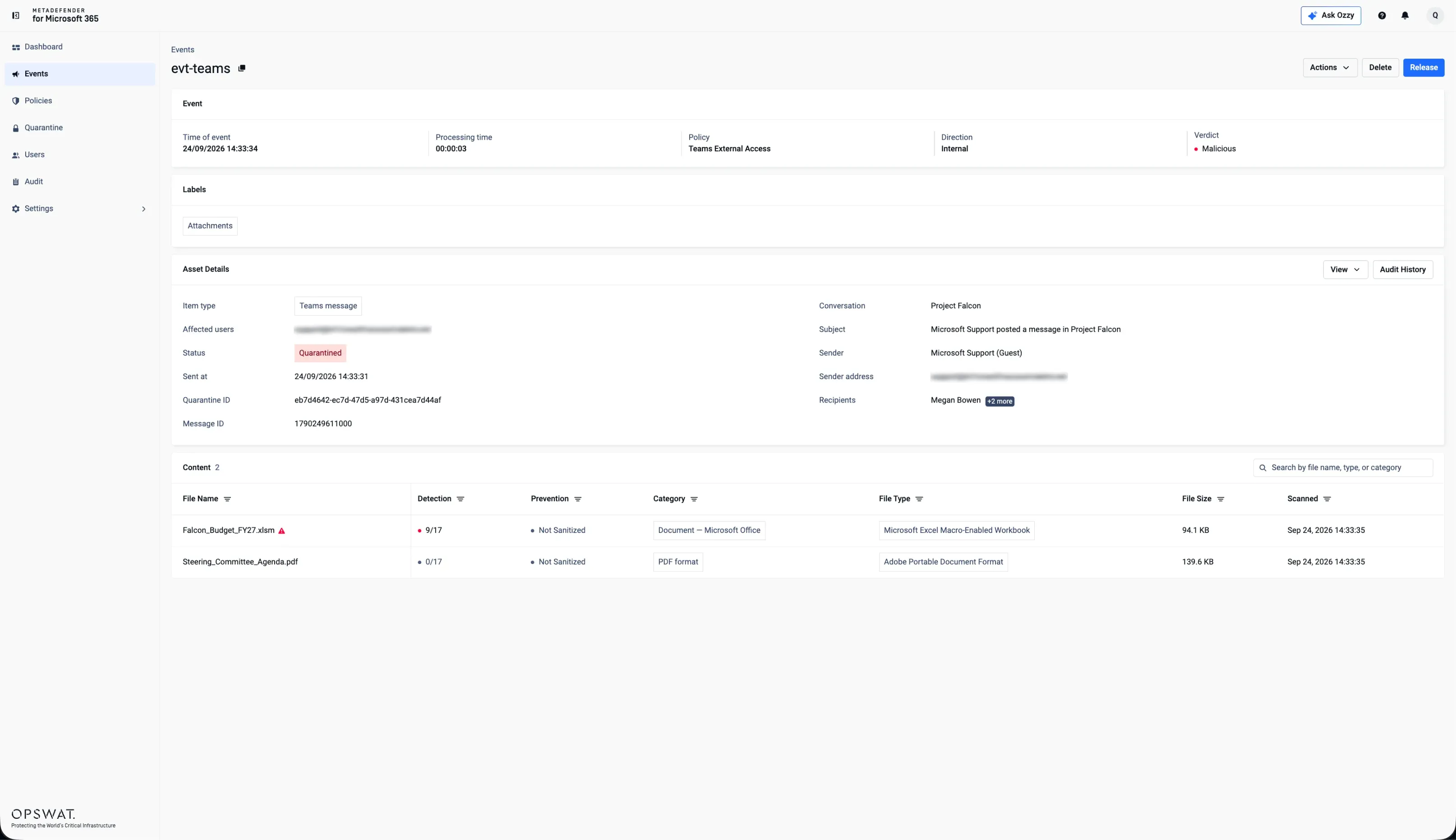
 Threat Monitoring & Investigation
Monitor emails and files scanned, sanitized, and sandboxed across Microsoft 365 to quickly identify and prioritize suspicious activity for further analysis.
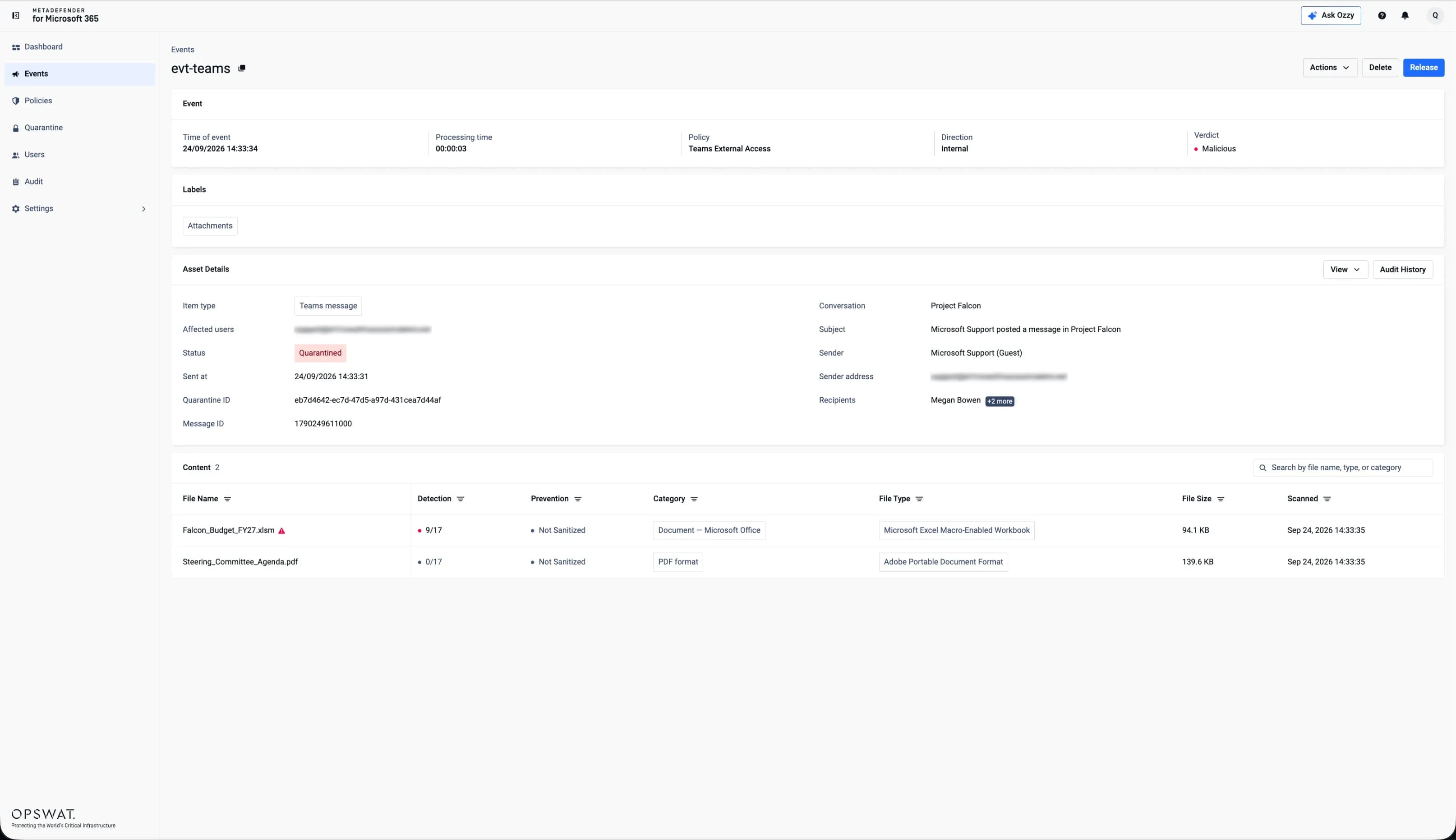
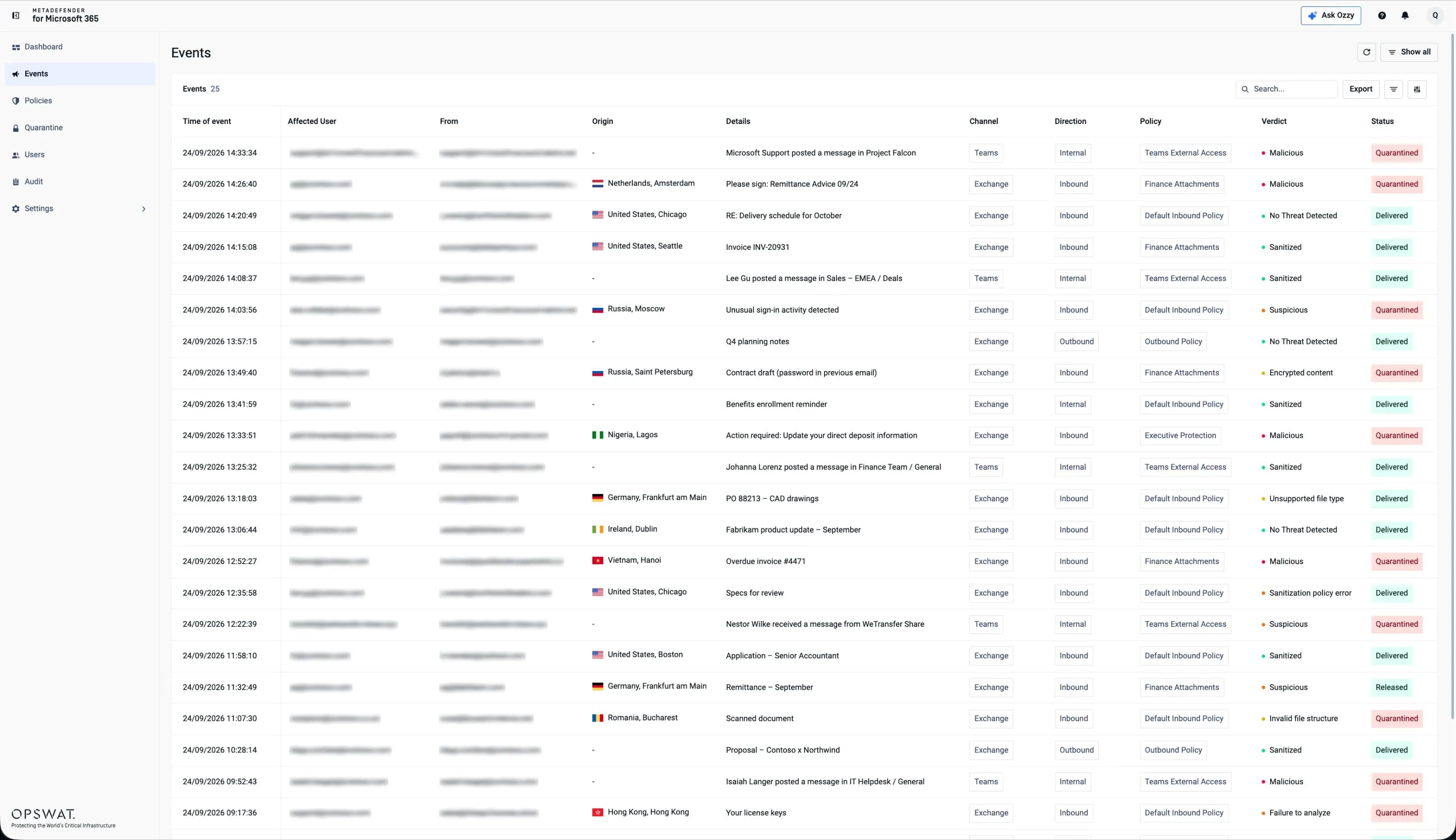 Event-Level Threat Analysis
Examine individual security events by channel, verdict, and processing status.
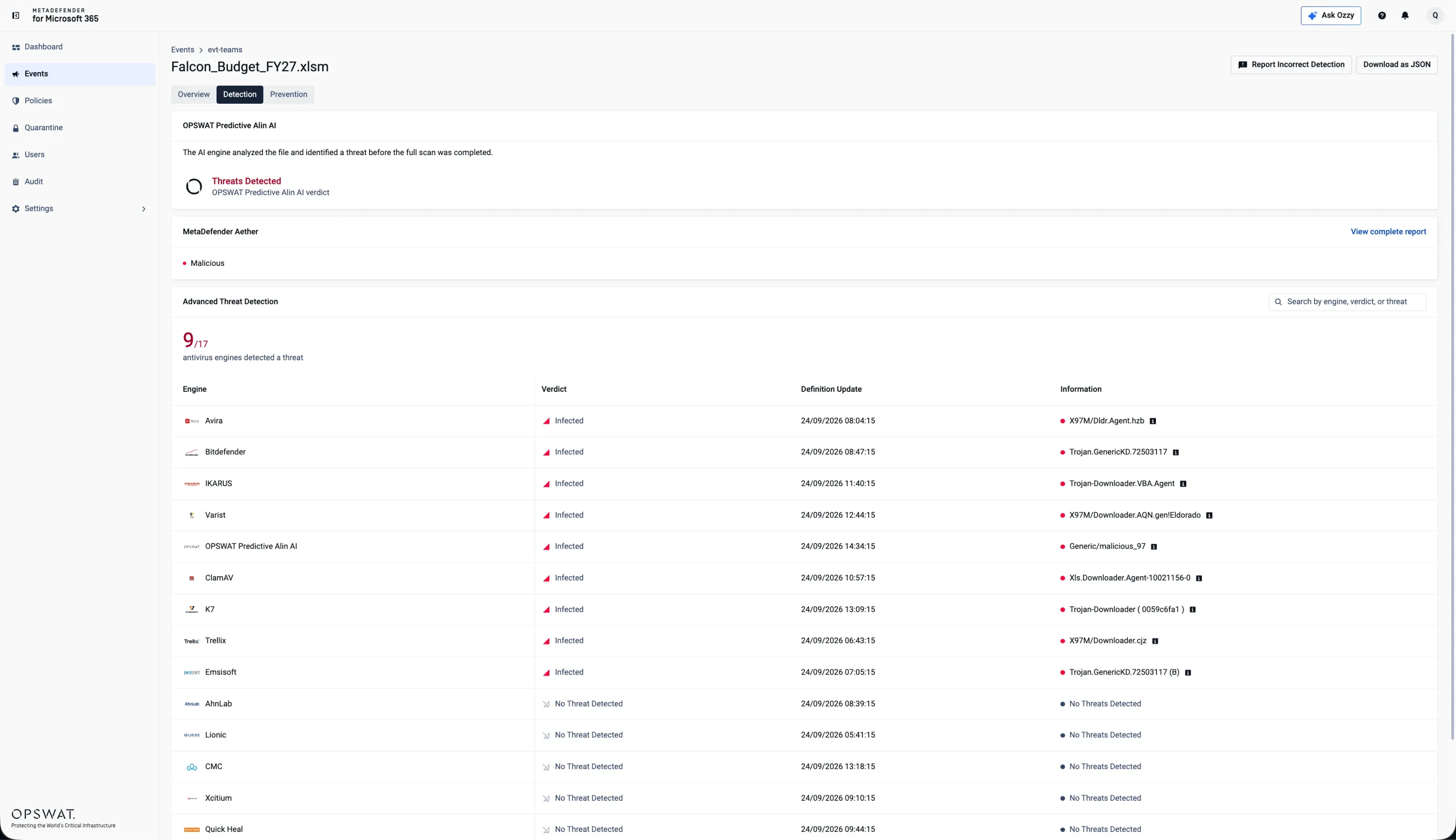
 In-Depth File Investigation
Review file and processing details to understand how content was analyzed and handled.
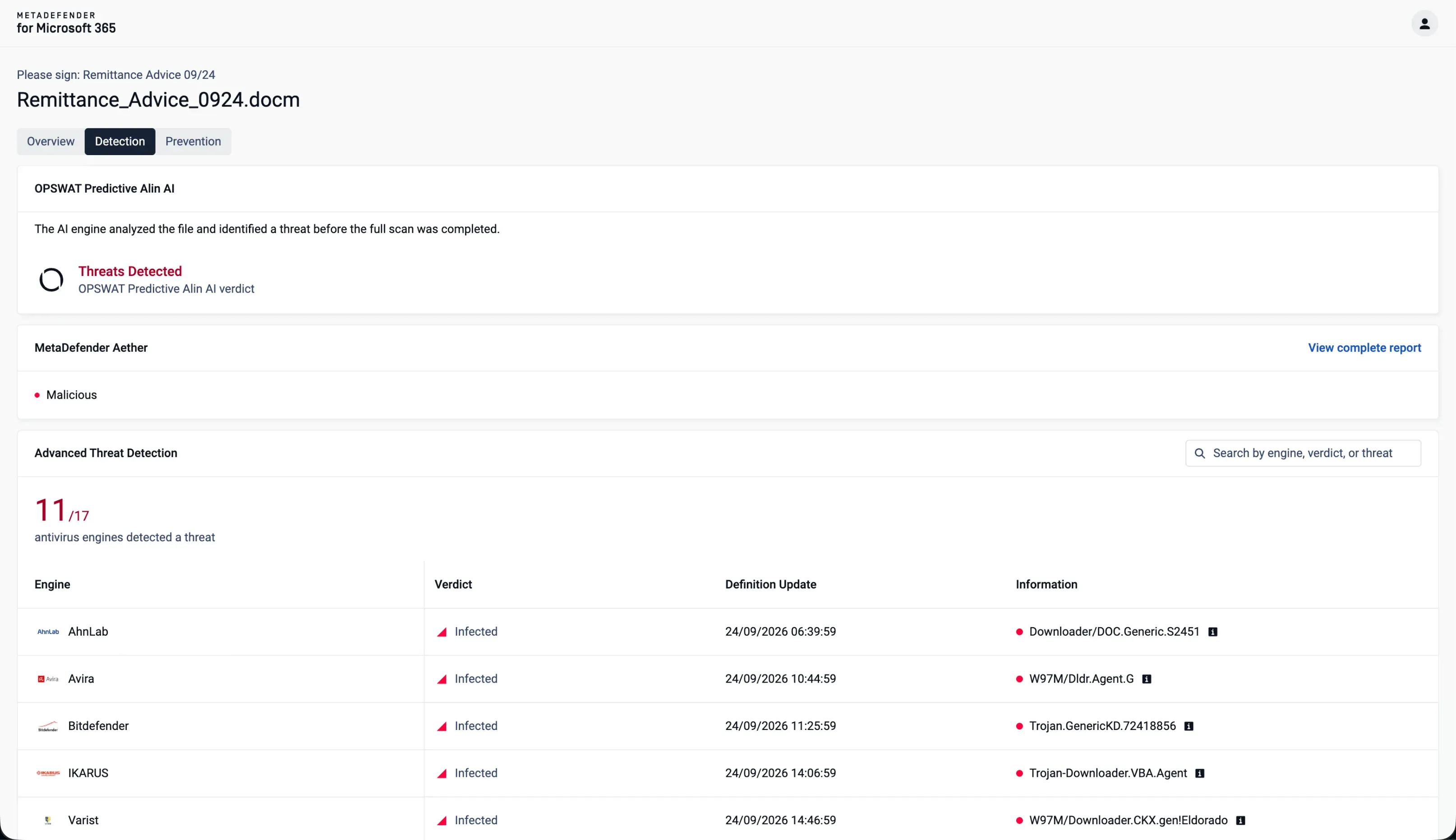
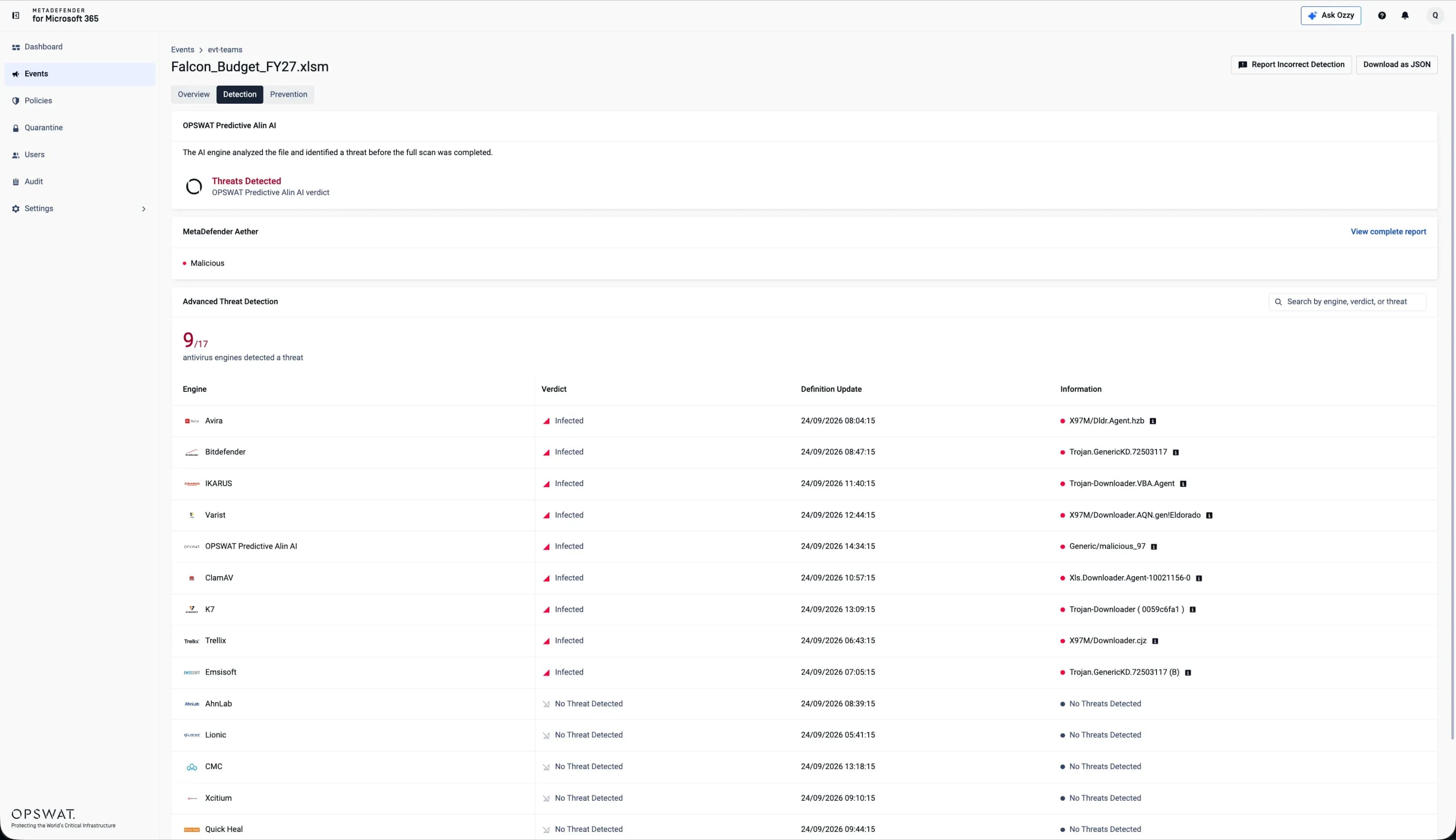 Multi-Engine Detection Analysis
Examine anti-malware detection results to gain deeper insight into file threats.
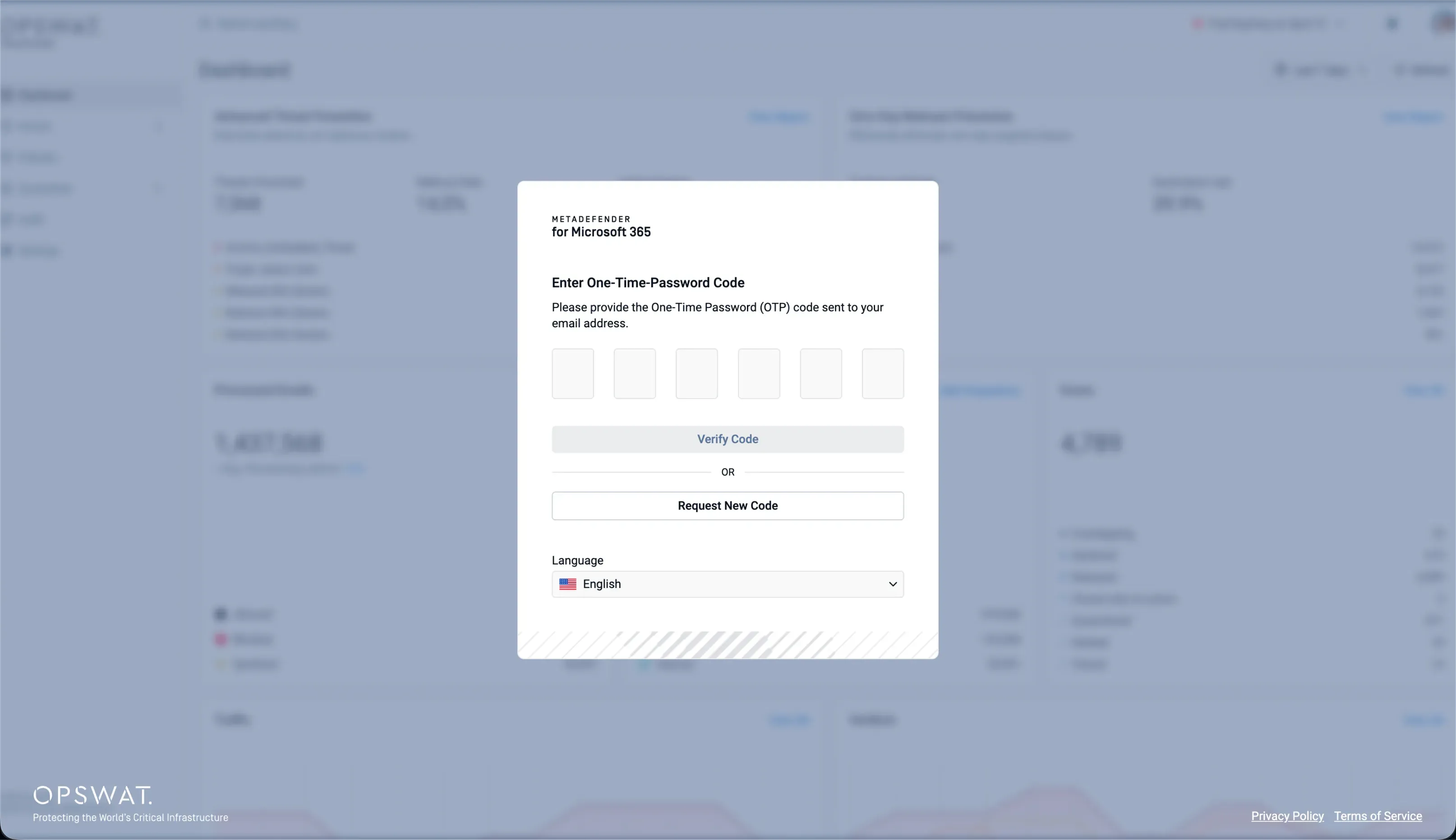
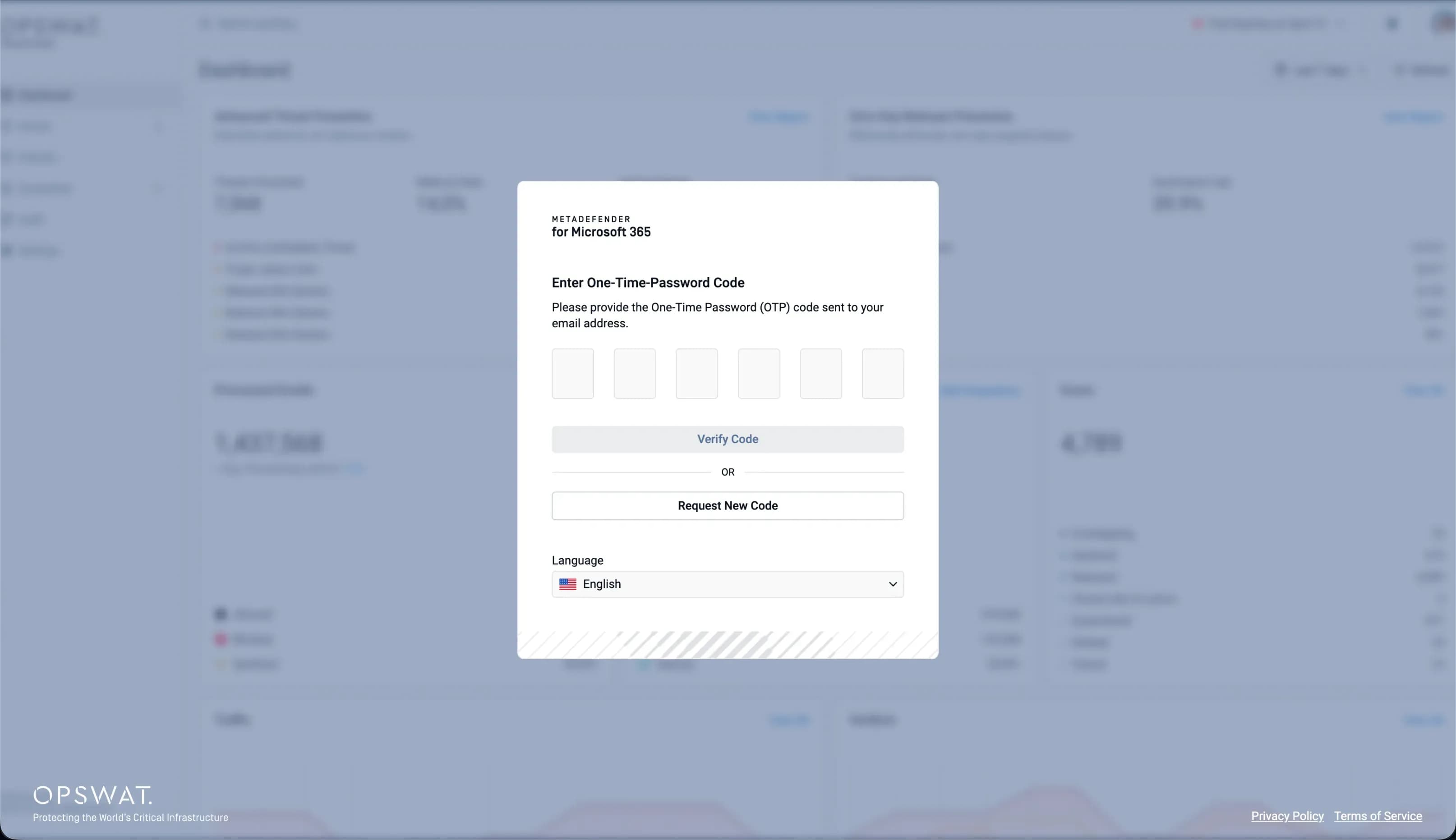 Self-Serve Portal
Allow users to securely submit passwords for protected files through a self-service portal, enabling automated scanning, sanitization, and sandbox analysis as needed.
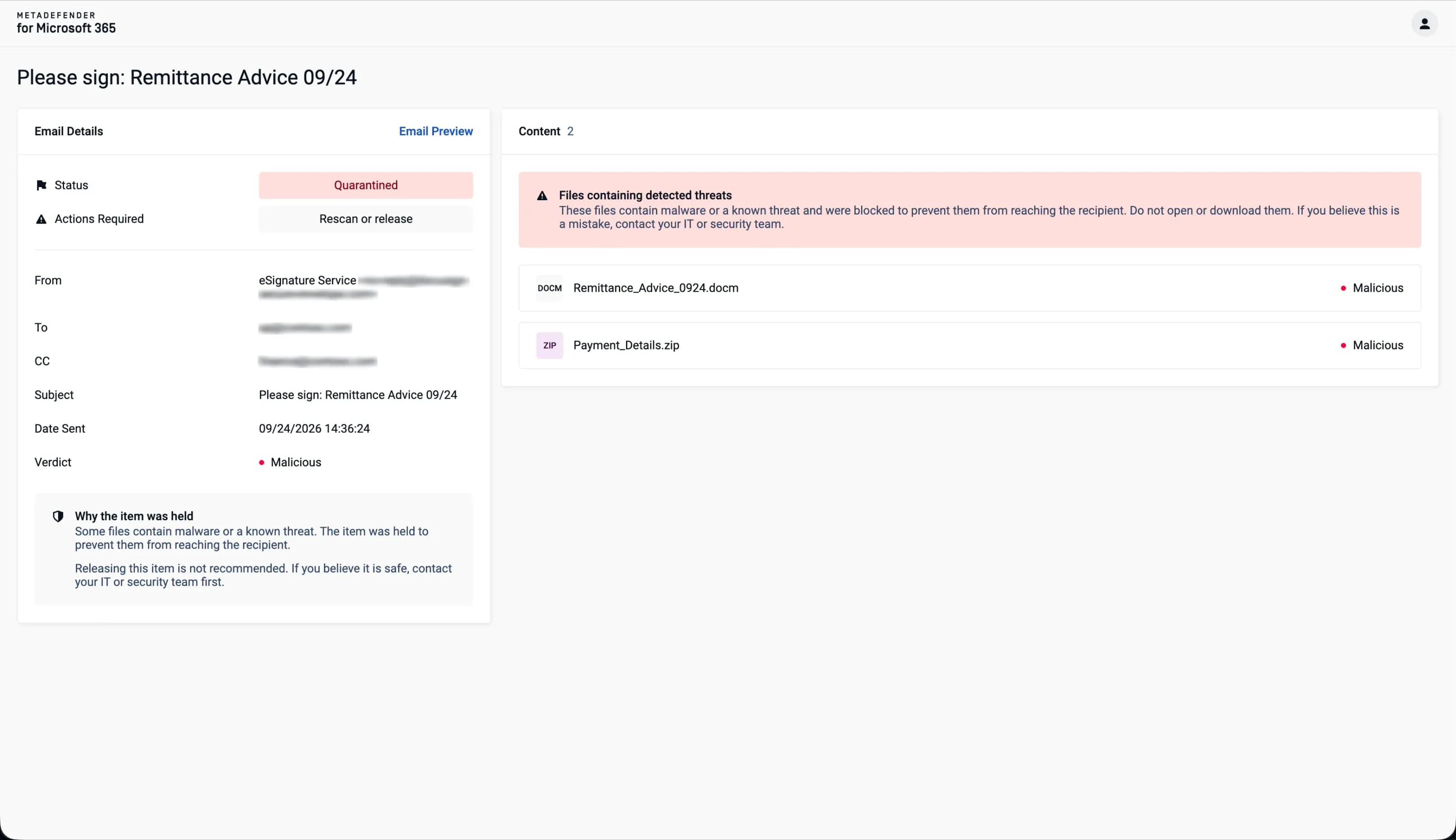 Automated File Processing
After submitting a password, MetaDefender for Microsoft 365 scans, sanitizes, and sandboxes the file according to your configured policy.
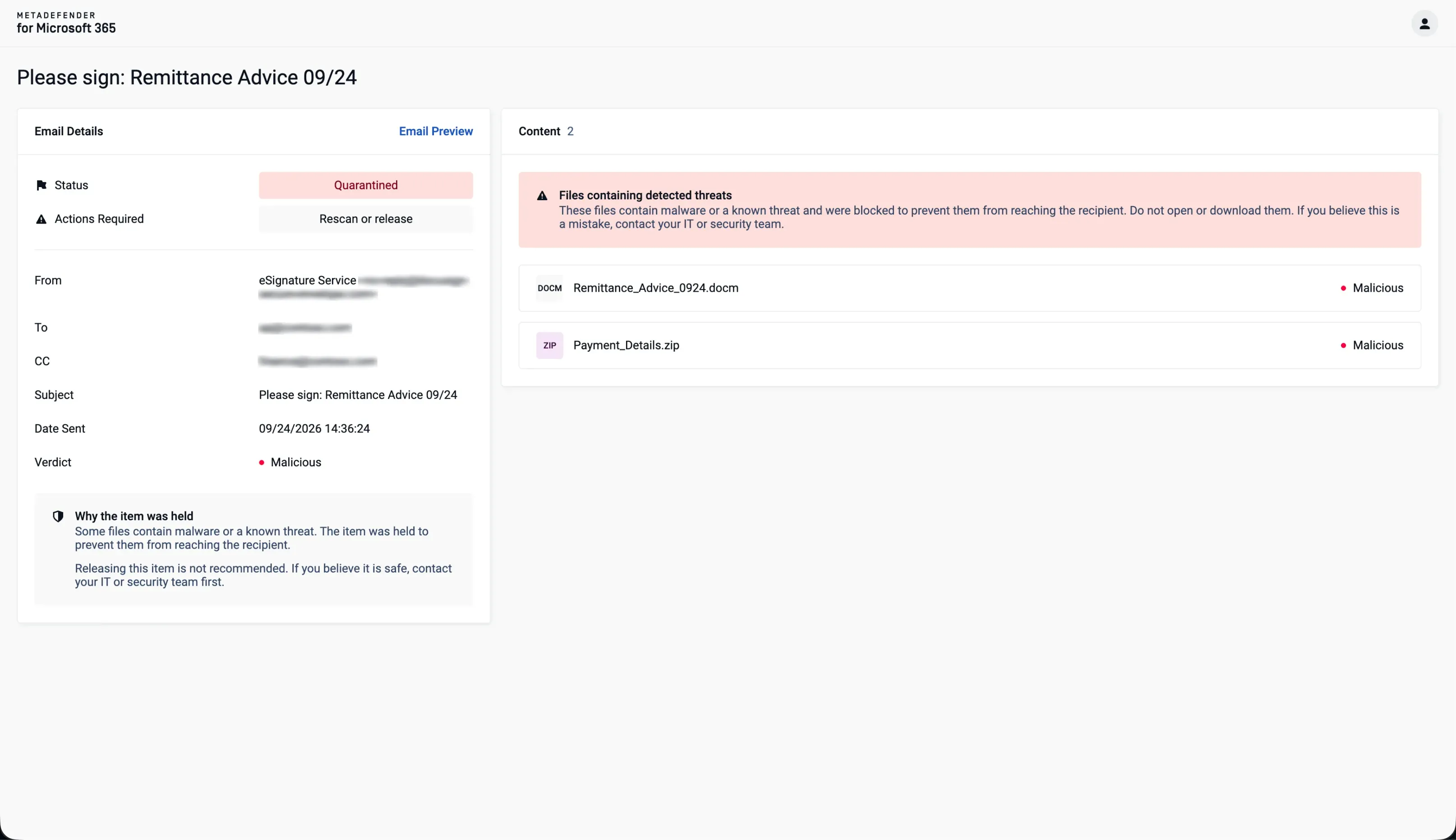
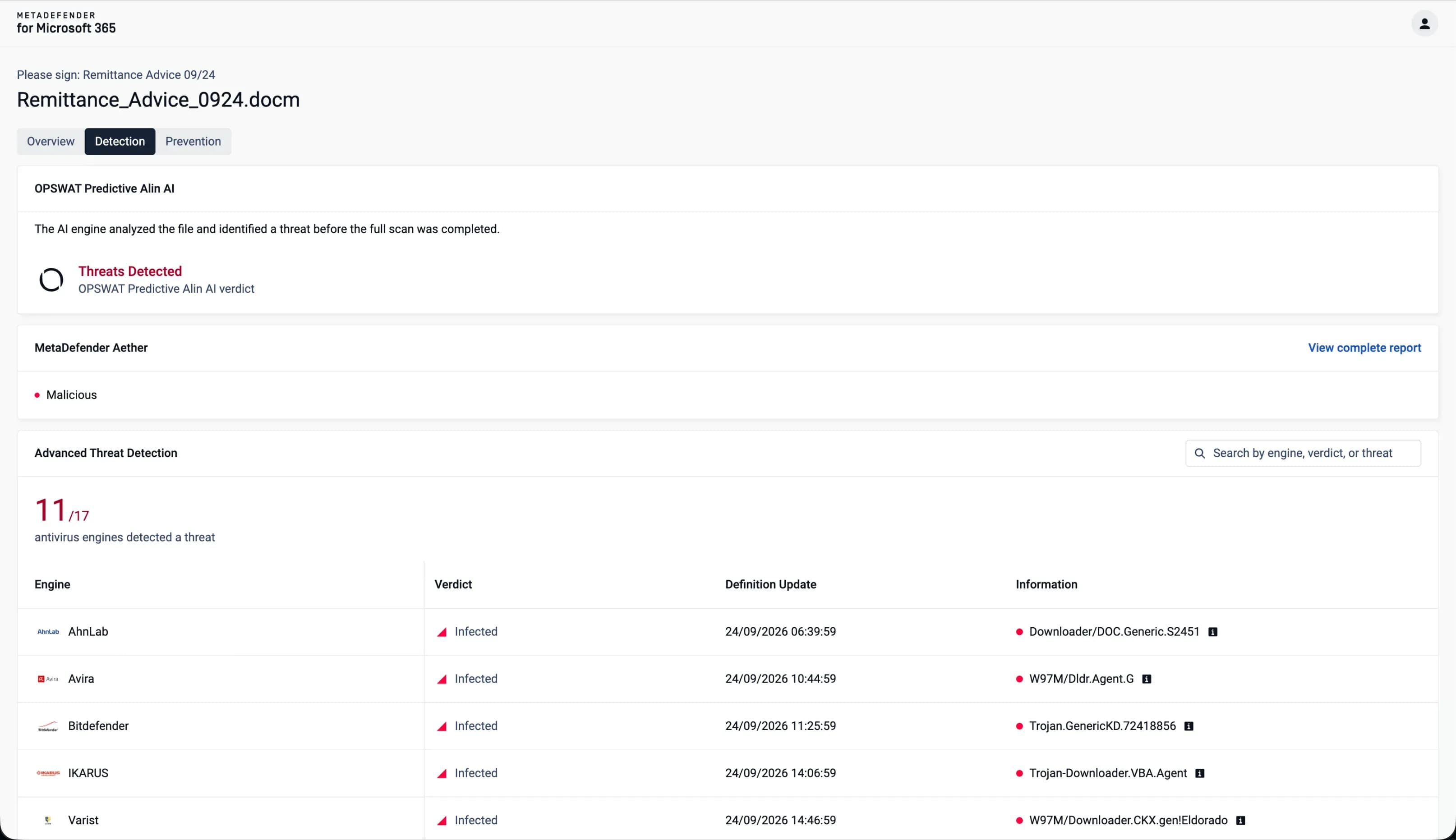 Malicious Verdict Analysis
The admin can review anti-malware engine results and detection evidence behind a malicious verdict.
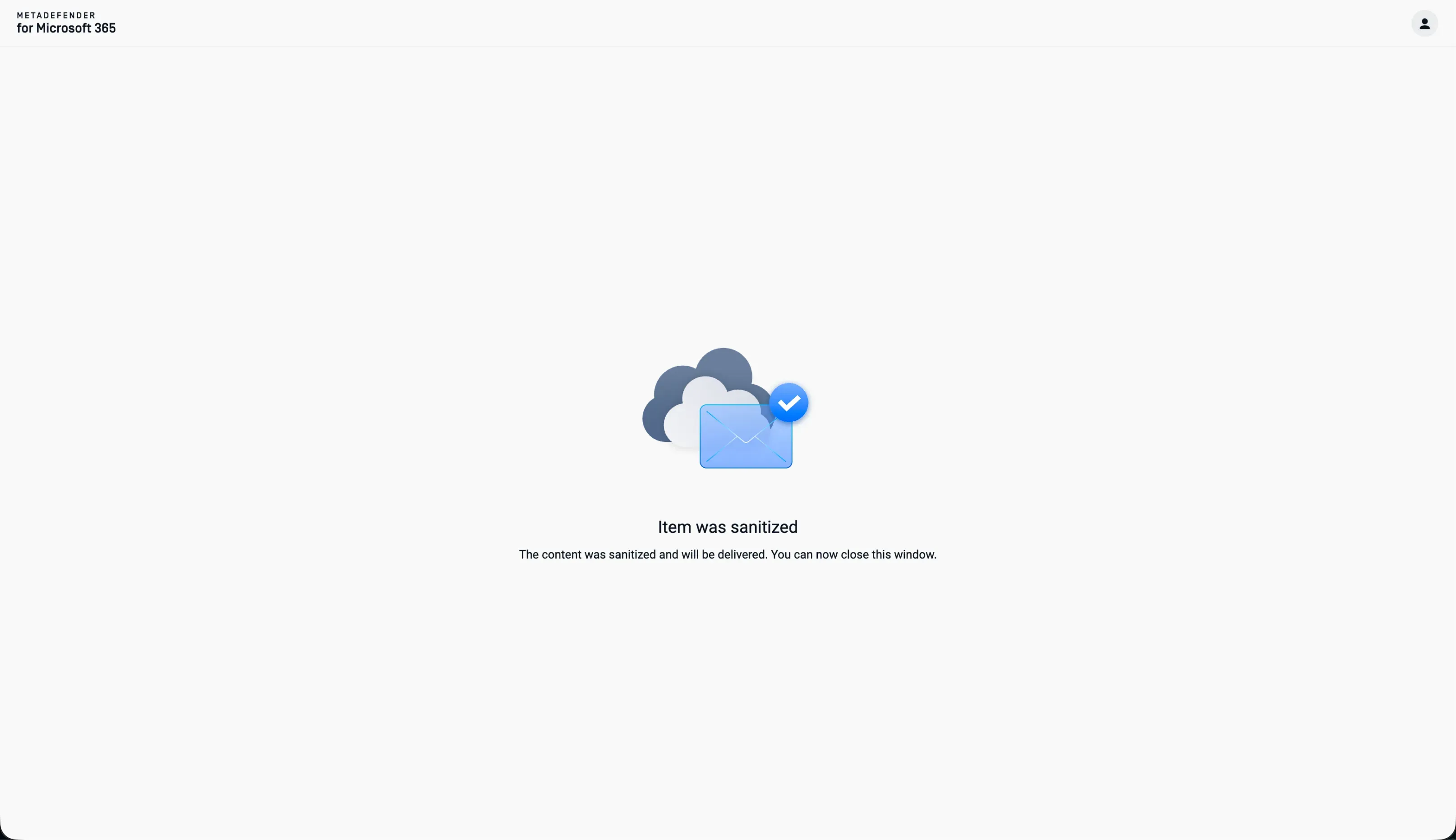
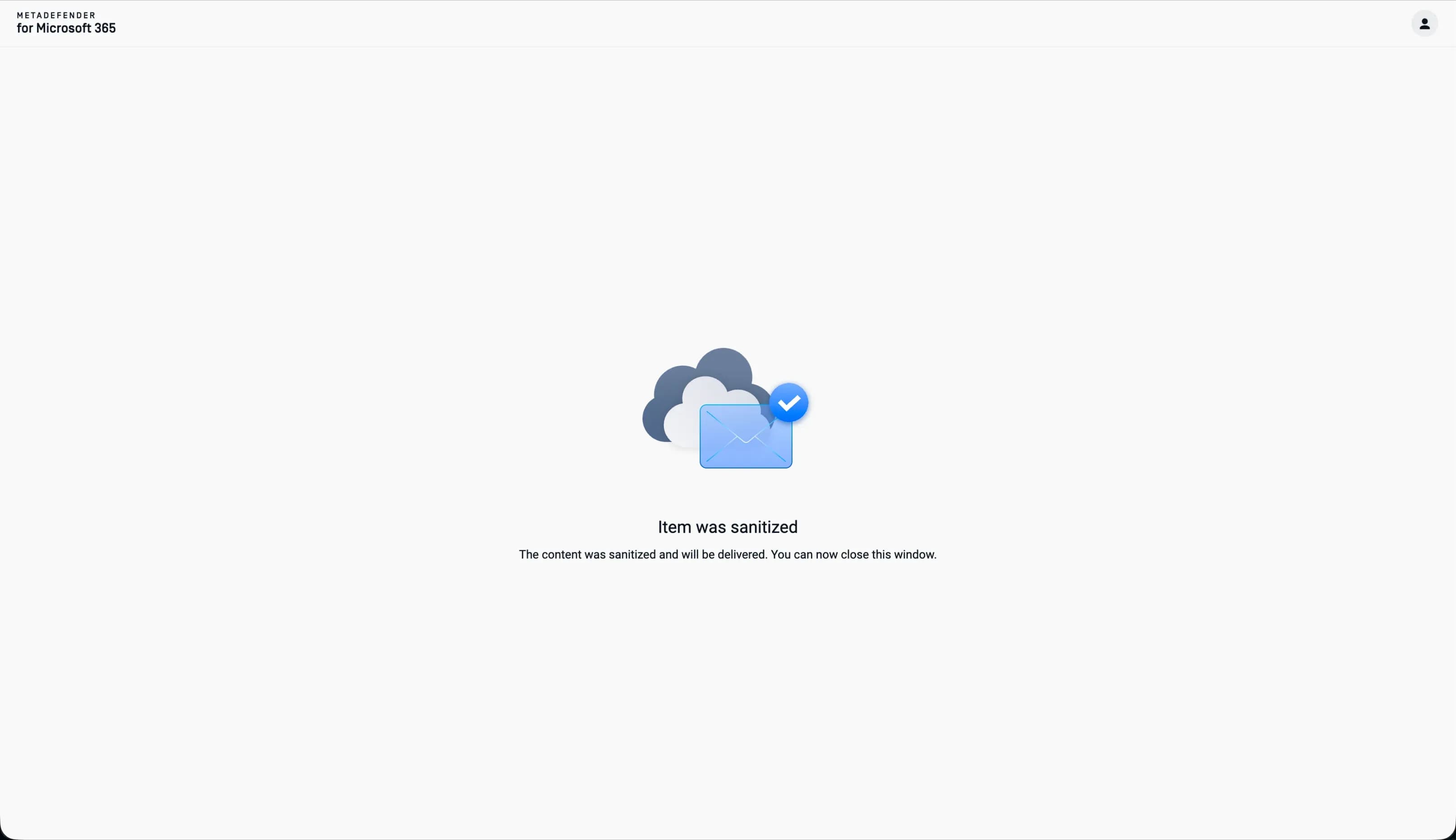 Automated Clean-File Delivery
Notify users and deliver sanitized files without manual validation when no threat is detected.
Key Features
Protects Microsoft emails, Teams, SharePoint, and OneDrive files with layered inspection and sanitization, helping safeguard the users and workflows that depend on them.
Applies Predictive Alin AI to identify threats early, with MetaDefender Aether™ for deeper analysis of evasive threats before malicious content spreads across Microsoft 365.
Uses Deep CDR™ Technology to remove potentially malicious content and embedded threats across 200+ file types, including password-protected files processed through a self-serve portal without admin validation.
Uses Metascan™ Multiscanning to inspect and identify known threats across Microsoft 365 email and collaboration workflows.
- MetaDefender for Microsoft 365
- MetaDefender for Microsoft 365
- MetaDefender for Microsoft 365
- MetaDefender for Microsoft 365
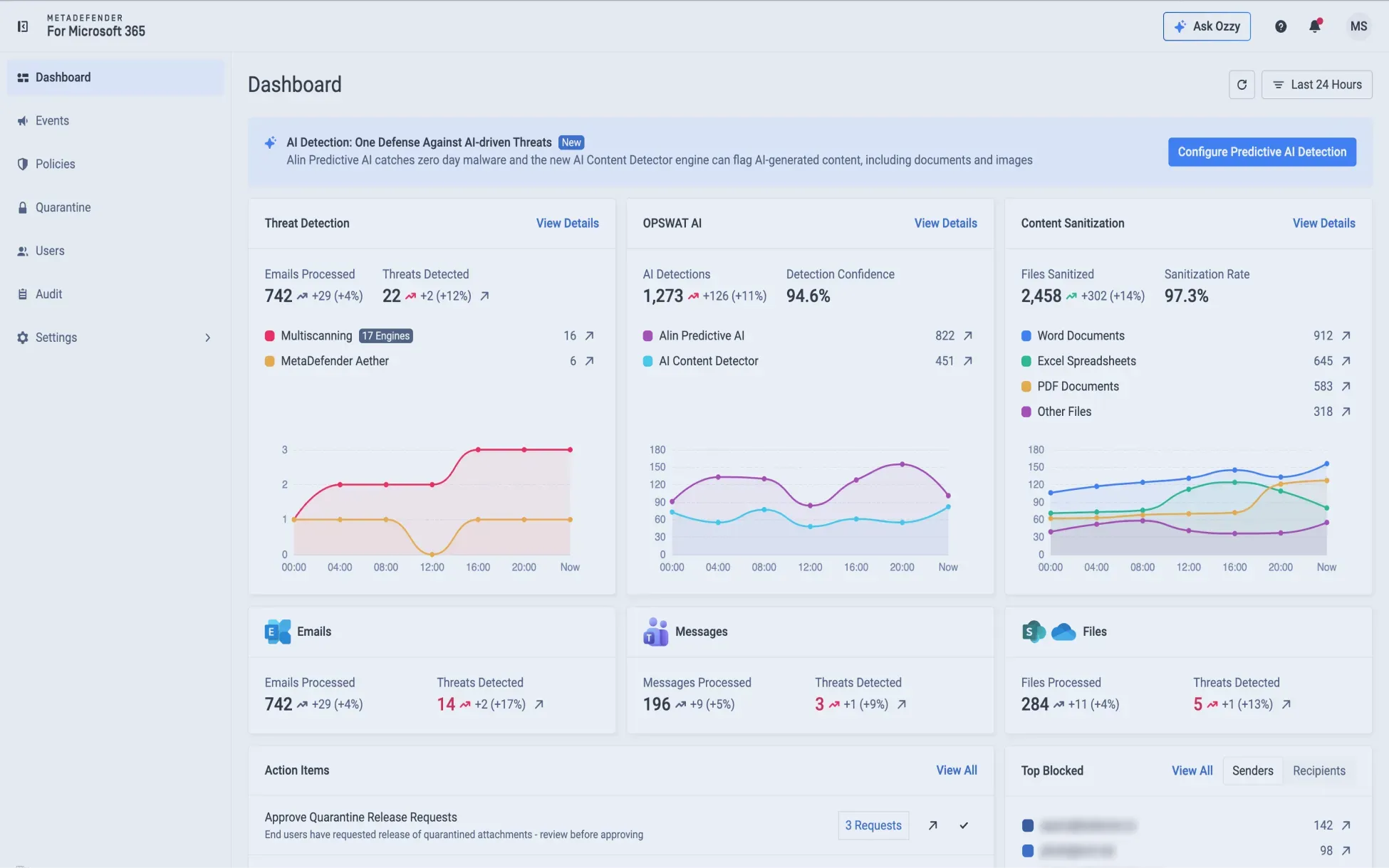

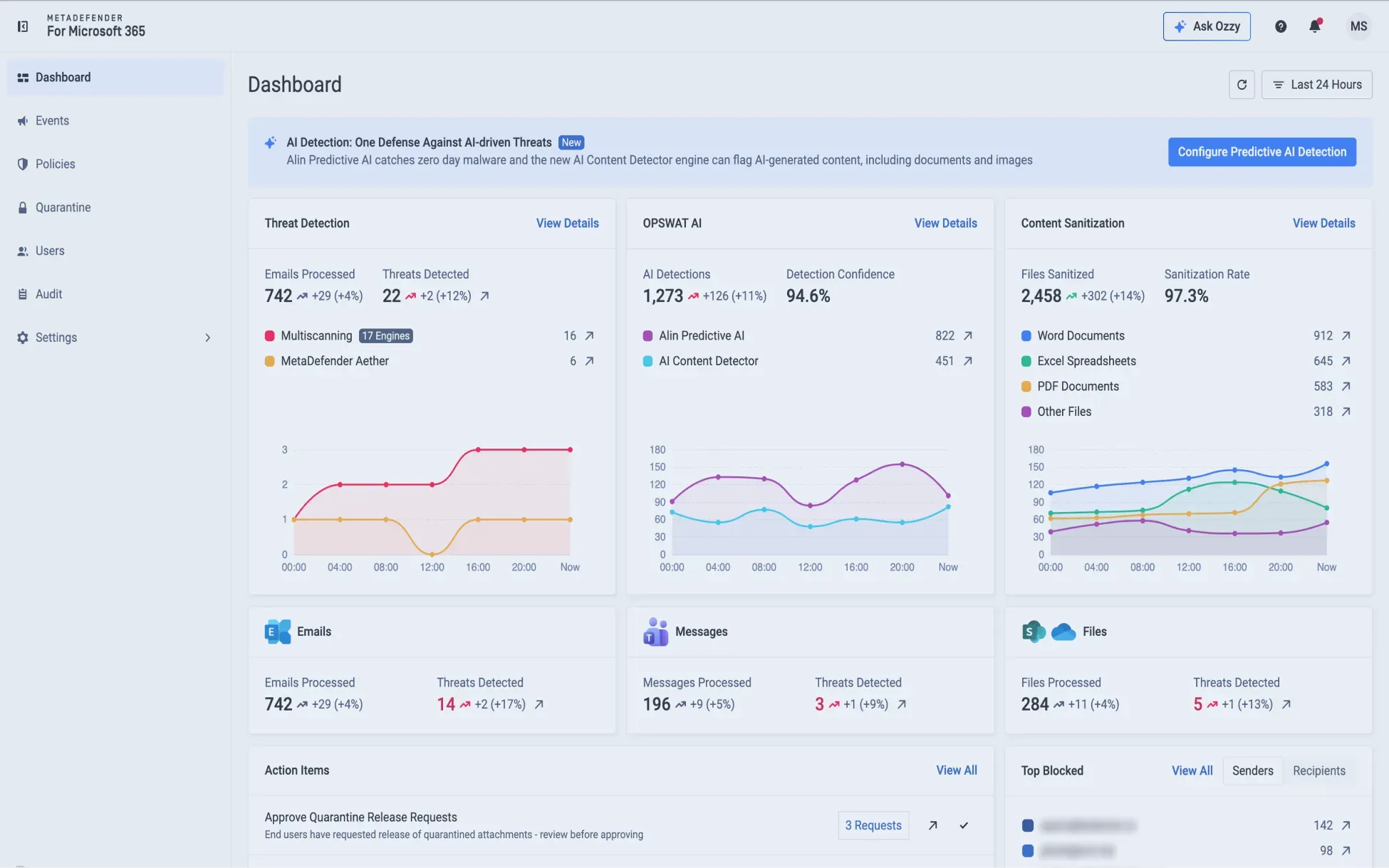
Microsoft Exchange Online, Teams, SharePoint Online, and OneDrive
Tenant Coverage in a Single Product
Metascan Multiscanning
With up to 17 Anti-Malware Engines Running in Parallel
Deep CDR Across 200+ File Types
For File Sanitization
MetaDefender Aether
With over 99% Detection Rate for Evasive Threat Analysis
Predictive Alin AI
With 93% Malware Detection Rate and Verdict in Milliseconds
Password-Protected File Sanitization
Through a Self-Serve Workflow Without Admin Validation
Why Choose MetaDefender for Microsoft 365?
For organizations relying on Microsoft 365 for email, messaging, and file collaboration, MetaDefender for Microsoft 365 adds file-in-depth threat prevention across Exchange Online, Teams, SharePoint Online, and OneDrive. Compared with traditional Microsoft 365 security solutions, it brings together multi-engine malware detection, Deep CDR™ Technology across 200+ file types, fast sandbox analysis, AI-powered file-level malware detection, and password-protected file handling in one tenant-wide approach.
Technology | MetaDefender for Microsoft 365 | Traditional M365 Solutions |
|---|---|---|
| Multiscanning | Up to 17 anti-malware engines in parallel (Metascan™ Multiscanning) |
Up to 5 anti-malware engines |
| Content Disarm and Reconstruction (CDR) | Sanitizing 200+ file types (Deep CDR™) | Limited |
| Decrypt Password-Protected Files | ||
| Sandbox | 40x faster than traditional tools (MetaDefender Aether™) | |
| AI-powered file-level malware detection | Verdict in milliseconds without sandbox detonation (Predictive Alin AI) |
Limited |
Deployment Options

Email Protection Without Mail-Flow Change
Adds Microsoft 365 email protection without MX record changes, hardware, or unnecessary mail-flow disruption.

Cloud Microsoft 365 Tenant Protection
Secures files and emails moving through Exchange Online, Teams, SharePoint Online, and OneDrive, supporting teams that want added prevention without introducing a separate collaboration security surface.
Integrations
MetaDefender for Microsoft 365 integrates with Microsoft 365 services across the cloud tenant surface: Exchange Online, Teams, SharePoint Online, and OneDrive.




Recommended Resources
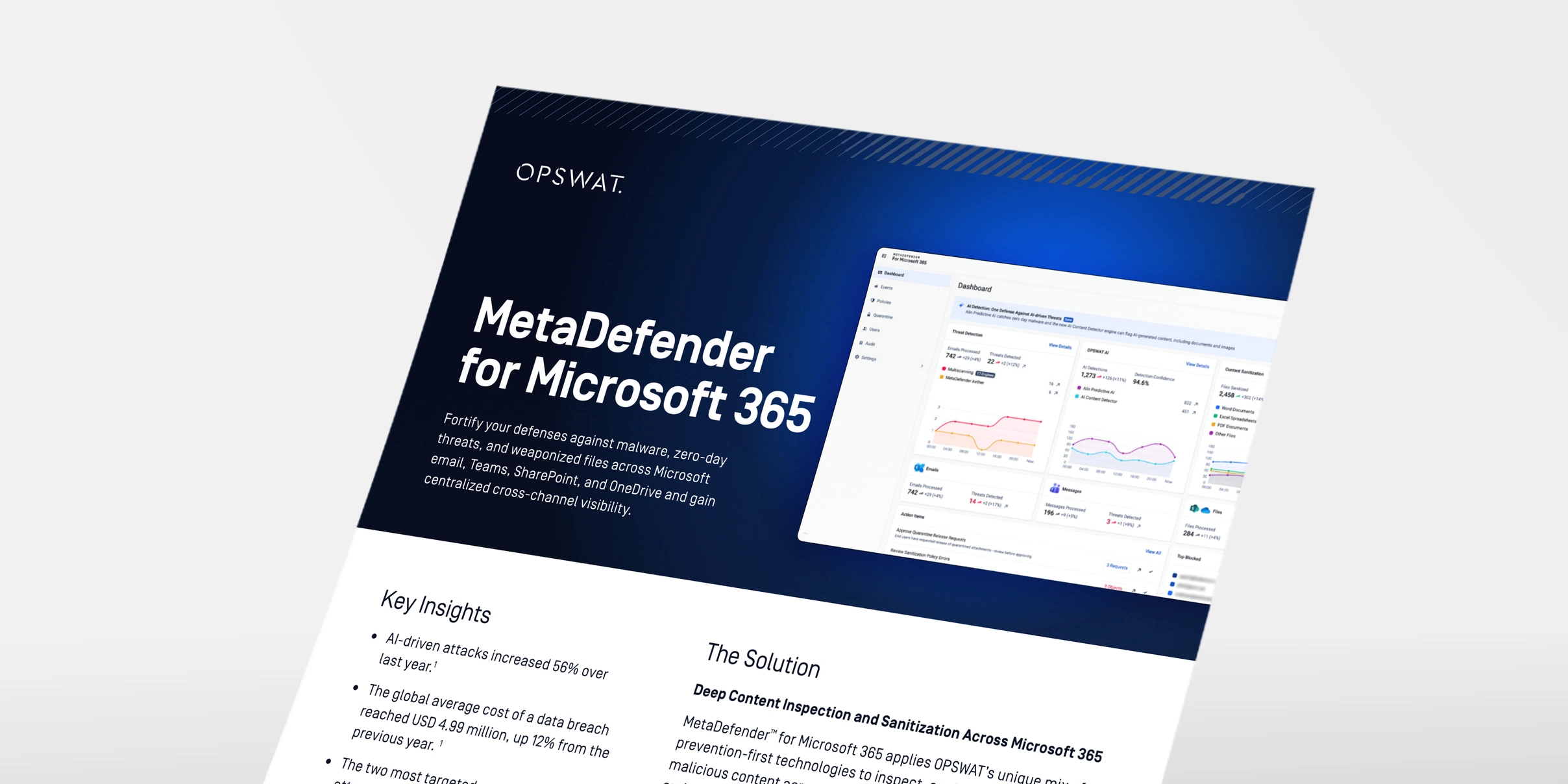
MetaDefender for Microsoft 365

Before You Buy: 7 Email Security Questions

Email Security Compliance
FAQs
Native controls focus largely on detection and post-delivery remediation, which can leave an exposure window for evasive, encrypted, and AI-assisted file-borne attacks. MetaDefender for Microsoft 365 adds complementary inspection, sanitization, sandboxing, and AI-powered malware analysis across Exchange Online, Teams, SharePoint Online, and OneDrive to help reduce exposure before threats reach inboxes or spread through shared workspaces.
It secures the Microsoft 365 tenant: Exchange Online, Teams, SharePoint Online, and OneDrive files, using up to 17 anti-malware engines running in parallel, fast emulation-based sandbox analysis, and Deep CDR™ Technology sanitization across 200+ file types.
Email is one of the four protected Microsoft channels, along with Teams, SharePoint Online and OneDrive. The product launched in 2022 as MetaDefender Cloud Email Security, covering Exchange Online only. Once protection expanded to Teams, SharePoint, and OneDrive, it became MetaDefender for Microsoft 365.
Yes. MetaDefender for Microsoft 365 inspects and sanitizes files shared through Microsoft Teams, applying the same multi-engine detection, sandbox analysis, and Deep CDR™ Technology sanitization used across the rest of the tenant.
MetaDefender for Microsoft 365 combines Metascan Multiscanning for multi-engine malware detection, MetaDefender Aether for evasive and multi-stage threat analysis, Predictive Alin AI for AI-powered malware analysis, and Deep CDR™ Technology to inspect, analyze, and sanitize files before threats spread through collaboration workflows. Password-protected files can be sanitized through a self-serve portal without admin validation.
MetaDefender for Microsoft 365 supports policy-based inspection, sanitization, reporting, and auditability for files moving through Microsoft email, Teams, SharePoint Online, and OneDrive, helping security, compliance, risk, and privacy teams document how content is handled across regulated workflows.
The difference is scope: MetaDefender for Microsoft 365 provides file threat prevention across all four Microsoft 365 channels, Exchange Online, Microsoft Teams, SharePoint Online, and OneDrive, in a single platform. The Storage Security products protect stored and shared files; MetaDefender Storage Security™ Cloud covers cloud storage such as SharePoint Online and OneDrive, and MetaDefender™ Storage Security covers on-premises repositories such as SharePoint Server, as well as SharePoint Online and OneDrive. Neither storage product covers Exchange Online. If you need protection across email, and file sharing in Microsoft 365, choose MetaDefender for Microsoft 365. If you only need to secure stored files, choose the Storage Security product that matches your environment.
MetaDefender for Microsoft 365 is designed for cloud environments. For on-premises, air-gapped, or disconnected infrastructure, visit the MetaDefender™ Email Gateway Security page.