MetaDefender Core v5.21.0 rebuilds the management console from the ground up, delivering a sleek modern interface, a refocused dashboard, and far deeper visibility into how every file is processed. It also unifies CVE findings from the SBOM and Vulnerability engines into one view, adds native Splunk log forwarding, and lets Proactive DLP keep personally identifiable information out of processed file names.
A Completely Refreshed UI/UX Design
The UI/UX refresh improves the entire day-to-day workflow, so the walkthrough below follows the console the way an operator does: starting with the new interface and dashboard, then submitting files, reviewing scan results, investigating how each file was processed, and assessing vulnerability exposure.
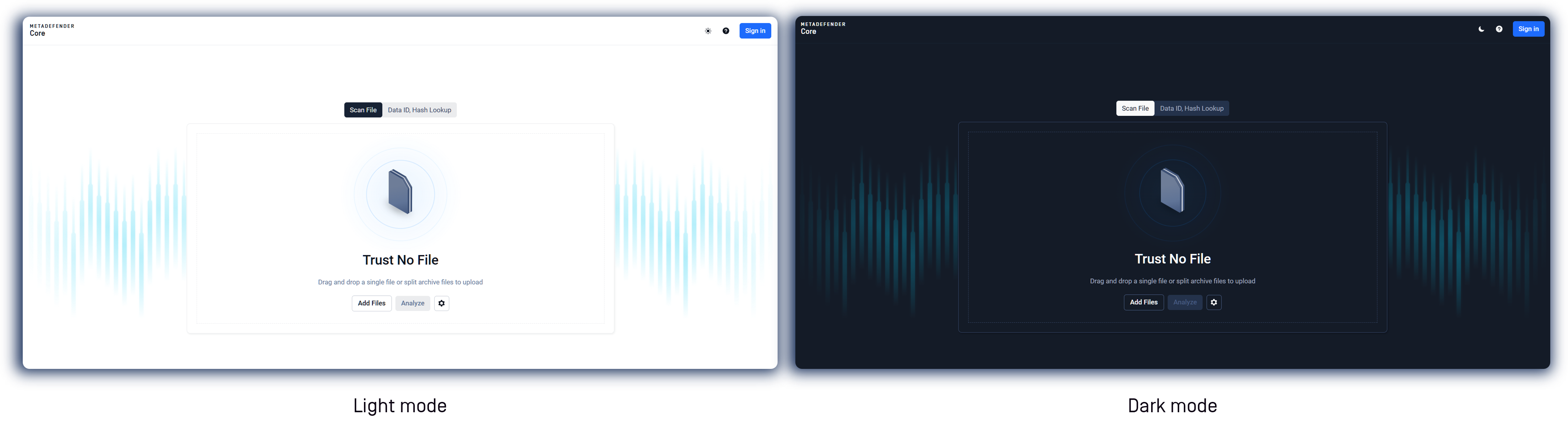
A Modern Console Built for Faster Daily Work
MetaDefender Core v5.21.0 introduces a completely redesigned management console. Rebuilt on a modern front-end framework and a new design system, the console delivers a cleaner, more consistent experience across the dashboard, processing history, file details, and scan-result views. Existing workflows carry over, so administrators get the modernized experience without relearning how they work.
A Redesigned Dashboard, Organized by Focus
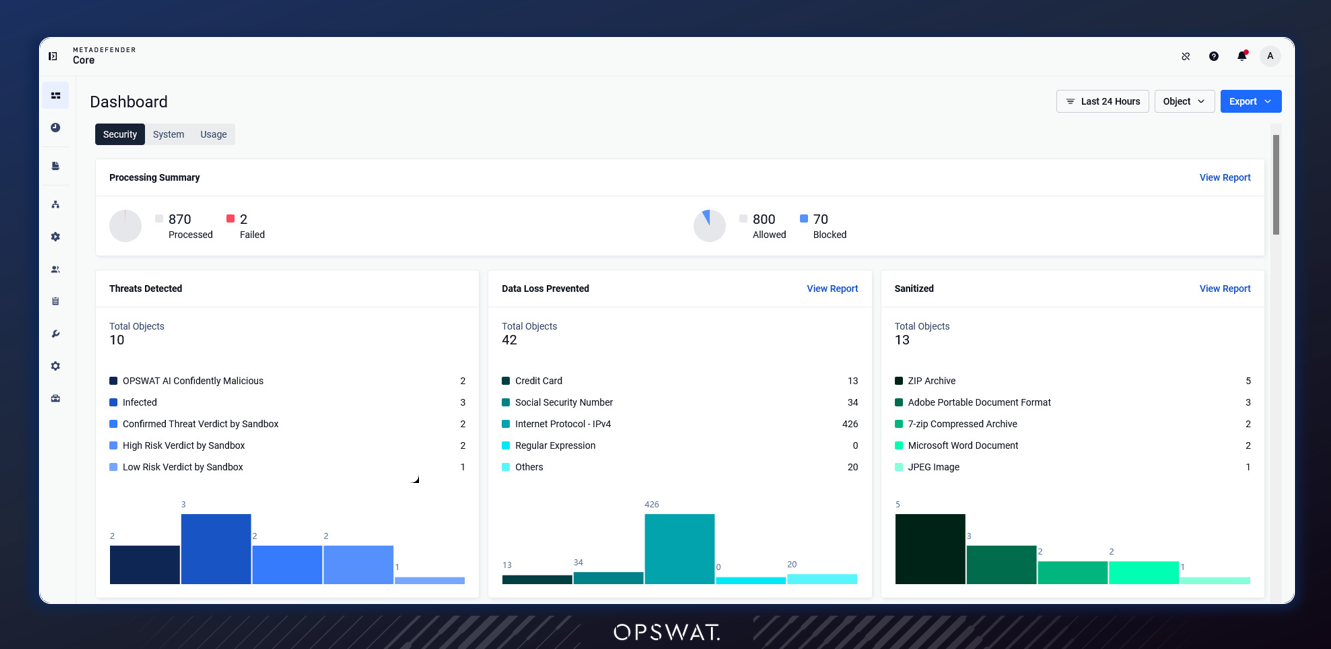
The dashboard has been reorganized into focused, dedicated tabs (Security, System, and Usage), each with richer, time-ranged insight. The Security tab gives operators an at-a-glance view of overall posture, starting with a Processing Summary of processed, failed, allowed, and blocked objects, alongside breakdowns of Threats Detected, Data Loss Prevented, and Sanitized files by category.
A Security Trend view charts threats, DLP hits, and sanitized files over time, while dedicated widgets surface the top file types by threat and by verdict, top Countries and Vendors detected, so security teams can see what matters most without leaving the dashboard.
Understand Your Full CVE Exposure in One Place
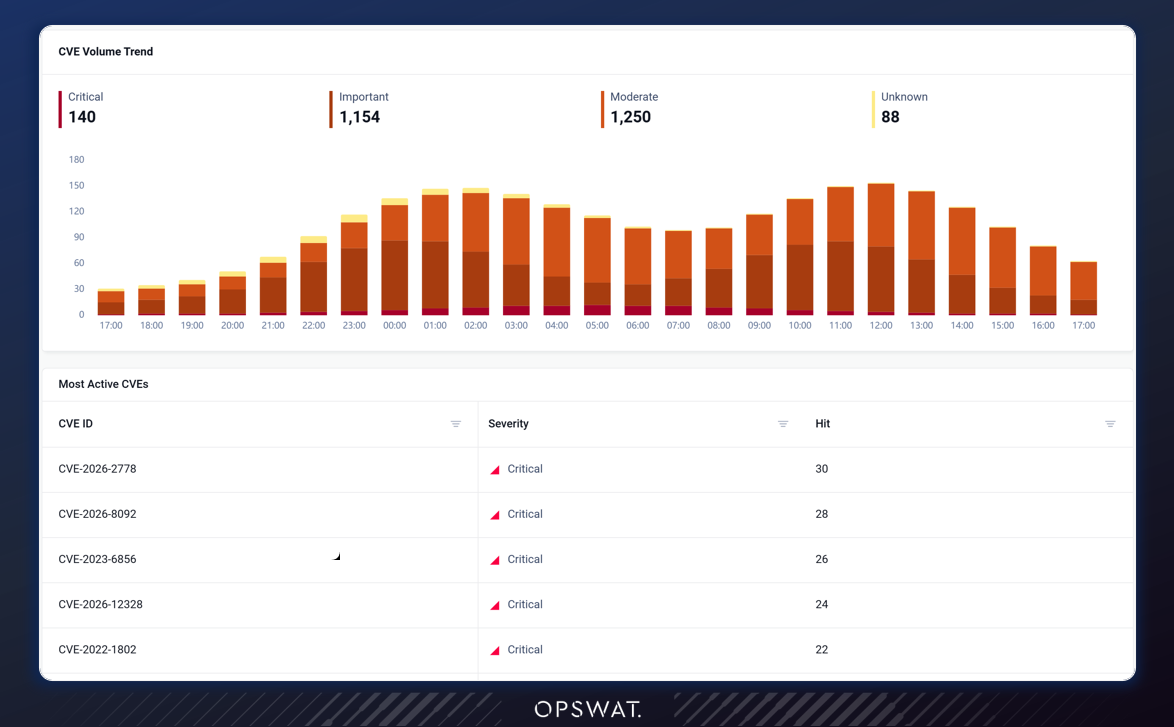
A new CVEs dashboard brings the vulnerabilities found by both the SBOM and Vulnerability engines into a single view. With an updated severity model and a consistent chart-and-table presentation, security teams get one clear picture of CVE exposure instead of piecing it together from separate reports.
Pinpoint What Slows Down Your Scans
The System tab adds a File Processing Time view showing per-engine scan duration, so operators can see which engines drive latency. The Processing tab now distinguishes blocked from processed files and adds counts for skipped, failed, timeout, and cancelled scans. The Usage tab breaks activity down by service across MetaDefender Kiosk, MetaDefender ICAP Server, MetaDefender Storage Security, MetaDefender Managed File Transfer, and MetaDefender Endpoint.
Follow Every File Through the Scan Pipeline
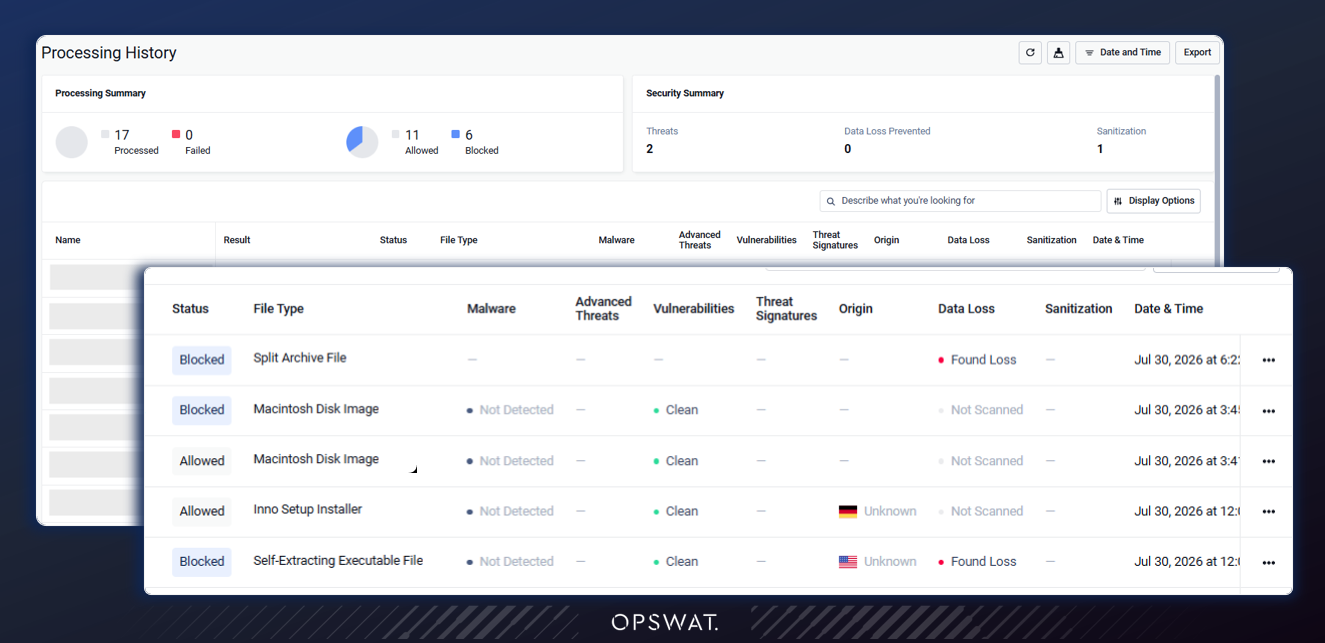
Scan Results now include a Scan Activity panel that shows how each file moves through the workflow pipeline, step by step. Operators can follow every stage, including Start Scan, File Type Verification, and each engine's verdict, and see when a fast exit is triggered and the pipeline is halted, making it clear which engines ran and which were skipped. A View Timeline link opens the full processing timeline for deeper investigation.
See Which Engines Drive Your Scan Time
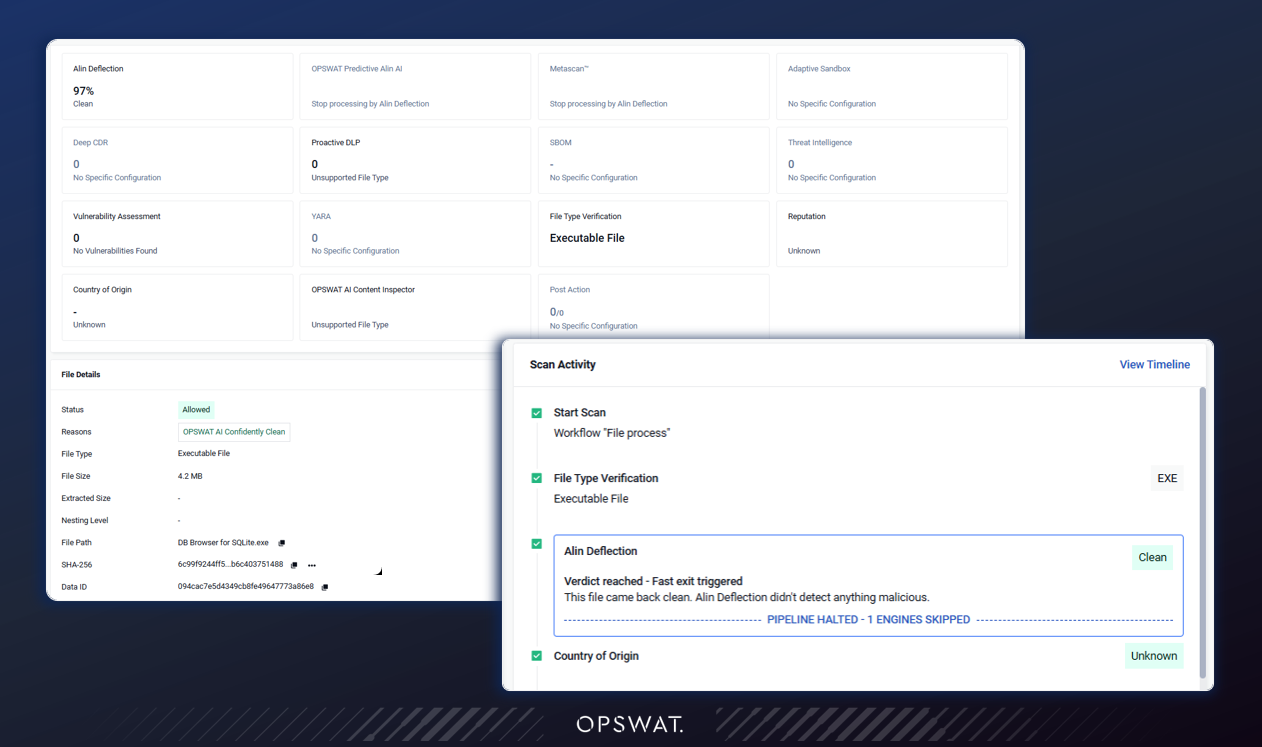
The Analysis Detail view now includes a Processing Timeline that shows how long each engine took to process a file. This waterfall chart breaks down every step, from processing preparation (in-queue, uploading, and hashing) through file type verification, Operators can see exactly where time is spent and pinpoint which engines drive latency.
System Integration and Security Policy
Native Splunk Integration
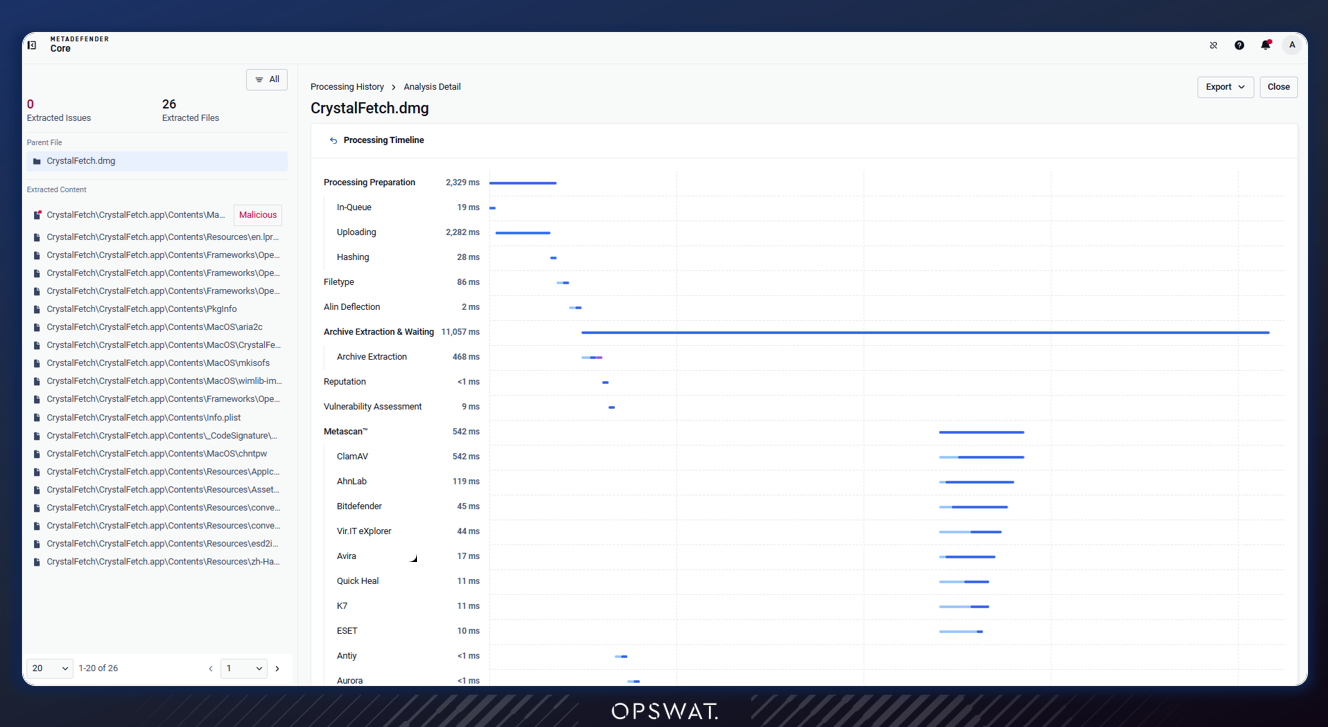
MetaDefender Core v5.21.0 adds a dedicated Splunk section to the management console, making it easier to connect MetaDefender Core to your Splunk environment. From one place, administrators can add and manage Splunk connections, set the log level, and allow self-signed certificates when needed. The same setup is also available during installation, with dedicated Splunk steps in the installation wizard, so log forwarding can be in place from the first run.
Simpler Split Archive Submission and Monitoring
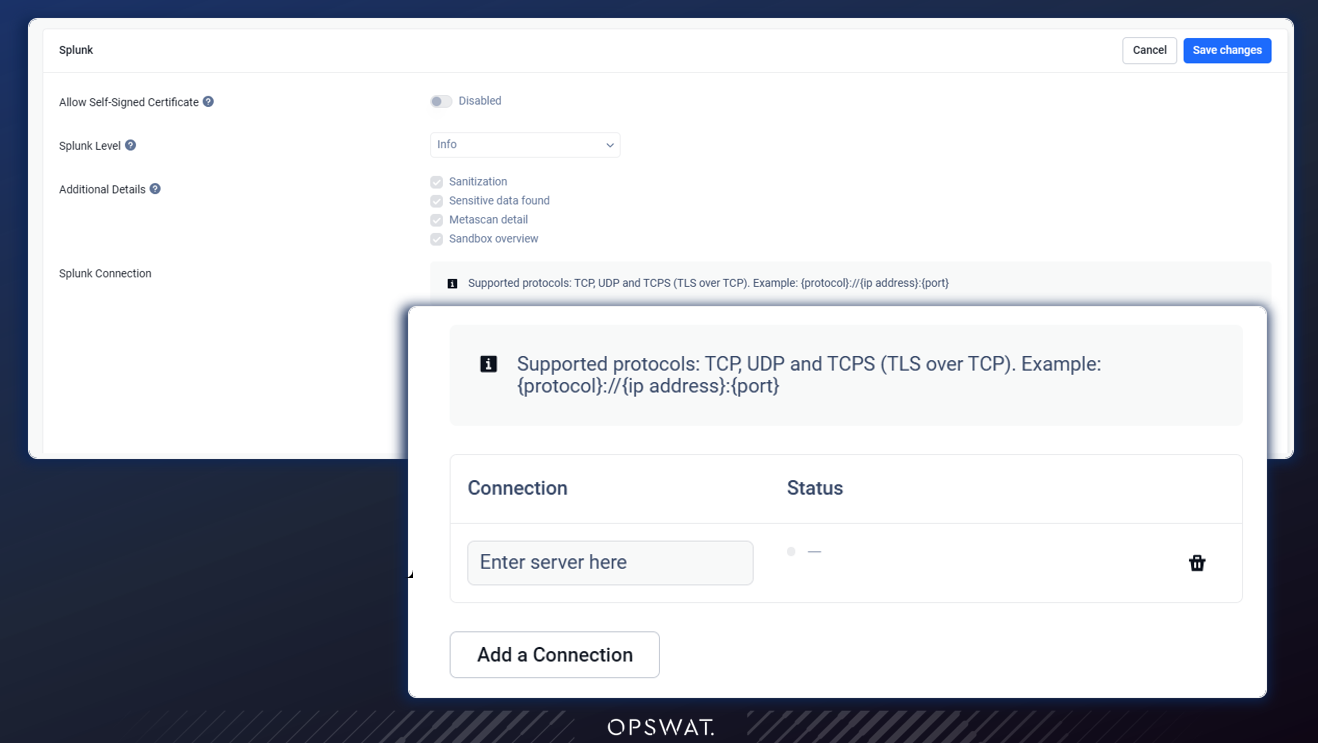
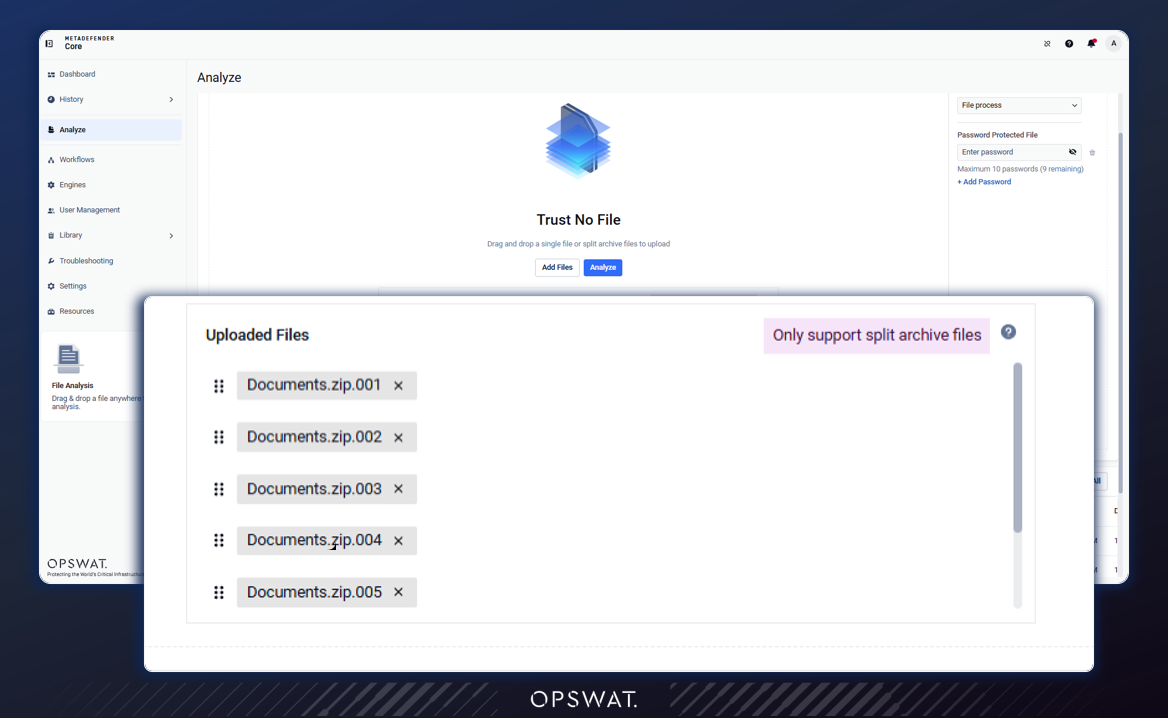
The redesigned console also makes it easier to submit and monitor scans directly from the interface, including split archive submissions, so large archives delivered in multiple parts can be submitted and tracked without extra tooling.
Tighter Proactive DLP Controls
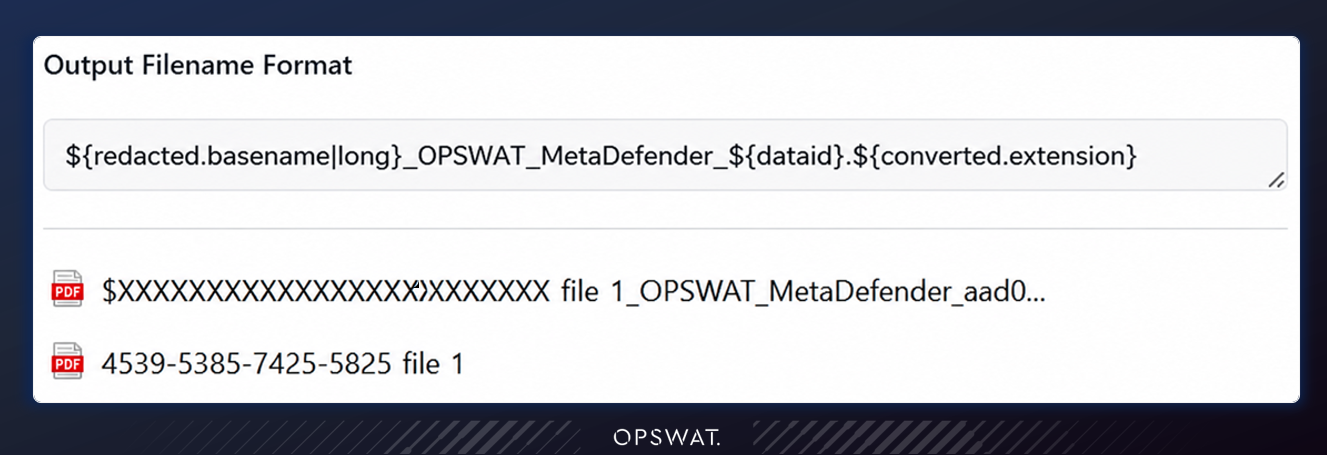
Two enhancements give Proactive DLP tighter control over content it cannot fully inspect or that carries sensitive data. Proactive DLP can now be configured to block files it identifies as an unsupported file type, rather than releasing them as No Threat Detected, which aligns DLP with fail-closed policies. And when Proactive DLP redacts PII (personally identifiable information) from a file name, the redacted name can now be used in the configurable output-filename format, so processed files no longer carry PII in their names.
Centrally Managed Skip by Hash
MetaDefender Core can now manage its Skip by Hash configuration, including Skip Engines, Allowlist, and Blocklist, centrally through My OPSWAT Central Management. Administrators running many Core instances can maintain hash lists once and have them synchronized to every enrolled Core over the existing heartbeat channel, instead of updating each instance by hand. Centrally managed entries are enforced as read-only on the local Core, and a new Origin column and awareness banner make it clear which entries come from Central Management. One dependency applies.
Previously Released
Upgrading from an earlier version? Here is a quick reminder of the key features MetaDefender Core v5.20.0 delivered, so you know what you gain by staying current.
- Alin Deflection AI engine: policy-based file triage that clears benign files early to speed up scanning.
- Archive Forensics: capture and investigate problematic files found inside archives without submitting the whole archive.
- Auto Troubleshooting and Deployment Readiness Tool: in-console self-diagnosis and pre-upgrade environment checks.
- Expanded SBOM and Vulnerability Assessment reporting: batch SBOM export plus vulnerability details for files inside archives.
No customer action is required from v5.20.0. For the complete history, see the release notes.
Next Steps
Ready to get started with MetaDefender Core v5.21.0? Check out these helpful resources:
- Visit opswat.com/products/metadefender/core
- Upgrade to MetaDefender Core v5.21.0
- Access the release notes
Have questions? Reach us at support@opswat.com