Every update to MetaDefender Endpoint is designed to help security teams protect critical infrastructure without slowing down the people who rely on it every day. This release focuses on giving administrators more control over how Peripheral Media Protection responds in the field, keeping threat detection running even when a scan server goes down, and closing visibility gaps around patch status and remediation. Here's what's new for Windows (v7.6.2608), macOS (v10.4.2608), and Linux (v15.6.2608) platforms.
What’s New in MetaDefender Endpoint
Advanced BadUSB Protection
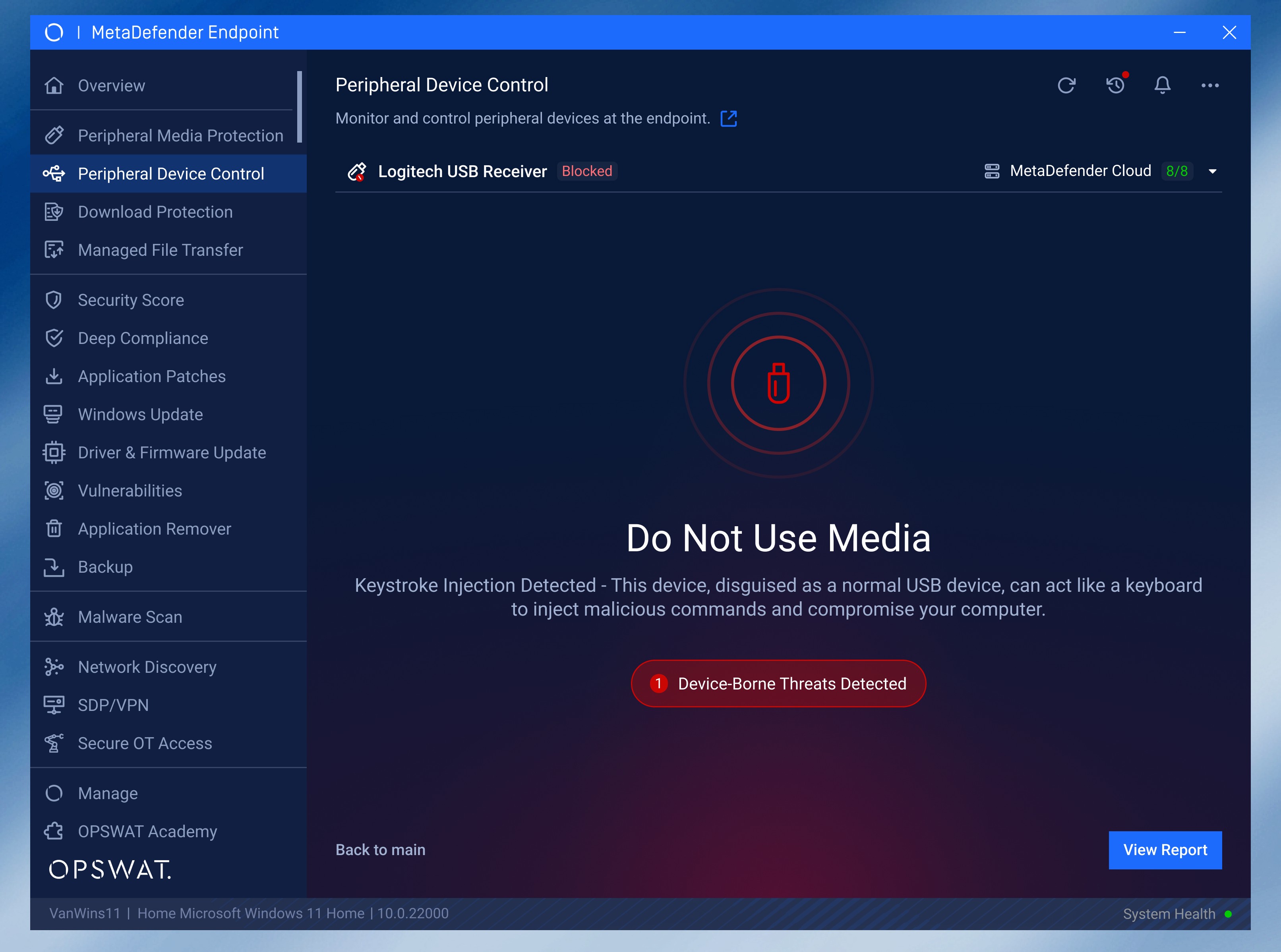
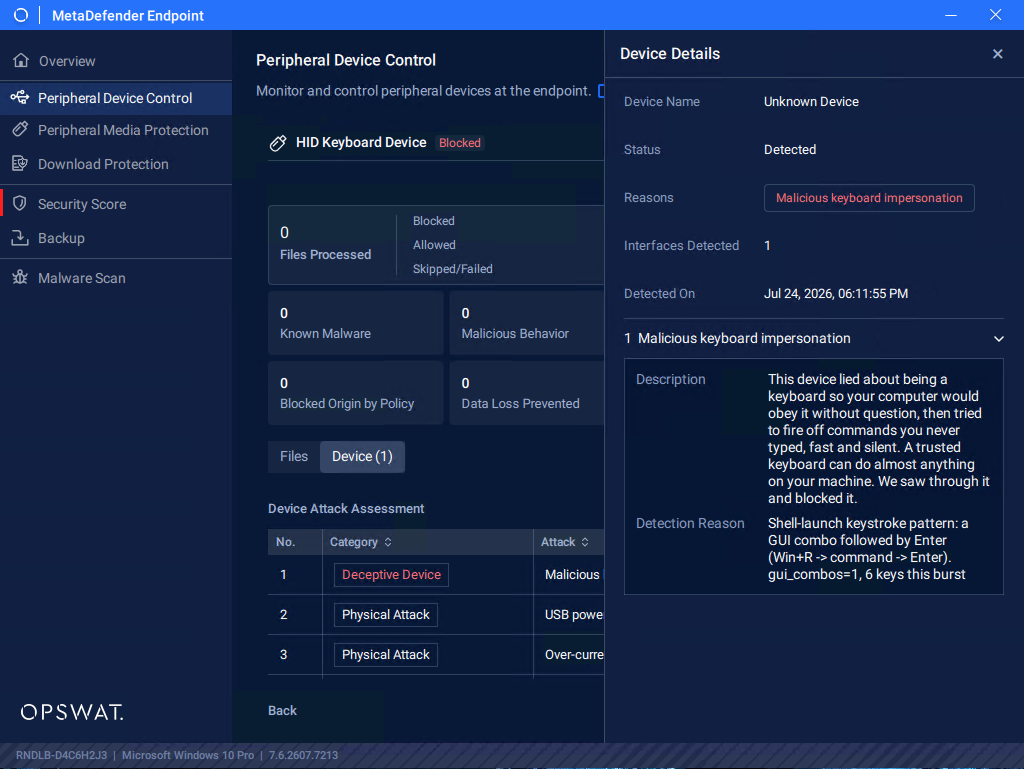
Malicious USB devices can do more than simply carry infected files. Attackers can use devices that mimic trusted peripherals, such as keyboards, to inject malicious keystrokes and execute automated actions. With this release, we introduce advanced protection against malicious peripheral devices with our Peripheral Device Control feature.
This new feature enables MetaDefender Endpoint to detect and block malicious peripheral devices by identifying automated behaviors such as keystroke injection. This helps prevent BadUSB and other peripheral device-based attacks before they can compromise an endpoint.
New Threat Scanning Experience
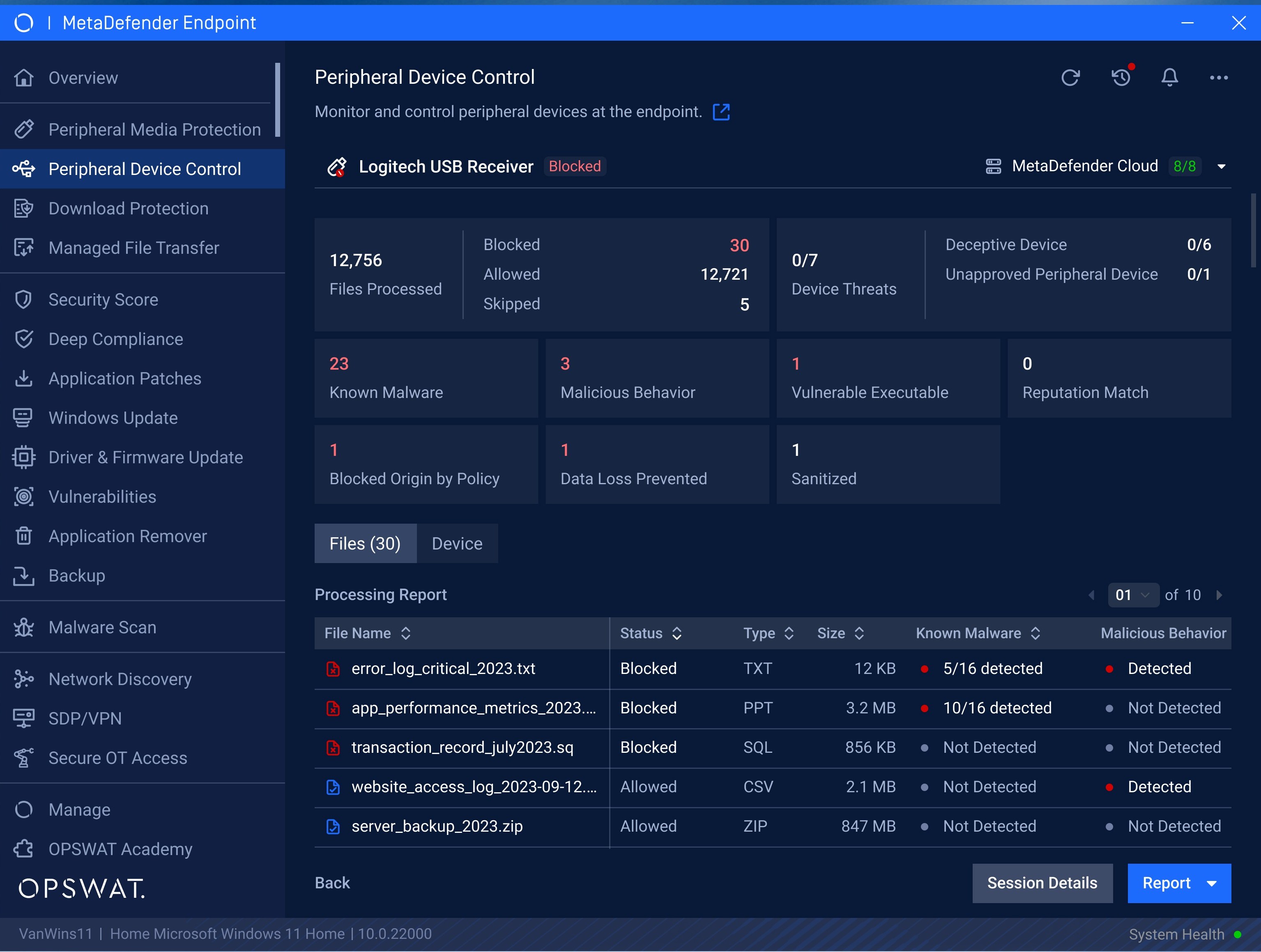
In addition to the BadUSB Protection feature, we introduce a new threat-scanning and detection interface in Peripheral Device Control, providing users with real-time visibility into the scanning process.
The updated interface displays scanning progress, detection status, and warnings for both device-borne and file content-based threats, helping users understand what is happening when a peripheral device is connected and quickly identify potential security risks.
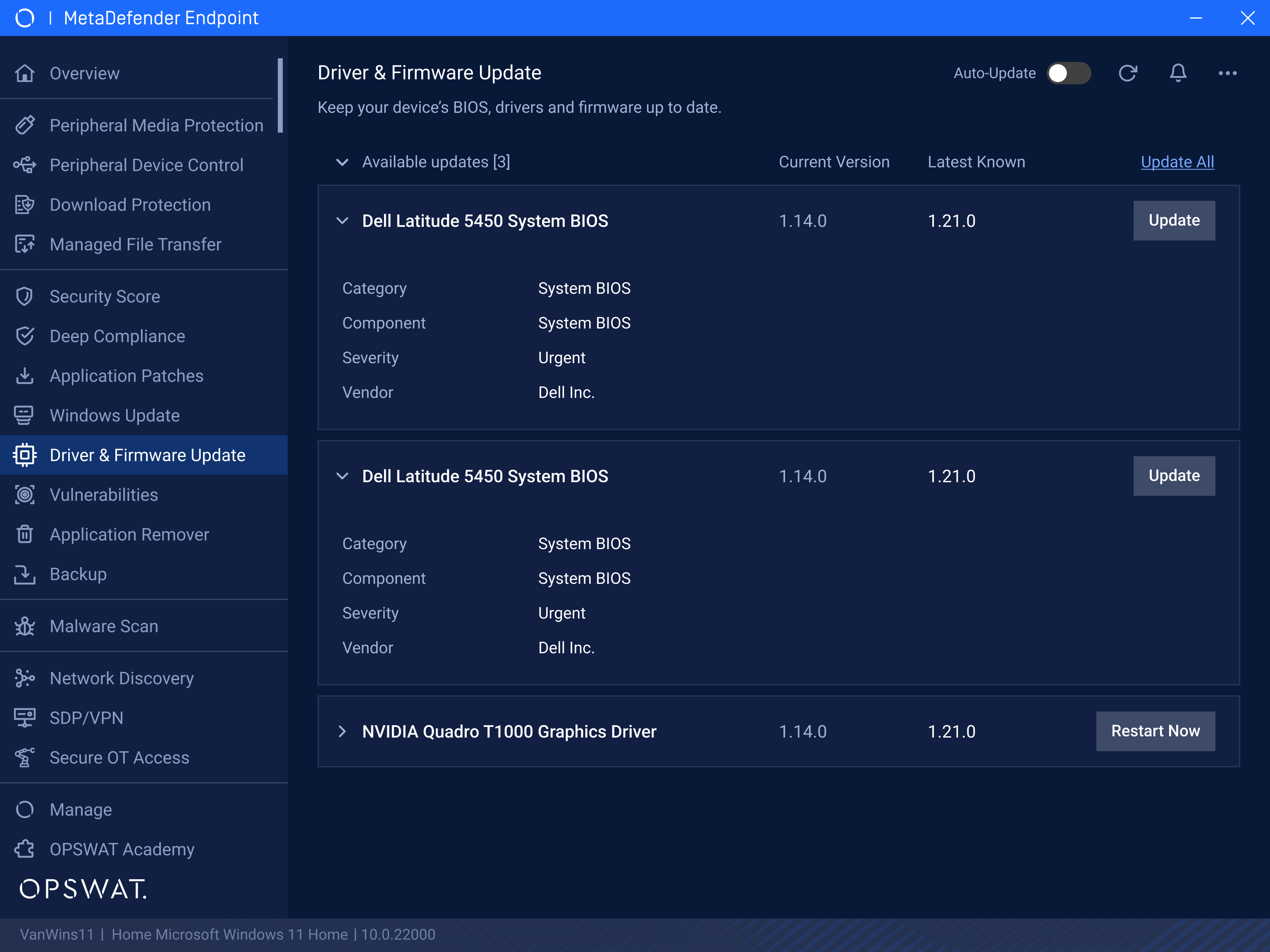
Keep BIOS and Drivers Up to Date
Vulnerabilities don’t only exist in applications. Outdated BIOS and device drivers can also introduce security and reliability risks. Patch Management now supports patching endpoints’ BIOS and drivers, helping administrators keep critical firmware and drivers up to date and reduce exposure to vulnerabilities in the components that power their endpoints.
Control USB Port Access from Central Management
Security teams can now control peripheral connectivity and manage USB port access directly from My OPSWAT™ Central Management. Administrators can centrally block or unblock specific USB ports across managed endpoints, helping reduce unauthorized peripheral connections while simplifying security management from a single location.
Scan Specific File Types
For better granular control, Peripheral Media Protection now enables administrators to define specific file types for content scanning using an allowlist. Files matching the configured allowlist are scanned, while all other file types are automatically blocked without scanning. This gives organizations greater control over their scanning policies while supporting their specific operational requirements.
Scan Password-Protected Files with On-Access Scanning
Password-protected files can create a blind spot for security controls when their contents cannot be inspected. With this release, Peripheral Media Protection supports decryption of password-protected files during On-Access File Scanning. When a protected file is encountered, users are prompted to enter the password so the file can be decrypted and scanned for potential threats.
On-Demand Malware Scanning in macOS
macOS users can now seamlessly perform targeted malware checks. On-Demand Malware Scan is now available directly from the macOS file system, enabling users to right-click a specific file or folder and initiate a malware scan. This makes it easier to quickly investigate suspicious files or verify content without running a full endpoint scan.
More Granular Malware Scan Exclusions
Security policies often need to accommodate specific applications, workflows, or system directories. MetaDefender Endpoint administrators can now configure folder and individual file path exclusions for specific machines. These device-level exclusions provide greater flexibility when configuring Malware Scan policies while enabling organizations to maintain protection across the rest of the endpoint.
More Visibility into Anti-Malware Engines Evaluation
We’ve also enhanced the anti-malware scanning engines interface to provide greater transparency into the scanning process. The updated pop-up now displays the complete list of available anti-malware engines, along with a new column indicating which administrator-selected engines are used to evaluate file-scanning results.
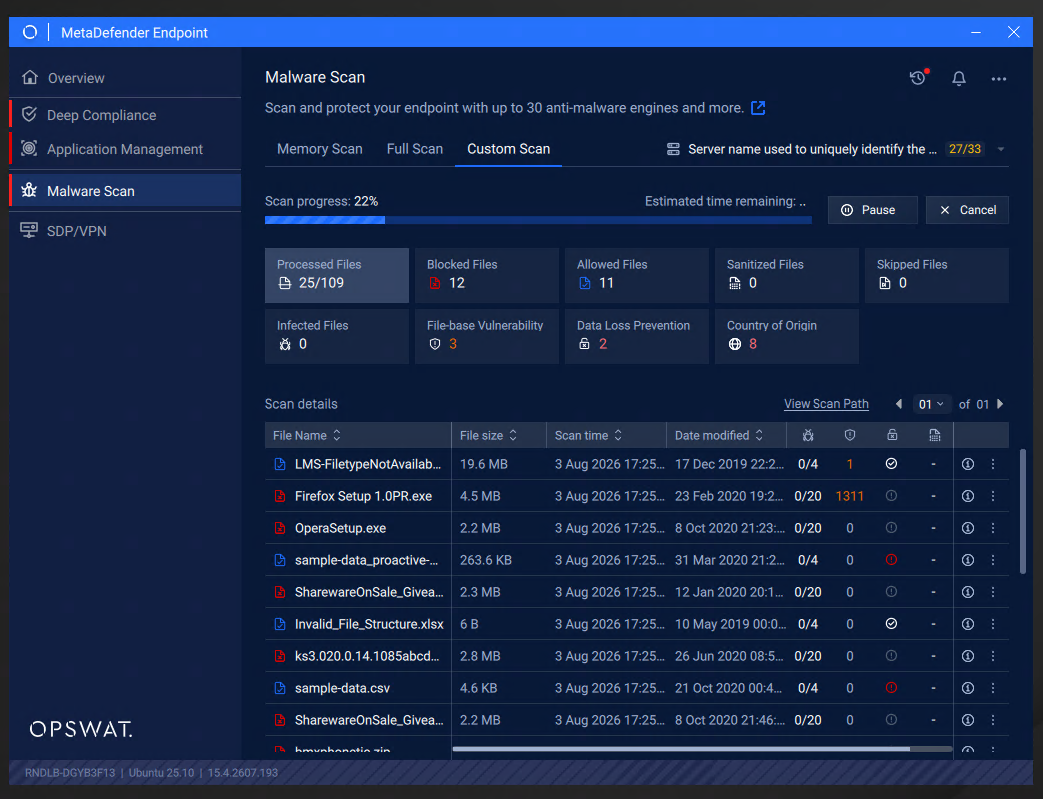
Malware Scan Feature is Now Available on Linux
Expanding Malware Scan to Linux devices brings advanced malware protection to critical Linux endpoints. Linux devices can now benefit from the combined capabilities of Predictive Alin AI, Metascan™ Multiscanning, Deep CDR™ Technology, Proactive DLP™, and Country of Origin technologies to analyze files and identify malicious content.
Next-Level Endpoint Management Solution
Discover why worldwide organizations, institutions, and entities trust MetaDefender Endpoint to protect critical endpoints. Talk to an expert today to learn more.