Knowing which open-source packages sit inside a file is no longer enough. Security and compliance teams are now being asked which cryptographic algorithms their software depends on, whether those algorithms will hold up against quantum computing, and which AI models are arriving through the same channels, along with the licenses attached to them.
MetaDefender Core v5.23.0 extends the Software Bill of Materials engine to answer those questions with CBOM and AIBOM detection. The release also brings quarantined files and Password Storage under My OPSWAT Central Management, and adds workflow controls that cut wasted processing and enforce stricter file-handling policies.
Visibility into Cryptography and AI Models
Introducing CBOM and AIBOM Detection Engines
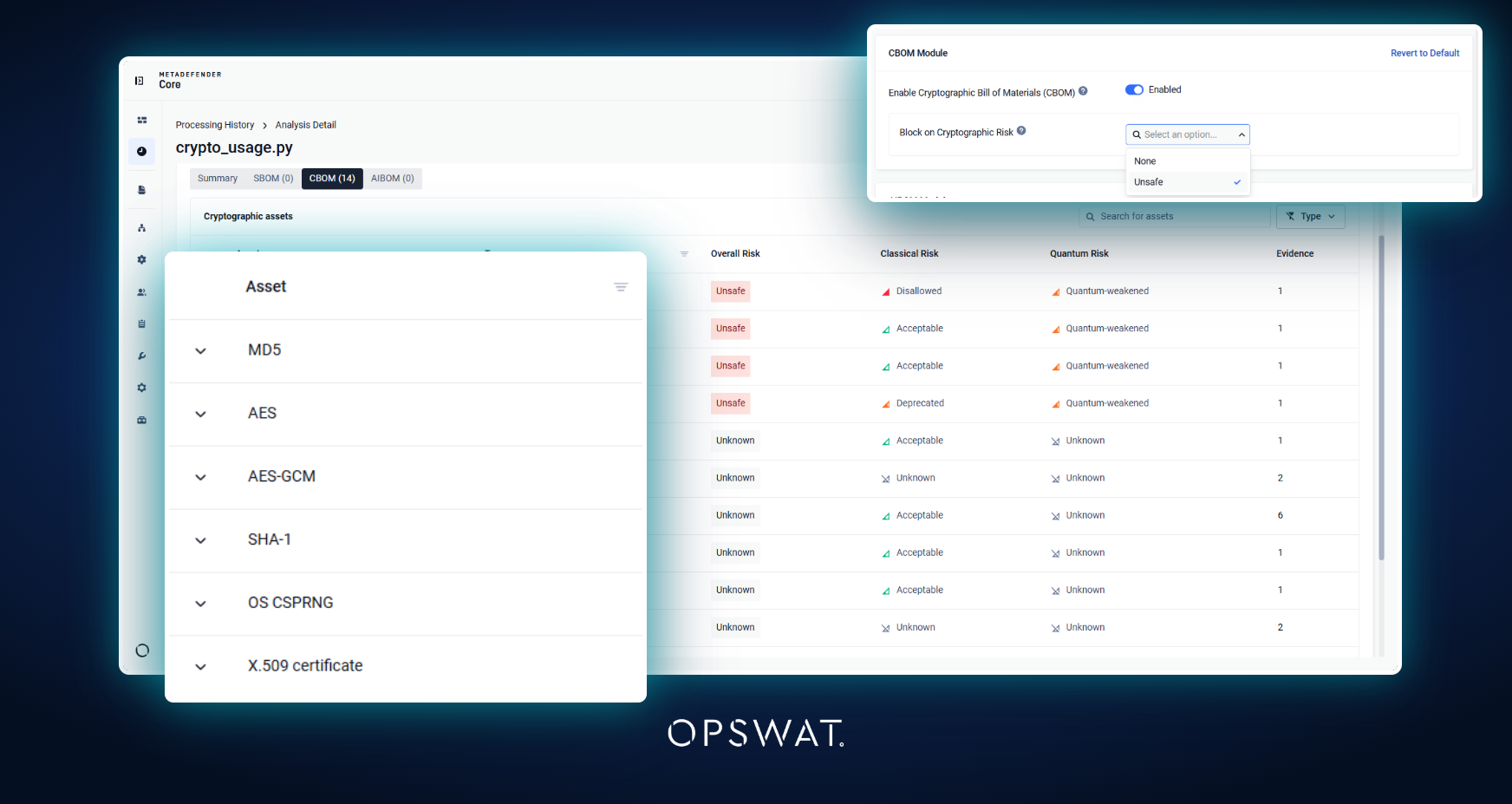
The Bill of Materials now goes beyond the software bill of materials with two new detection types. A cryptographic bill of materials (CBOM) inventories the cryptographic assets inside a file and evaluates their quantum resistance, which gives teams a practical starting point for post-quantum readiness.
An AI bill of materials (AIBOM) identifies the AI models in a file along with their associated licenses, so AI components can be governed like any other third-party software.
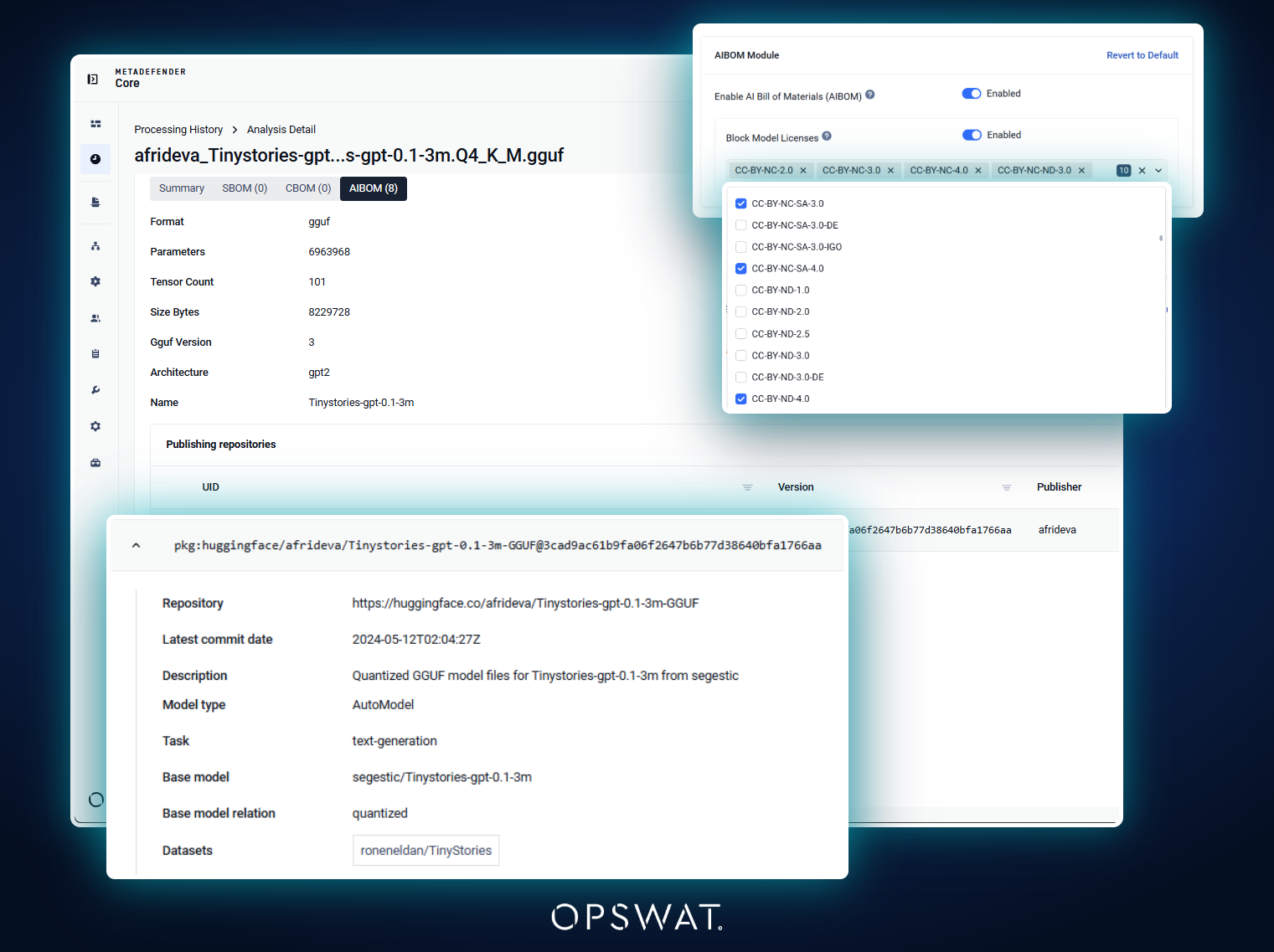
CBOM and AIBOM findings appear in processing results and on the Security dashboard, and results for individual files, including files inside archives and batches, can be exported as JSON, PDF, or HTML.
Large SBOM and Vulnerability Reports Without the Wait
SBOM and vulnerability reports can now be generated in the background as PDF or HTML. Completed reports are stored and reused rather than generated again, and a new reports tray shows progress and offers download or retry actions from any page of the console. The export timeout, previously fixed at ten minutes, is now configurable in Settings, so very large reports no longer fail on a hard limit.
Centralized Management at Scale
Retrieve and Manage Quarantined Files from Central Management
Building on the encrypted quarantine downloads introduced in v5.22.0, administrators can now download quarantined files from My OPSWAT Central Management without accessing the instance console or opening an inbound port. This supports restricted environments where instances permit only outbound connections. Files are delivered on demand through the existing Central Management connection as password-protected archives, and administrators can also protect, unprotect, and delete quarantined items with the same permissions the instance console requires.
Password Storage Synchronized with Central Management
Password Storage is now synchronized from My OPSWAT Central Management to enrolled instances, in the same way as post actions and external scanners. Workflow policies that reference a password storage can therefore be applied consistently across an entire instance group. Centrally managed storages are labeled by origin, remain read-only on the instance, and are preserved when a configuration is imported.
Stronger Workflow Controls
Stop Processing an Archive When a Blocked File Is Found
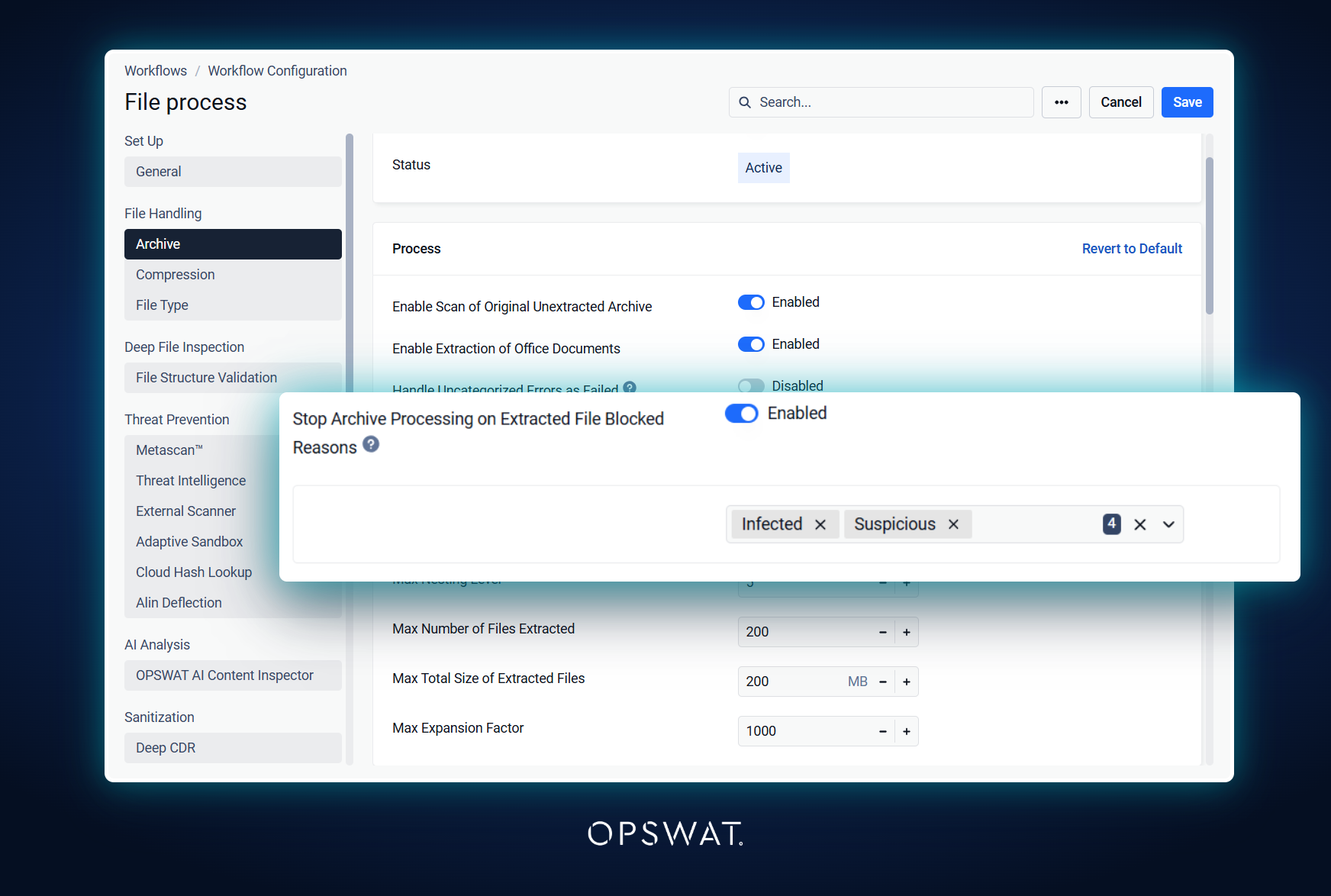
A workflow can now stop further extraction and scanning of an archive as soon as an extracted file is blocked for a configured reason. Once one file has decided the outcome, the rest of the archive no longer consumes processing time. Files already being scanned complete their current stage, and the option applies independently to each archive.
Accept Only Password-Protected Files
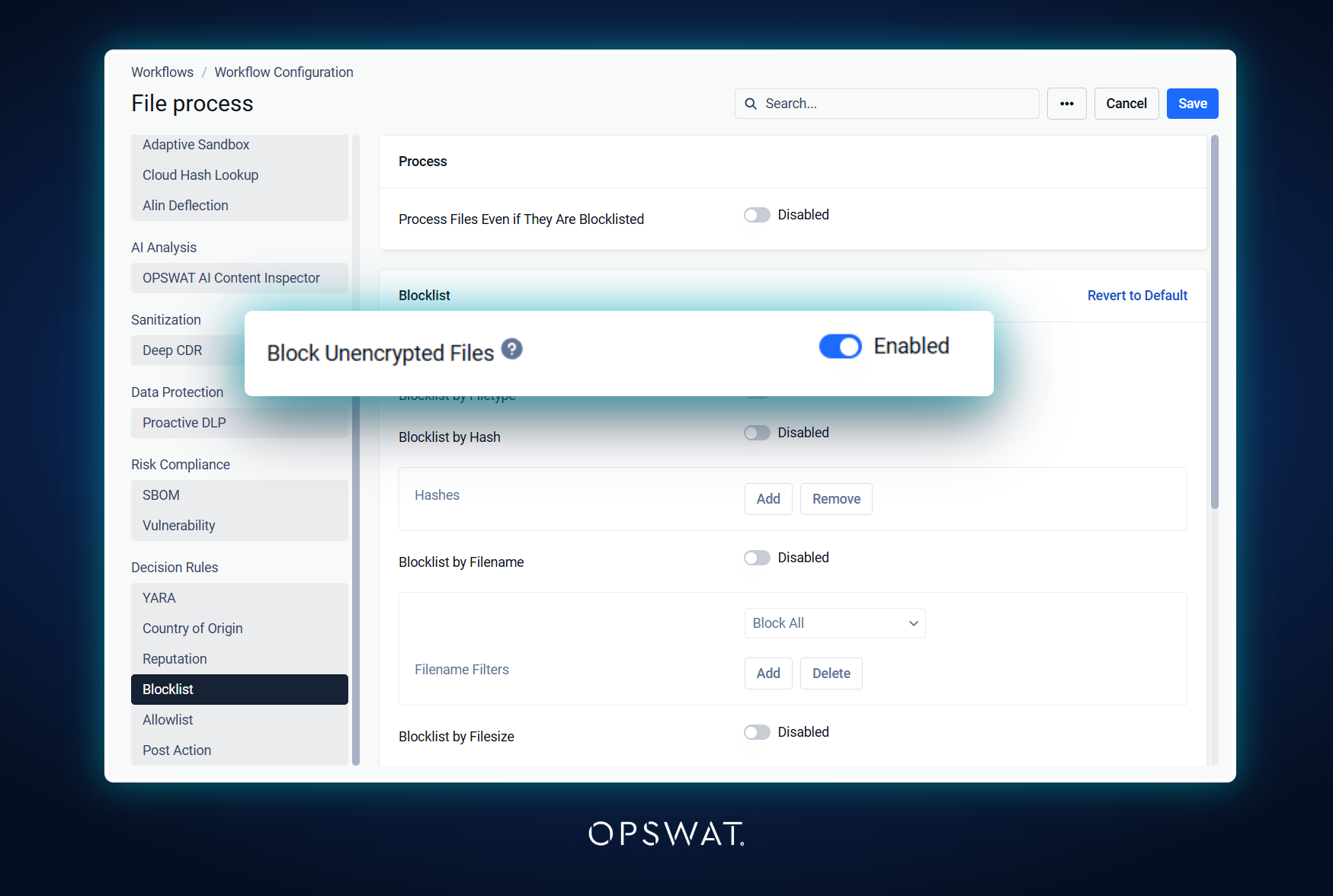
The new Block unencrypted files workflow option blocks files that are not password protected, with the reason Password Protection Required. Password-protected files are processed when the correct password is provided and blocked when no password is supplied. This helps organizations enforce policies that require sensitive files to be encrypted before transfer. The option is available for MetaDefender Core standalone deployments.
Per-File-Type Configuration for Proactive DLP
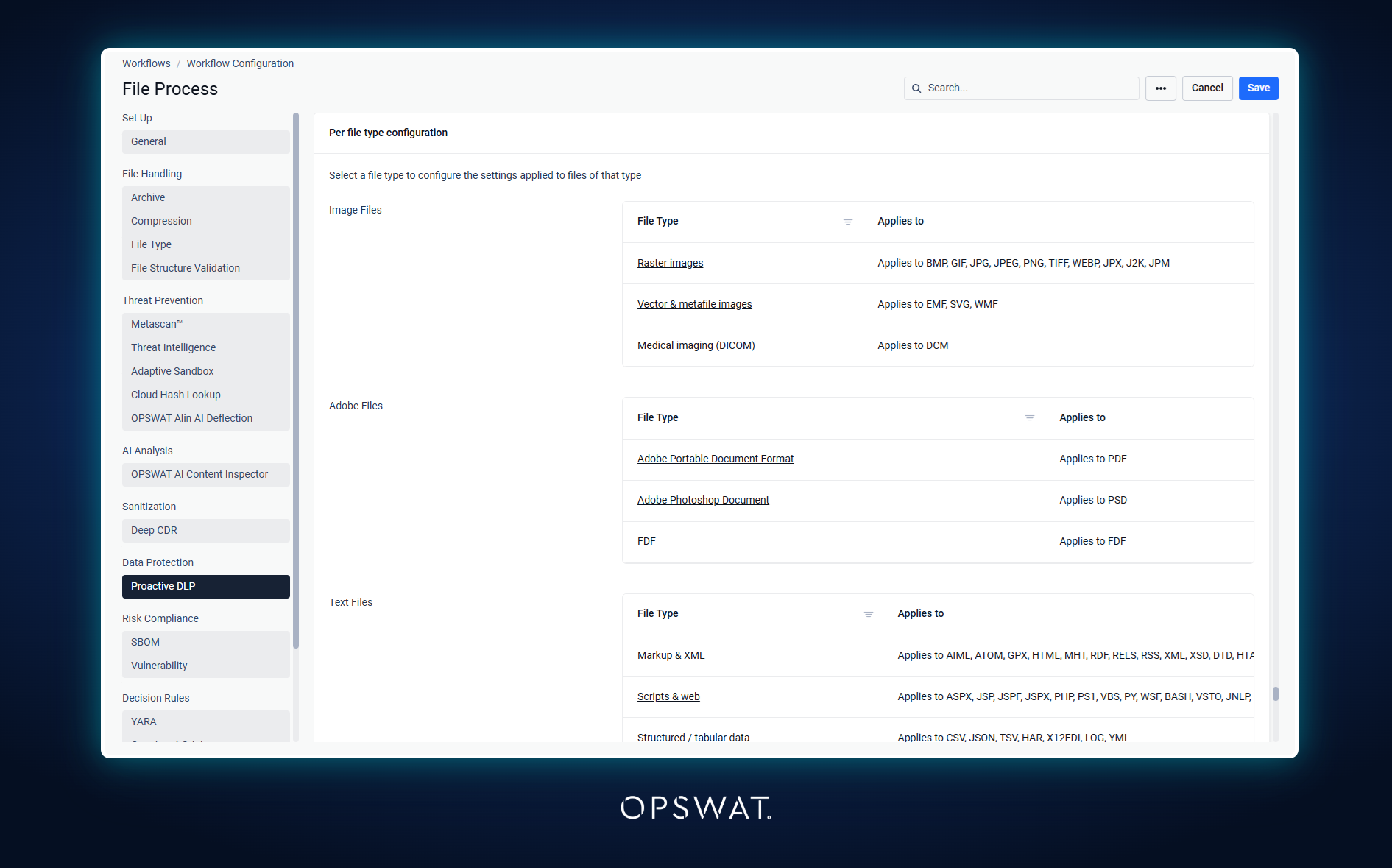
Proactive DLP detection and redaction settings can now be configured by file type, so different policies can apply to formats such as PDF and Office documents. Per-file-type settings apply when Proactive DLP is enabled for that file type and require a supported Proactive DLP engine version.
Also in This Release
- Customizable message templates are now available for email notifications.
- Administrators can receive an alert when file processing exceeds a configured threshold while scanning continues.
- History Scheduled Reports can filter on timeout-related verdicts.
- File analysis API requests can require specific HTTP headers, such as the file name, and reject incomplete submissions with a clear error.
- Processing History performs faster at scale, overall results can reflect only the engines that analyzed a file when licensed antivirus engines are unavailable, and license keys can be redacted from logs.
Action Required
Version 8.0 of the File Type Detection, Archive Extraction, Archive Compression, Country of Origin, and Deep CDR™ Technology modules requires Microsoft Visual C++ Redistributable version 14.44 or later. Make sure the redistributable is installed on Windows hosts before these modules update to version 8.0.
OPSWAT will also discontinue support for Ubuntu 22.04 in MetaDefender Core and its associated engines starting April 2027. Teams running Ubuntu 22.04 should plan a move to a supported operating system.
Previously Released
Upgrading from an earlier version? Here is a quick reminder of what MetaDefender Core v5.22.0 delivered:
- File Structure Validation Engine: Checks a file's internal structure against its declared type to catch malformed or manipulated files. It is now named Deep File Inspection.
- OPSWAT MetaDefender Core App on Splunkbase: A supported Splunk app with ready-made dashboards for scan activity and threats.
- PostgreSQL 18.6 and FIPS 140-3 Compliant Database: A current database version with a FIPS 140-3 compliant bundled build.
- Encrypted Quarantine Downloads: Quarantined files can be downloaded encrypted during investigation.
- Skip by Hash Approval Expiry: Hash approvals can expire and be removed automatically.
No customer action is required from v5.22.0. For the complete history, see the release notes.
Next Steps
Ready to get started with MetaDefender Core v5.23.0? Check out these helpful resources:
- Visit opswat.com/products/metadefender/core
- Upgrade to MetaDefender Core v5.23.0
- Access the release notes
Have questions? Reach us at support@opswat.com