MetaDefender Drive v4.4.4 introduces smarter, hardware-aware scanning and enhanced report synchronization capabilities, enabling consistent, policy-driven security across all environments.
Smarter Engine Selection Based on Hardware Resources
In previous versions, MetaDefender Drive automatically switched to Light Mode when scanning a device with limited resources, resulting in a single engine being used to maintain performance. With the v4.4.4 release, MetaDefender Drive replaces legacy Lite Mode with a hardware-aware scan configuration that automatically recommends scanning engines for optimal performance based on the available hardware resources. This new hardware-aware approach enables performing full multi-engine scans on lower-capacity hardware.
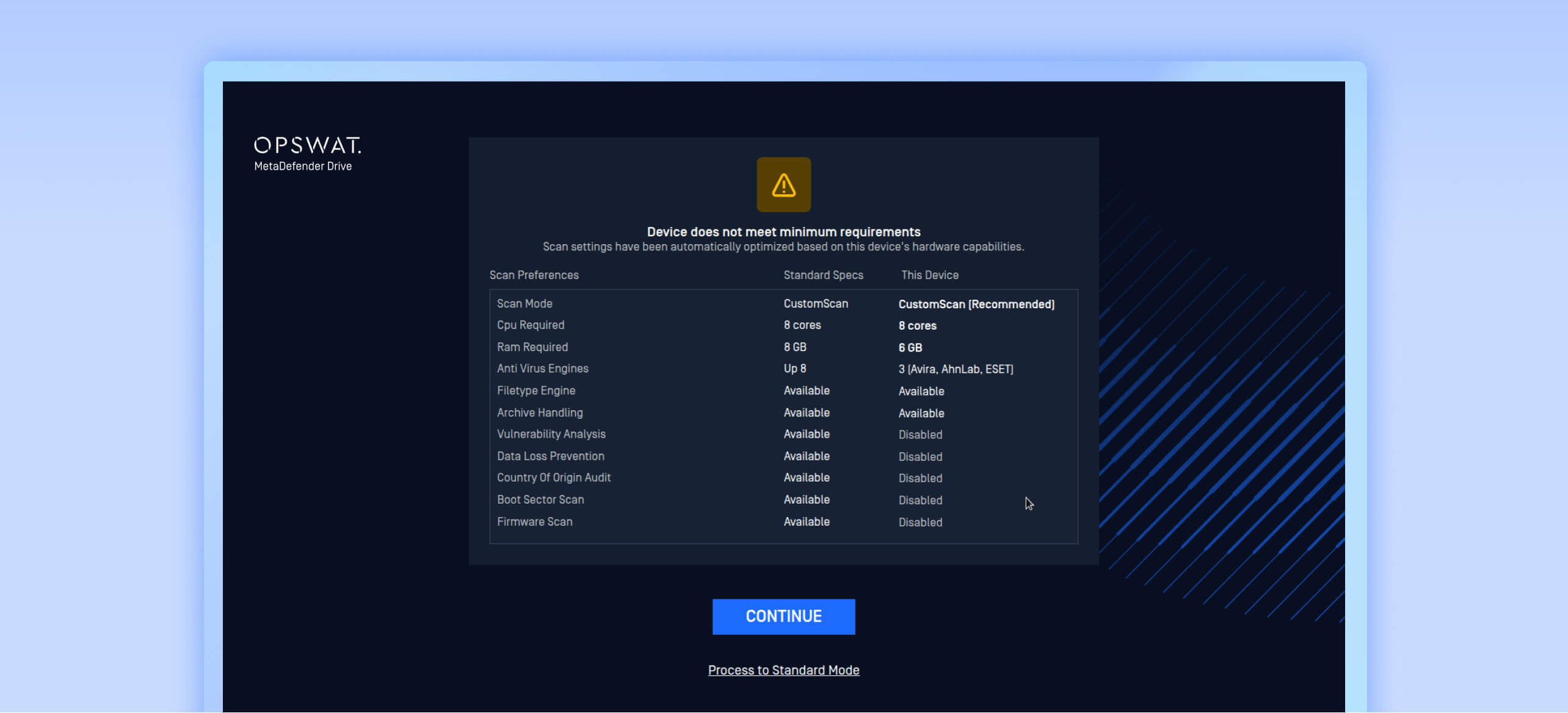
This is especially important in environments where strict policies require that every device, whether new or already in use, be fully verified before accessing critical systems.
This enables:
- Efficient use of system resources without manual configuration
- A more consistent scanning experience across different hardware profiles
- Full scans on devices previously restricted by hardware resources
- Support for policy-driven device verification requirements
Automated Report Syncing Without Network Connection
This release includes enhanced integration with My OPSWAT™ Central Management via the MetaDefender Drive Toolkit, enabling report synchronization when the device is not connected to a network. With this enhancement, reports can be generated offline and synchronized later, enabling central visibility in air-gapped and restricted environments.
This also completes the offline workflow for MetaDefender Drive, with product upgrades, engine updates, My OPSWAT Central Management settings, and report synchronization can all be supported without requiring direct network access on the MetaDefender Drive.
The following steps show how to prepare a MetaDefender Drive for automated offline syncing:
- Unbox your newly received MetaDefender Drive.
- Run the MetaDefender Drive Toolkit.
- Open the My OPSWAT integration tab, then select Automatically sync report after scan.
- Enter your My OPSWAT Central Management address and registration code, then click Next to confirm the enrollment.
- Apply the latest engine updates to MetaDefender Drive using the MetaDefender Drive Toolkit.
- Boot MetaDefender Drive without network access, with the latest My OPSWAT preferences and engines already applied.
- Perform scans and generate reports.
- Shut down the scanned machine.
- Plug MetaDefender Drive back into the device running the MetaDefender Drive Toolkit.
- My OPSWAT preferences and scan reports will be automatically synchronized to My OPSWAT Central Management through the MetaDefender Drive Toolkit.
Expanded Storage for Reports and Engines
MetaDefender Drive v4.4.4 also includes improvements for the reporting and scanning operations storage capacity when updated using the MetaDefenderDrive Toolkit.
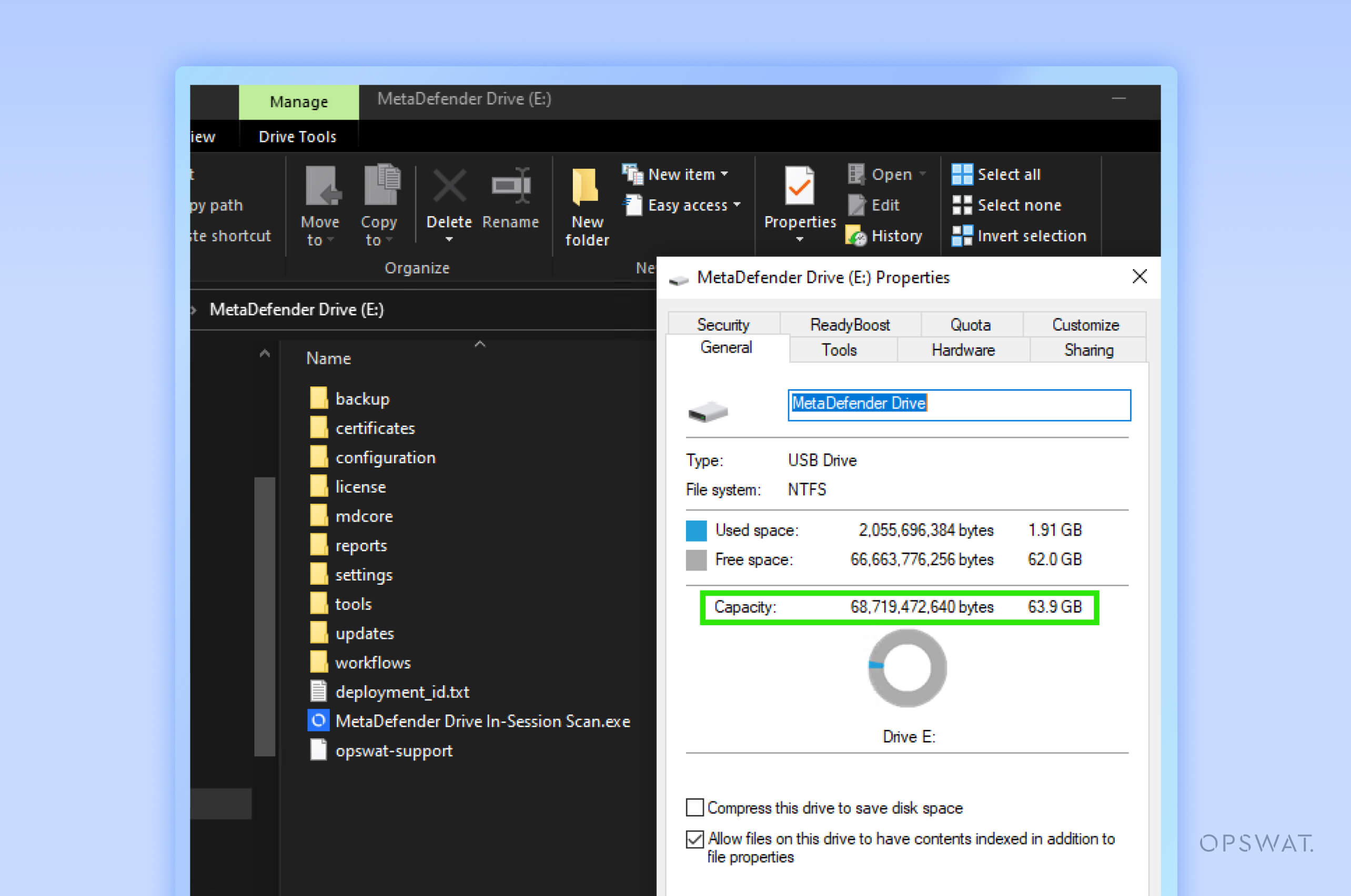
For MetaDefenderDrive 2 (with 1TB storage capacity), MetaDefender Drive with Digital Display, and MetaDefender Drive with Smart Touch, re-flashing to the latest version increases available storage capacity from 12GB to 64GB.
This improvement enables storing more scan reports for better audit and traceability, increases the capacity for the in-session scanning engines, and improves readiness for high-volume and long scanning operations.
Release Details
Product: MetaDefender Drive
Release Date: April 24, 2026
Release Notes: Learn more here
To update MetaDefender Drive, download the latest version of MetaDefender Drive Toolkit and follow the installation instructions.