MetaDefender Drive with Smart Touch v2.3.0 simplifies device maintenance and everyday operation with automatic operating system updates, centralized time synchronization, and a smoother Secure File Storage workflow.
With this release, Smart Touch can apply operating system updates automatically during application upgrades using OPSWAT controlled and tested packages. Smart Touch can also synchronize system time with My OPSWAT Central Management, including in air gapped environments without Internet NTP access. Secure File Storage also reduces manual navigation by automatically moving operators to Share Files after opening or removing files.
Apply Operating System Updates Automatically During Application Upgrades
MetaDefender Drive with Smart Touch v2.3.0 simplifies operating system maintenance by applying Smart Touch operating system updates automatically as part of the application upgrade process.
Updates are delivered through OPSWAT controlled and tested packages. This provides a consistent upgrade process while also supporting air gapped environments where Smart Touch cannot retrieve operating system updates directly from an external update source.
Operators can maintain Smart Touch application and operating system updates through the existing OPSWAT upgrade workflow instead of managing the operating system separately. This reduces maintenance steps and helps keep Smart Touch up to date through a controlled update process.
Maintain Consistent Smart Touch Time with My OPSWAT Central Management
MetaDefender Drive with Smart Touch can now synchronize its system time with My OPSWAT Central Management. This capability also supports air gapped on premises Central Management environments where Internet based Network Time Protocol access is unavailable.
Using Central Management as the time source helps organizations maintain consistent Smart Touch time across deployment sites, so scan timestamps and related records use the same time reference across managed devices.
Smart Touch continues to support local date, time, and time zone configuration, while centralized synchronization provides an additional option for organizations managing distributed deployments.
Streamline Secure File Storage with Automatic Navigation to Share Files
MetaDefender Drive with Smart Touch v2.3.0 also simplifies the Secure File Storage workflow by reducing manual navigation during common file operations.
After an operator opens or removes files from Secure File Storage, Smart Touch now automatically navigates to the Share Files view.
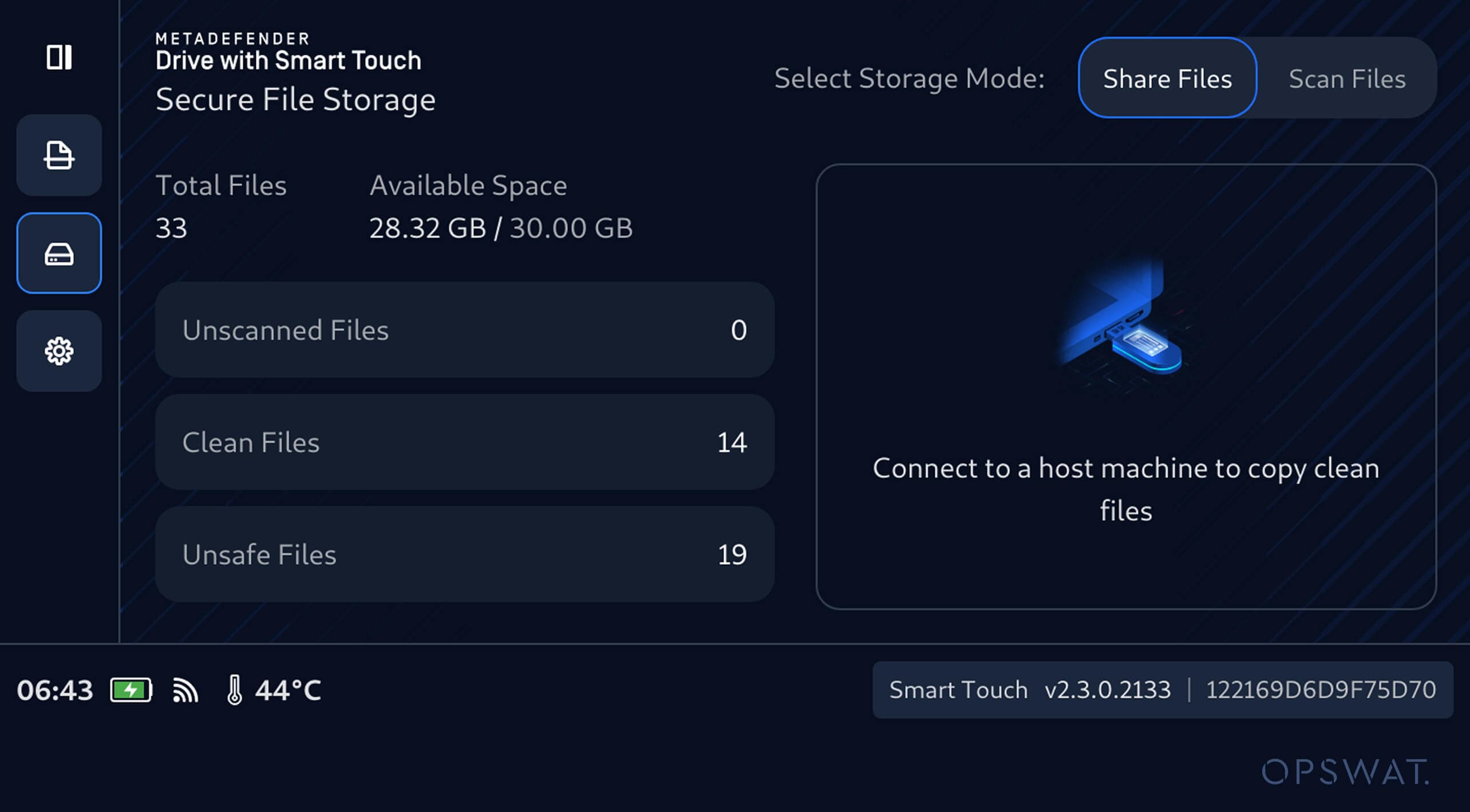
Previously, operators could remain in the locked Secure File Storage workflow and need to manually navigate before proceeding with file sharing. Automatic navigation removes this extra step and brings operators directly to the next action in the workflow.
This provides a faster and easier sharing experience when working with files that have already been verified and are ready for use.
Release Details
Product: MetaDefender Drive with Smart Touch
Release Date: 13 October, 2026
Release Notes: Learn more here
To update MetaDefender Drive with Smart Touch, tap System Update on the home screen to access the centralized update view.