Release Highlights
- Trust Center: Centralized access to OPSWAT's security, privacy, and compliance posture
- Self-Service License Management: Deactivate MetaDefender Core deployment IDs without a support ticket
- Enhanced Hardware Order Management: Expanded filters and automated email notifications
Partner-Focused Updates:
- Customer Hardware Tab: View hardware orders tied to the customers they serve
- Bulk Resource Download: Easily grab full kits of enablement materials
Trust Center: A Central Hub for Security and Compliance Resources
The latest My OPSWAT Portal introduces OPSWAT Trust Center, a centralized location where customers and partners can review OPSWAT’s security, privacy, and compliance posture.
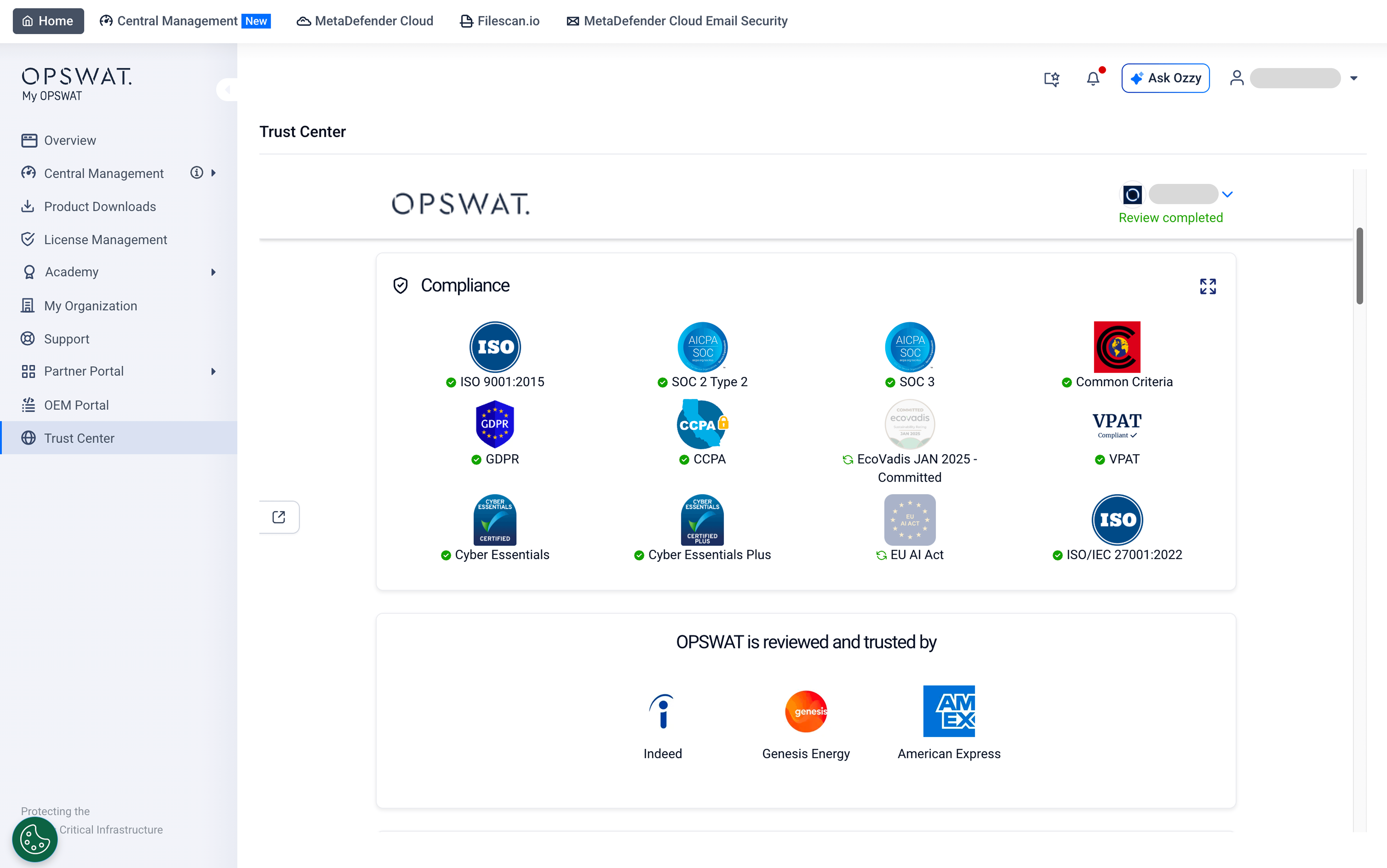
Through the Trust Center, customers and partners can:
- Review OPSWAT’s security, privacy, and compliance posture
- Access SOC 2 reports, ISO certifications, and other compliance documentation after NDA acceptance
- Submit and manage security questionnaires through a streamlined self-service workflow
- Validate OPSWAT’s alignment with internal policies, regulatory standards, and security requirements
Self-Service MetaDefender Core License Management
Administrators can now deactivate MetaDefender Core deployment IDs directly from My OPSWAT Portal, without opening a support ticket or waiting for assistance.
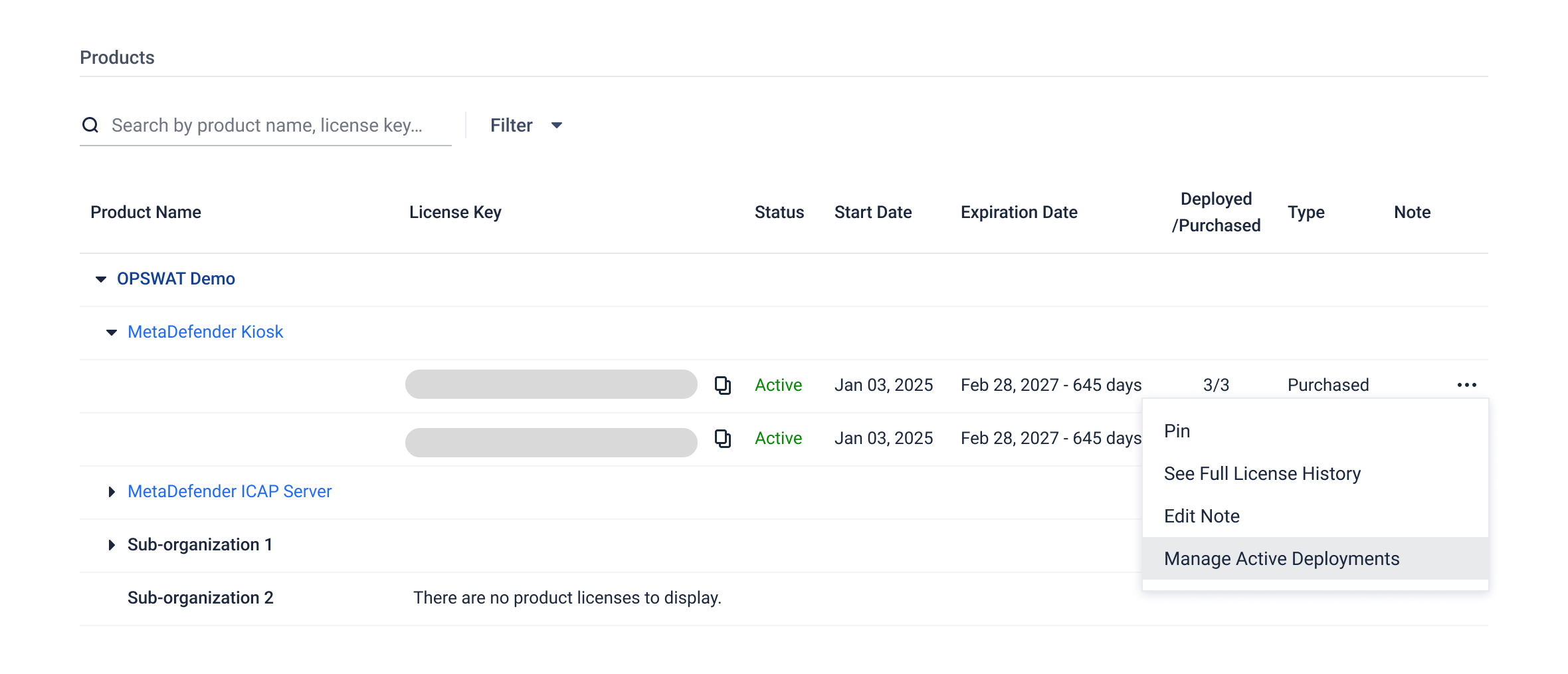
From the License Management page, you can view every active deployment associated with a license key and deactivate one or multiple deployments in a single action. This helps teams free up license capacity faster, reduce support dependency, and keep operations moving without unnecessary delays.
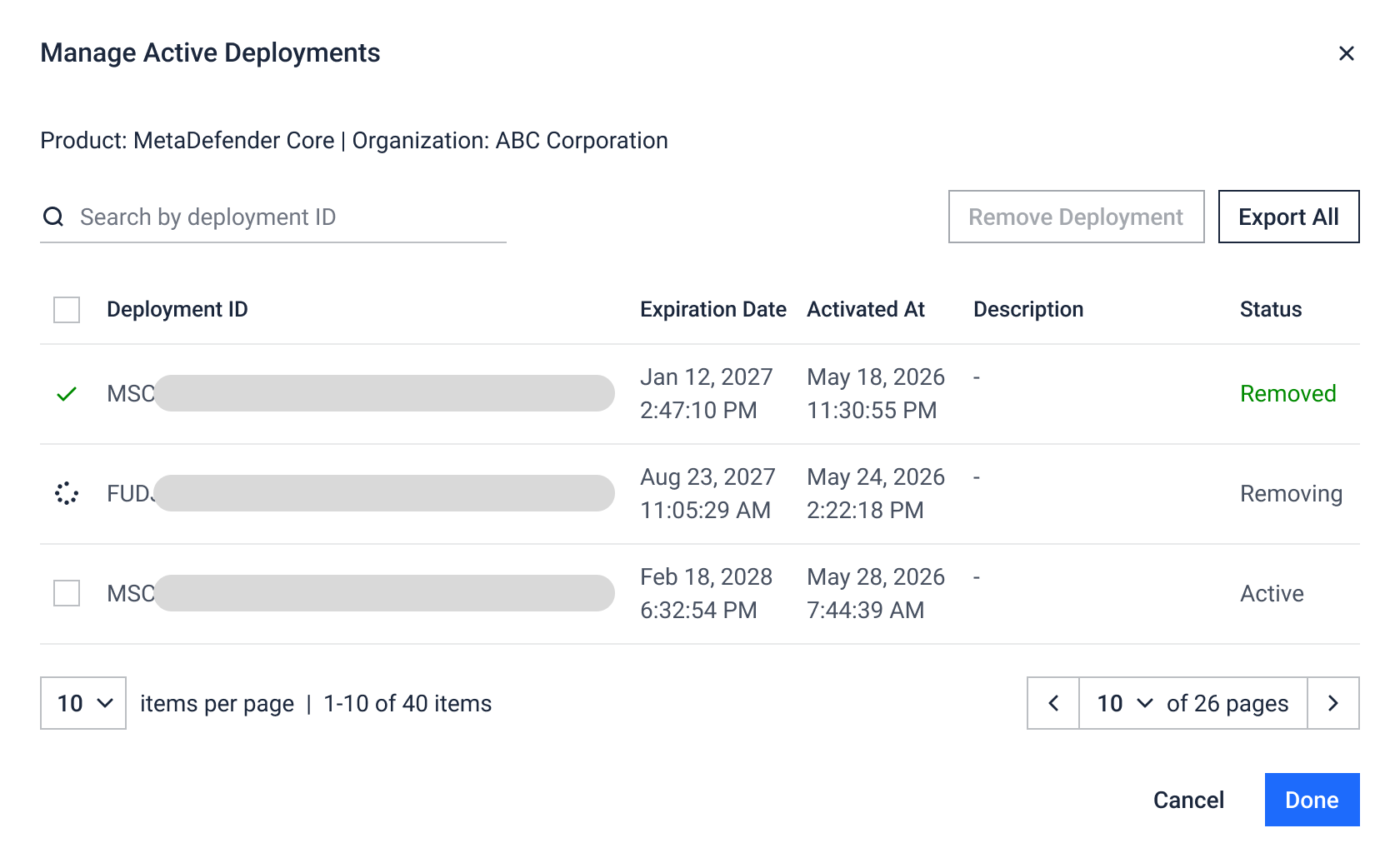
Every activation and deactivation is recorded in your event log, giving your team a clear audit trail of who made changes and when.
Enhanced Hardware Order Management
Partners now have a dedicated Customer Hardware tab that brings together every hardware order tied to the customers they serve, in addition to their own direct purchases.
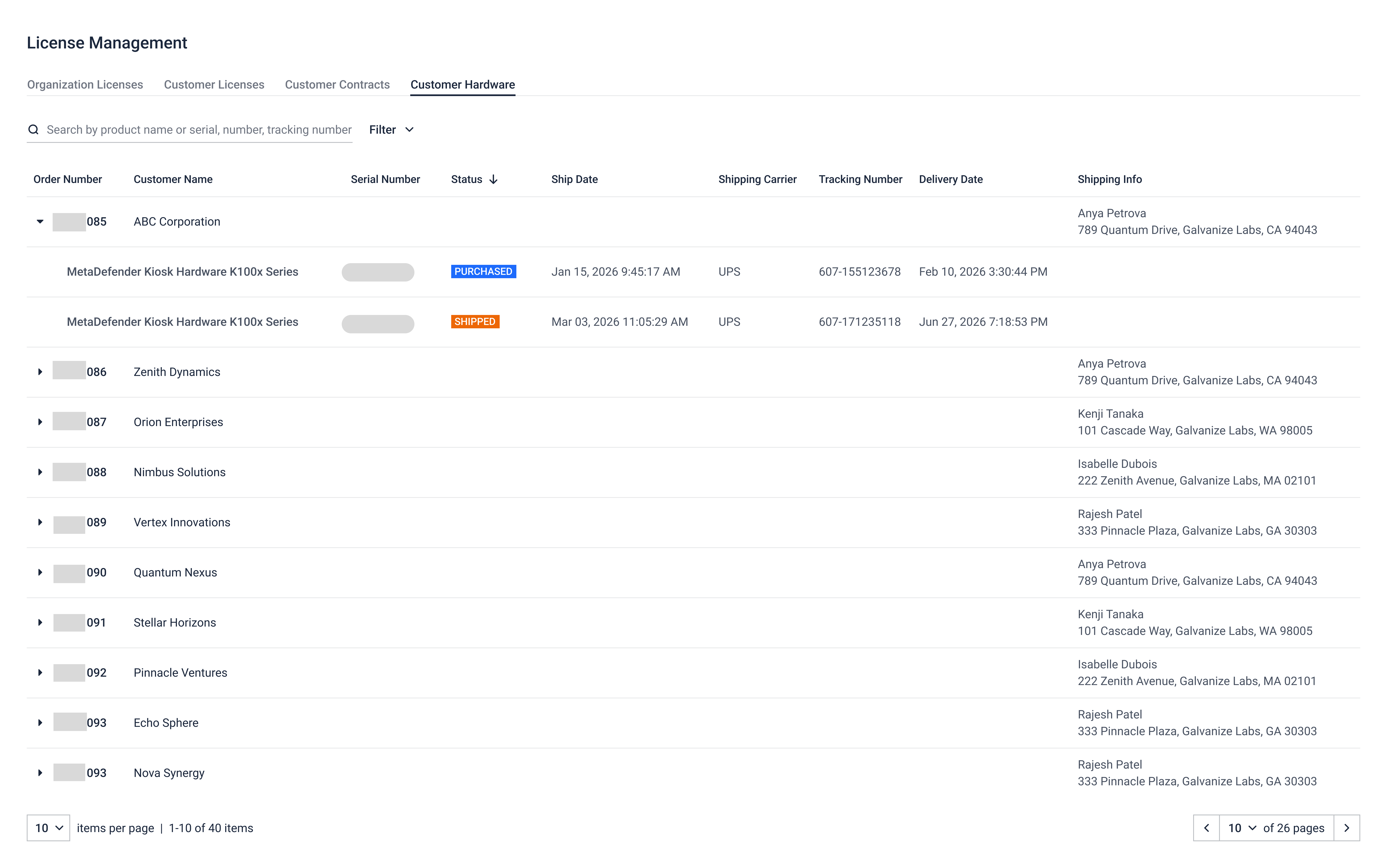
New filters let you narrow results by date range (delivery date or ship date) and shipping carrier, on top of the existing order status filter.
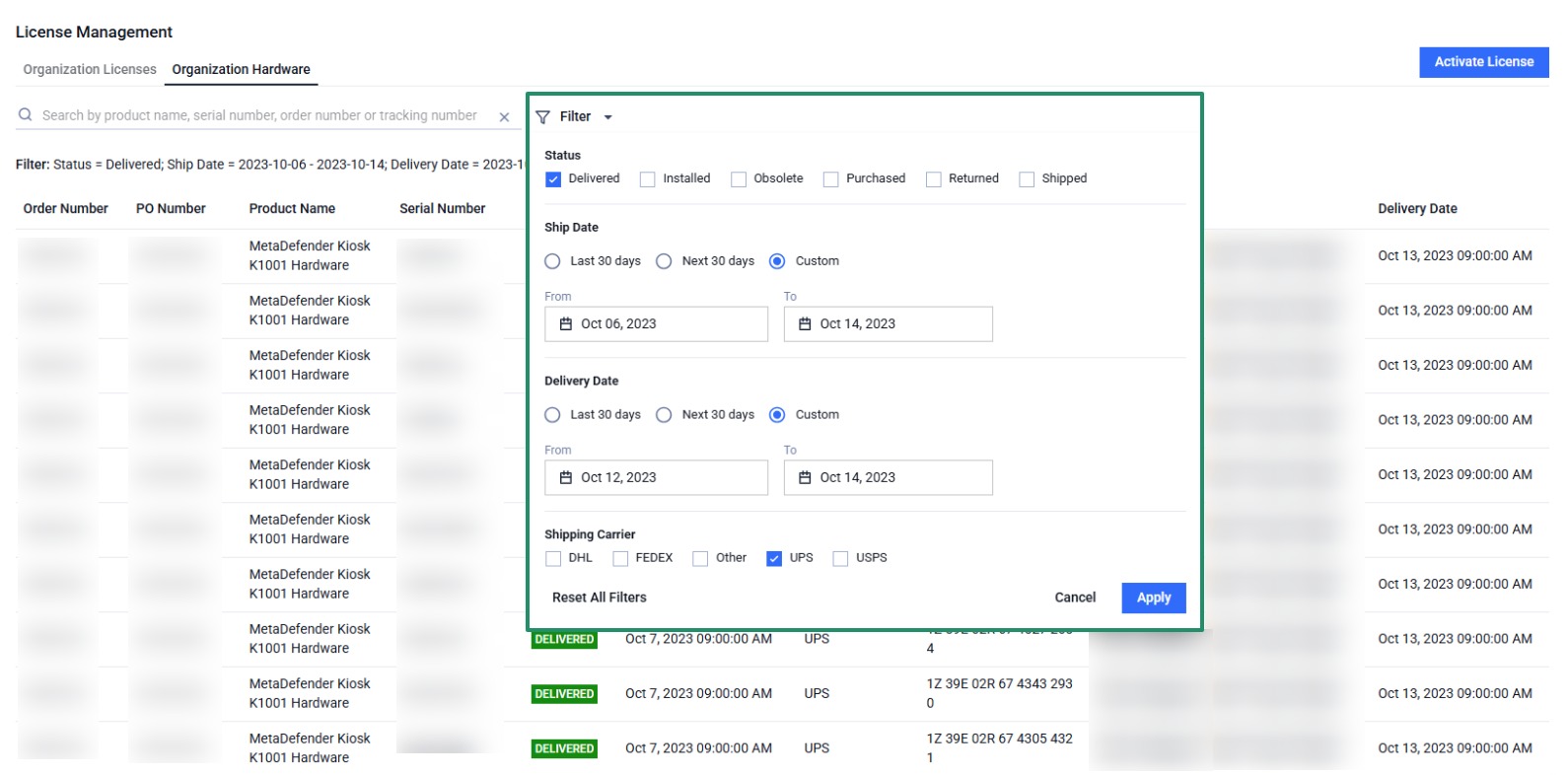
Customers will receive automated email notifications whenever the order status changes. Each notification includes a direct link back to My OPSWAT Portal, helping users stay informed without manually checking order status.
Bulk Resource Download in the Partner Portal
Partners can now multi-select files inside any playbook or across the All Resources tab and download them in a single action, making it easier to grab full kits of enablement materials when preparing a customer engagement, event, or campaign.
My OPSWAT Portal: Your Unified Gateway to OPSWAT’s Products and Services
My OPSWAT Portal v2026.2.3.0 helps customers and partners manage key workflows with greater autonomy, visibility, and efficiency. Log in to explore the latest updates and see how the new self-service features can support your team.