
My OPSWAT Portal v2026.2.3.5
Version | v2026.2.3.5 |
|---|---|
Release date | Jun 23rd, 2026 |
Release Summary | This release includes bug fixes for MFA setup. |
Bug fixes Fixed an issue that prevented some users from completing MFA setup and signing in.
Further reading at Why can't I download my MFA recovery code?
My OPSWAT Portal v2026.2.3.4
Version | v2026.2.3.4 |
|---|---|
Release date | Jun 17th, 2026 |
Release Summary | To strengthen security, this release introduces mandatory Multi-Factor Authentication (MFA) when accessing My OPSWAT Portal and other OPSWAT Cloud products/ services. |
Mandatory MFA for all users
Starting June 17th, 2026, Multi-Factor Authentication (MFA) will be required for accessing OPSWAT Cloud products and services, except for those who sign in through your organization’s own identity provider (IdP).
List of OPSWAT Cloud products and services that requires MFA:
My OPSWAT Portal
MetaDefender Cloud
MetaDefender Cloud Email Security
Filescan.IO
My OPSWAT Central Management
OPSWAT Academy
If MFA is not enabled on your account when accessing the products listed below, you will be prompted to complete MFA setup after signing in. To set up MFA, follow Set up Multi-Factor Authentication guide.
Further reading at Multi-Factor Authentication
My OPSWAT Portal v2026.2.3.0
Version | v2026.2.3.0 |
|---|---|
Release date | May 28th, 2026 |
Release Summary | This release introduces the capability to view active deployments for all your active license keys right in the Portal, and deactivate MetaDefender Core license deployments without contacting Support. Hardware Orders gain new filters and email notifications for customers, plus a Customer Hardware tab for partners. |
New Features
Self-Service MetaDefender Core License Deactivation
Administrators can now deactivate MetaDefender Core deployment IDs directly from My OPSWAT Portal, without opening a support ticket and waiting for a response.
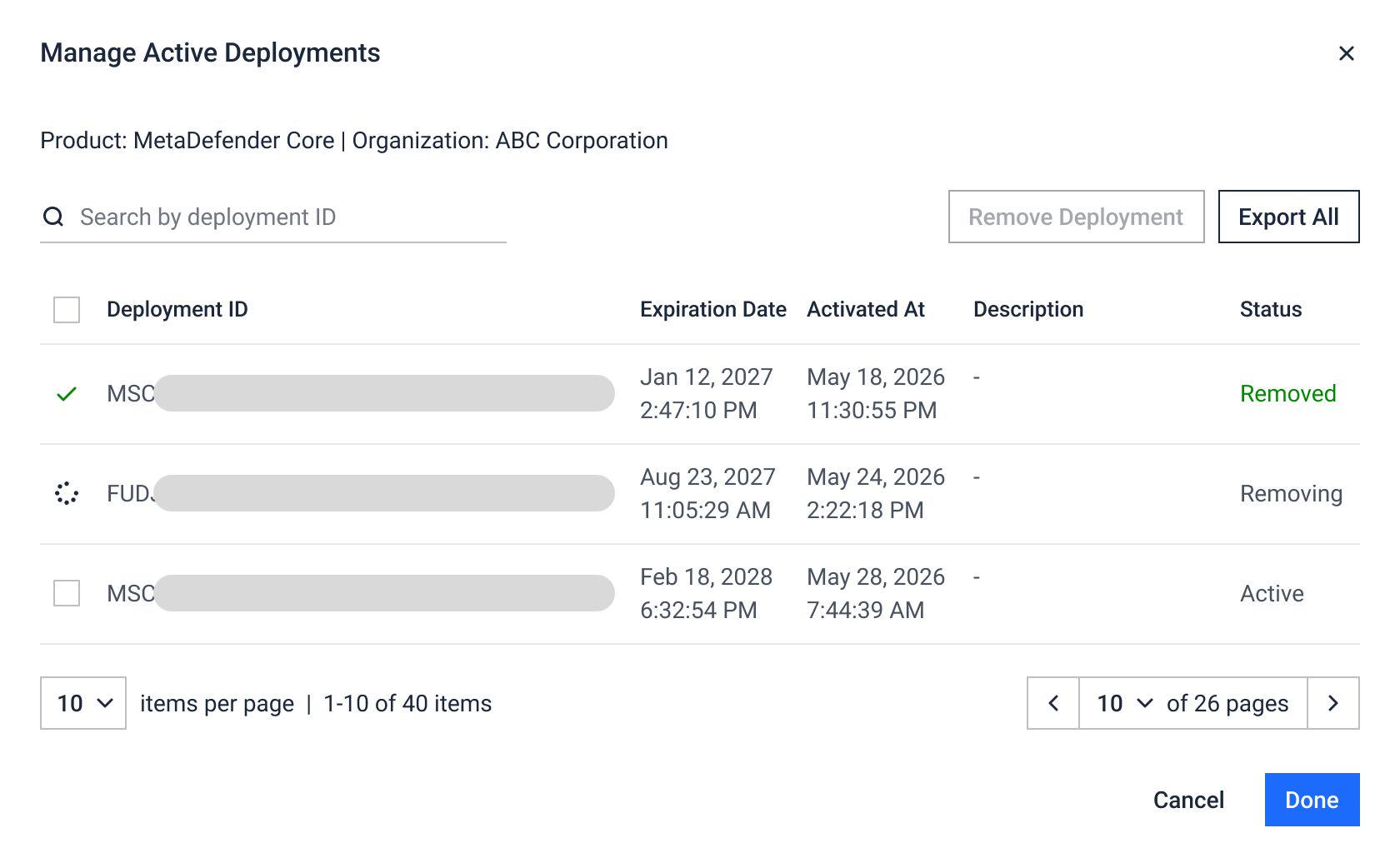
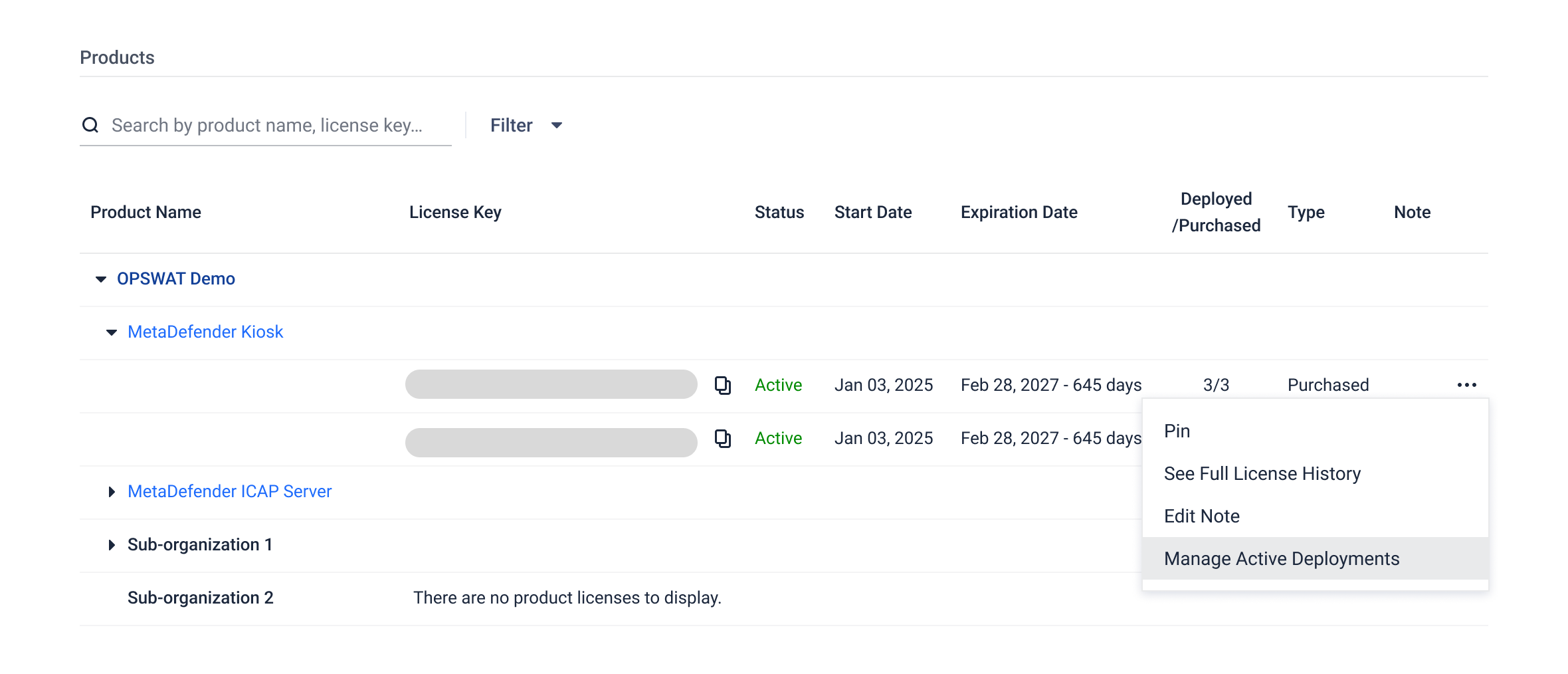
From License Management page, you can now view all active Deployment IDs associated with a license key, then select one or multiple deployment IDs to deactivate.
Enhancements
View Active License Deployments in License Management
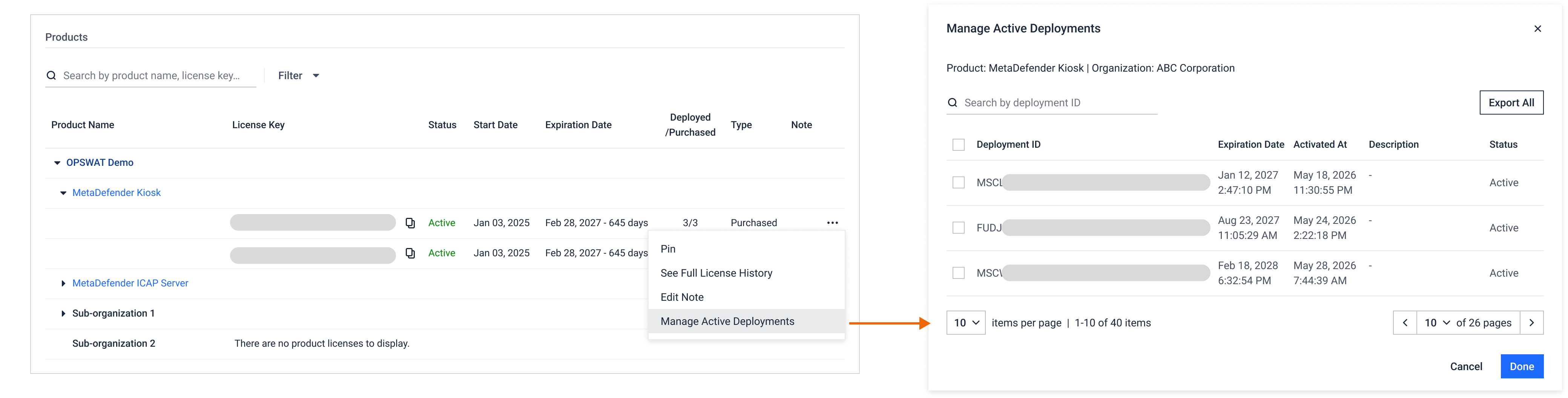
You can now view the active Deployment IDs for any license key in License Management, without downloading a deployment report.
Enhanced Hardware Order Management
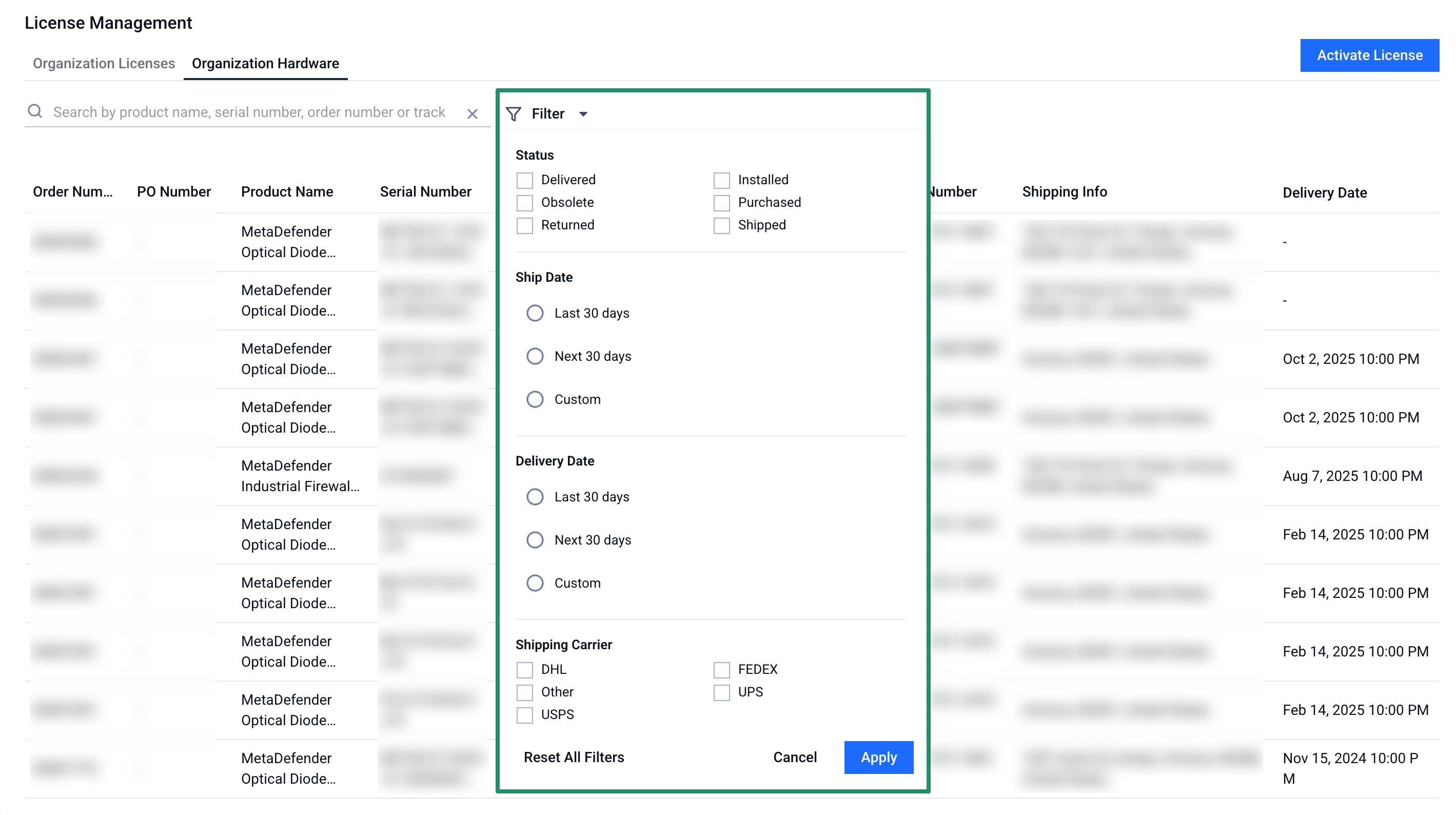
New filtering options: ship date, delivery date, and shipping carrier
Automated email notifications for Customers when the order is confirmed, shipped, delivered, or when the status changes, each with a direct link back to My OPSWAT Portal for full details.
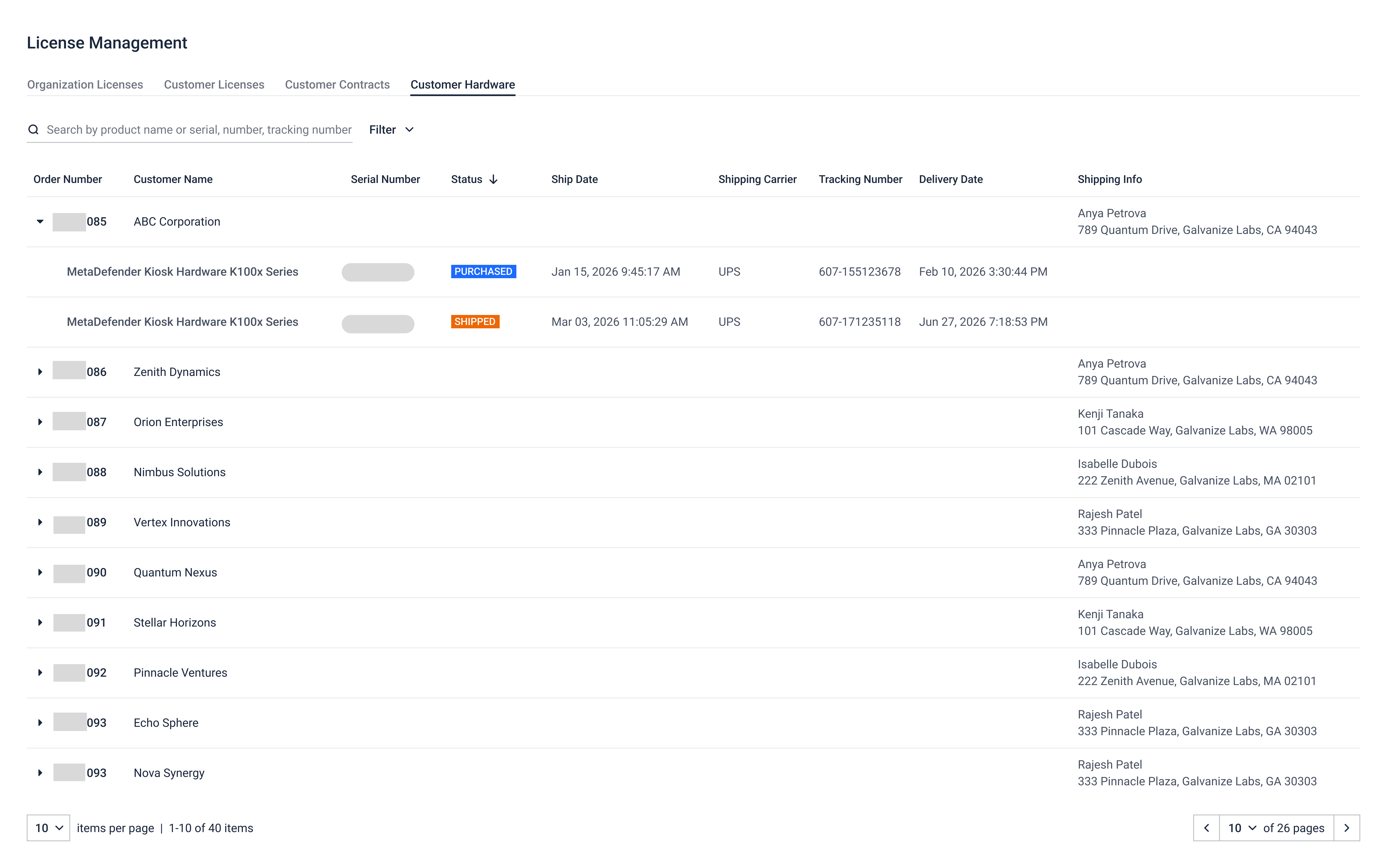
New Customer Hardware tab for Partners all hardware orders and inventory tied to the customers you serve.
Unified All Cases View in Support
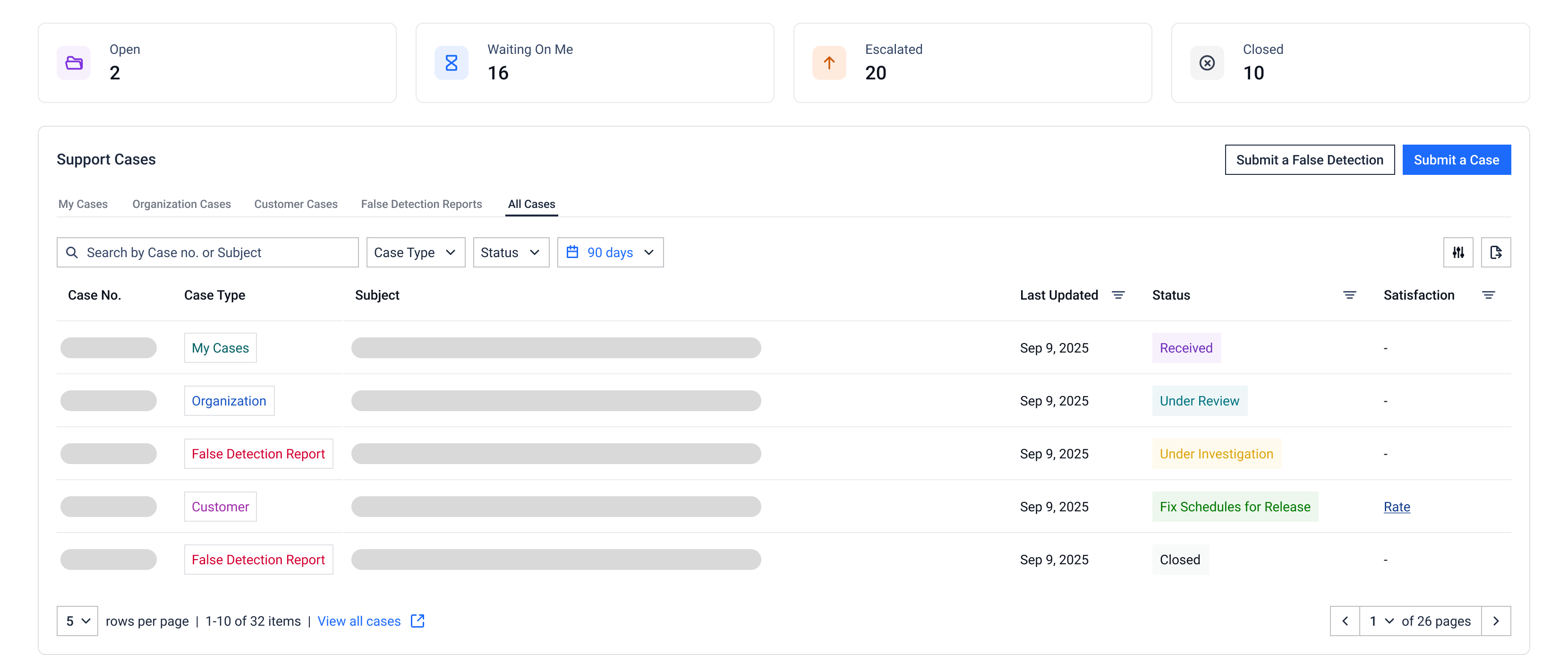
A new All Cases tab on the Support page combines My Cases, Organization Cases, Partner Cases (for Customers), Customer Cases (for Partners), and False Detection Reports into one searchable list. Clicking any statistics - Open, Waiting On Me, Escalated or Closed - now opens this view with the matching filter applied.
[For Partners] Bulk Resource Download in the Partner Portal
Partners can now multi-select files inside any playbook or across the All Resources tab and download them in a single action, making it easier to grab full kits of enablement materials.