MetaDefender™ Managed File Transfer 3.12.0 adds a built-in SFTP (SSH File Transfer Protocol) server, MFA (Multi-Factor Authentication) methods set per user group, optional auto-approval for files that MetaDefender Core returns as Allowed, and self-registration for external users. The release also moves the platform to .NET 10.
External User Self-Registration: Partners Complete Their Own Accounts
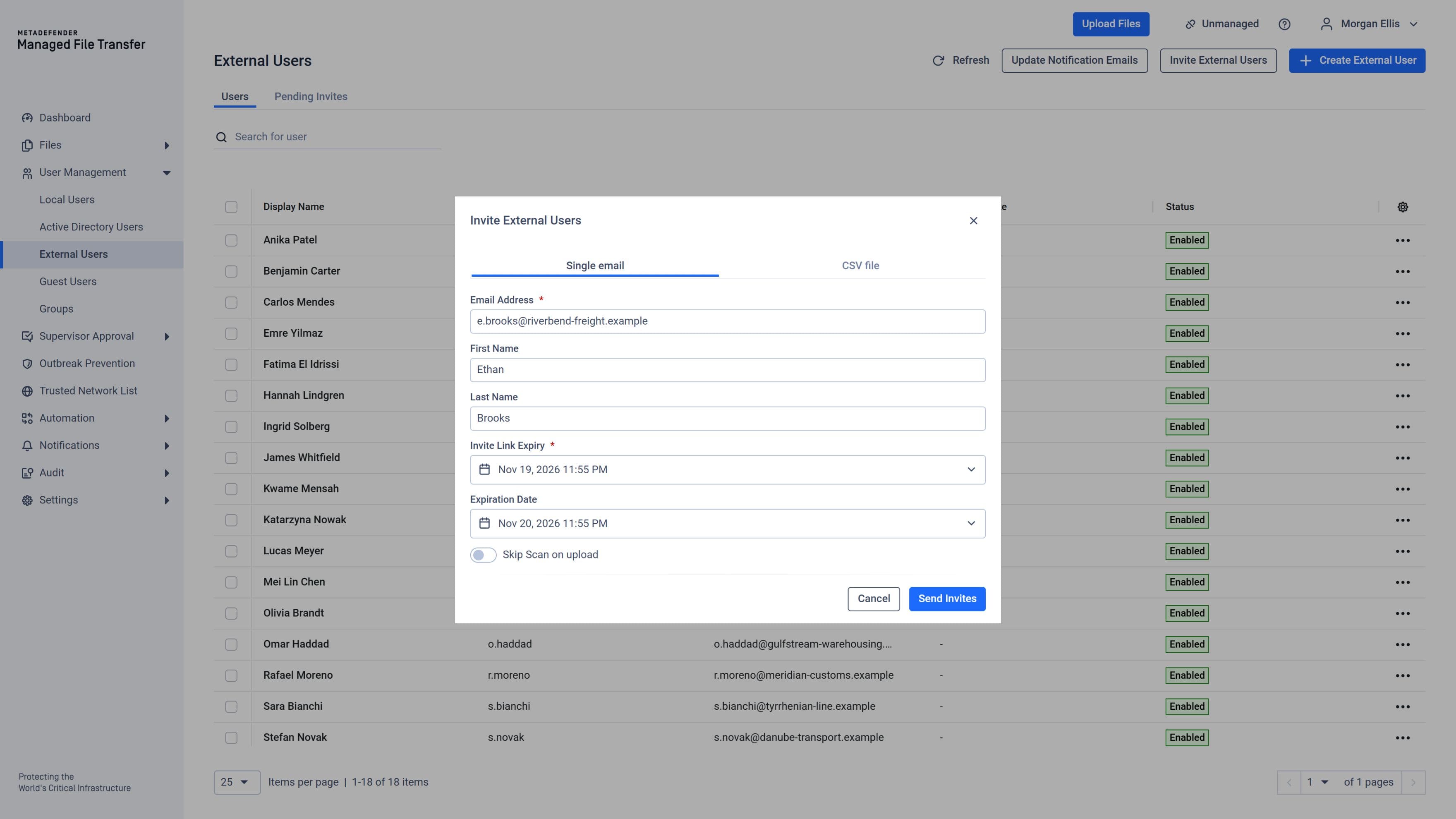
Administrators can now send an invitation with only an email address and an expiry date, and the recipient completes their own account on a guided onboarding page. Invitations can go to a single address or to up to 100 addresses at once from a CSV file.
This way, partners can start exchanging files sooner, onboarding is faster, and there are less data entry tasks for administrators.
Inbound SFTP Server: Partners and Systems Upload Directly
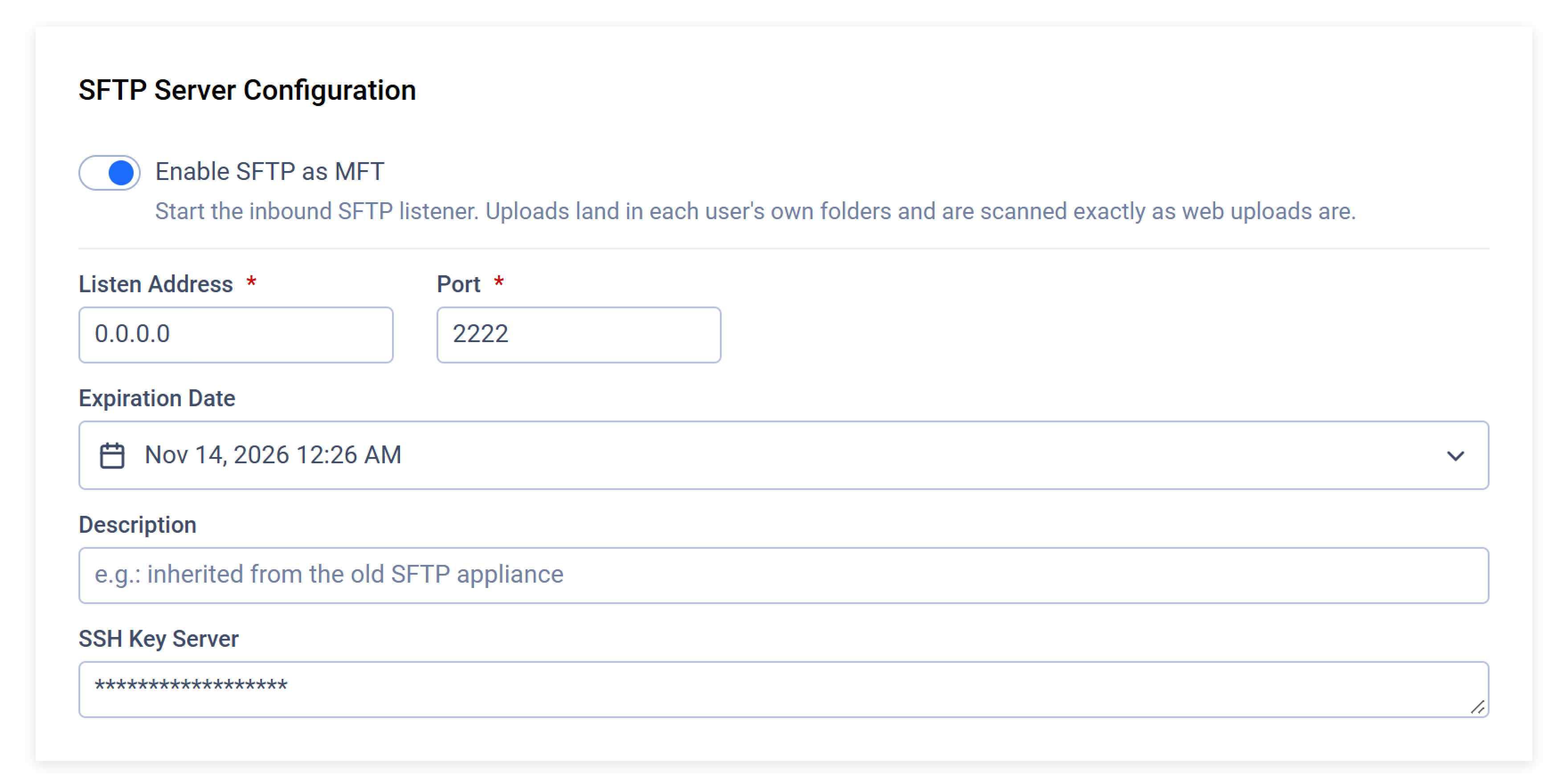
Version 3.12.0 now runs its own inbound SFTP server. Partners and systems authenticate with a password, a registered SSH (Secure Shell) key, either, or both, and administrators set the method per account or let it inherit the default. Uploads land in each user’s own folders and are scanned exactly like web uploads, and sign-ins, failed sign-ins and uploads are recorded in the General Audit log.
One less server to patch and audit leads to lower operating overhead, while partner uploads are recorded in the audit log.
Flexible, Resilient MFA: Sign-In That Fits Each Team
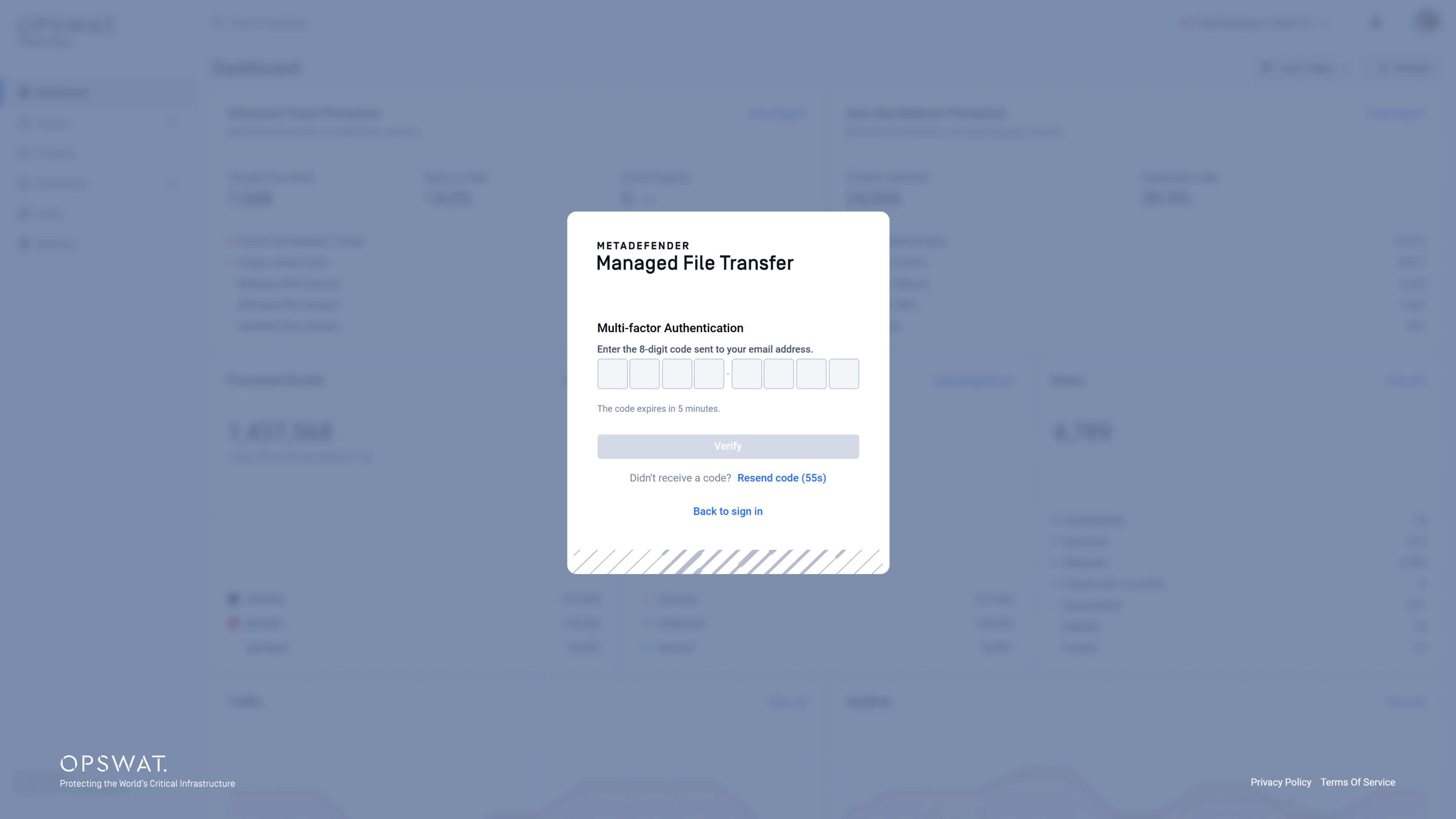
Administrators can now choose Email OTP (One-Time Password) or an authenticator app for each user group, instead of one method for the whole organization. As a recovery option, administrators can allow a local Administrator signing in on the server itself to skip MFA if the authenticator stops working. The option is off by default, and every change to it is recorded in the General Audit log.
With MFA coverage that's both flexible and secure, each team signs in with a method that works for it. Additionally, administrators can keep a recovery path on the server itself, and remote access stays protected by MFA.
Optional Auto-Approval: Allowed Files Skip the Queue
A new optional setting lets files that MetaDefender Core returns as Allowed skip supervisor approval. Files that Core blocks still need an administrator’s approval, and nothing changes for organizations that leave the setting off.
File delivery is faster, with less time spent reviewing. Approval queues get smaller with fewer reviewer emails, while reviewers keep control over files that still need a decision.
A Modern Platform: Built on .NET 10
Version 3.12.0 moves MetaDefender Managed File Transfer to .NET 10, Microsoft’s current long-term support release. Building on a current, supported foundation, the platform is kept secure and ready for future releases.
Additional Improvements
- MetaDefender Core Health Alerts: MFT checks every connected MetaDefender Core every 30 seconds. When a Core is unreachable or has a license problem, administrators get an email; any problem, including a Core that is not ready, also shows as a console banner and in the audit log, so a scanning outage is caught before uploads start failing.
- MFT-to-MFT Bandwidth Cap: Set one outbound bandwidth limit, from 1 Mbps up to 100 Gbps, for all outbound MFT-to-MFT transfers from a server combined. Synchronization then doesn’t crowd out user uploads, downloads or other business traffic.
- Shared External Users: A new setting lets regular users see and share with every external user in the organization, not only the ones they created themselves.
- SSO Sign-In from MetaDefender Mobile: SSO (Single Sign-On) from the mobile app goes straight to the IdP (Identity Provider) and back into the app, instead of routing through the web login and Files page.
- Admin-Controlled Skip Scan: Administrators can hide the Skip Scan on Upload option, so users who create external accounts can no longer turn off scanning for those accounts’ uploads.
Ready to Upgrade?
- Product: MetaDefender Managed File Transfer
- Release Date: November 19, 2026
- Release Notes: https://www.opswat.com/docs/mdmft/release-notes
- OPSWAT Portal: https://my.opswat.com/portal/home
- Product Page: https://www.opswat.com/solutions/managed-file-transfer