This MetaDefender Endpoint release includes various features and enhancements across Windows (v7.6.2512), macOS (v10.4.2512), and Linux (v15.6.2512). The new additions are designed to enhance endpoint security and compliance, optimize performance, and make it easier for MetaDefender Endpoint users to stay protected against peripheral and removable media threats.
What’s New in MetaDefender Endpoint
Patch Deployment for Specific Device Groups
With this new release, administrators can upload and specify the device groups the patches are applicable to, enabling a more strategic rollout approach. This targeted approach allows IT teams to control patch rollouts with greater flexibility and precision, ensuring the right updates reach the right endpoints at the right time.
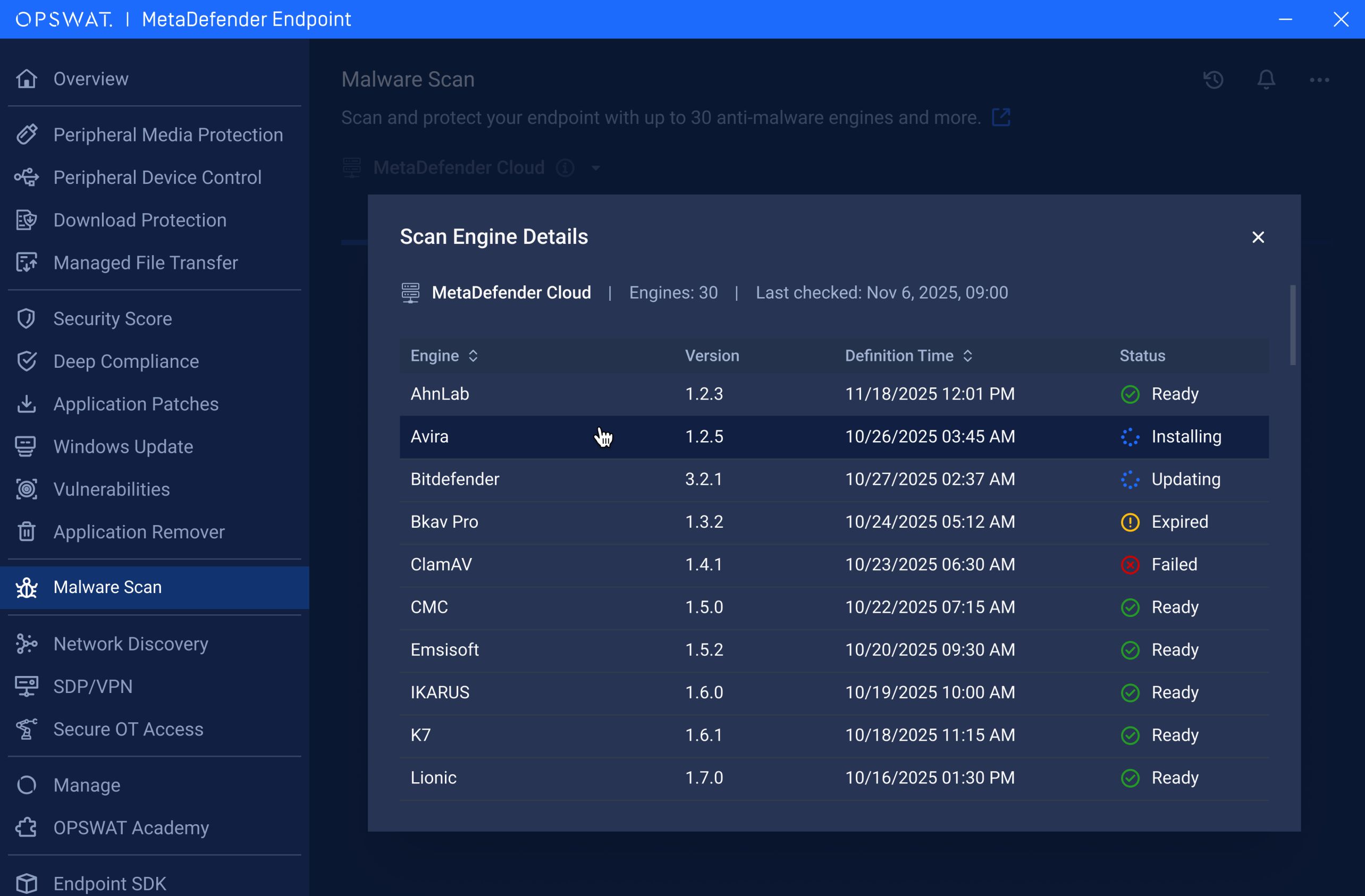
Anti-Malware Engine Pop-Up
For enhanced visibility, users can view scan server information during malware and peripheral device scans with detailed insights into all anti-malware engines. Users can now easily view engine statuses, installed versions, and last update times, all in one interface.
Auto-Deletion for Blocked Downloads
With the enhanced Download Protection feature, files blocked during a download will be deleted automatically. This prevents blocked files from remaining in local storage, which can cause confusion to users.
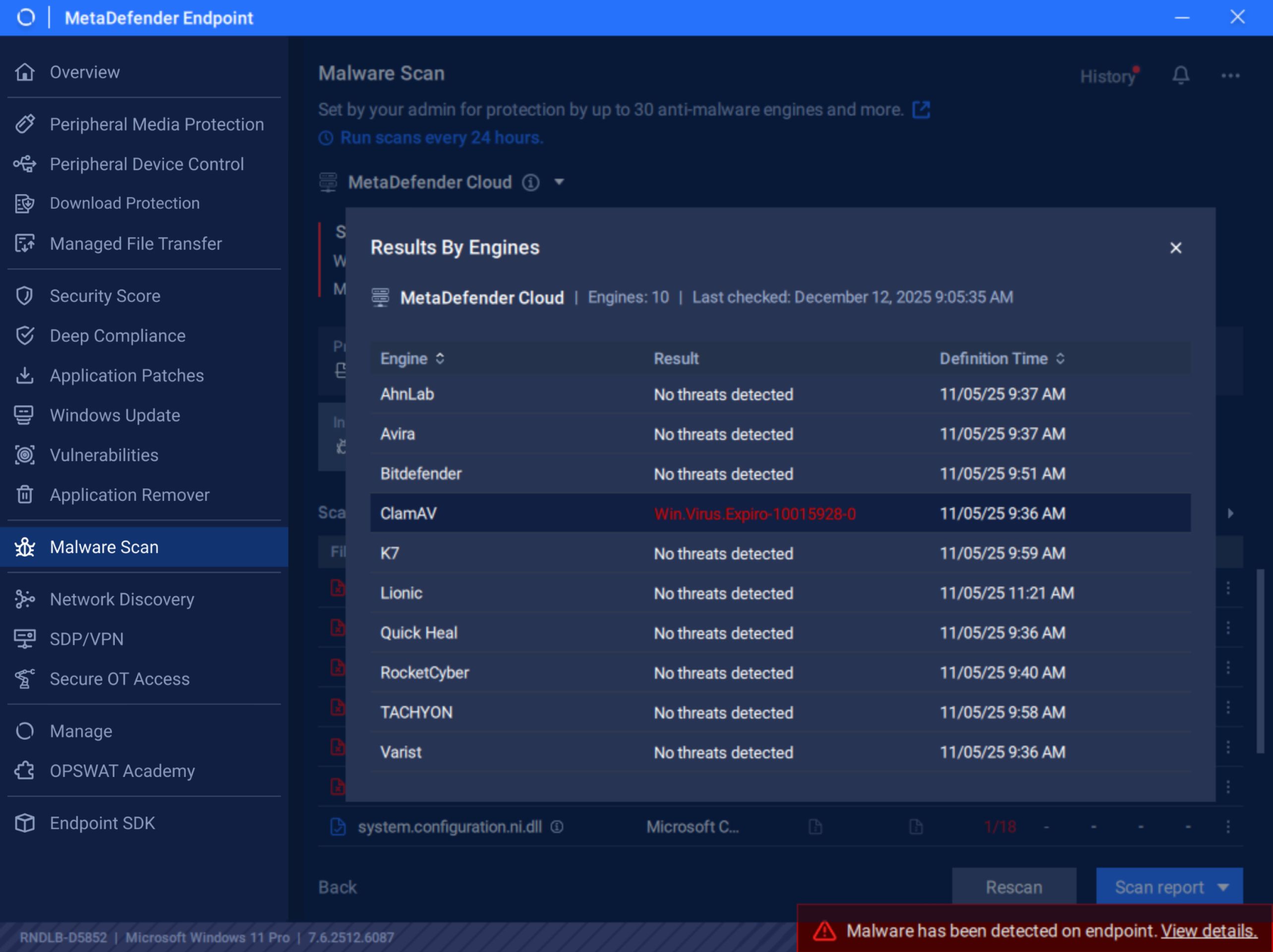
Real-Time Threat Detection Pop-Up During Malware Scans
This release introduces a new real-time threat-detection pop-up for immediate visibility. The pop-up displays the detection engine name, the exact detection time, and the identified malware.
Trusted Domain Downloads Wildcard-Based URL Allowlisting
Scanning downloads from trusted internal or enterprise services can be unnecessary and time-consuming. For streamlined productivity while maintaining security, MetaDefender Endpoint now supports wildcard-based URL allowlisting for trusted domains and their variations. This allows organizations to exempt certain downloads from standard scanning, enabling seamless workflow while ensuring security and compliance.
Greater Control with Approved Patch Version Enforcement
Maintaining system stability is just as important as staying up to date. With the new ability to enforce specific approved patch versions, organizations gain tighter control over exactly which updates can be applied. This is especially valuable for environments with mission-critical applications, where compatibility must be validated before rolling out to a broader audience. By ensuring only approved patch versions are deployed, administrators can safeguard system reliability while still closing security gaps in a controlled manner.
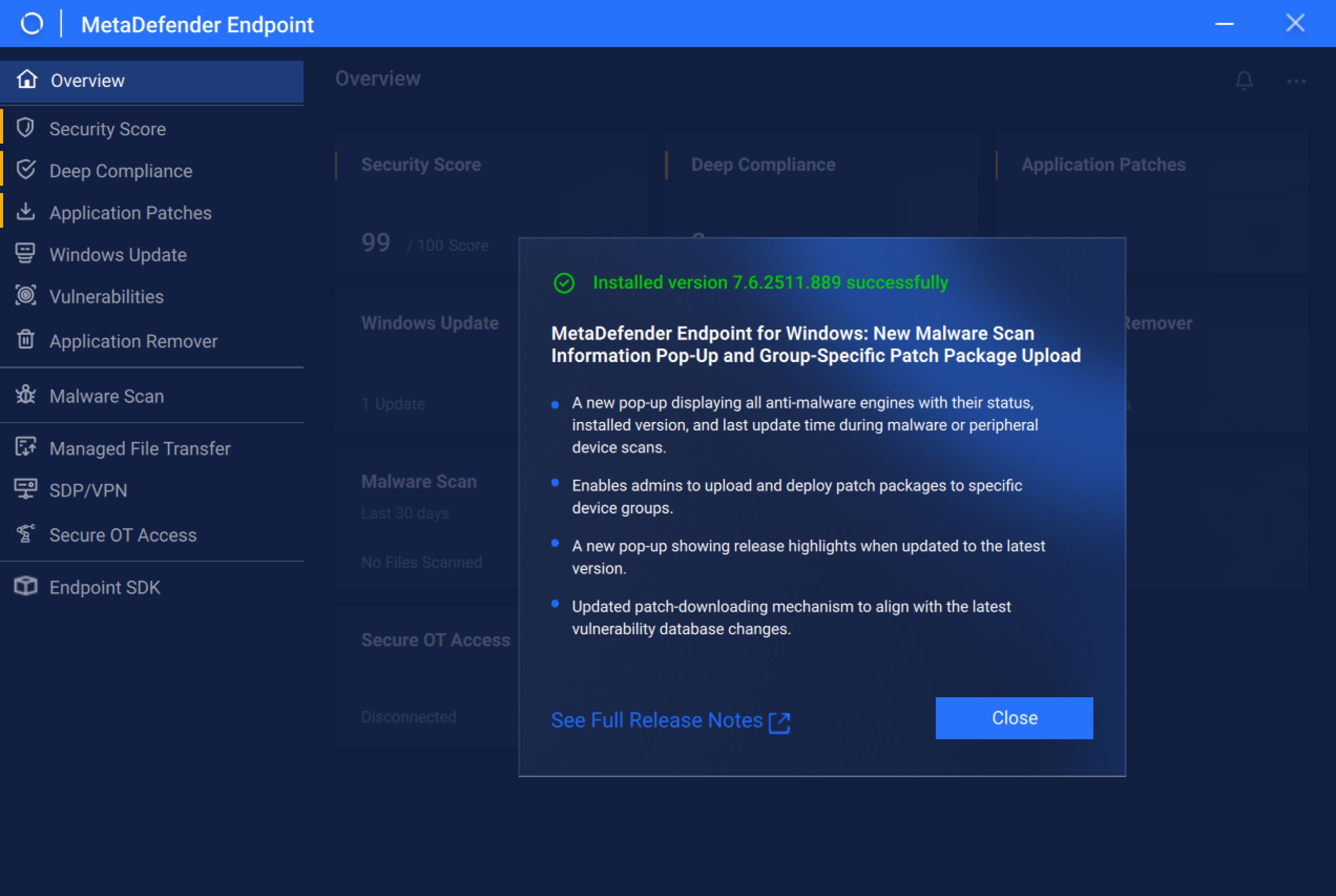
Update Notification and Release Highlights Pop-Up
After a MetaDefender Endpoint update to the latest version, users will now see a notification followed by a release highlights pop-up. This ensures that end users are aware of the new features and enhancements included with the latest version, encouraging the adoption of new capabilities and helping organizations keep their workforce informed about the tools that protect their environment.
Administrators have full control to enable or disable this feature directly from the management console, ensuring the experience aligns with organizational policies and communication preferences.
Expanded MetaDefender Endpoint User Interface Support for Ubuntu 25 Devices
This release adds MetaDefender Endpoint user interface support for devices running Ubuntu 25. This support enables Linux users to access features through a native and streamlined interface, improving usability and consistency across Linux-based environments.
Next-Level Peripheral and Removable Media Protection
Discover why worldwide organizations, institutions, and entities trust MetaDefender Endpoint to protect critical endpoints. Talk to an expert today to learn more.

