Security teams are inspecting more files than ever, across more environments, and under tighter performance and compliance demands. MetaDefender Core v5.20.0 takes direct aim at that reality.
This release focuses on smarter AI-driven triage, deeper investigation of hard-to-inspect files, faster self-diagnosis, and readiness-checked deployments. The sections below walk through the most significant additions.
Smarter, AI-Driven Detection
Introducing the OPSWAT Alin AI Deflection Engine
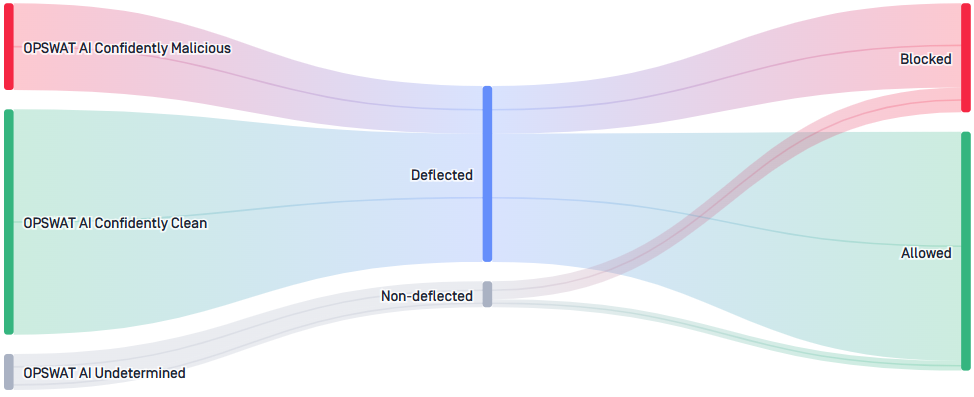
MetaDefender Core v5.20.0 introduces the OPSWAT Alin AI Deflection engine, a new AI-driven, ML-based engine that analyzes the structural and byte-level signals of executable, document, and office files to determine whether a file can be confidently skipped from heavier scanning. Based on that analysis, Core automatically skips heavier scanning engines for files it can confidently clear, which improves processing efficiency and reduces the workload on downstream security engines. By clearing straightforward files early, OPSWAT Alin AI Deflection lets deeper inspection focus on the files that need it, lowering scan time and compute cost on high-volume traffic without narrowing detection coverage. OPSWAT Alin AI Deflection is enabled by default for all processing engines and can be tuned to match each workflow. OPSWAT Alin AI Deflection registers as a new engine in your inventory.
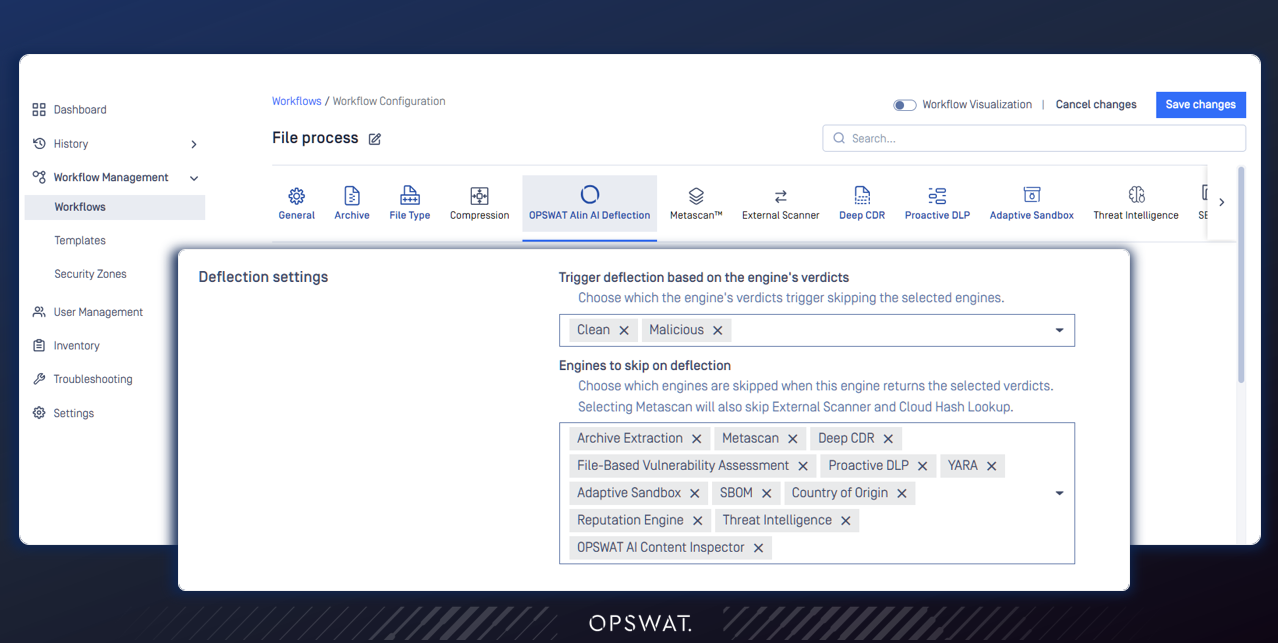
How to start with OPSWAT Alin AI Deflection engine
In the Workflow Configuration settings, look for OPSWAT Alin AI Deflection. You can define which verdicts trigger deflection, and which processing engines are skipped when a file is deflected.
Archive Forensics: Investigate Problematic Files Inside Archives
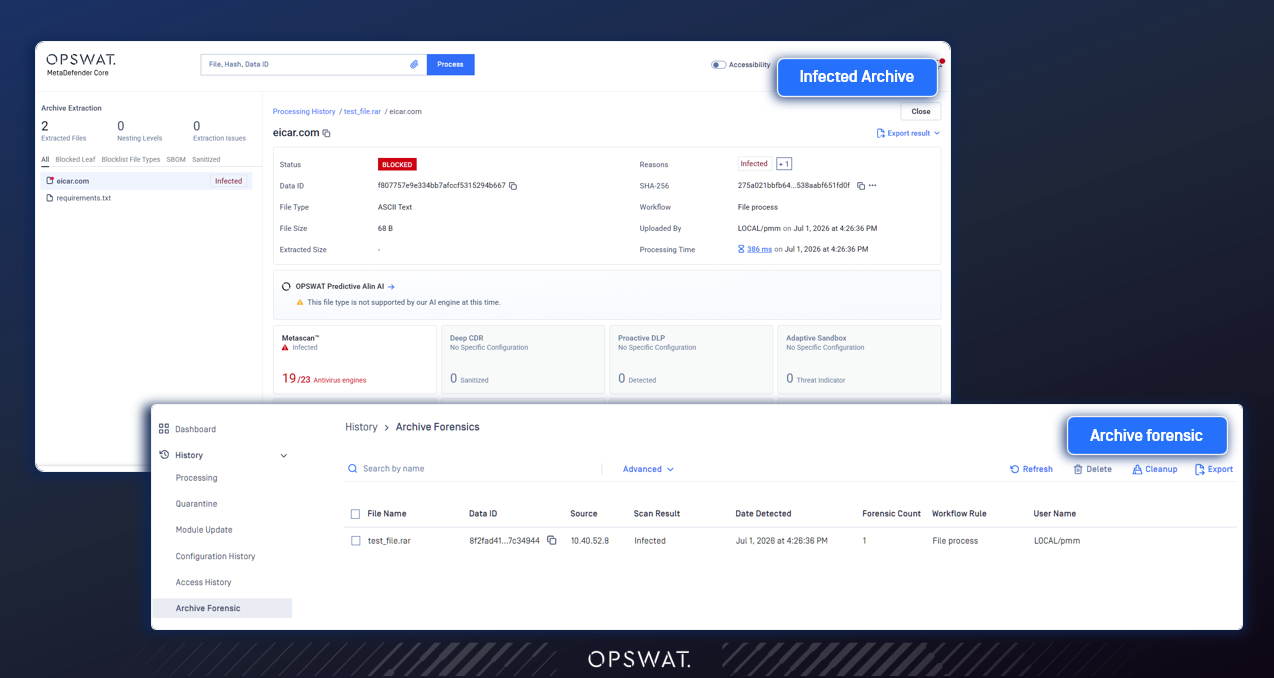
Archive Forensics gives administrators direct visibility into exactly which child files inside a quarantined archive triggered a flag, without checking extracted sub-files one by one. It automatically captures the specific problematic child file and makes it available for review, separate from the rest of the archive. Teams can configure which verdicts trigger a capture per scanning rule, then view, search, and securely download captured files as password-protected ZIPs for deeper analysis. The capability is off by default, so it only collects files once you turn it on.
Operations and Deployment
Auto Troubleshooting for Faster Self-Diagnosis
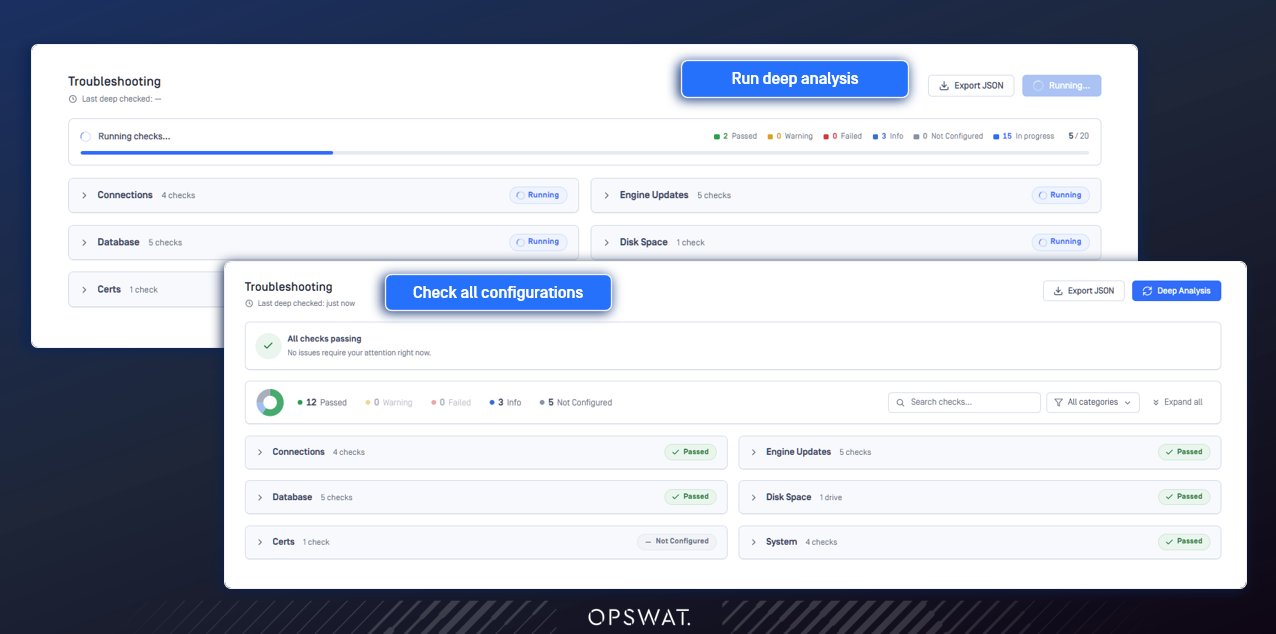
A new Auto Troubleshooting feature in the management console gives administrators real-time health status across the subsystems that most often cause problems. It covers connections such as proxy, email, and OPSWAT Central Management server, along with disk space, database health, system resources, and certificate expiration. Each check is shown with a clear pass, warning, or fail status alongside remediation guidance. Teams can diagnose issues themselves, which is especially valuable for environments that cannot share logs or support packages, and resolve many problems before opening a support ticket.
Deployment Readiness Tool
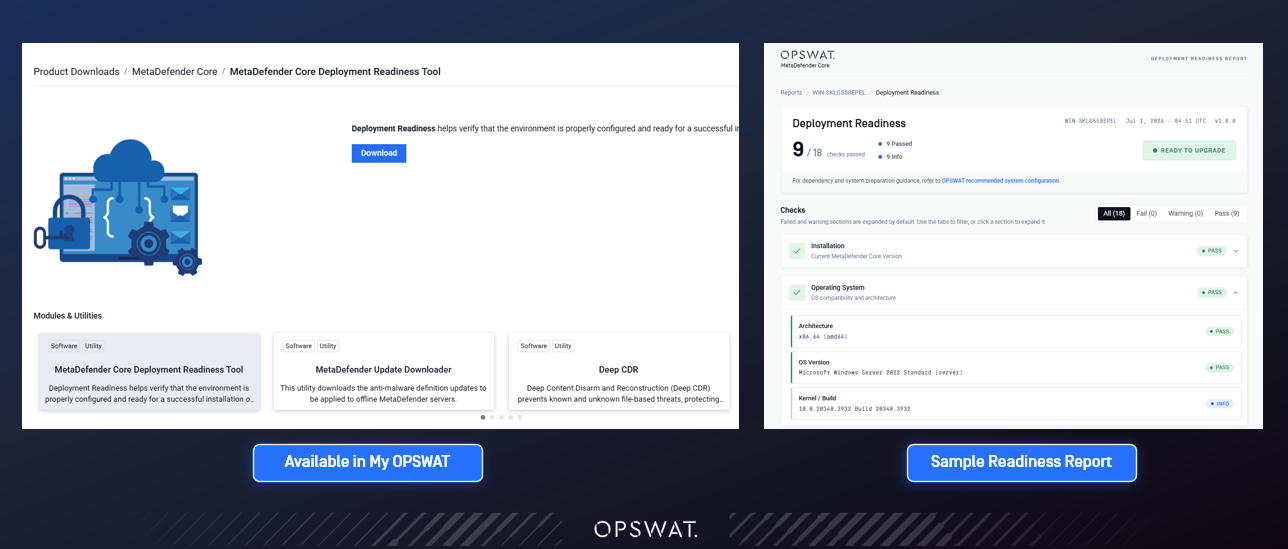
Planning an installation or upgrade is now easier with the new Deployment Readiness Tool. In one pass, it checks your OS, hardware, dependencies, database, ports, permissions, and potential software conflicts, then produces a summary you can save or share. By surfacing environment and compatibility issues before the upgrade runs, it reduces failed upgrades and the troubleshooting that follows.
Compliance and Reporting
Expanded SBOM and Vulnerability Assessment Reporting
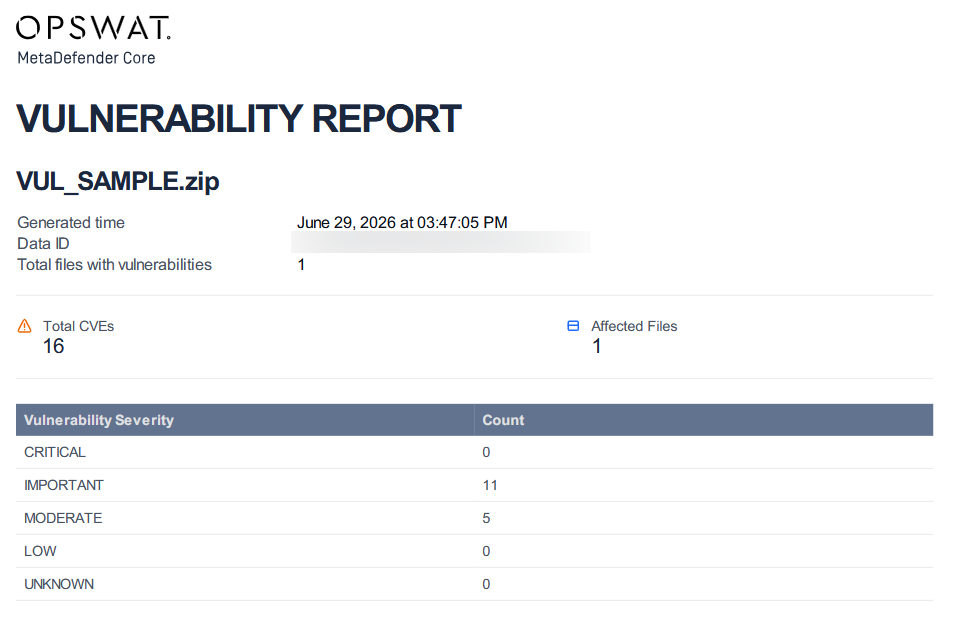
SBOM (Software Bill of Materials) reports can now be exported for batch scans in PDF, where previously this was available only for single files and archives. Batch coverage now includes multi-file submissions such as those from MetaDefender Kiosk™, giving teams that run large-scale or automated vulnerability assessments consolidated supply-chain documentation in a single step. Exported PDF reports also now include Vulnerability Assessment details for individual files inside an archive scan, which closes a gap where files nested in archives previously lacked complete vulnerability data.
Configurable Log Rotation and Retention
Managing log retention no longer means editing config files. Administrators can now control how MetaDefender Core handles logging directly from the Web Console: setting the maximum log file size, choosing the rotation interval, and defining how many rotated files to keep. This makes it easy to tune logging to fit storage and compliance needs in just a few clicks.
More Enhancements
Beyond the highlights above, version 5.20.0 adds a range of administrative and reporting refinements:
- Configurable log rotation and retention for Engine and Core logs from the Web Console
- Ability to test SMTP (Simple Mail Transfer Protocol) settings from the Core console
- Configurable syslog facility for cleaner log routing
- Support for the X-Forwarded-Proto header for SSO (Single Sign-On) behind SSL-terminating reverse proxies
- Additional columns in scheduled CSV (Comma-Separated Values) history reports
- Saved, reusable templates for scan result export settings
- Opt-in usage reporting that shares anonymous, non-sensitive operational metrics with OPSWAT
- The Vault workflow rule is now MetaDefender Managed File Transfer, following the upstream rebrand
- Security hardening, including fixes from an AI-assisted source-code security audit and bug fixes that improve day-to-day reliability
Next Steps
Ready to get started with MetaDefender Core v5.20.0? Check out these helpful resources:
- Visit opswat.com/products/metadefender/core
- Upgrade to MetaDefender Core v5.20.0
- Access the release notes
Have questions? Reach us at support@opswat.com