MetaDefender Core v5.19.0 introduces AI Content Inspector in Beta, expanding detection with AI-powered content authenticity and document fraud analysis. This release also adds proactive health monitoring and enhanced reporting capabilities to help teams operate with greater confidence.
Let's take a closer look at what's new.
Introducing AI Content Inspector (Beta)
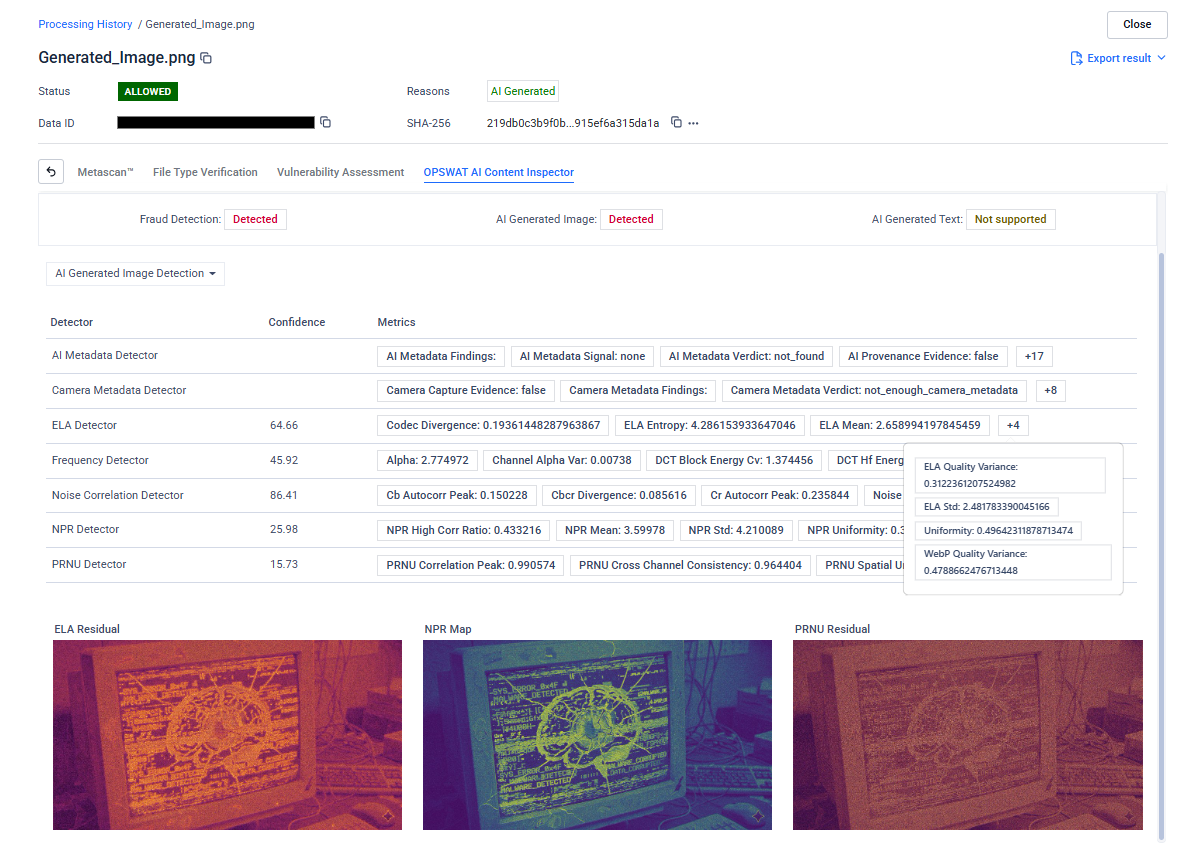
AI Content Inspector is our newest AI-powered engine, now available in Beta, and it marks a meaningful step forward in how MetaDefender Core approaches content analysis. Where traditional signature-based scanning can only match what it has already seen, AI Content Inspector goes further: it reads documents the way an analyst would, evaluating visual layout, text semantics, and structural patterns together to determine whether content is authentic or manipulated. The result is a new layer of detection purpose-built for modern document fraud — identifying falsified invoices, staged accident photos, altered insurance claims, and other high-risk submissions that signature engines routinely miss.
Note: AI Content Inspector will move to general availability by end of May, integrating into existing scanning configurations without workflow changes.
Proactive Health Monitoring and Operational Reliability
Security infrastructure is only as effective as its operational state. When engines fall behind on updates, disk space fills undetected, or health issues accumulate silently across a distributed deployment, the impact on file processing can be significant by the time anyone notices. Version 5.19.0 adds a comprehensive set of health monitoring capabilities designed to surface these issues before they affect operations.
Stay Informed When Engines and Modules Fall Behind
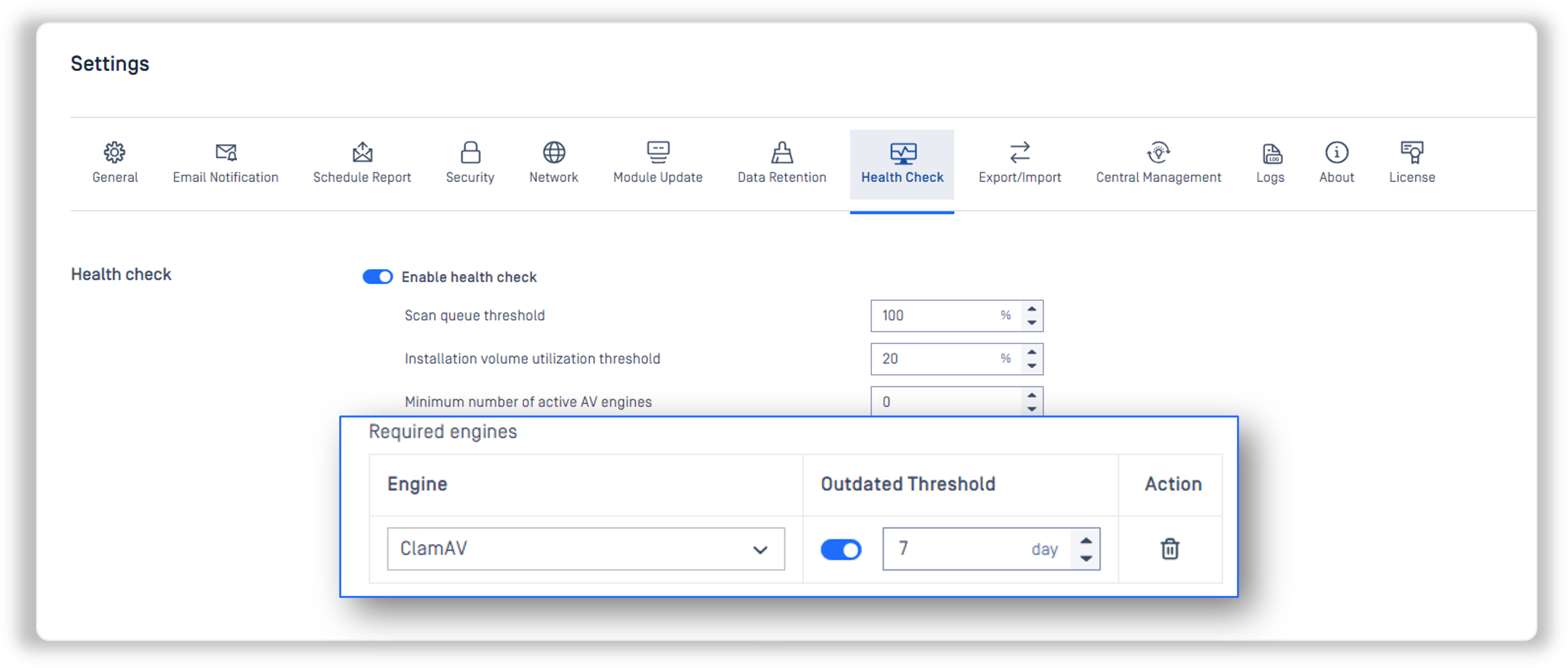
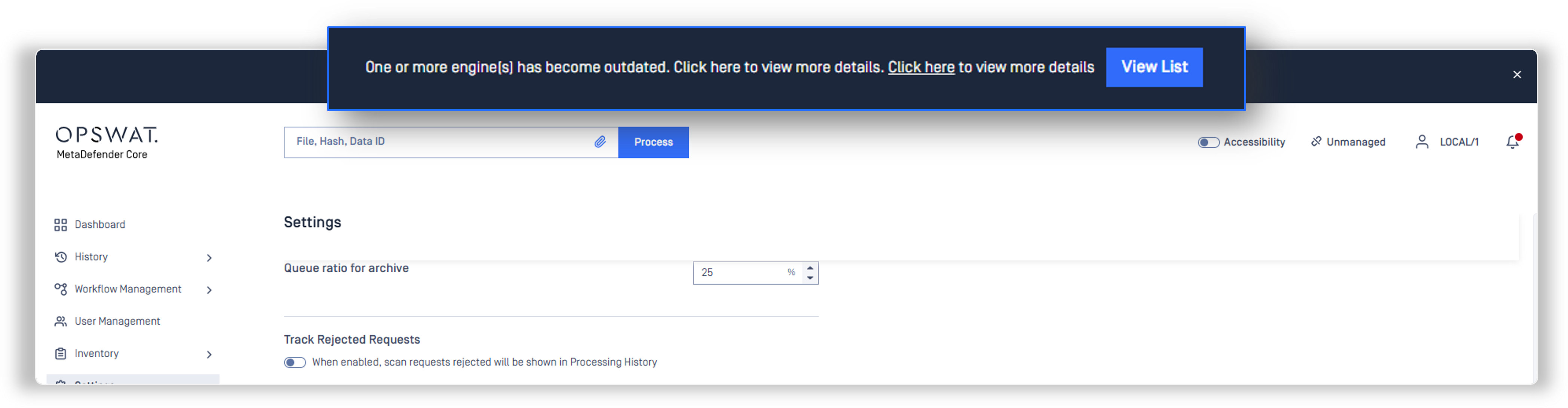
A new in-console notification banner now appears when installed engines or modules are running out of date, giving administrators immediate visibility without manual version checks. A global staleness threshold can be configured in days, with the option to override it per engine. Complementing this, a new health check configuration option lets teams define a time-limit threshold for engine updates — so if any engine has not updated within the configured window, it is automatically surfaced in health status monitoring — with the option to set per-engine threshold overrides for fine-grained control over which engines are held to stricter update windows.
New Health Conditions for Disk Space and System Resources
Free disk space is now a supported health check condition, alerting administrators before storage constraints can disrupt scanning operations. Disk IO metrics are also now tracked on both Linux and Windows, providing a new visibility layer for resource monitoring in performance-sensitive deployments.
License Expiry Warnings and Failure Notifications
License expiry warnings now appear at 30, 15, and 7-day thresholds, giving operations teams enough lead time to manage renewals without service interruption. Engine and database update failures now trigger email notifications as well, closing a blind spot where failed updates could go undetected until the next scheduled check.
Proxy Connectivity Verification from the Management Console
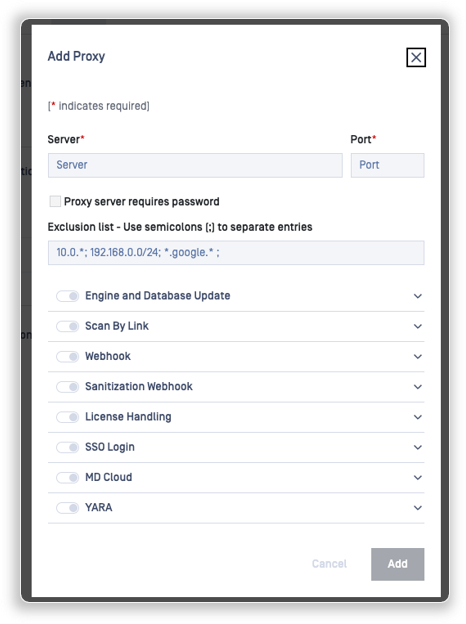
MetaDefender Core now includes a built-in proxy connection test in the management console, allowing administrators to verify proxy reachability and credentials without leaving the interface. This makes troubleshooting connectivity issues faster and removes guesswork from network configuration changes.
Compliance Reporting and Operational Visibility
Compliance teams and security operations need records they can produce quickly and with confidence. This release extends the reporting and visibility capabilities within MetaDefender Core across two areas that come up consistently in customer feedback.
SBOM PDF Reports Now Include CERT-in Fields
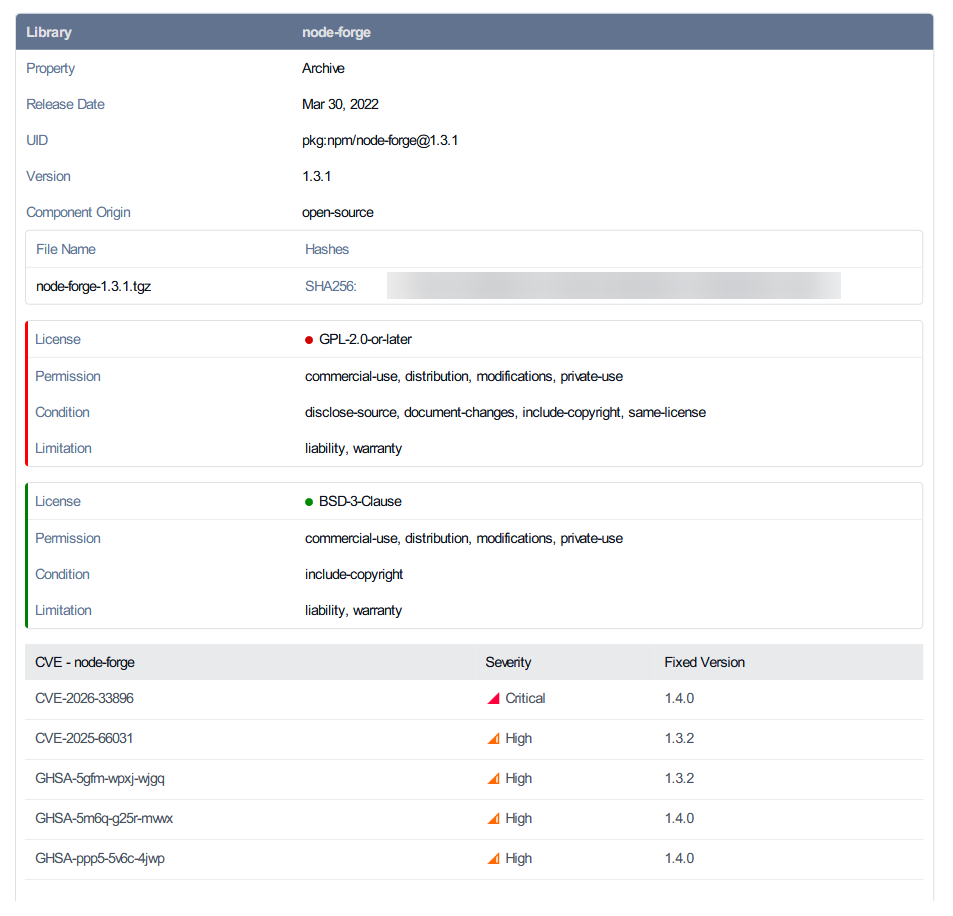
The SBOM PDF export has been updated to include additional fields requested for compliance frameworks such as CERT-in, supporting more complete software supply chain documentation for regulatory reporting. For organizations tracking software provenance and component integrity as part of procurement or compliance workflows, this reduces the manual work required to supplement standard SBOM outputs for submission.
Scan History Export and Filtering
Processing history can now be exported as a structured CSV file and filtered within the management console. Security and compliance teams working through incident response or audit requests can access exactly the records they need without exporting full datasets, making documentation faster and more targeted.
Important Notices
This section covers important notices for changes coming in future releases, including end-of-life (EOL) platform announcements and infrastructure requirements. We recommend reviewing these items now to plan accordingly and avoid disruption to your environment.
CentOS 7 and Amazon Linux 2 End-of-Life
As announced in our earlier blog posts regarding the End-of-Life of CentOS 7 and Amazon Linux 2, all AV in MetascanTM Multiscanning packages will no longer support these platforms.
Continued use on CentOS 7 or Amazon Linux 2 will result in engines that the new engine versions cannot be initialized. If you are currently running MetascanTM Multiscanning technology on either of these operating systems, we strongly recommend migrating to a supported platform to ensure uninterrupted engine updates and full detection capability.
Next Steps
Ready to get started with MetaDefender Core v5.19.0? Check out these helpful resources:
- Visit opswat.com/products/metadefender/core
- Upgrade to MetaDefender Core v5.19.0
- Access the release notes
Have questions? Reach us at support@opswat.com