MetaDefender ICAP Server v5.14.0 is available now with a rebuilt interface, streamlined installation workflows, and configurable support diagnostics for network administrators managing file security at scale.
Running file security at the network perimeter requires software that is easy to deploy, operate, and troubleshoot. This release focuses on those operational areas while keeping the core file inspection pipeline intact. It introduces a modernized interface, installation checks that catch deployment issues earlier, diagnostics that surface the right information without noise, UTF-8 block page support, file traffic visualization, and updated dependencies.
What's new in 5.14.0
- Modernized UI with improved consistency across the product experience.
- Configurable support packages, with log filtering, per-category file limits, and optional processing history exclusion.
- Pre-installation checks that detect port conflicts before setup continues, plus automatic Windows Defender exclusions on Windows.
- UTF-8 block pages with multilingual support.
- File traffic visualization for clearer visibility into how scan requests are distributed across MetaDefender Core™ instances.
- Updated security libraries to help maintain a current and secure dependency stack.
Use Cases
Organizations managing file security at scale, especially those that:
- Need to inspect files for malware, zero-day attacks, and sensitive data before they enter the network.
- Integrate with proxies, ingress controllers, managed file transfer solutions, intrusion prevention systems, and other ICAP-enabled devices.
- Manage multi-instance MetaDefender Core deployments.
- Require current third-party library versions for compliance.
MetaDefender ICAP Server 5.14.0 focuses on the operational layer that supports those capabilities, making the product more practical to manage in day-to-day use.
A Brand New User Experience
The UI has been rebuilt on OPSWAT's Blue Line Framework design system. The update covers navigation, forms, tables, modals, buttons, and layout containers.
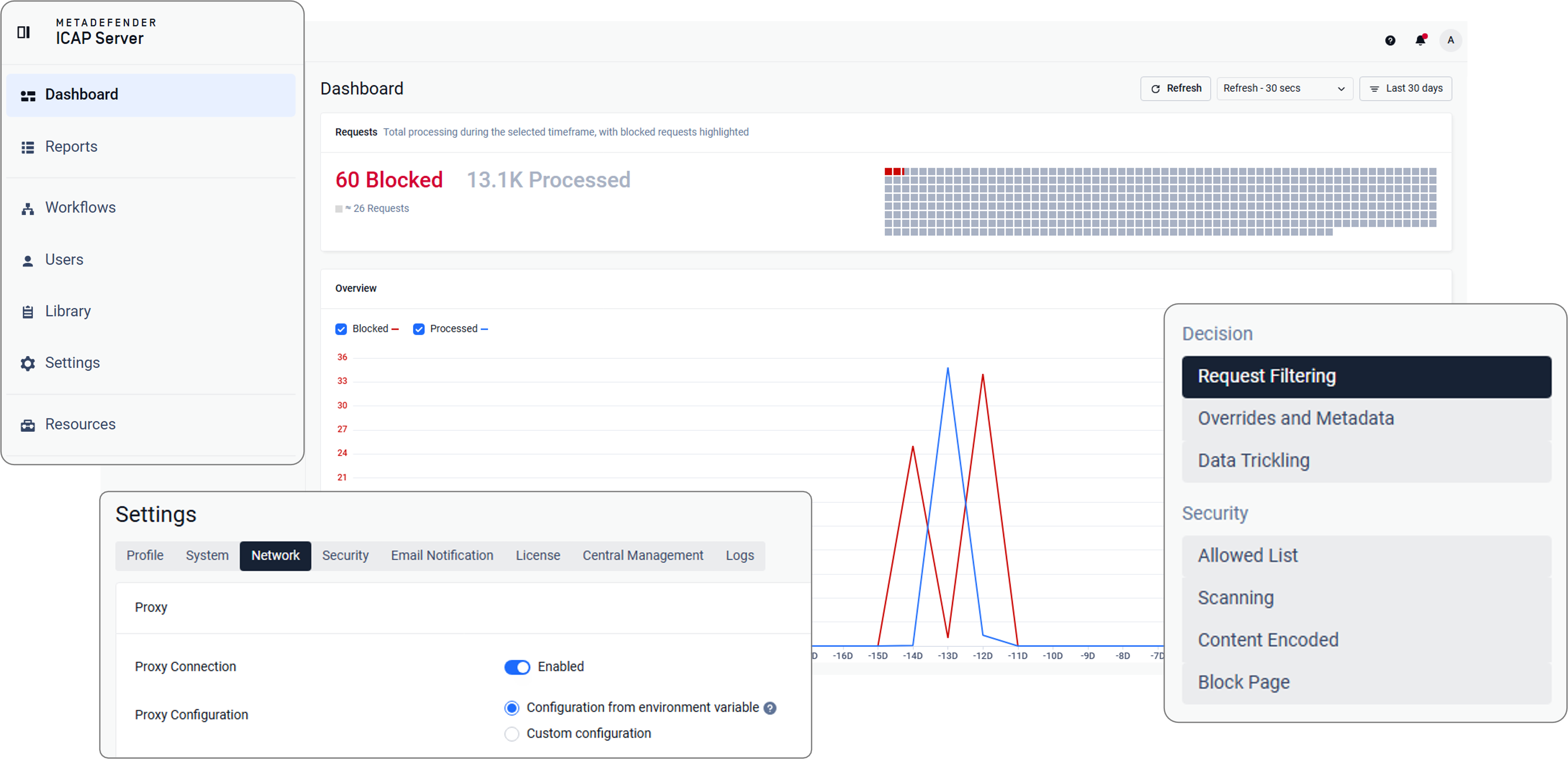
For teams that already work across OPSWAT products, this consistency reduces context switching and makes routine tasks easier to complete. It also improves keyboard navigation, focus states, contrast handling, and behavior across different screen sizes and display configurations.
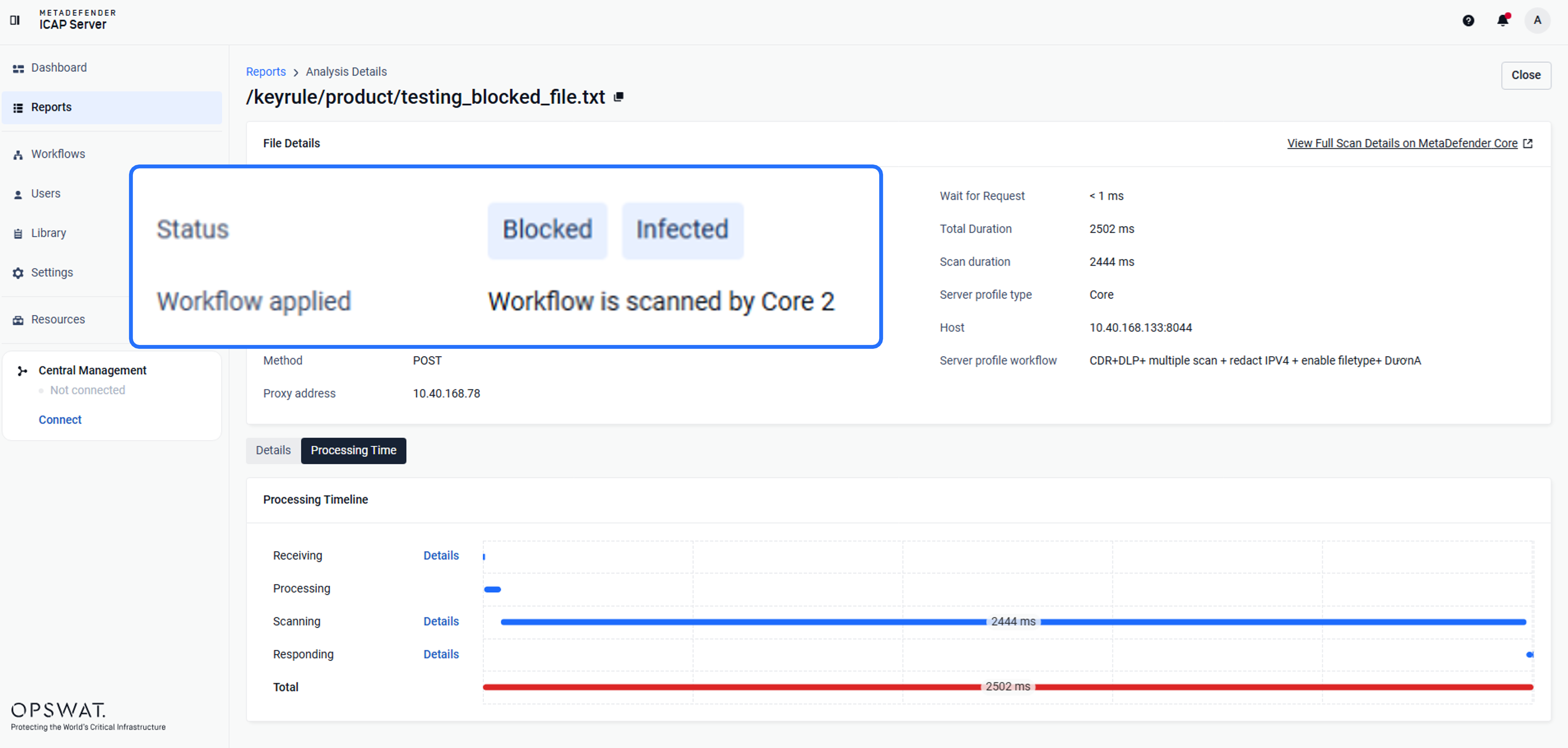
Support Package Controls
When support issues arise, the fastest path to resolution is often a package that contains exactly the right logs; no more, no less. MetaDefender ICAP Server 5.14.0 makes that process more flexible by letting administrators tailor what gets collected.
Support packages can now be filtered by log category. Administrators can also limit the number of files collected per category, which is useful in high-volume environments where log directories grow quickly.
Processing history can now be excluded from support package generation when it is not needed. Because processing history can significantly increase package size, this option helps reduce both generation time and transfer overhead while preserving the ability to include it when required.
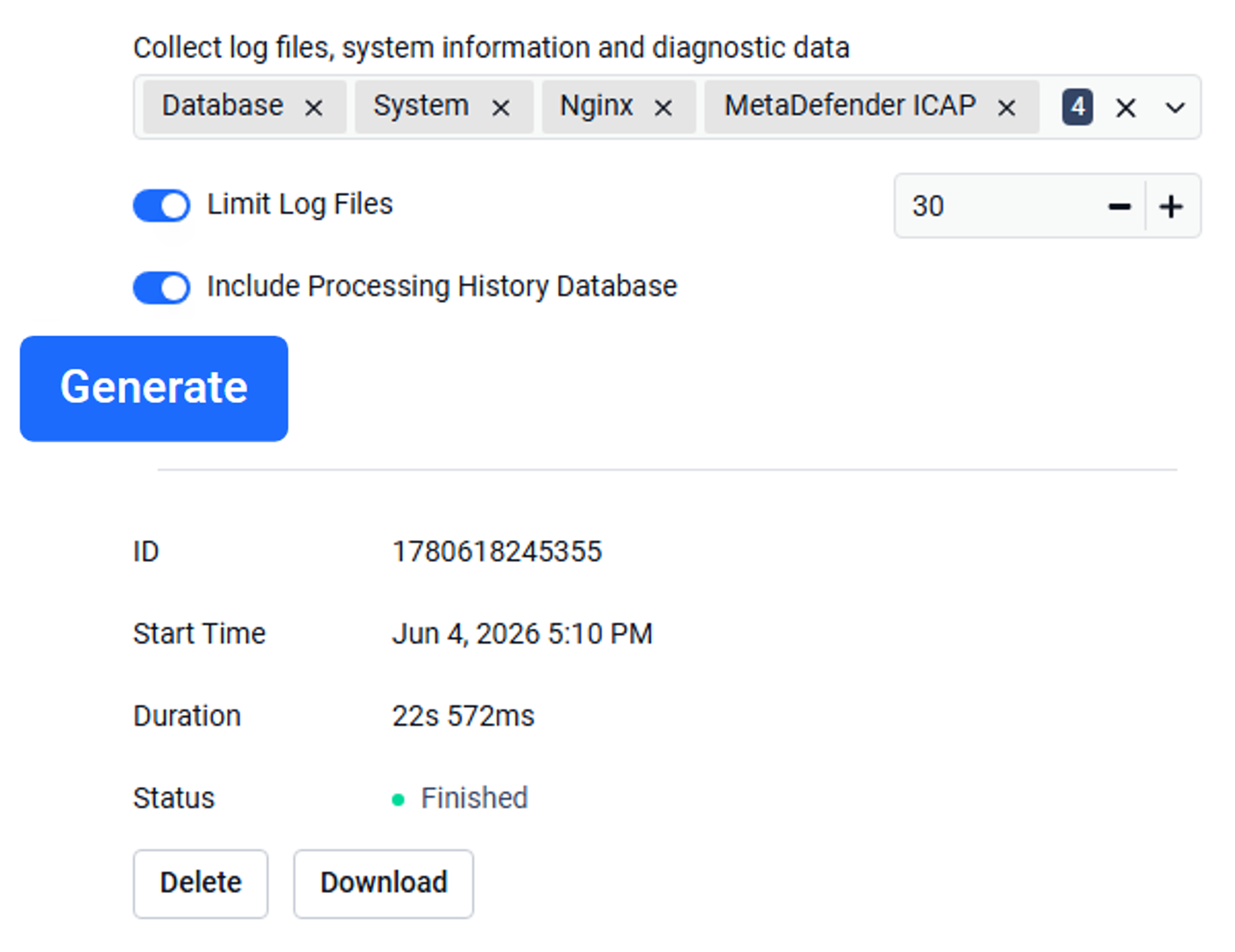
Available options include:
- Log category selection.
- Per-category file count limits.
- Optional exclusion of processing history.
Supported log categories include:
- Database logs.
- System logs.
- NGINX logs.
- ICAP product logs.
Benefits: Support teams and administrators who regularly generate packages for escalations or compliance reviews, especially in high-traffic deployments.
Installation Checks
The installer now checks required ports before continuing. If a port is already in use, installation is blocked.
On Windows systems, the installer can also add the ICAP Server process and working directory to Windows Defender exclusions automatically. This removes a manual step from setup and helps keep deployments consistent.
Benefits: IT and security teams managing deployments across multiple systems or environments, particularly Windows-based deployments in enterprise environments.
UTF-8 Block Pages
MetaDefender ICAP Server supports users creating their own custom block pages to overwrite the default one.
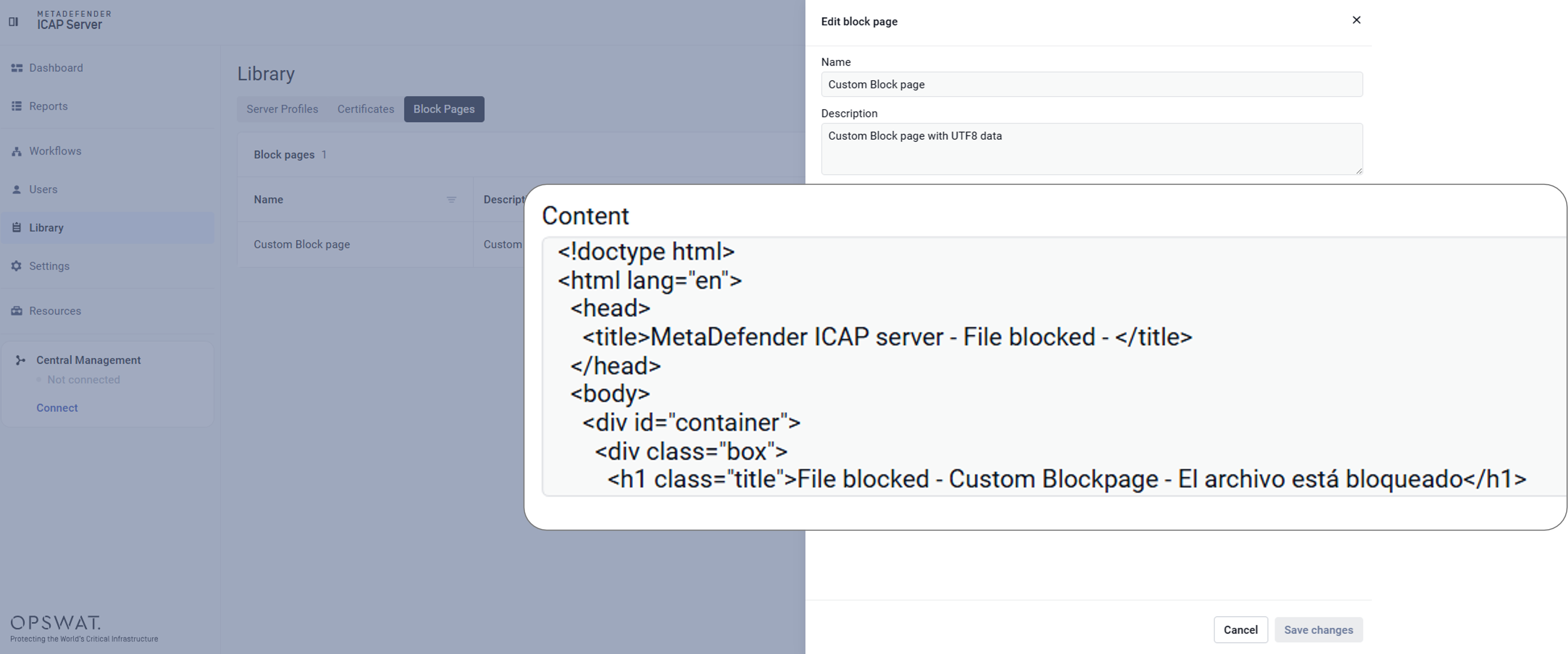
UTF-8 support for block pages is enabled by default for new deployments. This affects how block pages render when they include multilingual text, special characters, or non-Latin scripts.
Existing deployments that already use UTF-8 are not affected.
Benefits: Organizations with globally distributed deployments where block pages are visible to end users or operators across multiple languages.
File Traffic Distribution Visibility
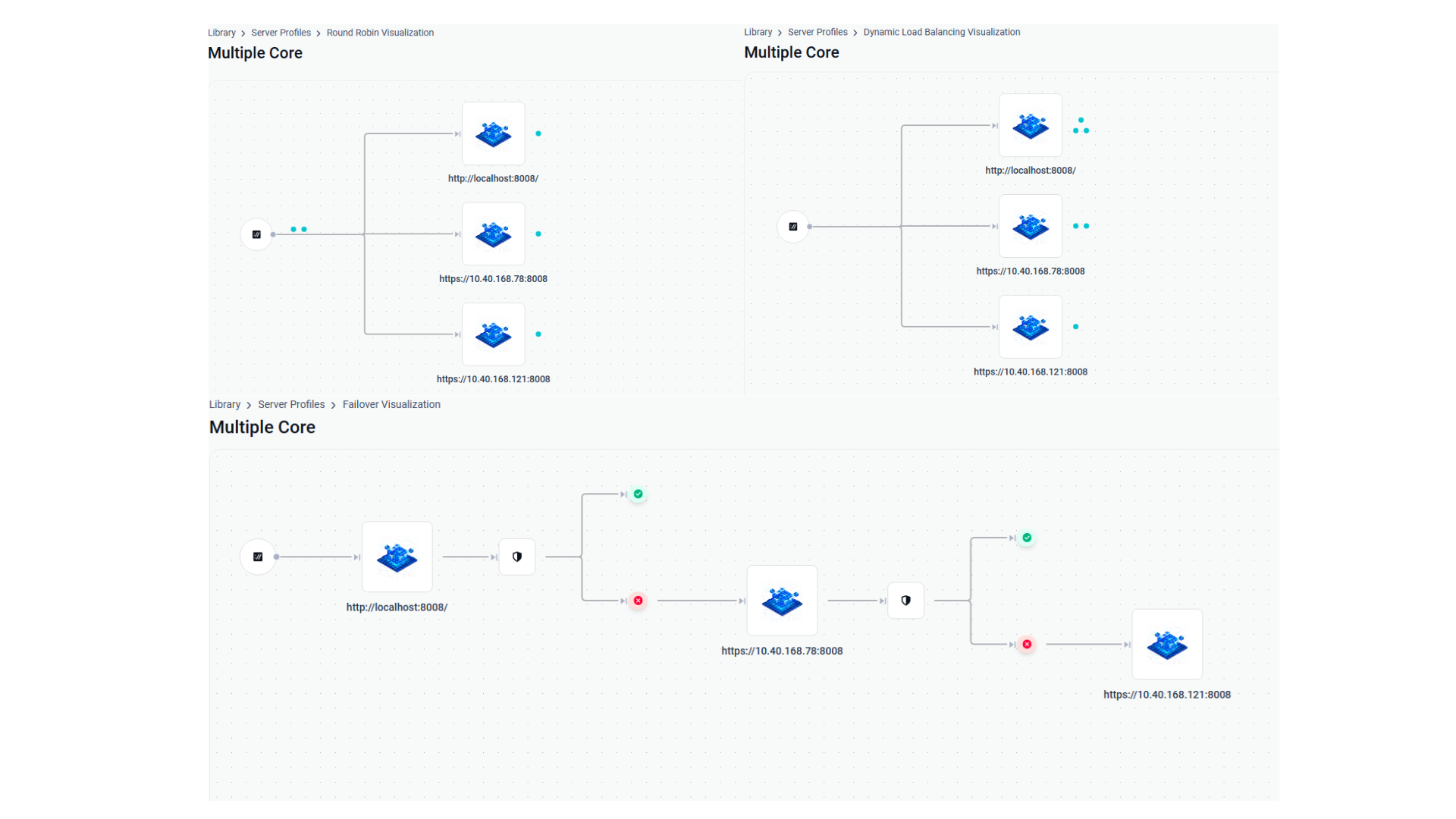
For deployments that route traffic across multiple MetaDefender Core instances, understanding distribution behavior can be difficult without external logs or monitoring. Version 5.14.0 adds a visual representation of server profiles so operators can see how scan requests are distributed across configured instances.
Three visualization modes are available:
- Failover
- Round Robin
- Dynamic Load Balancing – intelligent traffic management that routes file to the optimal resources.
This does not replace monitoring tools, but rather gives teams a quicker way to validate configuration, spot imbalance, and troubleshoot routing behavior at a high level inside the ICAP Server interface.
Benefits: Operators managing multi-instance MetaDefender Core deployments, particularly those who configure server profiles for load distribution.
Dependency Updates and Security Hardening
The release updates several third-party libraries:
- LibXML2 v2.15.3
- OpenSSL v3.6.2
- Curl v8.20
- NGINX v1.30.2
- SQLite v3.53.1
- Zlib v1.3.2
- gRPC v1.78.1
These updates address known vulnerabilities and align the product with current supported library versions.
MetaDefender ICAP Server: Built to Protect What Enters Your Network Environment
MetaDefender ICAP Server secures files at the network perimeter, before they enter your organization and reach users, applications, or storage. That is where threats are most efficiently intercepted, and where gaps in reliability or compliance have the most impact.
ICAP (Internet Content Adaptation Protocol) is an open standard that allows security services to be offloaded to specialized servers, increasing network throughput while maintaining deep inspection capabilities.
All suspicious files traveling through your network traffic are blocked or sanitized before they are accessible to end users. Sensitive data is redacted, removed, or blocked to help organizations meet security compliance standards. The core protection capabilities—Metascan™ Multiscanning powered by multiple anti-malware engines and AI, Deep CDR™ Technology, Proactive DLP™, Adaptive Sandbox, File-Based Vulnerability Assessment, and other technologies—remain unchanged in this release.
Next Steps
MetaDefender ICAP Server 5.14.0 is available now. Existing customers can download the latest release from the My OPSWAT™ Portal. For full release notes and upgrade instructions, visit the OPSWAT Documentation.
Interested in securing network traffic with ICAP-enabled solutions? Contact our team to learn how MetaDefender ICAP Server protects your file traffic at the perimeter.