
Version | 5.15.0 |
|---|---|
Release date | 28 Aug 2026 |
Scope | Complete verdicts for every file, workload visibility, and secure integration. |
Before upgrading MetaDefender ICAP Server to v5.10.0 or newer from v5.6.0 or earlier, make sure you review the Release Notes and the following Documentation:
New Features, Improvements and Enhancements
Details | |
|---|---|
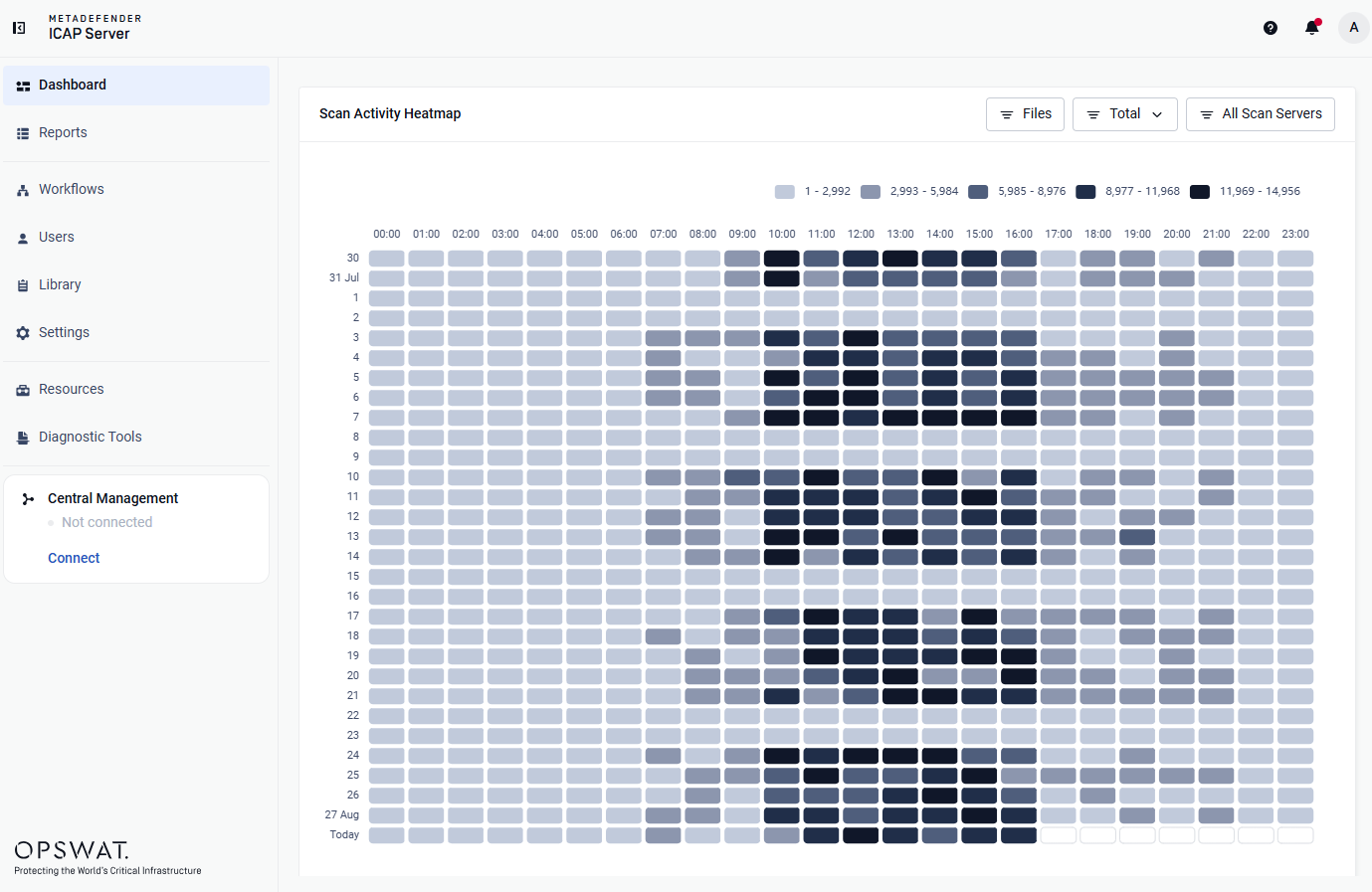
Heat Map for Scan Workload Visibility | A new interactive Heat Map visualizes scan request patterns and load intensity over time, helping operators detect peak hours, anomalies, and workload trends across the last 30 days — supporting day-to-day monitoring and capacity planning.
 |
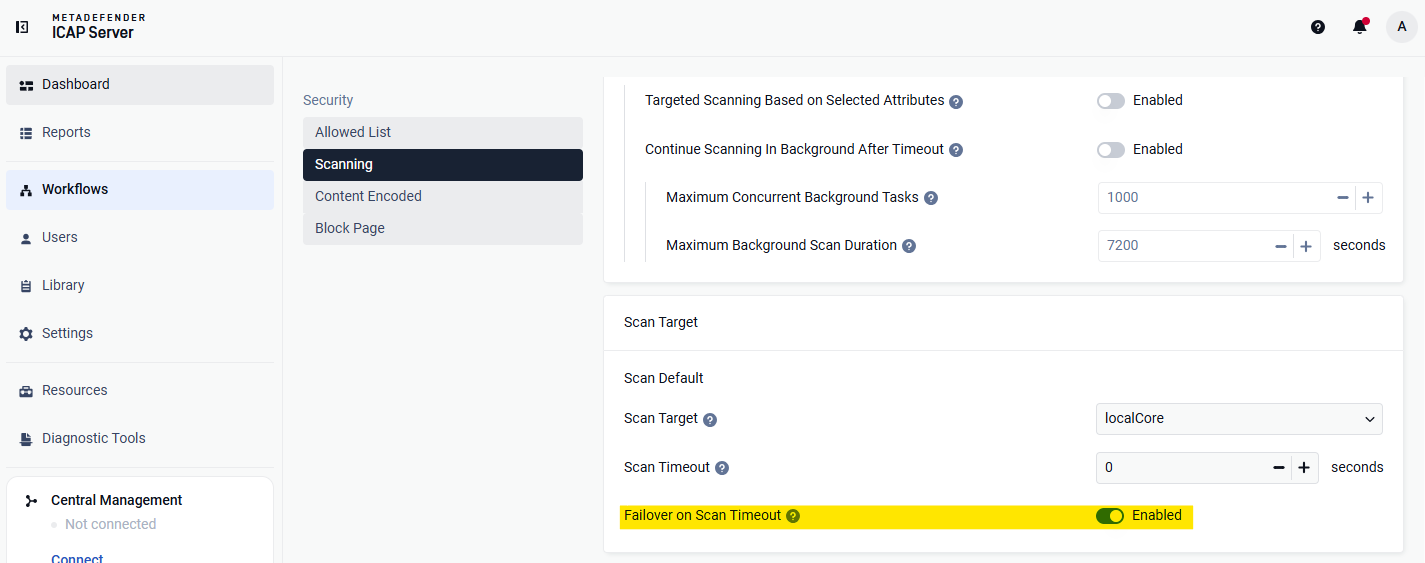
Smarter Scan Timeout Handling | Scan timeout behavior is now more flexible, giving you both a definitive verdict for every file and faster final decisions when timeouts are intentional. 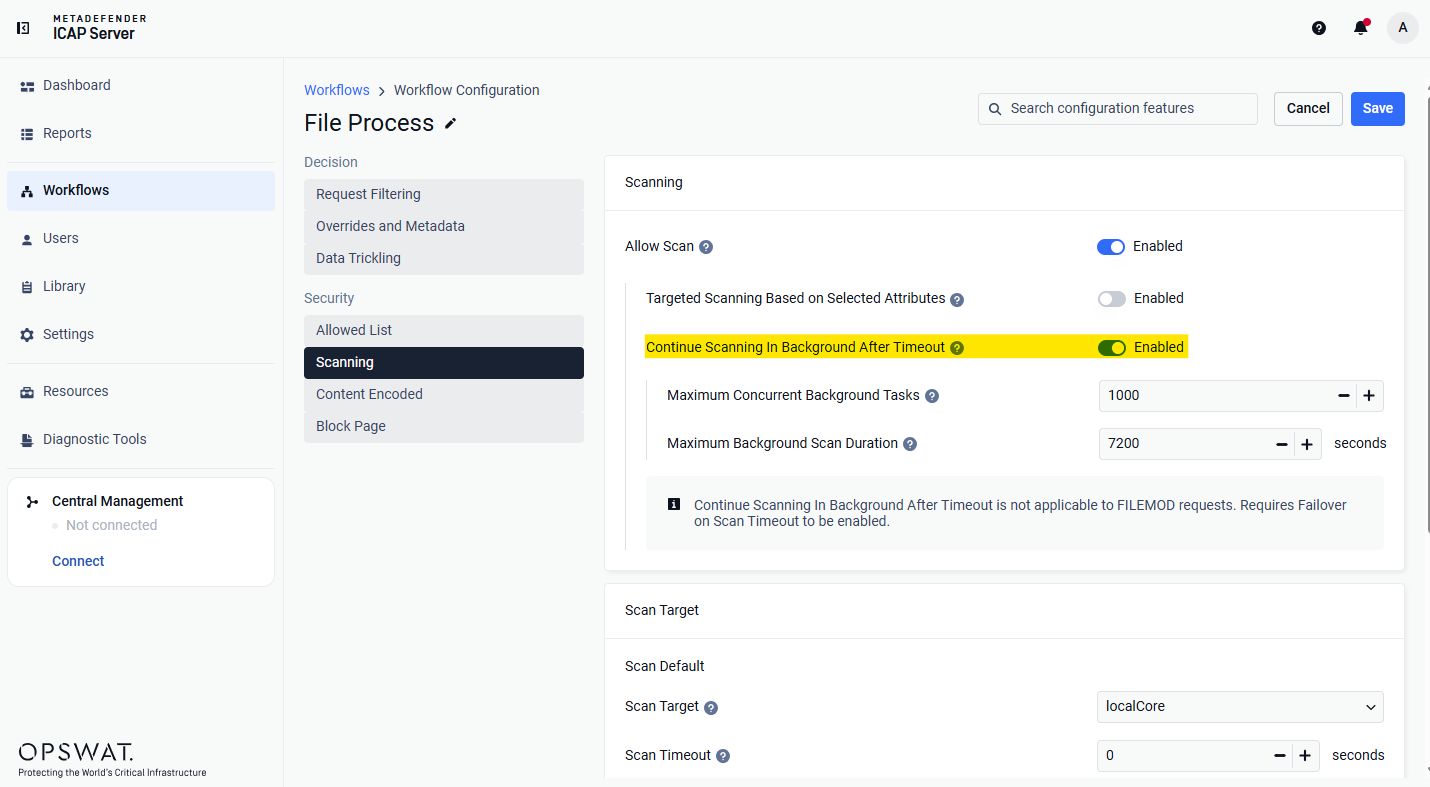
 |
Secure MetaDefender Core Integration with mTLS | MetaDefender ICAP Server can now connect to MetaDefender Core instances that enforce mutual TLS, satisfying zero-trust and regulated-environment requirements. 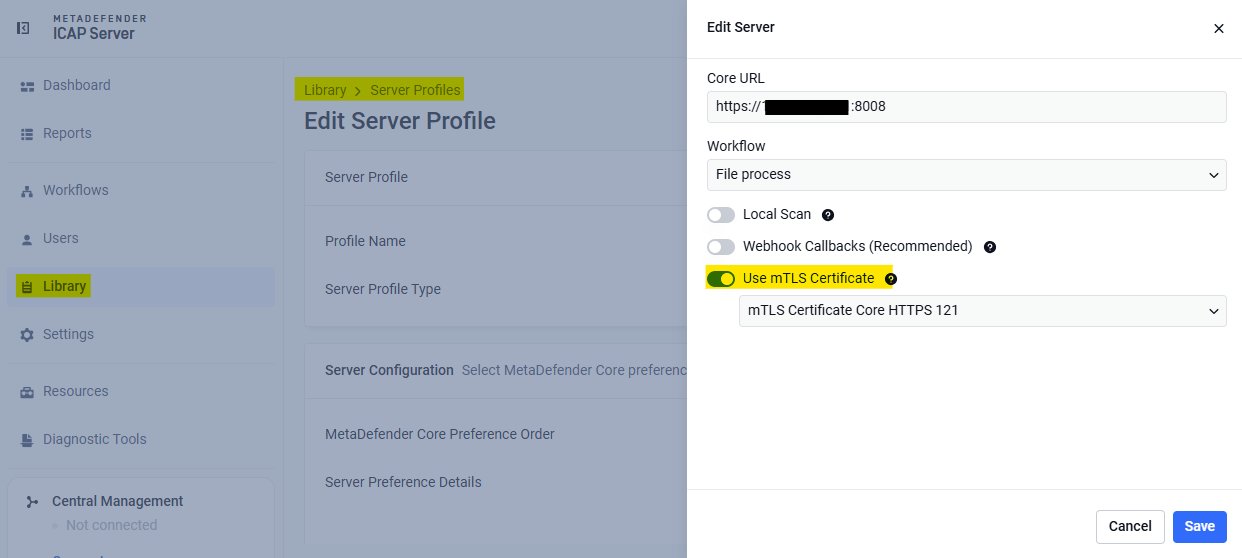 Supporting this, mTLS certificates and TLS configuration can now be exported and imported for easier migration and multi-node rollout, and the Certificate page indicates when a certificate is currently in use to prevent accidental removal. Client certificates used for mTLS connections are managed under Library > mTLS Certificate 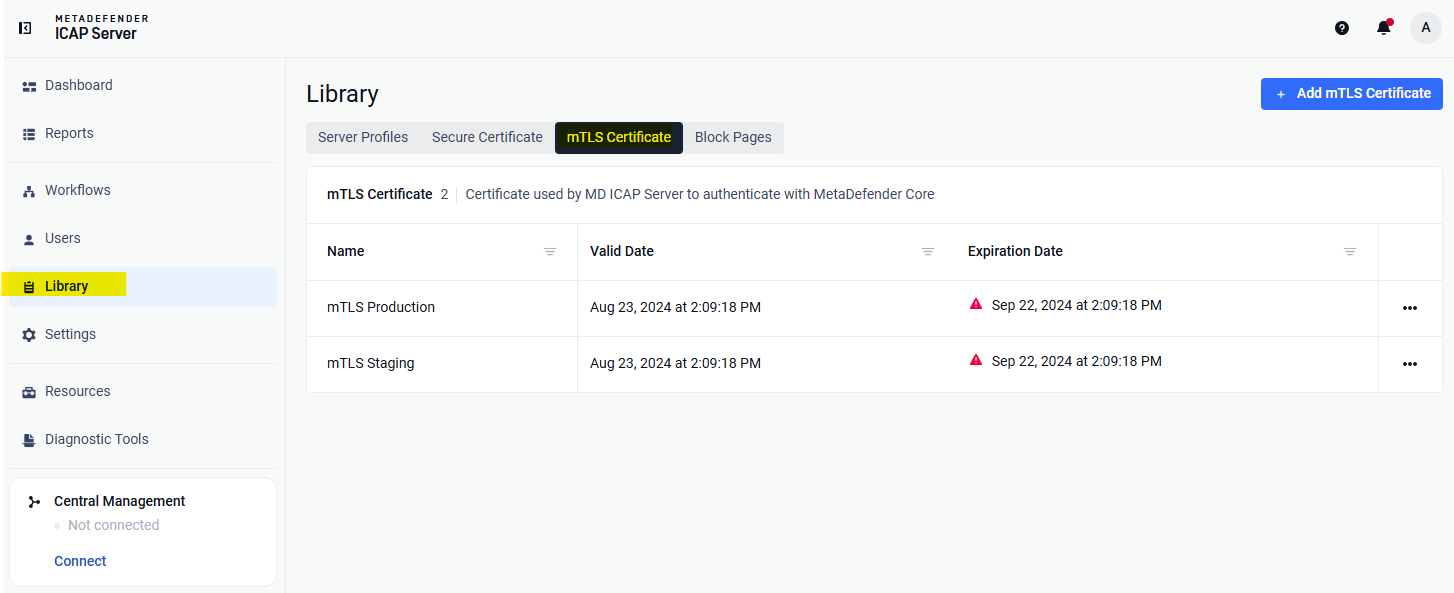 |
In-Product ICAP Test Client | Validate your deployment end-to-end without external ICAP tooling: send a test file directly from the Web UI and follow it through the full scan pipeline — from ICAP request handling to the MetaDefender Core verdict. Useful for verifying a new installation, confirming configuration changes, and troubleshooting integration issues. for security reasons, this feature is disabled by default. To enable it, set the corresponding flag in the configuration file with diagnostic section (refer for Linux or Windows) and restart MetaDefender ICAP Server. 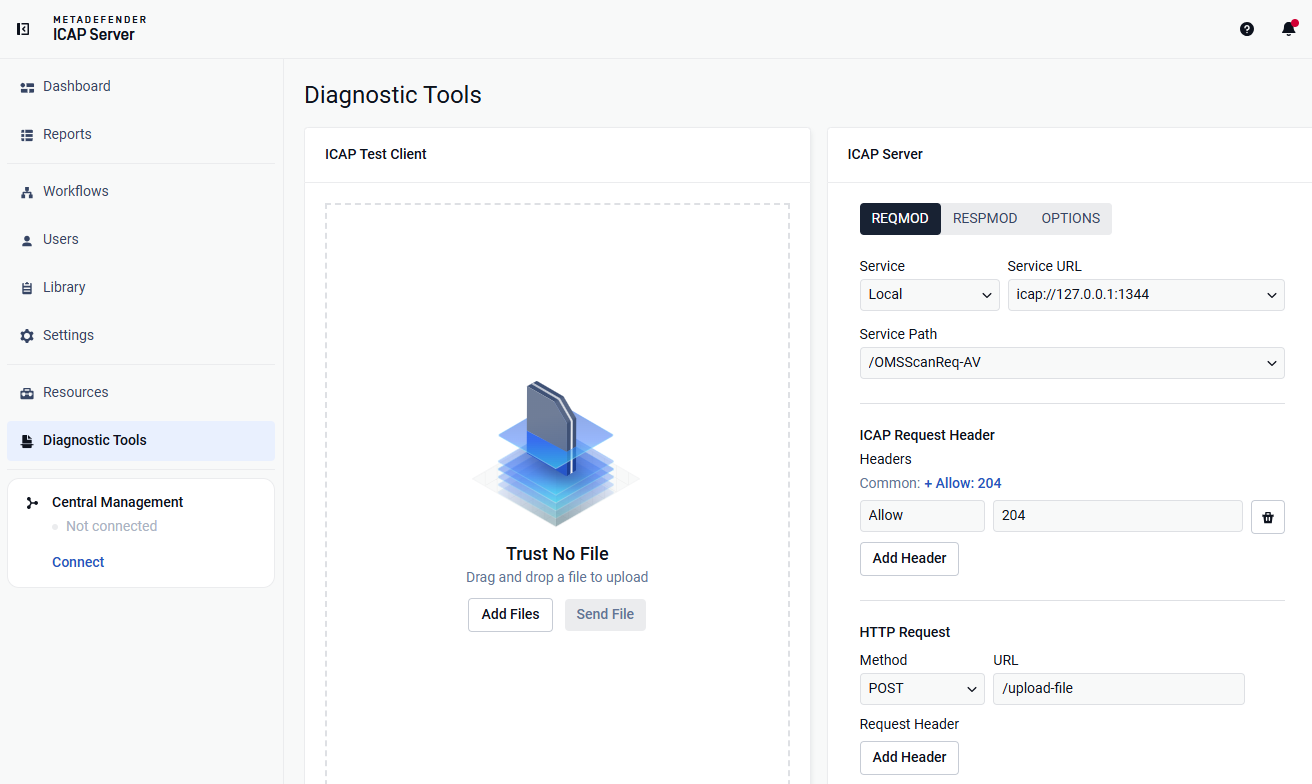 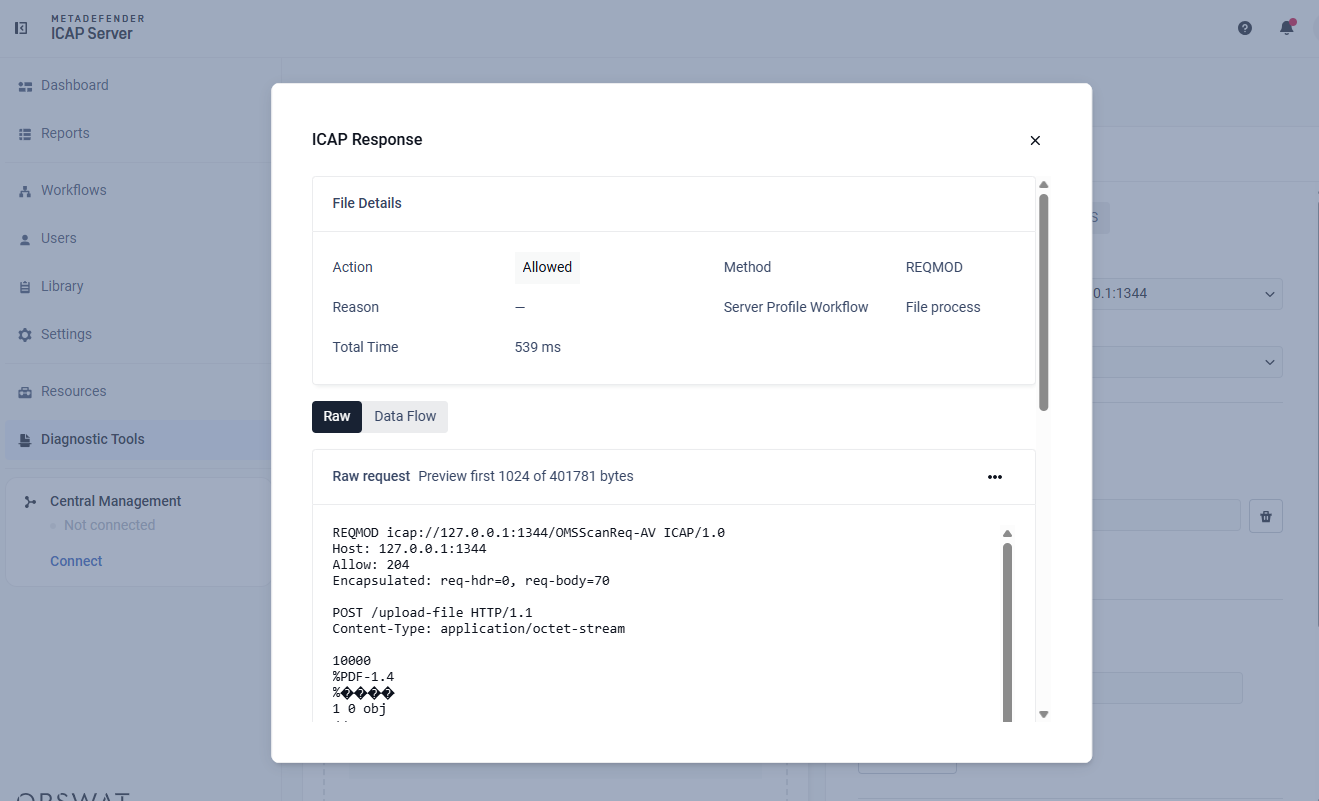 |
Real-Time Server Profile Sync with My OPSWAT Central Management | When managing MetaDefender ICAP Server through My OPSWAT Central Management, the available scan workflows (rules) of a MetaDefender Core instance are now displayed for selection immediately when configuring a server profile. Previously, instances only pushed data up to Central Management and pulled configuration changes on a sync interval — so after adding an MD Core instance from the Central Management UI, you had to save the configuration and wait for the next sync cycle before its workflow list appeared. A new real-time synchronization mechanism for server profiles between ICAP Server and Central Management removes this delay |
Usability Improvements | ImprovementsConfiguration Search — Both the Workflow and Settings pages now include a search box to quickly locate any configuration option. 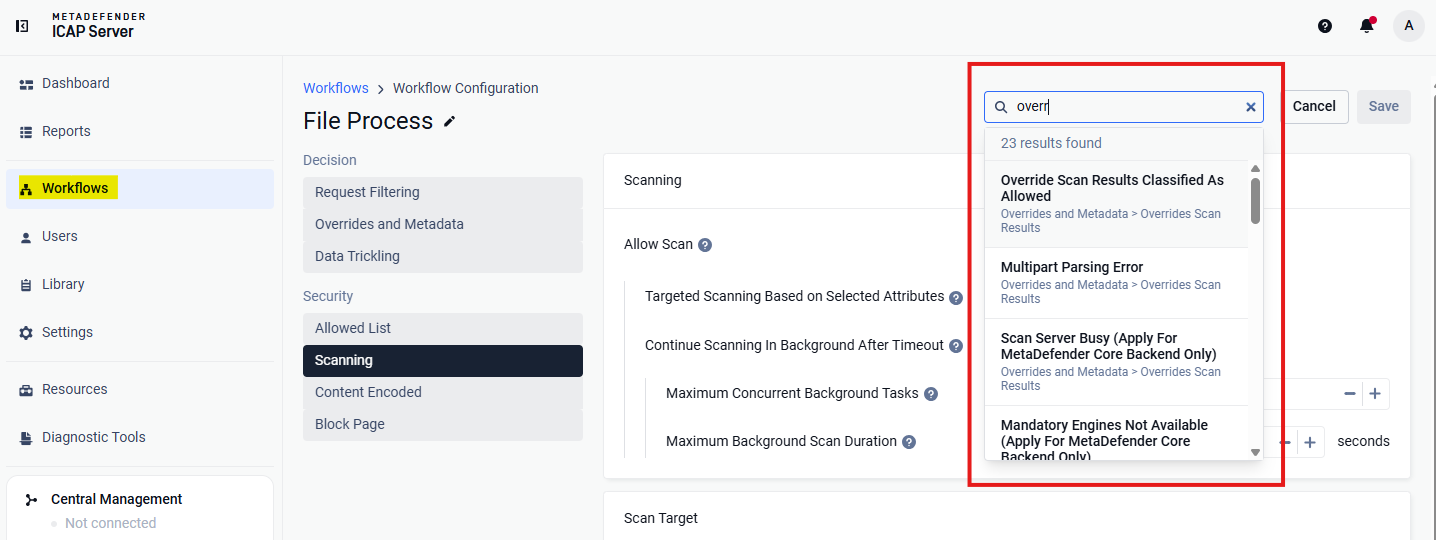 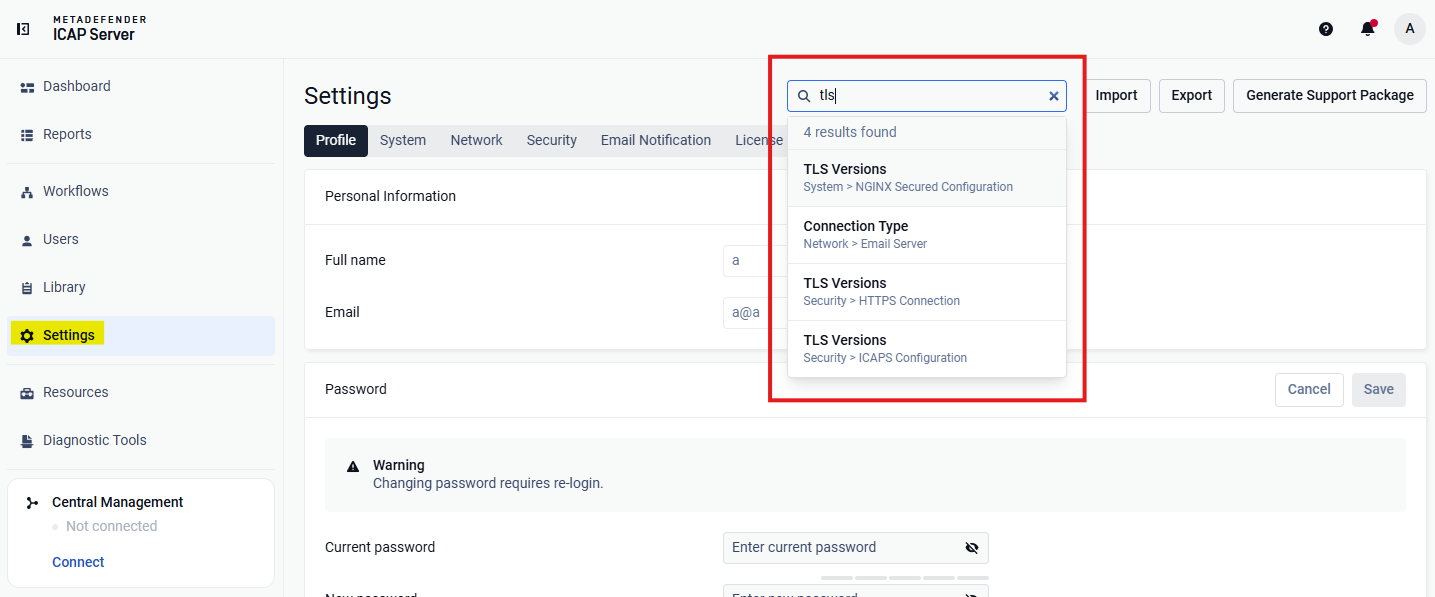
|
Bug Fixes
Details | |
|---|---|
Stale Connection Reuse to MetaDefender Core | Fixed an issue where the HTTP client could reuse a connection that had been idle for too long, resulting in intermittent scan failures. |
Proxy Routing Issues | Fixed the |
OCM Enrollment Dropping Web UI Session | Fixed an issue where the Enroll API returned HTTP 503 when OCM was unreachable, causing the Web UI to drop the active session |
NGINX Log Rotation Cleanup Not Working | Fixed an issue where rotated NGINX log files were not cleaned up as expected, causing disk usage to grow over time |
Minor Fixes | Resolved various UI cosmetic issues and minor fixes |
Known Limitations
Details | |
|---|---|
Log Rotation Not Functioning on Windows | Log rotation failed to function correctly on Windows systems. |
Proxy Configuration | Currently, HTTPS proxy configuration is not supported. |
SAML Directory (SSO Integration) Limitations | In v5.5.0, users cannot create a new SAML directory via the web UI.
|
Stability Issues on Red Hat/CentOS (Kernel Version 372) | MetaDefender ICAP Server v5.1.0 or newer may encounter stability issues on Red Hat/CentOS systems running kernel version 372. Solution: Upgrade to kernel version 425, where Red Hat has resolved this issue. |
MetaDefender ICAP Server's NGINX Web Server Fails to Start with Weak Cipher Suites for HTTPS | From v5.1.0, OpenSSL 1.x has been replaced with OpenSSL 3.x — across the product and its dependencies — to enhance security and address vulnerabilities. As part of this upgrade, NGINX's OpenSSL 3.x in MetaDefender ICAP Server now enforces stricter cipher policies and rejects all weak cipher suites. The web server now only accepts "HIGH" encryption cipher suites https://www.openssl.org/docs/man1.1.1/man1/ciphers.html (MD5 and SHA1 hashing based are also not accepted). As a result, if you have already configured MetaDefender ICAP Server for HTTPS using a weak SSL cipher with your certificate, the server will not start due to the enforced security policies in NGINX's OpenSSL 3.x. |
no_proxy Configuration | Starting with MetaDefender ICAP Server v5.1.0, the |
TLS Connectivity to MetaDefender Core on Debian | On Debian OS, MetaDefender ICAP Server v5.1.0 requires the two following commands to enable TLS communication with MetaDefender Core: sudo mkdir -p /etc/pki/tls/certs/ sudo ln -s /etc/ssl/certs/ca-certificates.crt /etc/pki/tls/certs/ca-bundle.crt Resolution: Upgrade to MetaDefender ICAP Server v5.1.1, where the issue is resolved. |
TLS 1.3 Not Supported on Windows Server 2012 | TLS 1.3 is not supported on Windows Server 2012 due to limitations with Schannel SSP. Reference |