Teams that run MetaDefender Core in production need to know how their deployment really performs and to hear about problems before file transfers slow down. They also need to keep sensitive details out of their logs and avoid processing the same files twice.
MetaDefender Core v5.24.0 adds percentile processing-time metrics and capacity alerts, makes Deep CDR™ Technology, File Structure Validation, and Adaptive Sandbox decisions smarter, warns when an engine reaches end of support, keeps file names out of logs, and gives servers managed from My OPSWAT Central Management more control over their own settings. Let's walk through what's new.
Clearer View of Processing Performance and Capacity
Processing Time Percentiles
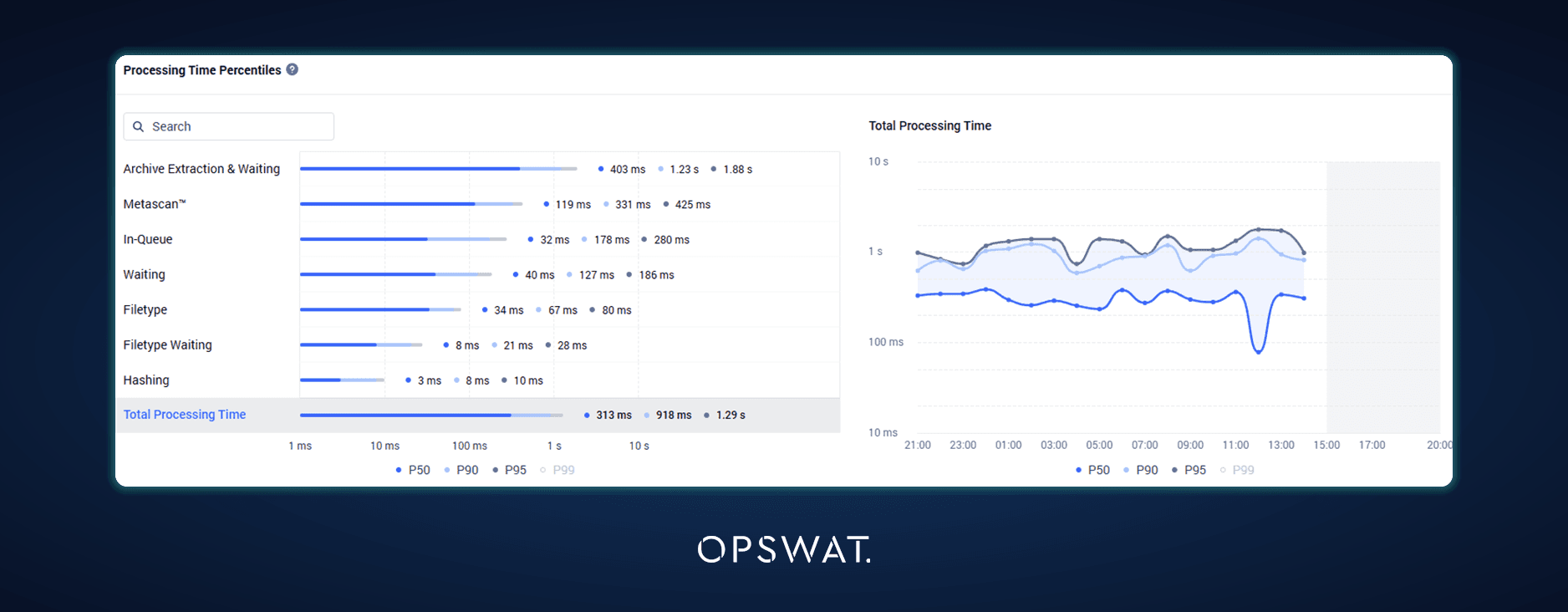
An average processing time can be misleading when a few slow objects push it up. The Executive Report and related dashboard views now add P50, P90, P95, and P99 processing-time metrics, so teams can see typical processing speed alongside the outliers instead of relying on average and maximum alone.
Email Alerts When Processing Capacity Runs High
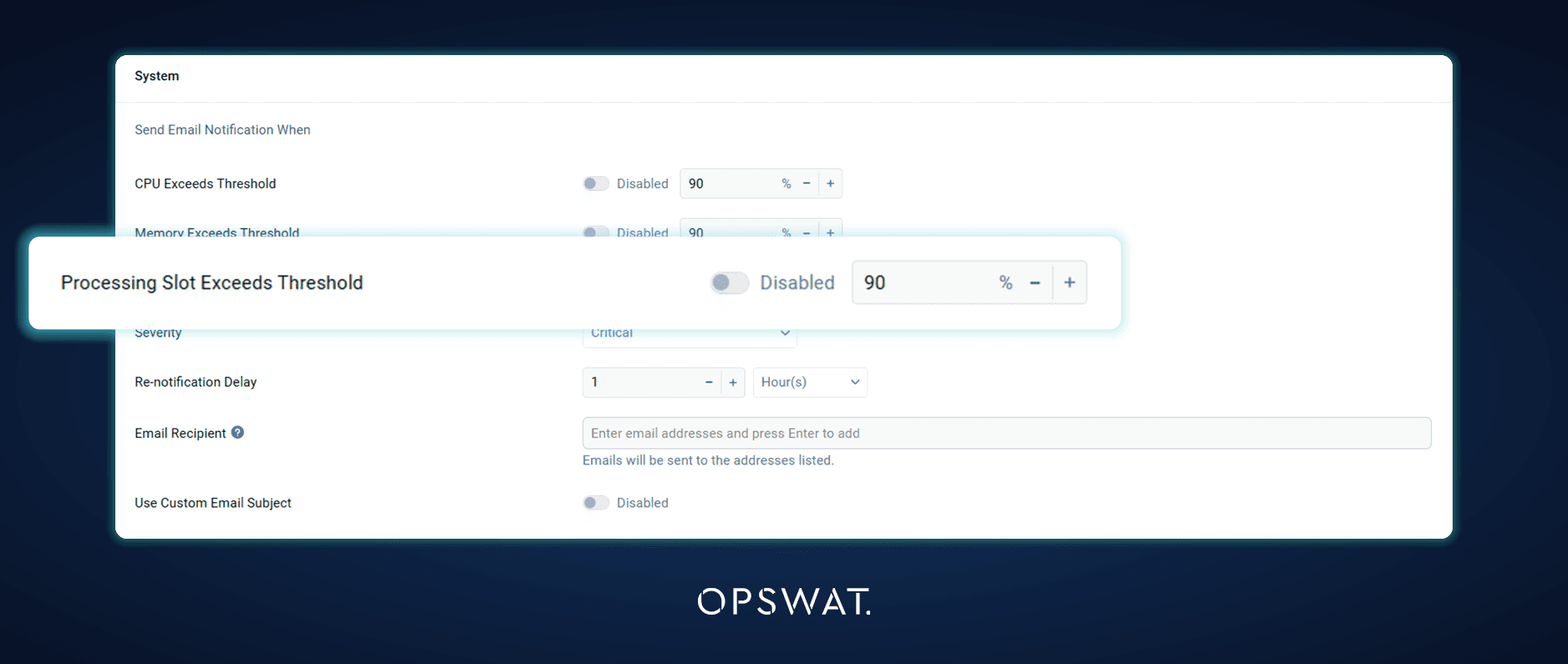
Administrators can configure alerts for when the scan queue or processing-slot usage crosses a defined threshold. Alerts can be sent by email and also appear on the dashboard, so teams learn that the deployment is nearing capacity before a growing queue delays file transfers.
Smarter Sanitization and Sandbox Decisions
Deep CDR™ Technology Improvements
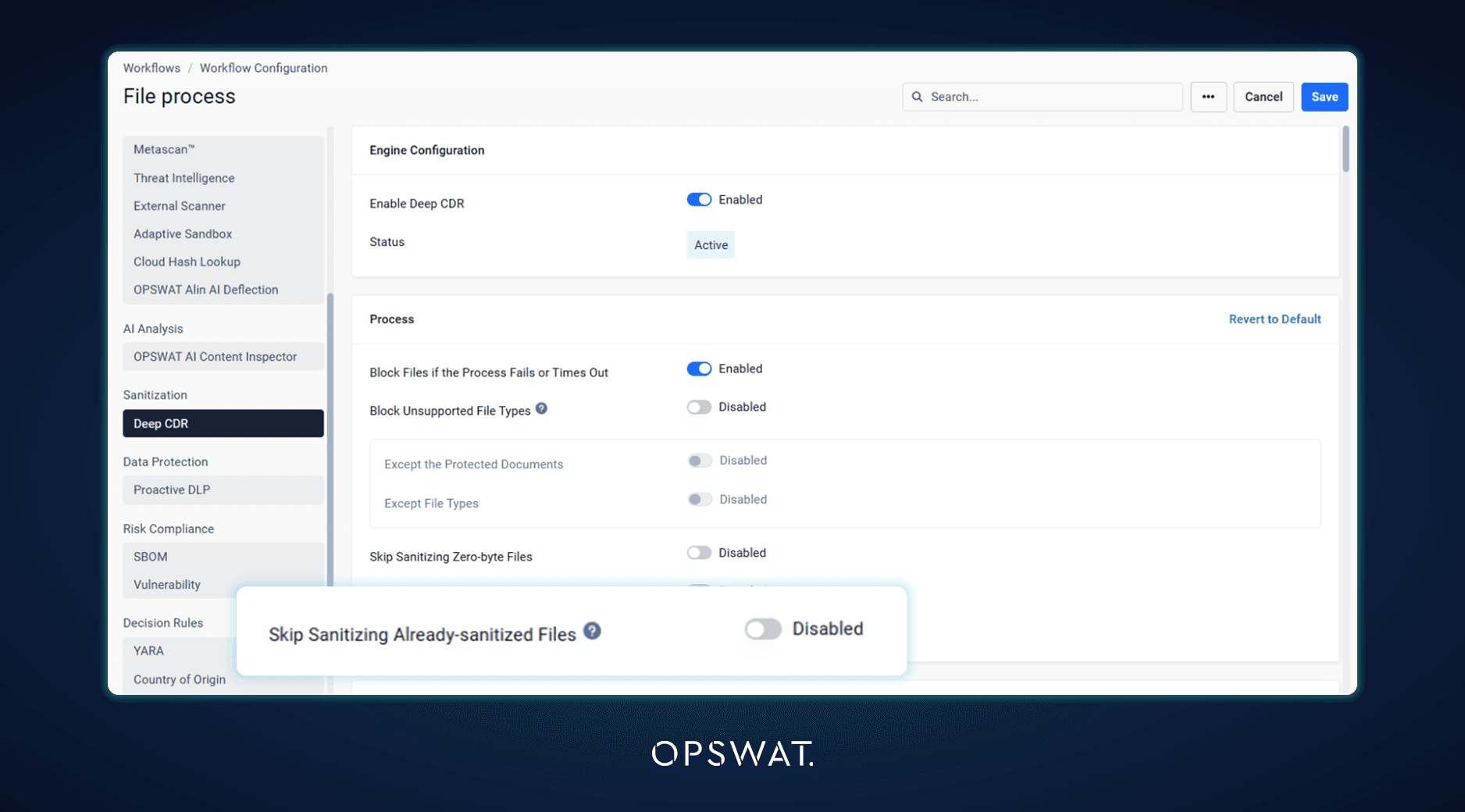
Deep CDR™ Technology rebuilds every file from scratch, so sanitizing a file that has already been sanitized creates yet another copy. A new option, off by default, stops Deep CDR™ Technology from sanitizing a file again when MetaDefender Core has already produced a sanitized result. This helps MetaDefender Kiosk and other USB repeat-scan flows avoid growing piles of sanitized copies.
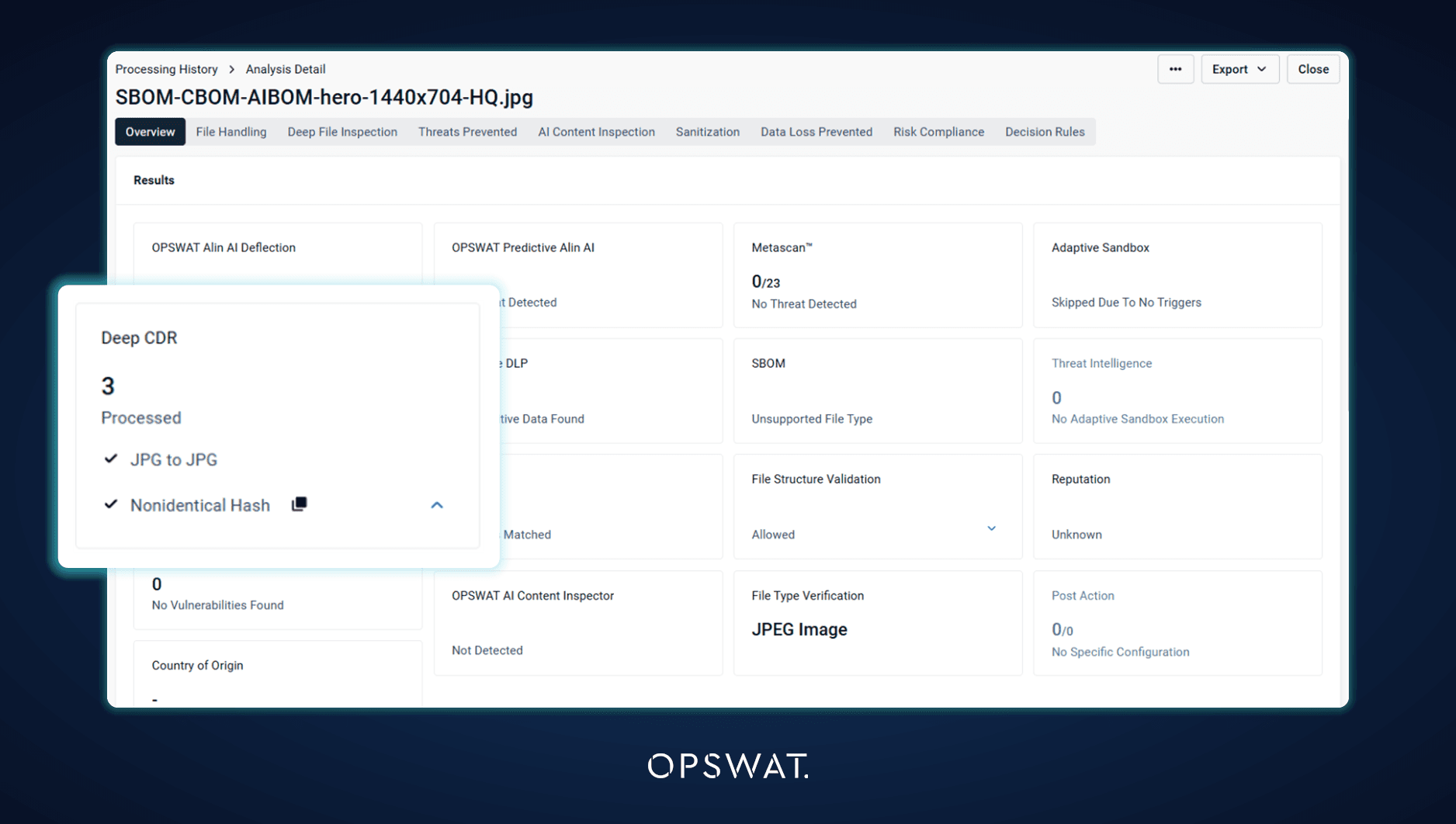
Deep CDR™ Technology results are also clearer at a glance. The Deep CDR™ Technology card on the processing result now leads with the total number of objects processed, so analysts can see how much of a file was sanitized without opening the details.
File Structure Validation Results Decide What Goes to Adaptive Sandbox
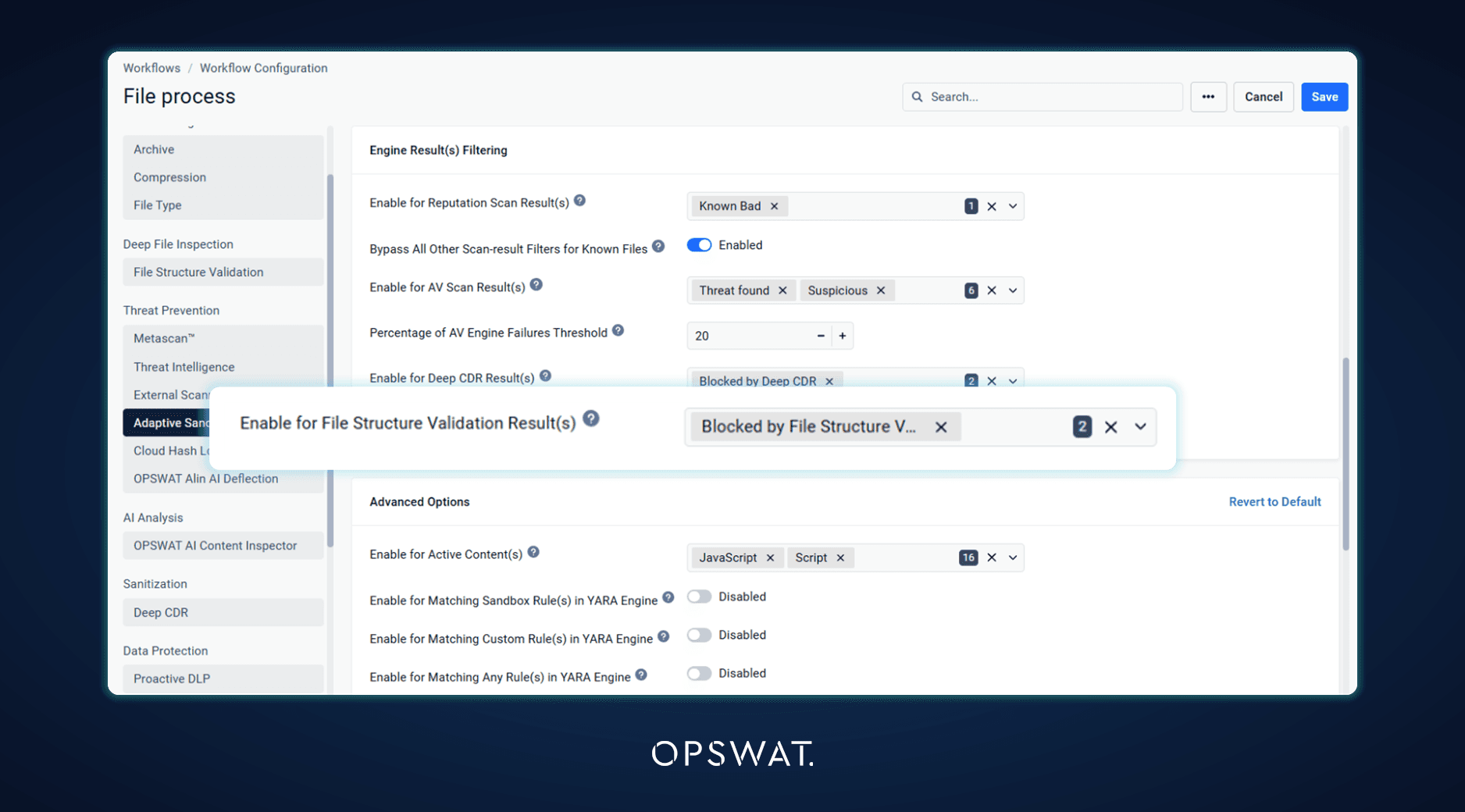
File Structure Validation findings, such as macros and hyperlinks, can now decide whether a file is sent to Adaptive Sandbox, the same way Deep CDR™ Technology findings already can. Organizations that rely on File Structure Validation for this decision keep the same Sandbox filtering behavior. Files that File Structure Validation extracts are also scanned as soon as the engine returns them, for engine versions that return results during processing.
Easier Engine Maintenance and Log Privacy
Engine End-of-Support Warnings
Administrators now see a console notification when an engine is near or past its end of support. An engine package that requires a newer version of MetaDefender Core is no longer installed, whether it arrives by download, manual upload, or pickup folder, and the current package stays in service. The Engines page shows the rejection in the update status with a recommendation to upgrade rather than retry, and an installed engine that needs a newer version shows a warning on its tile.
File Name Redaction in Logs
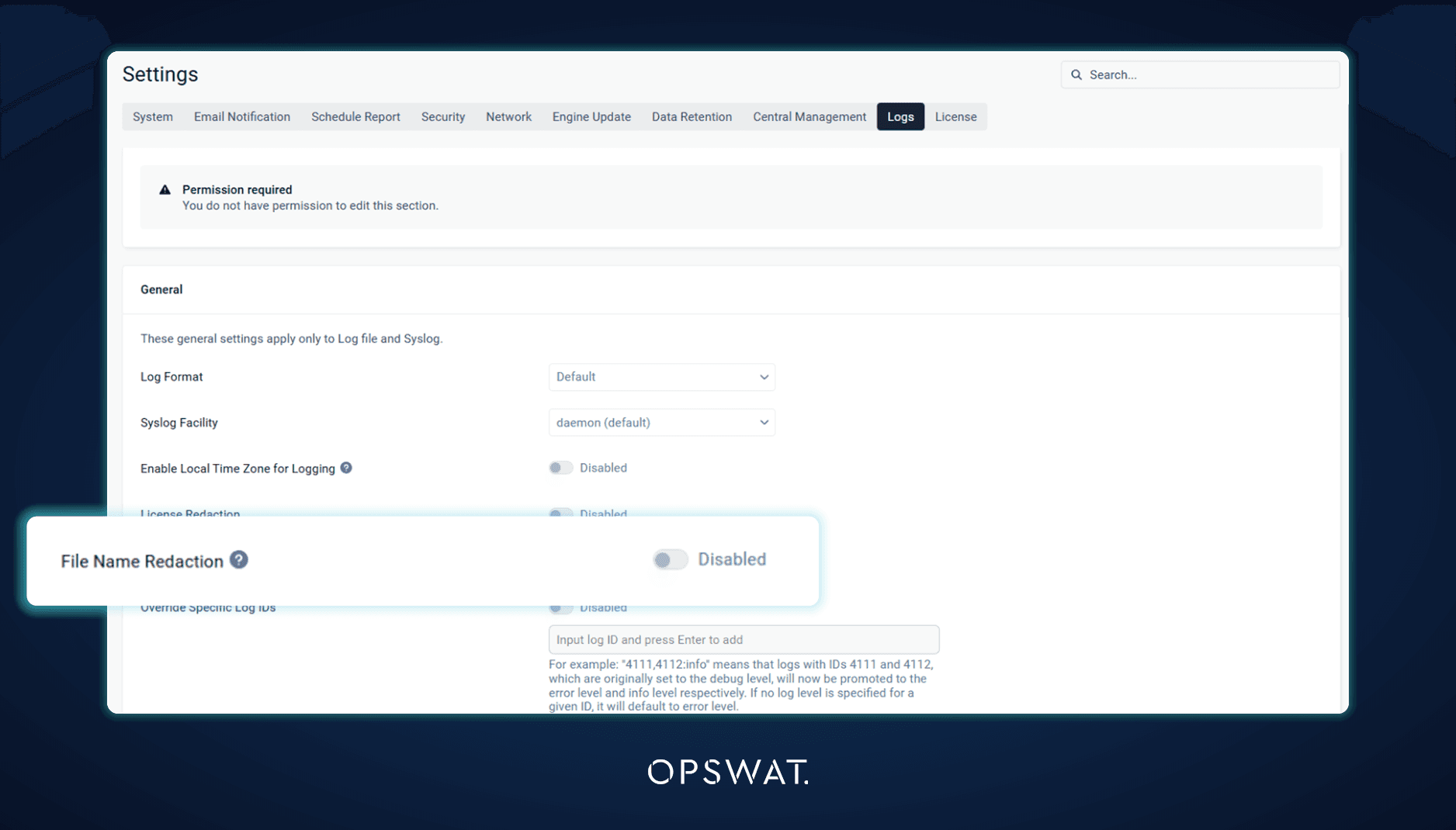
File names can reveal sensitive information, such as a project, a patient, or a customer. A new File Name Redaction setting replaces file names in MetaDefender Core logs with the file's data ID, so log files and syslog output no longer expose them, while each entry can still be traced back to its scan record.
Centralized Management at Scale
Per-Server Certificate and Sandbox Settings
A My OPSWAT Central Management group policy can now leave selected settings to each MetaDefender Core server while every other setting continues to sync from the policy. A new exclusions tab in the policy covers the HTTPS certificate, so each server keeps its own host-specific certificate instead of receiving one certificate for the whole group, and the Adaptive Sandbox connection, so servers in the same group can each use their own Sandbox server address and API key. Turning an exclusion off applies the policy values again on the next sync, with no need to re-enroll the server.
Splunk Configuration from Central Management
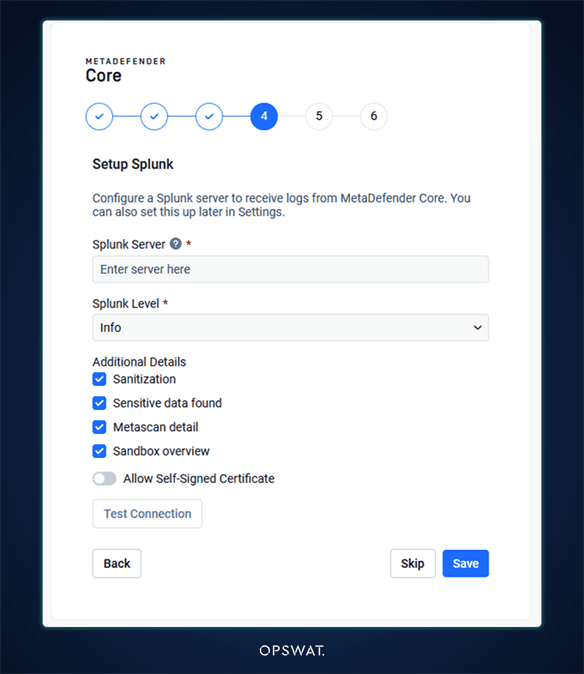
Splunk integration can now be configured from My OPSWAT Central Management for the servers it manages, so SIEM forwarding is set up once for the fleet. In the setup wizard, the Splunk step now comes before Central Management enrollment and is skipped once the server is enrolled, since Central Management then owns that setting.
Also in This Release
Version 5.24.0 includes several other enhancements. A certificate and its private key can be added from a single file, files with vulnerable packages are listed first in the SBOM filter, and Usage Report settings are included in configuration export. On the security side, issues found in an internal security review have been addressed, MetaDefender Core no longer uses 7-Zip, and Protobuf and gRPC are upgraded to v33.5 and v1.84.0. For servers managed by My OPSWAT Central Management, reports are now sent reliably over slow or long-distance connections during high-volume scanning, policy certificate fields list the certificates assigned to the policy, and the Skip by Hash list shows the expiration set centrally.
Action Required
Version 8.0 of the File Type, Archive Extraction, Archive Compression, Country of Origin, and Deep CDR™ Technology modules requires Microsoft Visual C++ Redistributable version 14.44 or later. Make sure it is installed on Windows hosts before these modules update to version 8.0.
OPSWAT will also discontinue support for Ubuntu 22.04 in MetaDefender Core and its associated engines starting April 2027. Teams running Ubuntu 22.04 should plan a move to a supported operating system.
Recently Released
Upgrading from an earlier version? Here is a quick reminder of what MetaDefender Core v5.23.0 delivered:
- Beyond SBOM: CBOM and AIBOM Detection: Inventories cryptographic assets and their quantum resistance, and identifies AI models with their licenses.
- Large SBOM and Vulnerability Reports Without the Wait: Reports generate in the background with a reports tray and a configurable export timeout.
- Stronger Workflow Controls: Stop processing an archive when a blocked file is found, accept only password-protected files, and configure Proactive DLP per file type.
- Retrieve and Manage Quarantined Files from Central Management: Download and manage quarantined files without opening an inbound port.
- Password Storage Synchronized with Central Management: Password storages apply consistently across an instance group.
For the complete history, see the release notes.
Next Steps
Ready to get started with MetaDefender Core v5.24.0? Check out these helpful resources:
- Visit opswat.com/products/metadefender/core
- Upgrade to MetaDefender Core v5.24.0
- Access the release notes
Have questions? Reach us at support@opswat.com