MetaDefender Drive with Smart Touch v2.0.0 enables simplified direct enrollment into My OPSWAT™ Central Management with automatic synchronization of approved settings and scan reports. It also adds detailed file metadata in Secure File Storage, helping operators verify file identity before taking action.
Streamlined Central Management Enrollment for MetaDefender Drive with Smart Touch
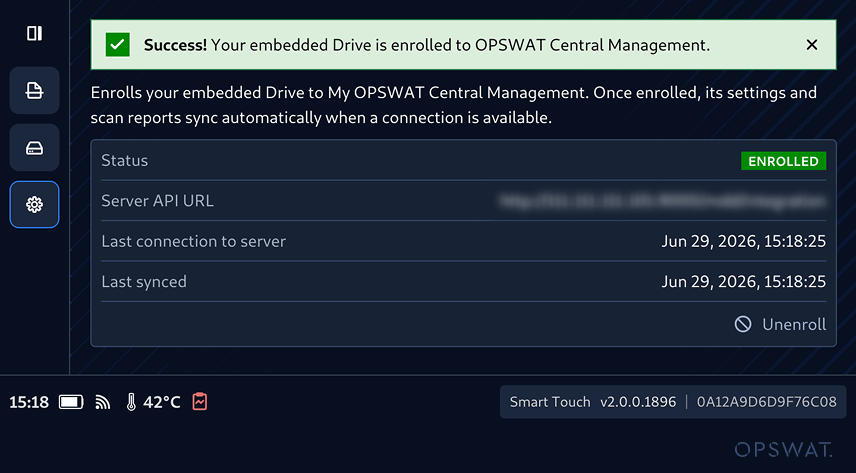
MetaDefender Drive with Smart Touch now enables direct enrollment into My OPSWAT™ Central Management from its interface. This addition eliminates the need to complete enrollment through a separate workstation.
Now, administrators can enter the My OPSWAT Central Management URL and registration key directly to initiate the device enrollment. Once enrolled, MetaDefender Drive with Smart Touch automatically synchronizes approved settings and scan reports when connectivity is available.
The enrollment status is also displayed consistently across both MetaDefender Drive with Smart Touch and MetaDefender Drive Toolkit, giving administrators unified visibility into device configuration and registration state.
How to Enroll in My OPSWAT Central Management
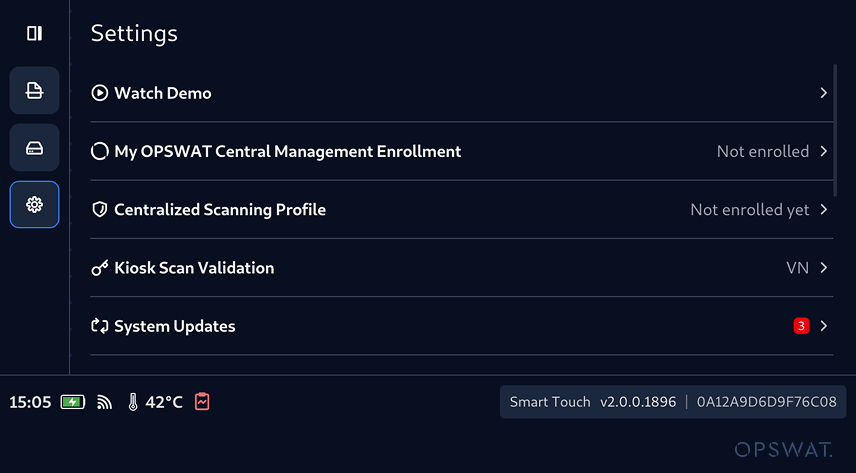
1. From the home screen, navigate to Settings. The My OPSWAT Central Management Enrollment row clearly indicates if the device is currently enrolled. Tap it to begin enrollment.
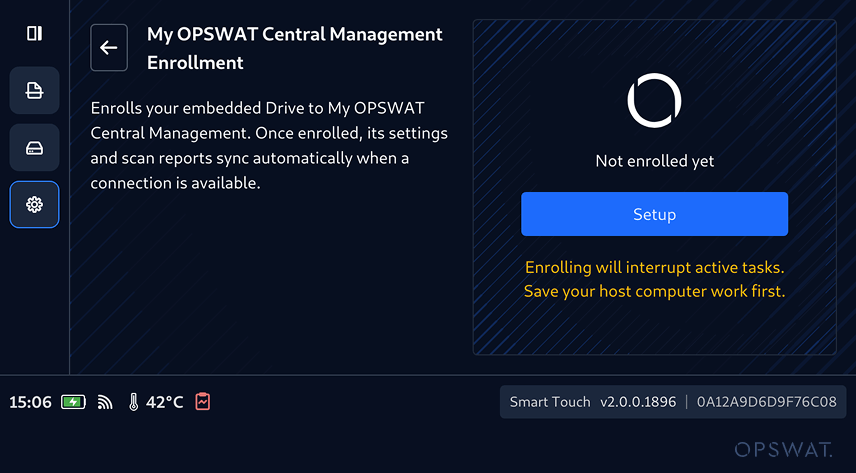
2. Tap Setup to initiate the enrollment process. In case of ongoing operations, you will be notified to save your work before continuing.
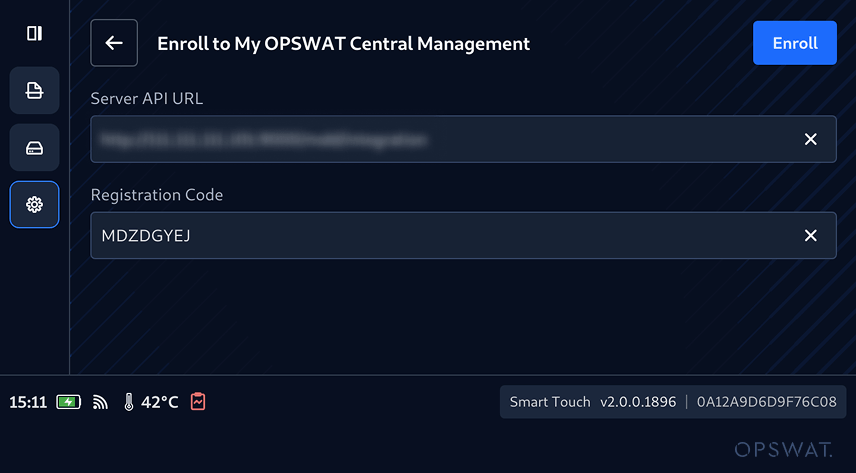
3. Enter the Server API URL and Registration Code, then tap Enroll.
4. After the enrollment is completed successfully, MetaDefender Drive with Smart Touch will display the enrollment status with device registration information, which will also be displayed within MetaDefender Drive Toolkit, for consistent visibility across interfaces.
Expanded File Metadata Visibility in Secure File Storage
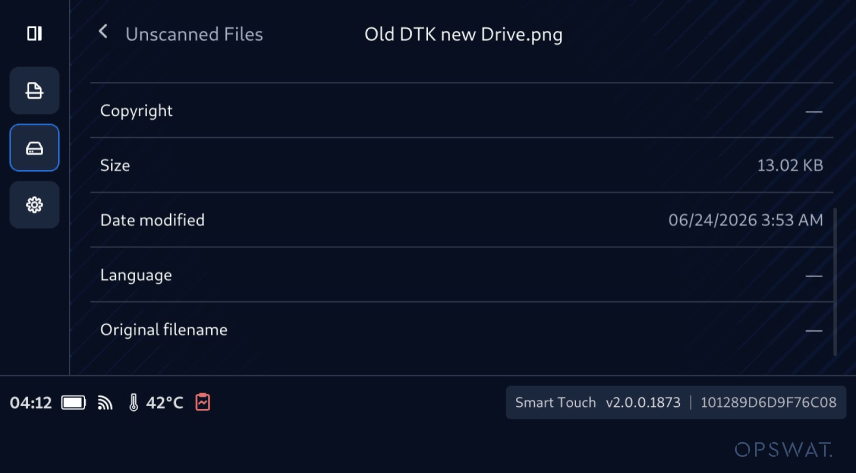
MetaDefender Drive with Smart Touch v2.0.0 expands file metadata visibility across Secure File Storage. This includes file attributes such as file type, size, modified date, version, product name, original filename, copyright, and language. This expanded visibility enables operators to:
- View detailed metadata for clean, unsafe, and unscanned files
- Better understand what a file is before sharing, deleting, or escalating
- Make more informed handling decisions within Secure File Storage workflows
Release Details
Product: MetaDefender Drive with Smart Touch
Release Date: July 2, 2026
Release Notes: Learn more here
To update MetaDefender Drive with Smart Touch, tap System Update on the home screen to access the centralized update view.