OPSWAT is excited to announce the release of MetaDefender Drive with Smart Touch v1.4.0. This release includes the addition of a new license activation process within MetaDefender Drive and enhancements to navigation between key features.
License Activation in MetaDefender Drive with Smart Touch
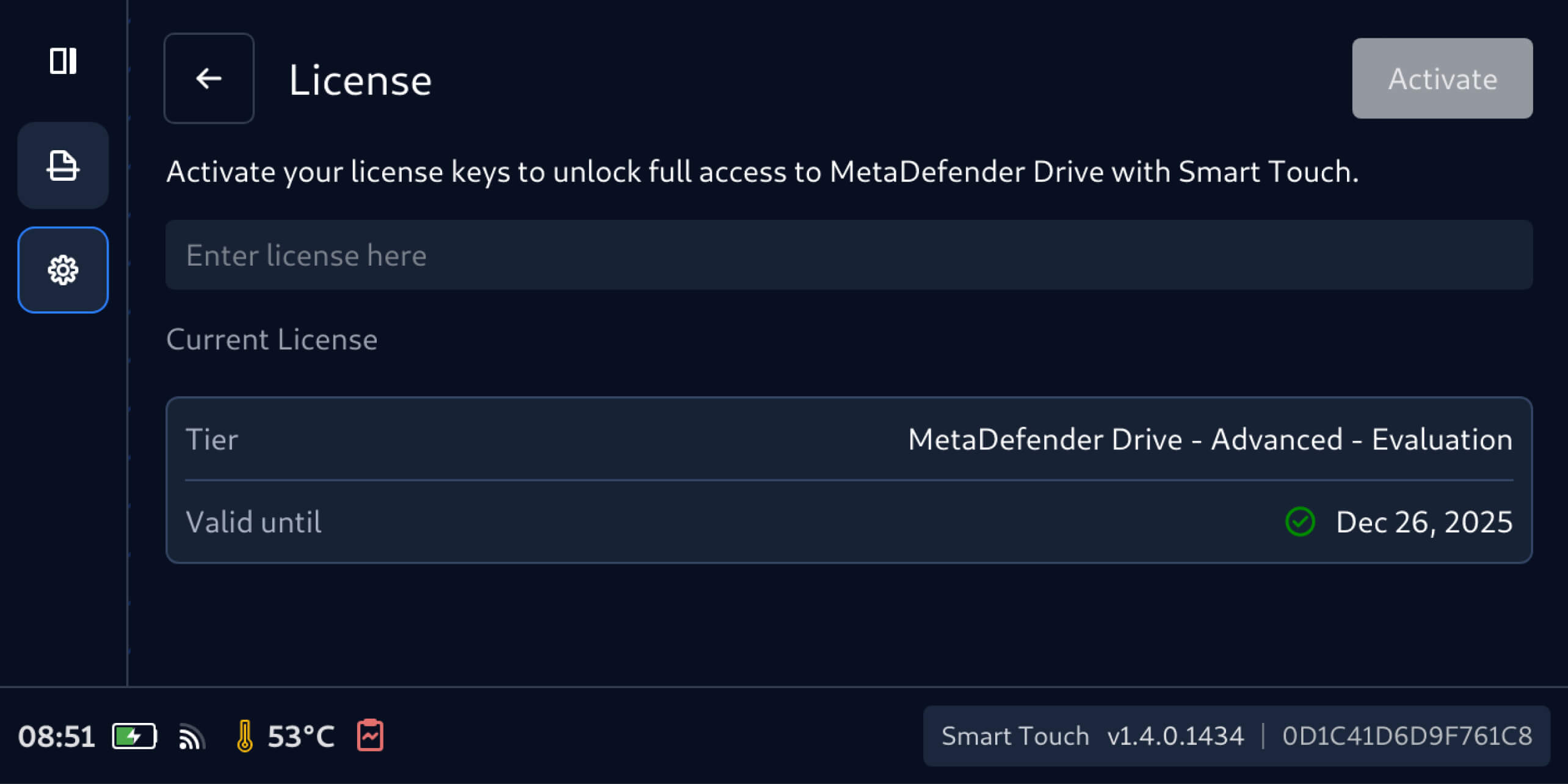
With this release, users can activate their MetaDefender Drive license directly within MetaDefender Drive with Smart Touch, without the need for external tools or additional steps. This new improvement helps reduce setup times to enable users to begin scanning transient devices faster, especially in field environments where resources are limited.
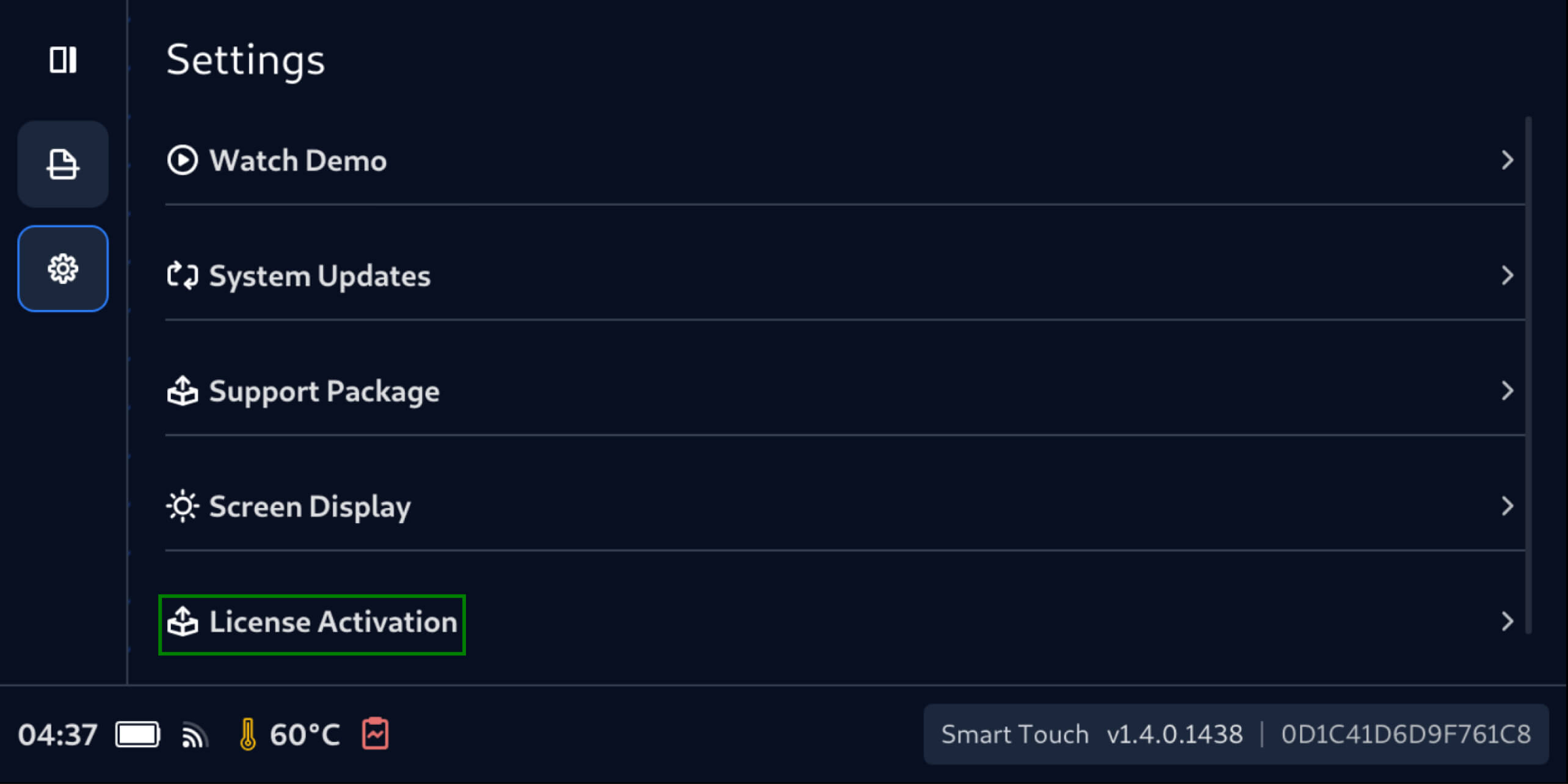
MetaDefender Drive with Smart Touch can be activated following these simple steps:
- Tap the Settings icon (the Gear icon) and select License Activation
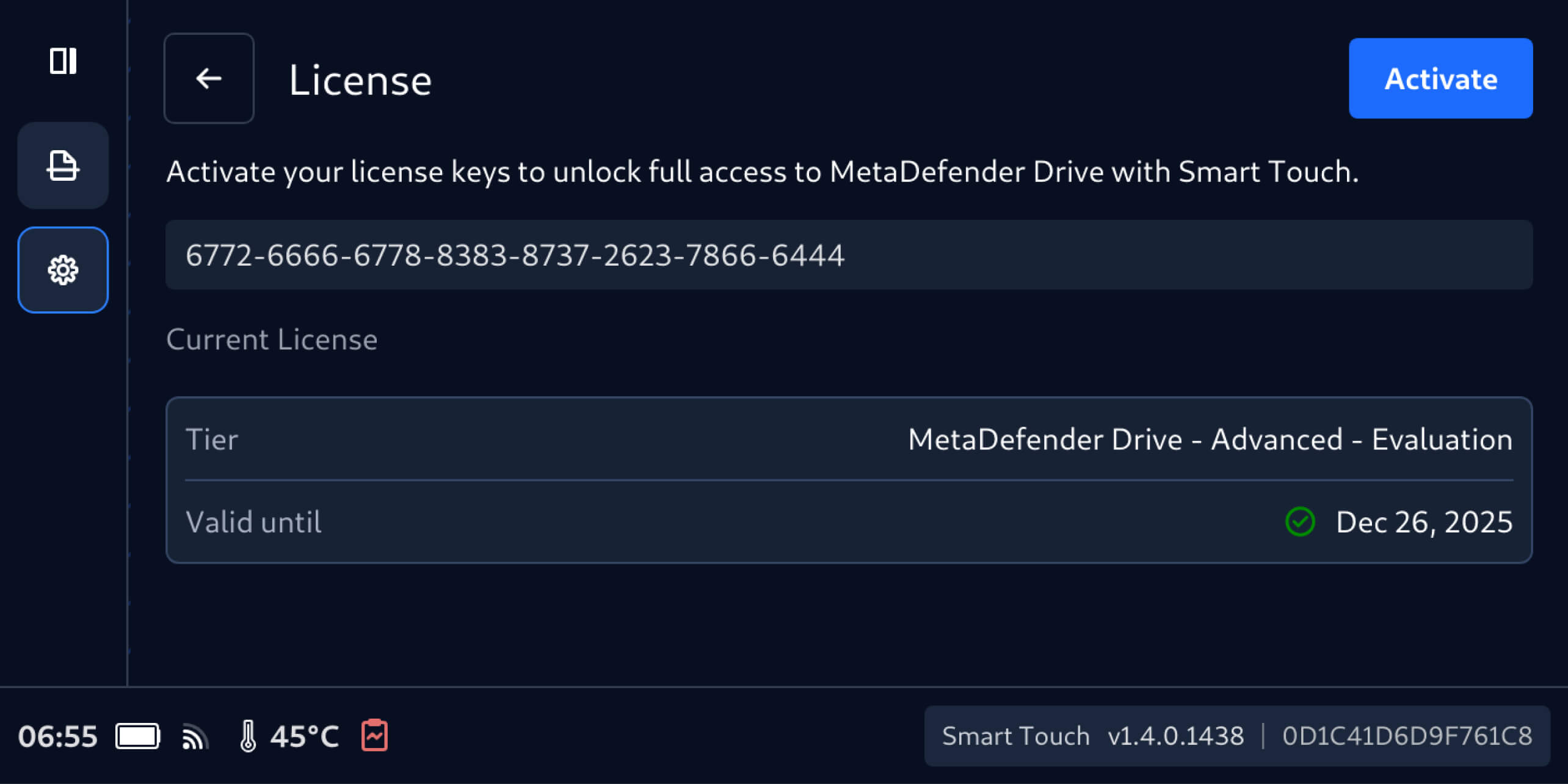
- Enter your license key in the License screen and tap Activate
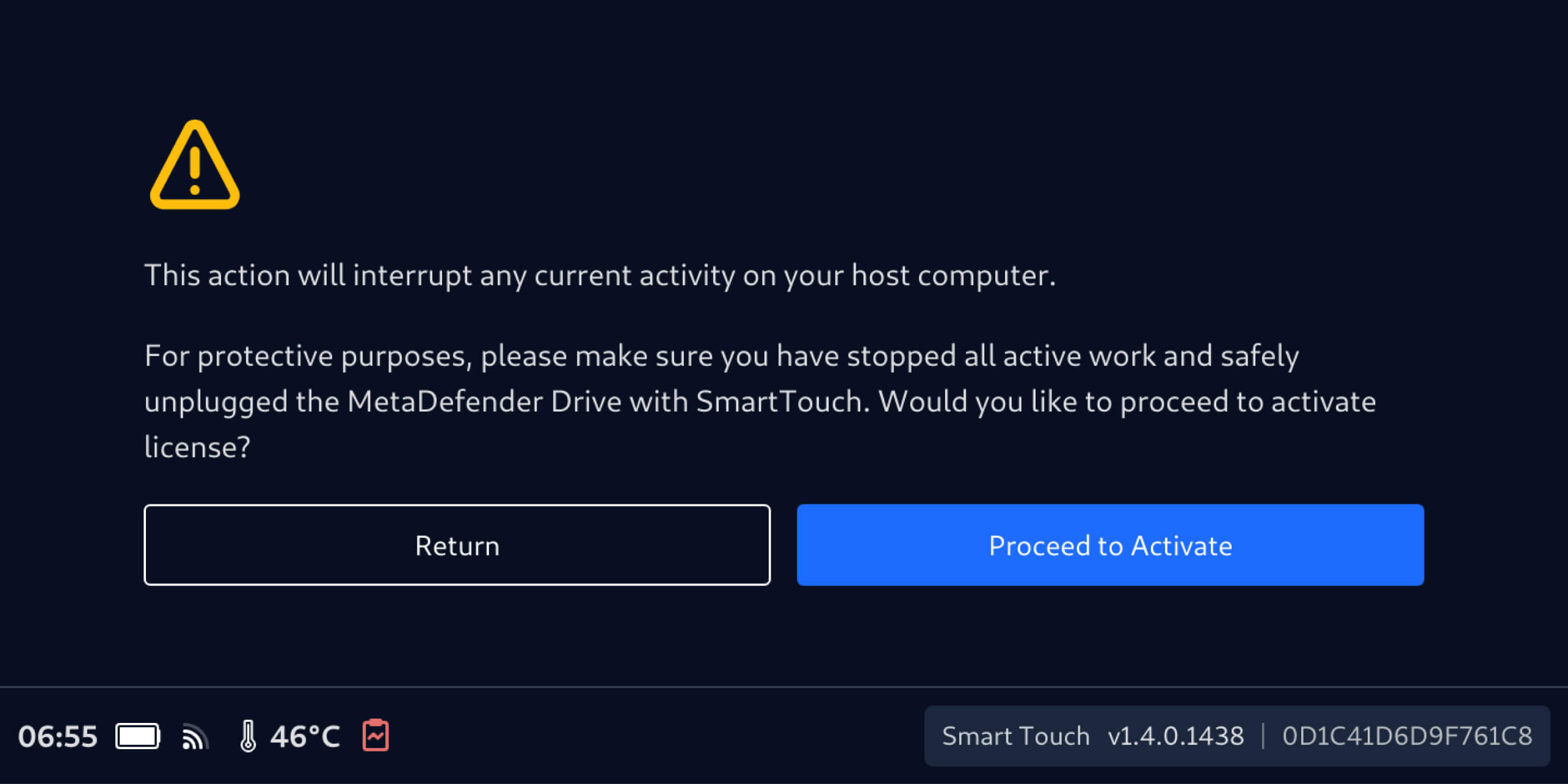
- Ensure there are no active operations, then tap Proceed to Activate
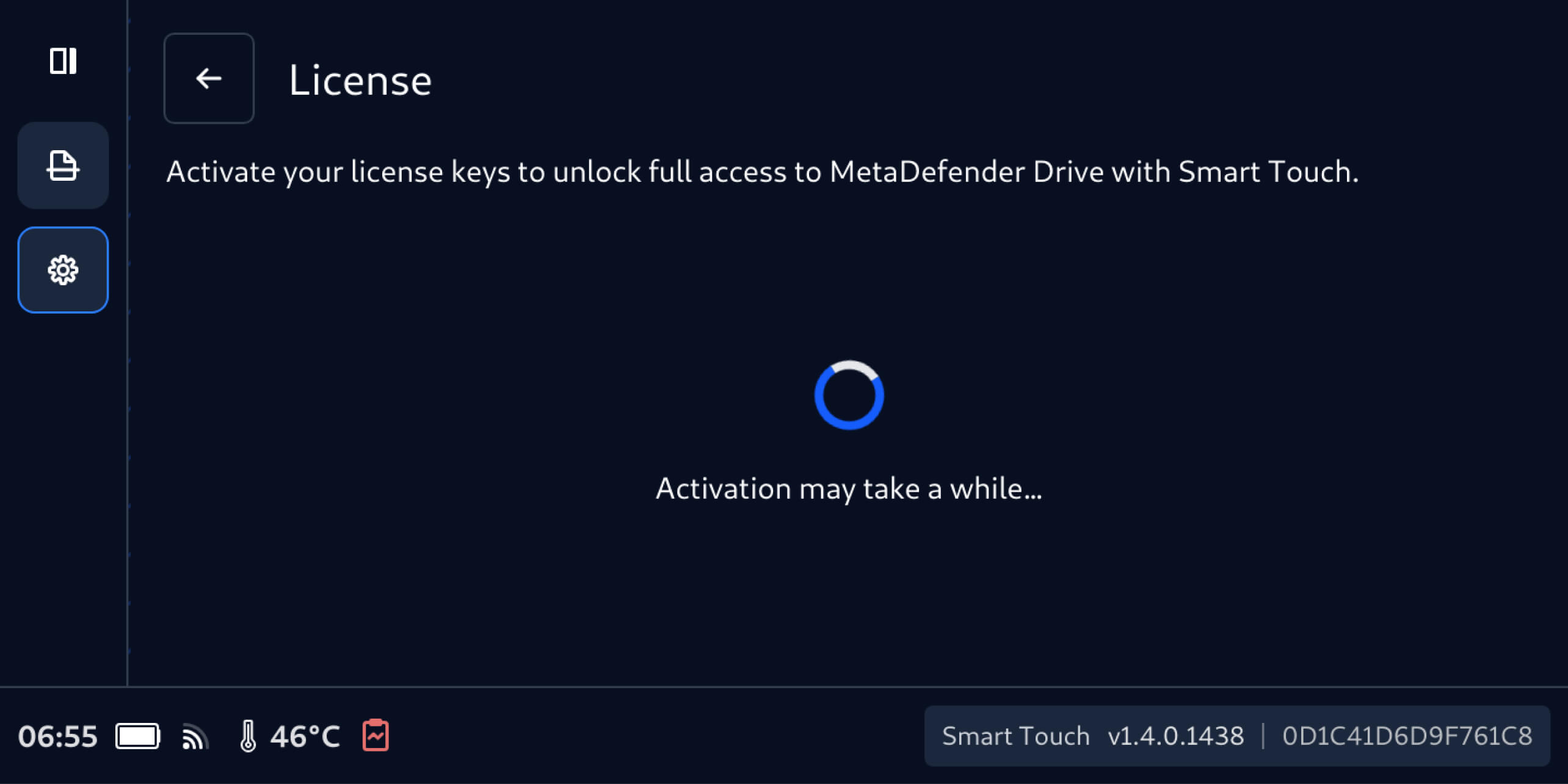
- It will take MetaDefender Drive with Smart Touch one or two minutes to validate the new license
- Once validated, the new license details will show as the active license
New Side Navigation Bar for Easier Access
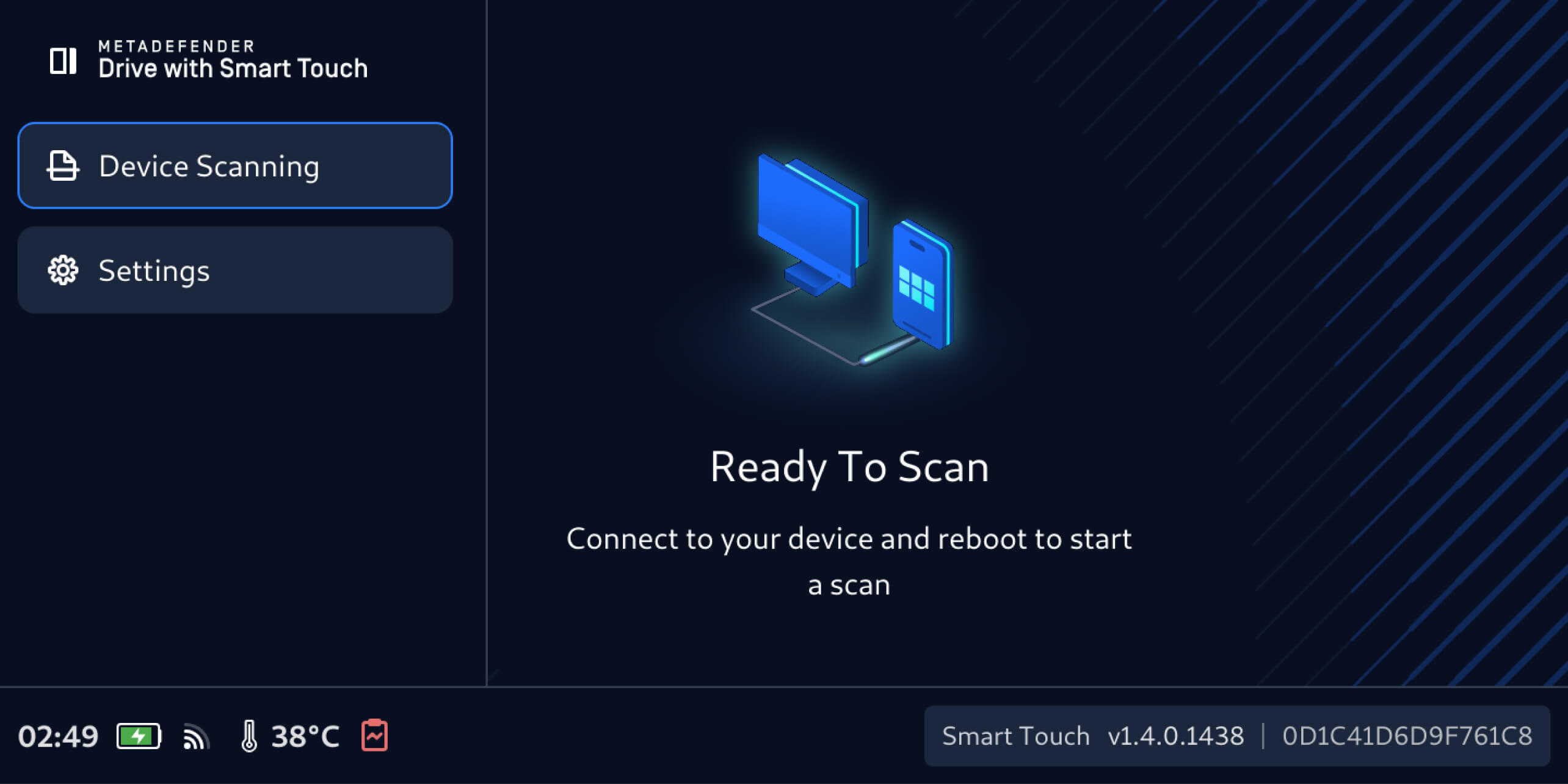
For easier navigation between key features, MetaDefender Drive with Smart Touch now includes a new side navigation bar. Users can now switch between the Device Scanning and Settings interfaces to access key functions more quickly.
Release Details:
- Product: MetaDefender Drive with Smart Touch
- Release Date: December 8, 2025
- Release Notes: Learn more here
To update MetaDefender Drive with Smart Touch, tap System Update on the home screen to access the centralized update view.

