When a scan fails, the first question is why. MetaDefender Software Supply Chain v4.3.0 gives security teams a direct way to find out, with new scan states and a Timeline tab that shows each stage of a scan, its duration and any failure reason.
The release also adds one-click updates for instances with internet access and vulnerability comparison across scans, along with smaller changes to report deletion, package management and the command-line interface. Here is what changed in v4.3.0 and what it means for your software supply chain security workflow.
Platform Rebuild: New Scan States and the Timeline Tab
Platform rebuild changes how MetaDefender Software Supply Chain reports on scans. It brings two additions that work together: new scan states that describe a scan’s status more precisely, and a Timeline tab that shows what happened inside it.
Three new scan states
Scans can now show three new states: Partial failed, Empty and Timed out. Each state tells you something different about the scan, so you know where to start when you review a result.
The Timeline tab
The Timeline tab shows each scan stage, its duration and failure reason. Because every stage shows its duration, you can see where the timersme went in a scan that ran long or timed out. For a Partial failed scan, the Timeline tab shows the failure reason.
One-Click Updates from Settings
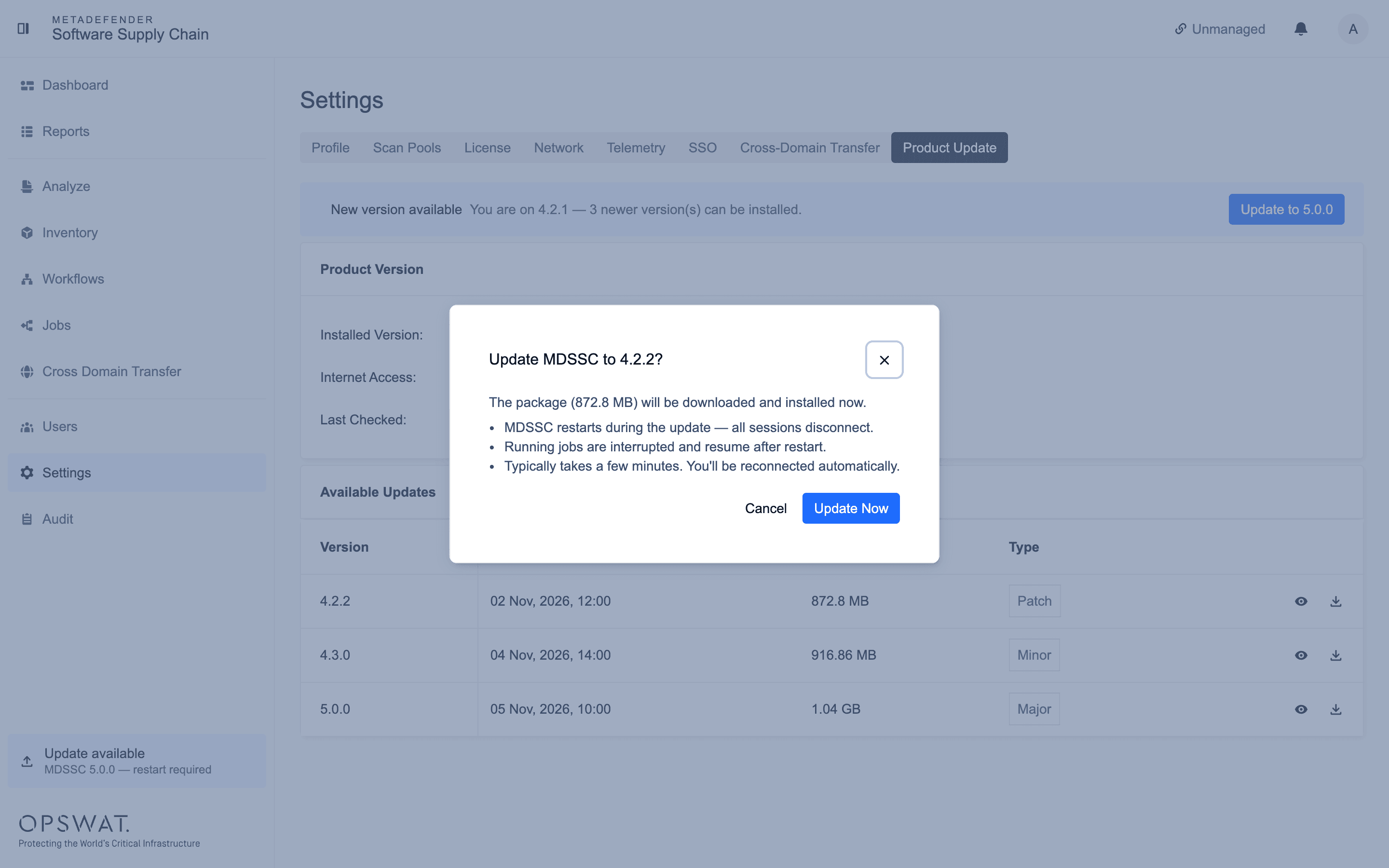
Instances with internet access can now update to a newer version from Settings in one click. The update starts from within the product.
Compare Vulnerabilities Across Scans
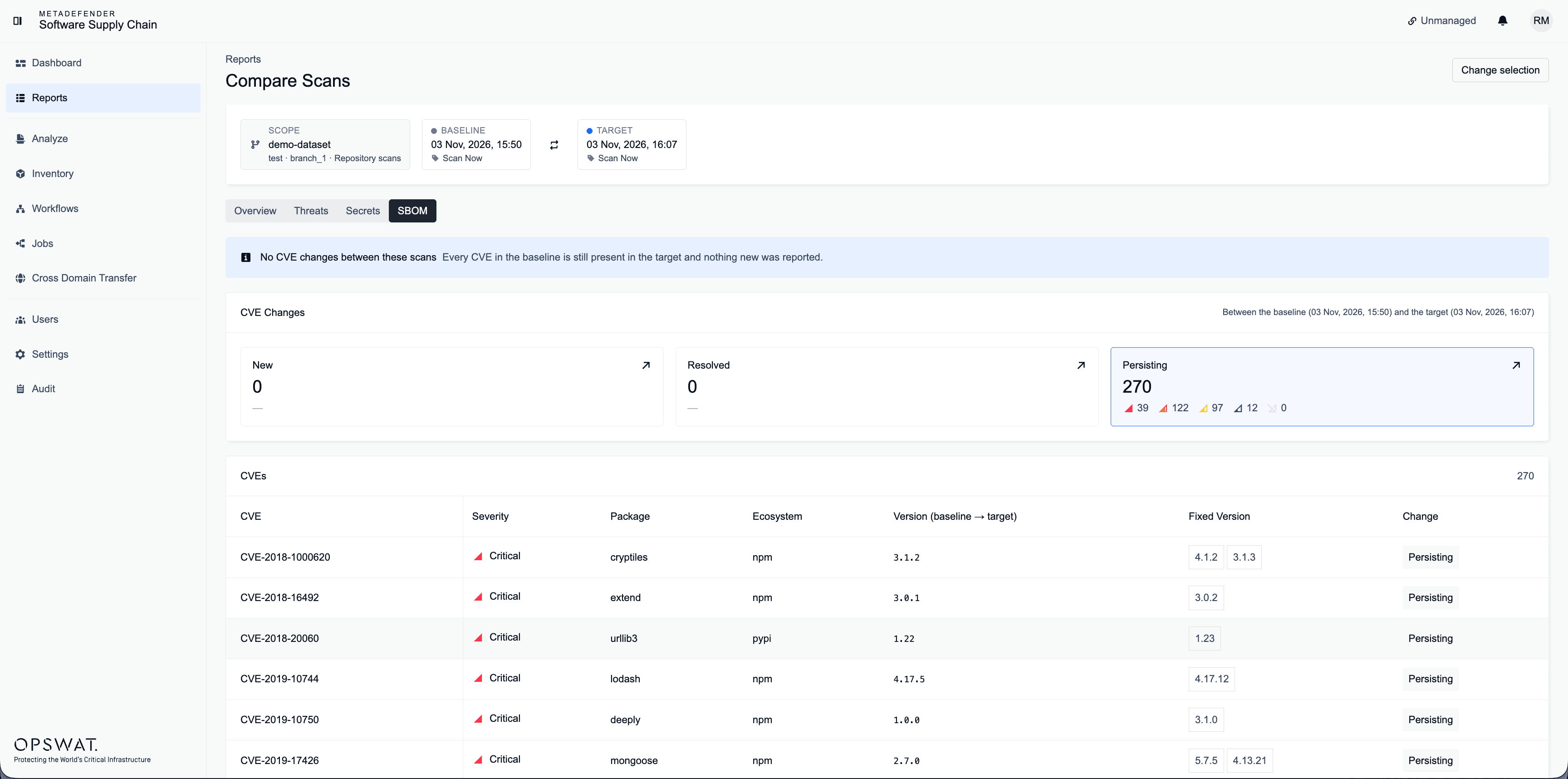
Users can now compare CVEs (Common Vulnerabilities and Exposures) across several scans of one repository or file. The comparison covers one repository or file at a time and shows how its CVEs differ from one scan to the next.
Also in v4.3.0
- Delete Reports now shows a result notification
- Packages with custom labels can now be deleted
- Revamped command-line interface includes debug, support and version options
Available from: My OPSWAT™ Portal.
Frequently Asked Questions
Which instances can update from Settings?
Instances with internet access can update to a newer version from Settings in one click.
What can I compare with CVE comparison?
You can compare CVEs across several scans of one repository or file.
What does the Timeline tab show?
The Timeline tab shows each scan stage, its duration and failure reason.