The MetaDefender Kiosk 4.8.2 (Windows version) addresses key operational challenges faced by critical infrastructure teams managing distributed industrial sites. The new features and enhancements in this release help administrators and operators make decisions faster, apply the right policies without requiring constant reconfiguration of access permissions, and recover quickly when a rollback is needed.
Single-Page Media Passport for Scanned Sessions
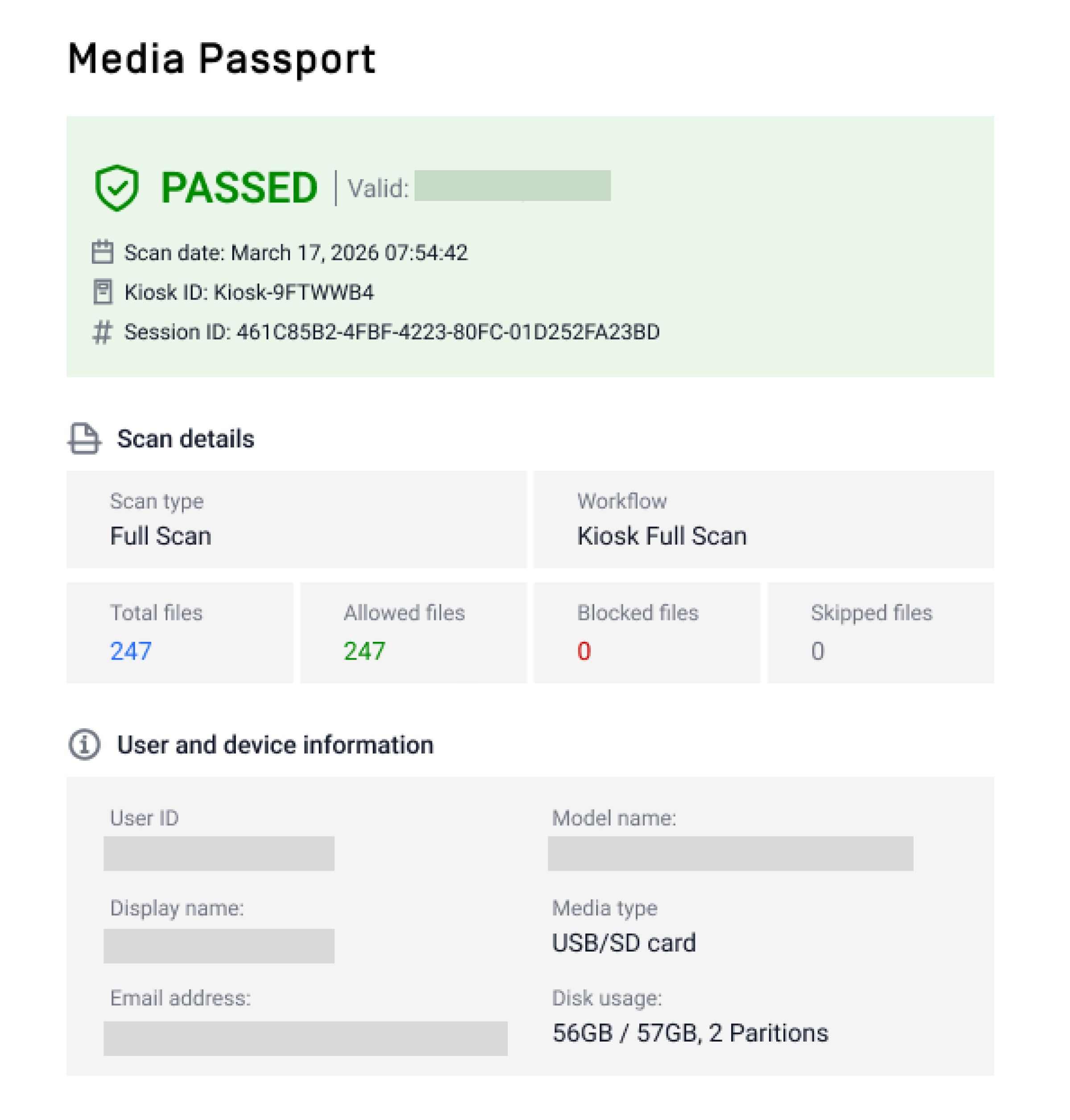
With this release, MetaDefender Kiosk operators reviewing scan results no longer need to navigate across multiple screens to determine whether a session is safe to release. The new Media Passport consolidates each scan session into a single and brief view that includes the overall safe/unsafe status, session metadata, and file statistics.
Variables in Email Notification Subjects
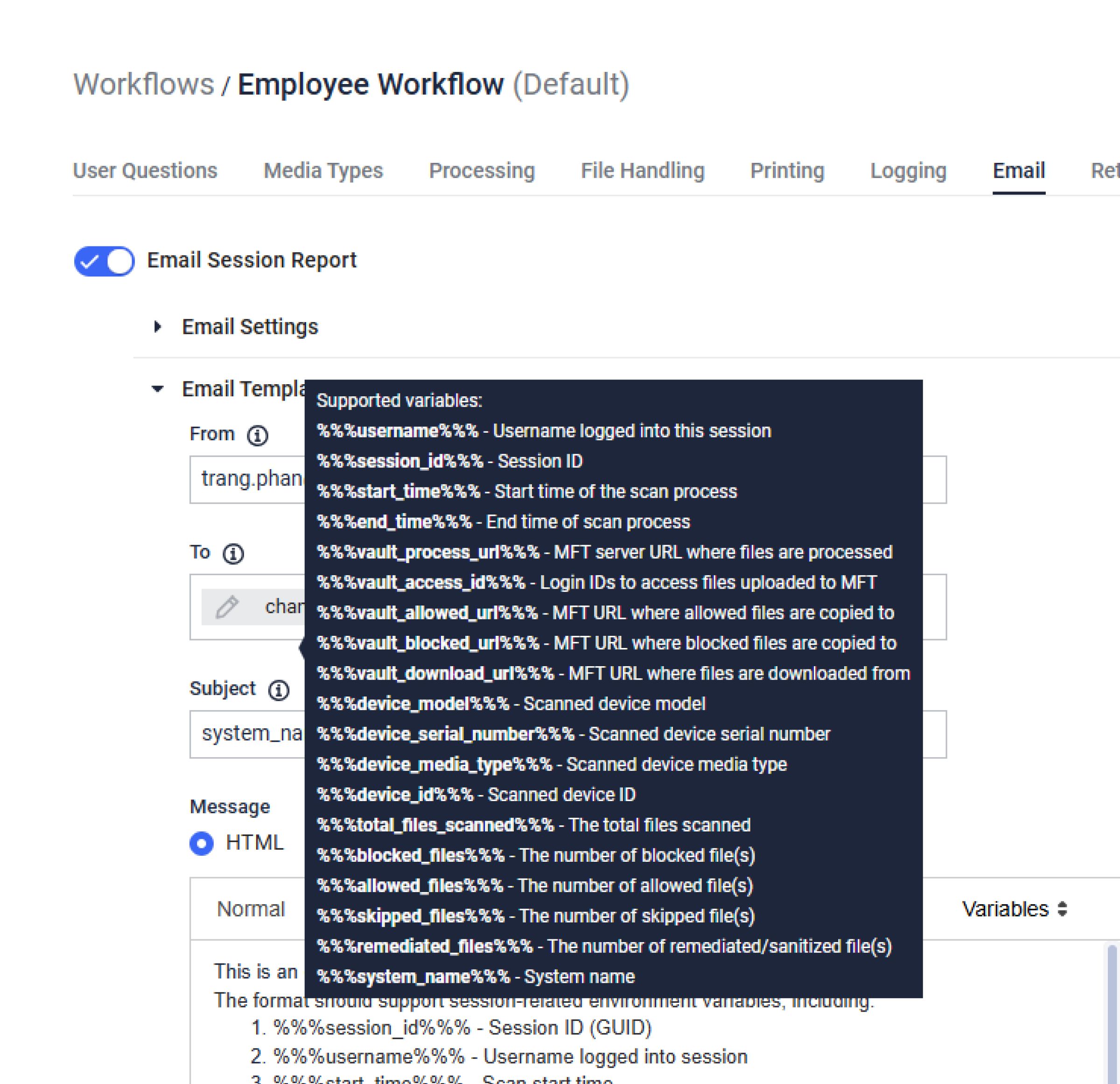
Previously, notifications sent to users’ inboxes looked identical, driving team members to open each message to determine severity, source, or affected workflow.
MetaDefender Kiosk 4.8.2 introduces dynamic variables in email subject lines, adding more flexibility for admins overseeing MetaDefender Kiosk events across distributed sites. With the right details visible in email subject lines, team members can prioritize, route, and respond to events in seconds without opening each message. This addition enables faster incident response, cleaner inboxes, and clearer audit trails across distributed sites.
Independent Media Type Permissions per Workflow
Real-world media policies are rarely the same across workflows, and each workflow poses different levels of risk. This release enables administrators to configure separate media type permissions for file processing, file retrieval, and use as secondary media on a per-workflow basis.
For instance, a single workflow can permit USB drives for processing only, allow SD cards for both processing and retrieval, and restrict optical media to retrieval only. This capability enables organizations to align their policies with varying operational needs for contractors, vendors, internal staff, and visitors.
USB Protocol Display During Scan Sessions
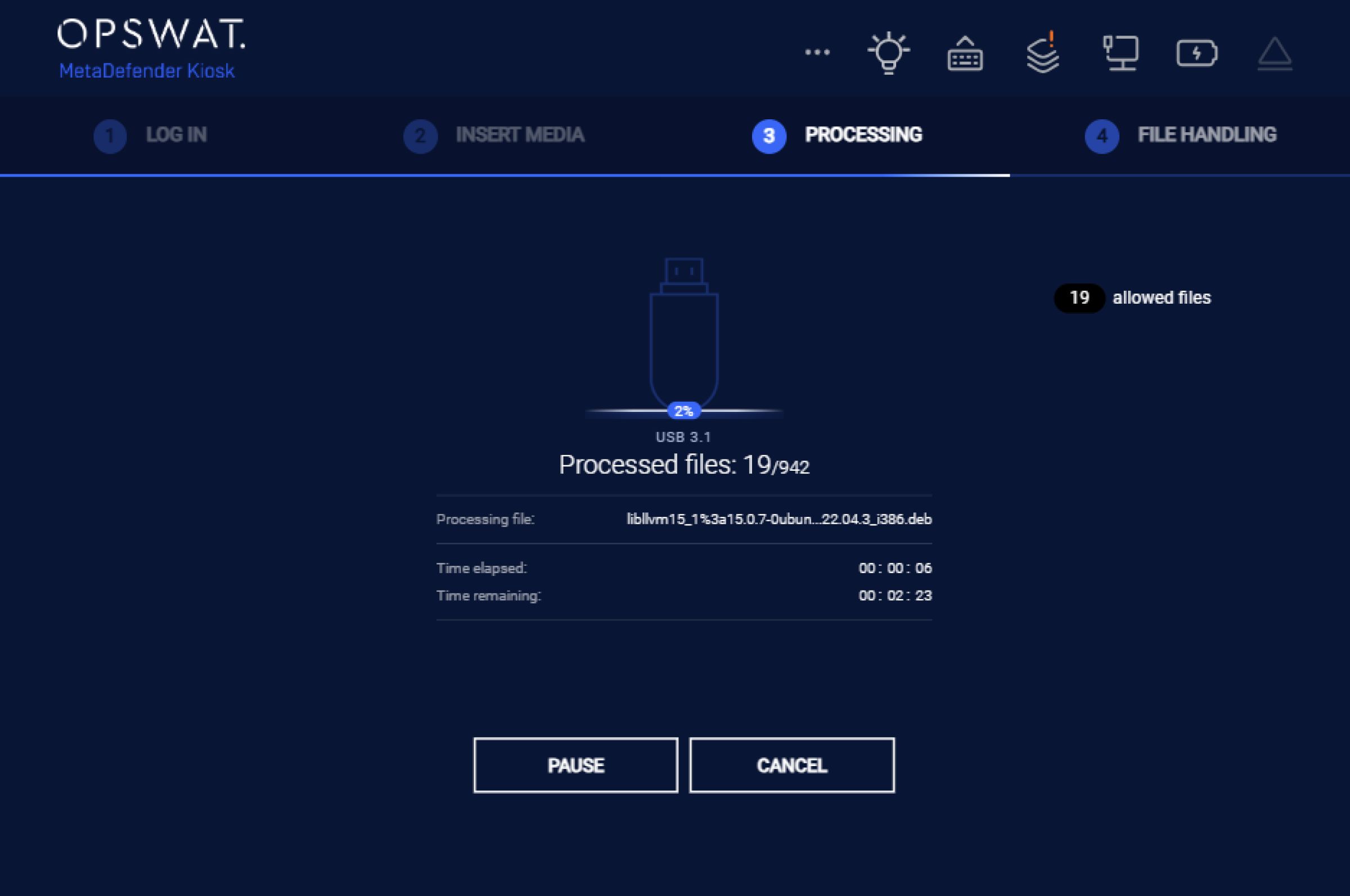
Operators now see the USB protocol version of every inserted drive directly in the MetaDefender Kiosk User Interface and in all session reports, logs, and printouts. This makes it easier to understand why some drives scan faster than others.
Application Upgrade Rollbacks from My OPSWAT™ Central Management
Building on the centralized rollout capability introduced from 4.8.0 release, this release enables remote application rollbacks from My OPSWAT Central Management. It also includes enhancements to the overall upgrade and rollback experience.
More reliable status reporting across deployments, enhanced log traceability for post-incident review, and resolution of integration issues identified during earlier rollout cycles. This helps security teams manage upgrades or reversals on many deployments across remote, regulated, or restricted sites from a single console, without on-site intervention.
Proxy Server Configuration in MetaDefender Kiosk Management Console
This release makes it easier for administrators in industrial and regulated environments to get MetaDefender Kiosk to communicate with upstream services via a proxy.
From the MetaDefender Kiosk console, administrators can configure proxy settings without leaving the management interface. This addition simplifies deployment in environments where a proxy server sits between MetaDefender Kiosk and the broader network, reducing the number of setup steps.
A Strategic Approach for Peripheral and Removable Media Protection
Discover why organizations, institutions, and entities trust MetaDefender Kiosk to protect critical infrastructure from peripheral and removable media-borne threats. Talk to our expert today to explore more.
Product Information
Solution: Peripheral and Removable Media Protection
Product:MetaDefender Kiosk™
Release Date: May 7, 2026
Release Notes: Discover more
My OPSWAT Business Portal: Download here