Deep CDR™ Technology
File Regeneration that Protects from Evasive Malware and Zero-Day Exploits
Traditional antivirus solutions miss unknown threats. Deep CDR™ Technology eliminates them entirely. Each file is disarmed and regenerated, ensuring only safe, clean and useable content reaches your systems.
Processes Files in Milliseconds
Supports Embedded Objects
Sanitizes 200+
File Types
200+ File Conversion Options
Recursively Scans Archives
Tailored Security Policies
Here’s Why Deep CDR™ Technology Matters
Insufficient Protection
AI and heuristic-based anti-malware solutions don’t disarm all file-based threats.
Undetected Threats
Zero-day threats, targeted attacks, and evasive malware may go undetected by antivirus engines.
Evasive Malware Tactics
Evasive malware avoids detection by using obfuscation techniques like steganography to deliver compressed, archived, or encrypted payloads.
Macro and Script Limitations
Outright bans on macros in Office docs and JavaScript in PDFs are difficult to enforce and may limit vital functionality.
Incomplete Archive Scanning
Traditional CDR solutions are incapable of recursively scanning archives and zip files.
How It Works
By focusing on prevention rather than just detection, Deep CDR™ Technology enhances anti-malware defenses, protecting organizations from file-based attacks, including targeted threats. It neutralizes potentially harmful objects in files traversing network traffic, email, uploads, downloads, and portable media before they reach your network.
 Step 1
Evaluate & Verify
The file type and consistency are evaluated, ensuring the correct file extensions to prevent file masquerading attacks.
- Step 2
Create & Hold
A placeholder file is created to securely hold approved content during the sanitization process.
- Step 3
Disarm & Rebuild
The original file is disarmed, and approved objects are moved into the placeholder, preserving the original file’s structure before regenerating usable components like pointers and tables.
- Step 4
Test & Validate
The regenerated file undergoes integrity testing to ensure it remains fully functional and threat-free.
- Step 5
Quarantine & Protect
The original file is quarantined for security and further analysis, preventing any residual threats from accessing the network.




Core Benefits
Comprehensive
Protection from out-of-policy or potentially malicious code, with support for a wide range of objects beyond just macros.
Powerful
Enough to defeat obfuscation techniques, including steganography, by removing potential threats.
Reliable
Threat removal for complex files that maintains file usability
Flexible
Configuration enables allowlisting, removing, or examining active content such as macros or URLs.
In-Depth
Reporting of sanitized components and forensic data for malware analysis.
Efficient
Enough to disarm and regenerate new, usable files in milliseconds.
See It in Action
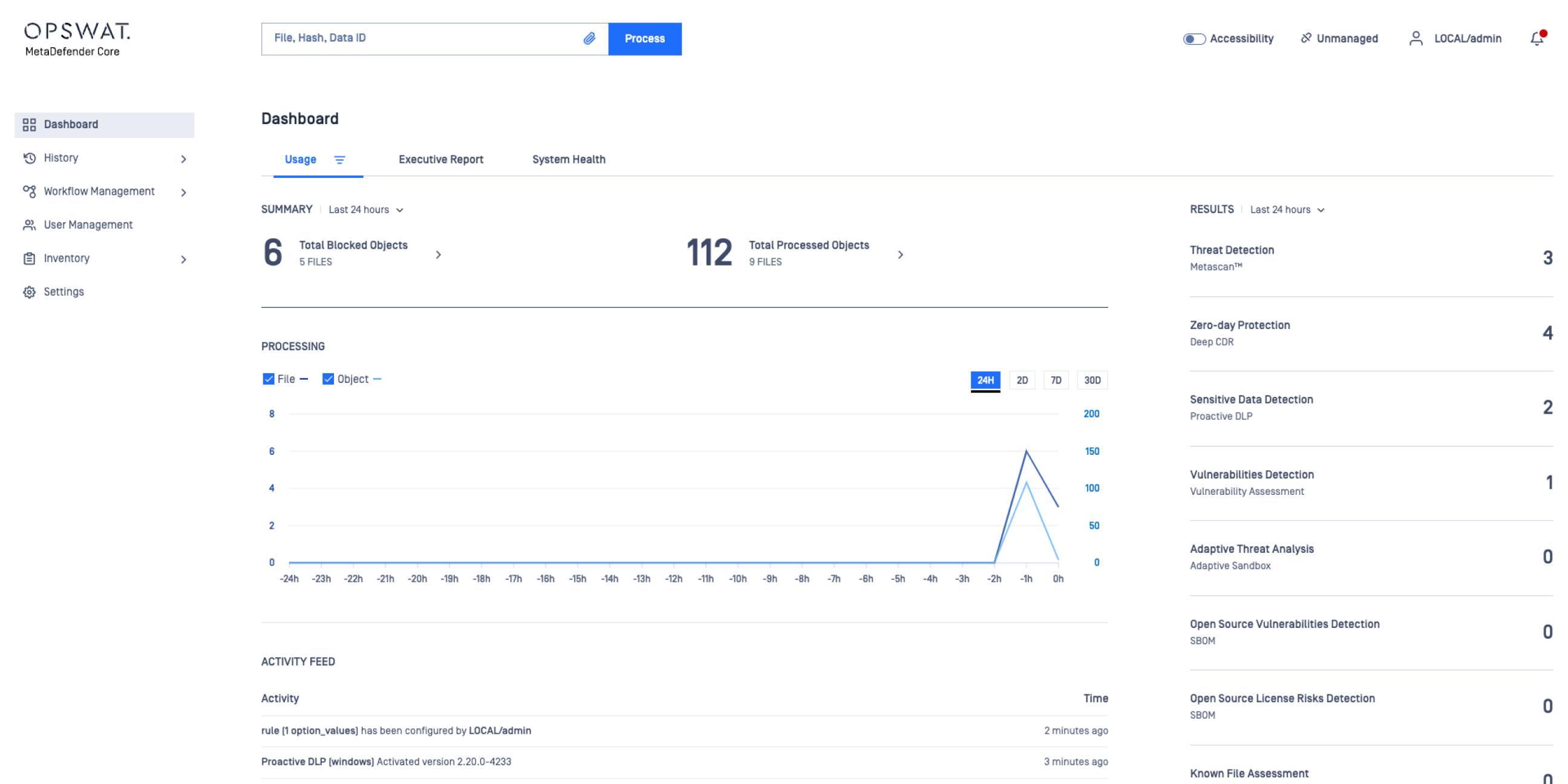
Effectively eliminate zero-day targeted attacks by relying on prevention rather than detection
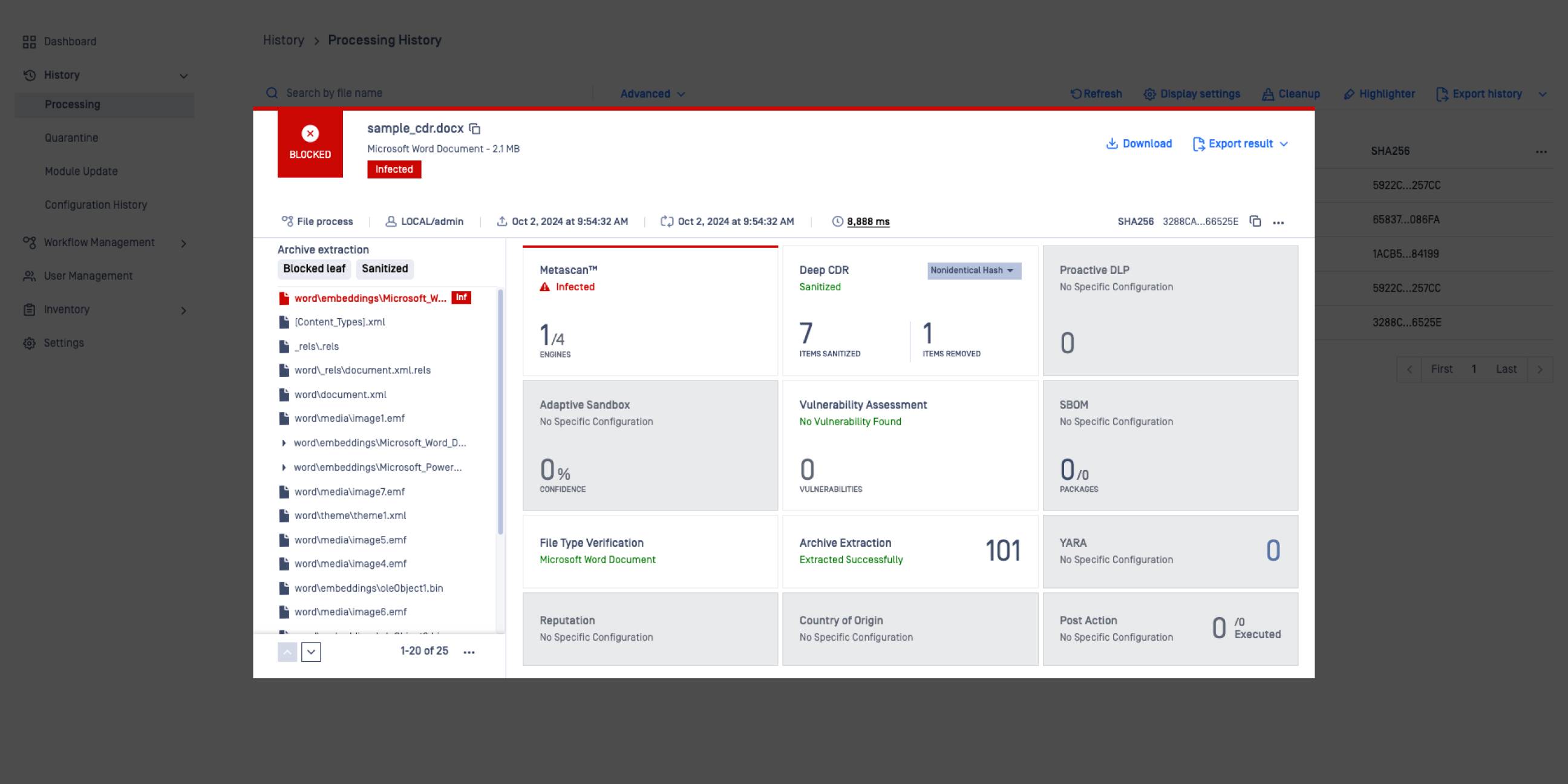
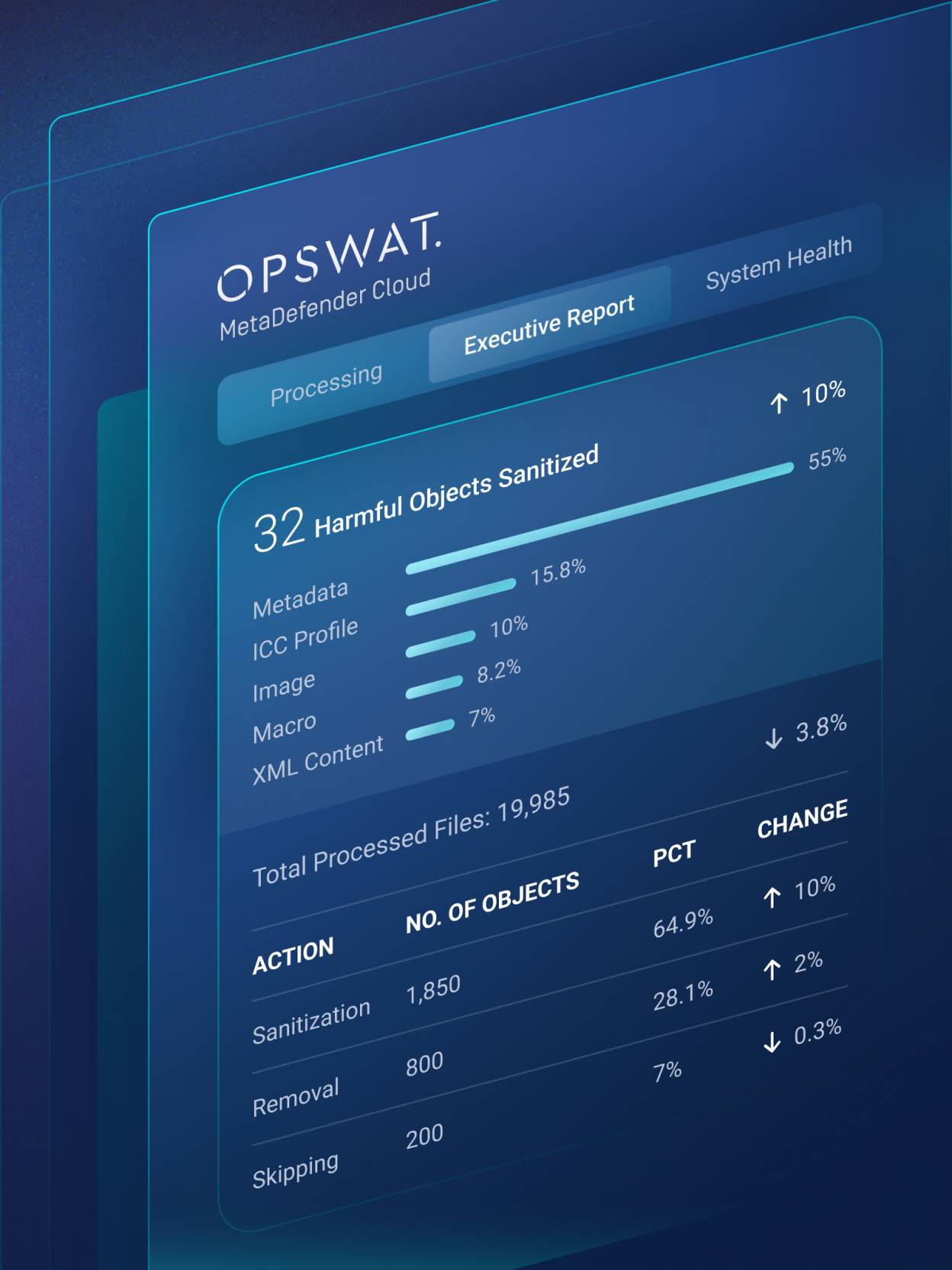
Real-time data enhances visibility and control.
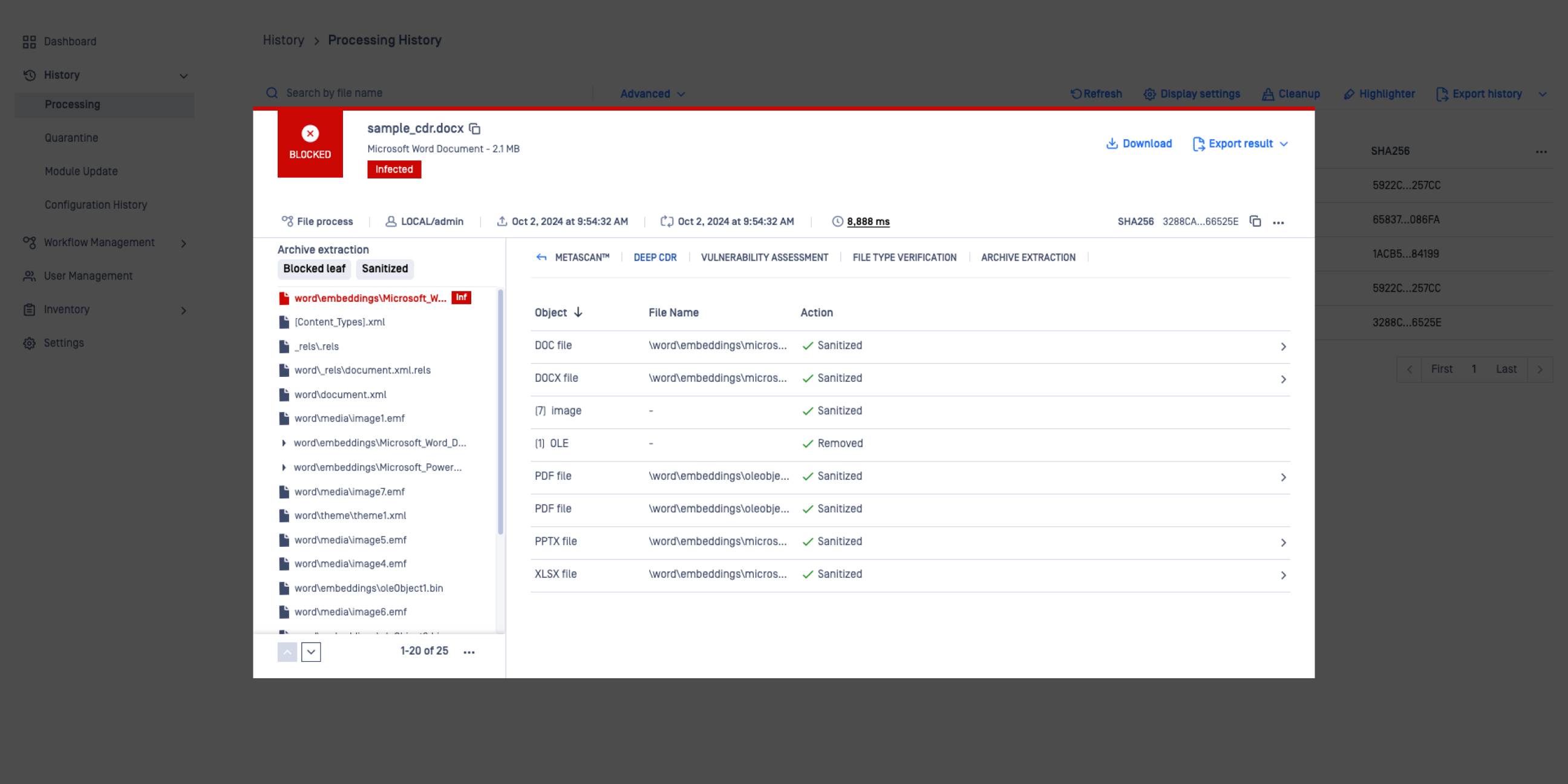
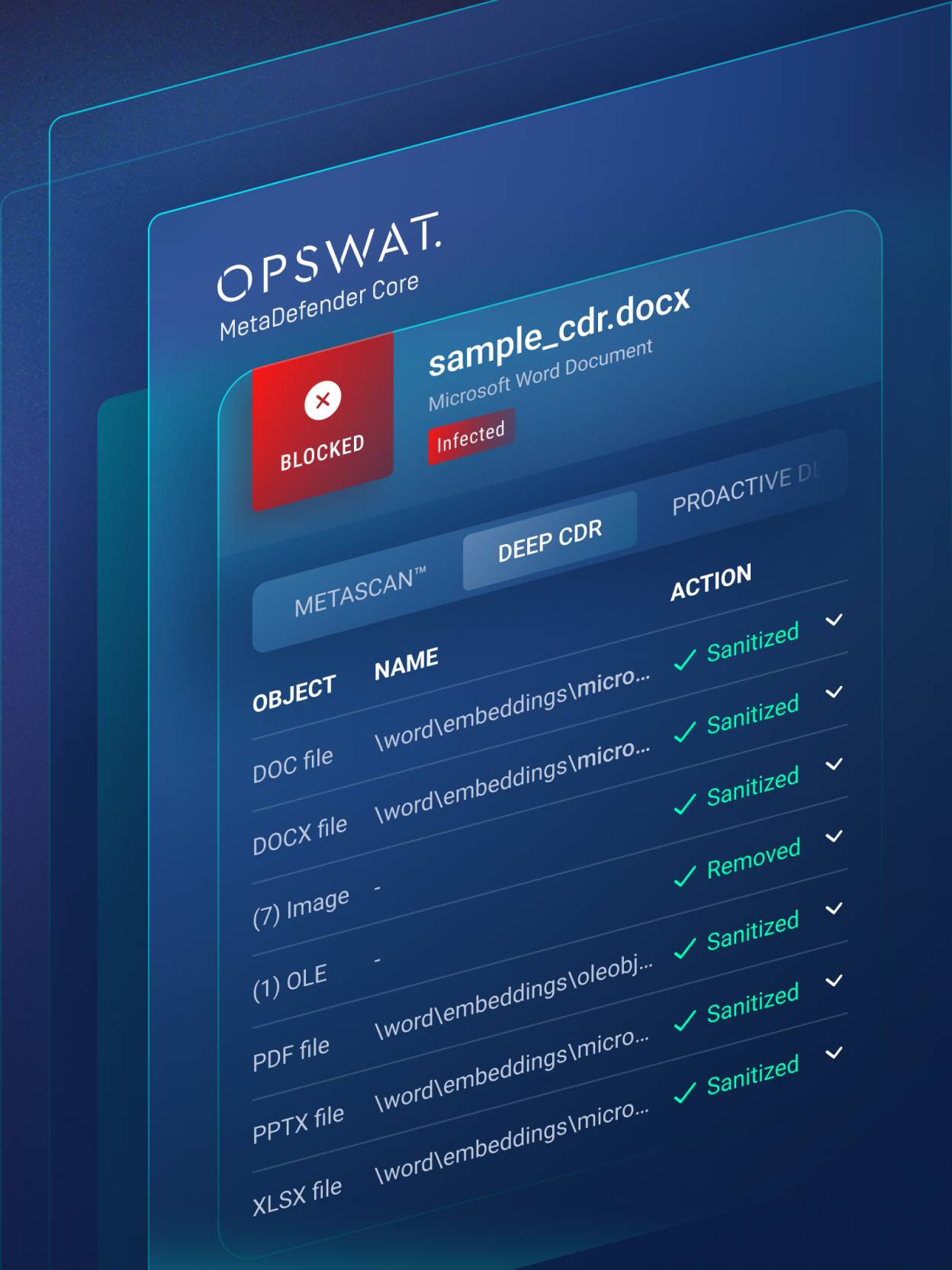
Object listing enhances visibility into all processed objects within a sanitized file.
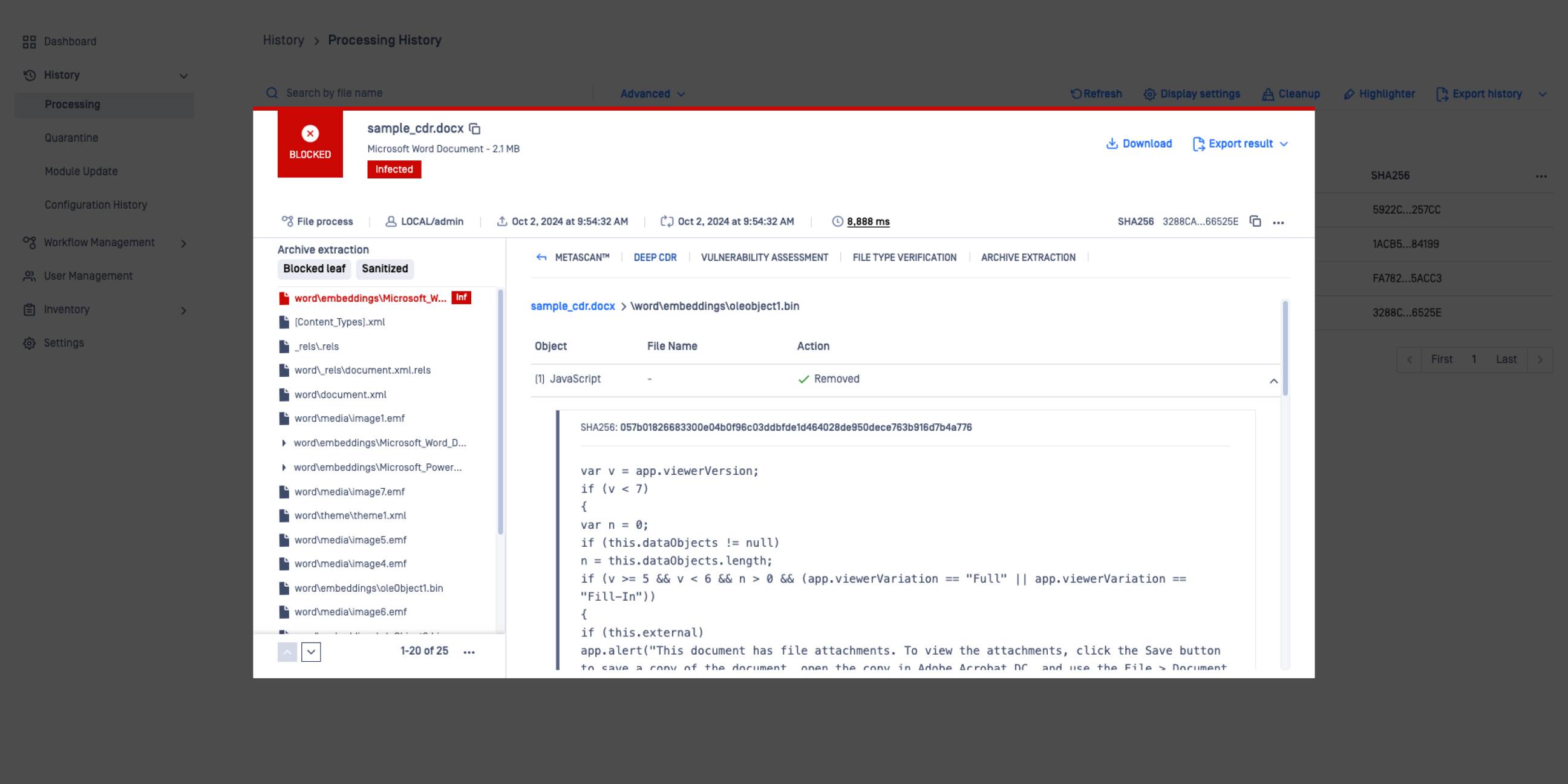
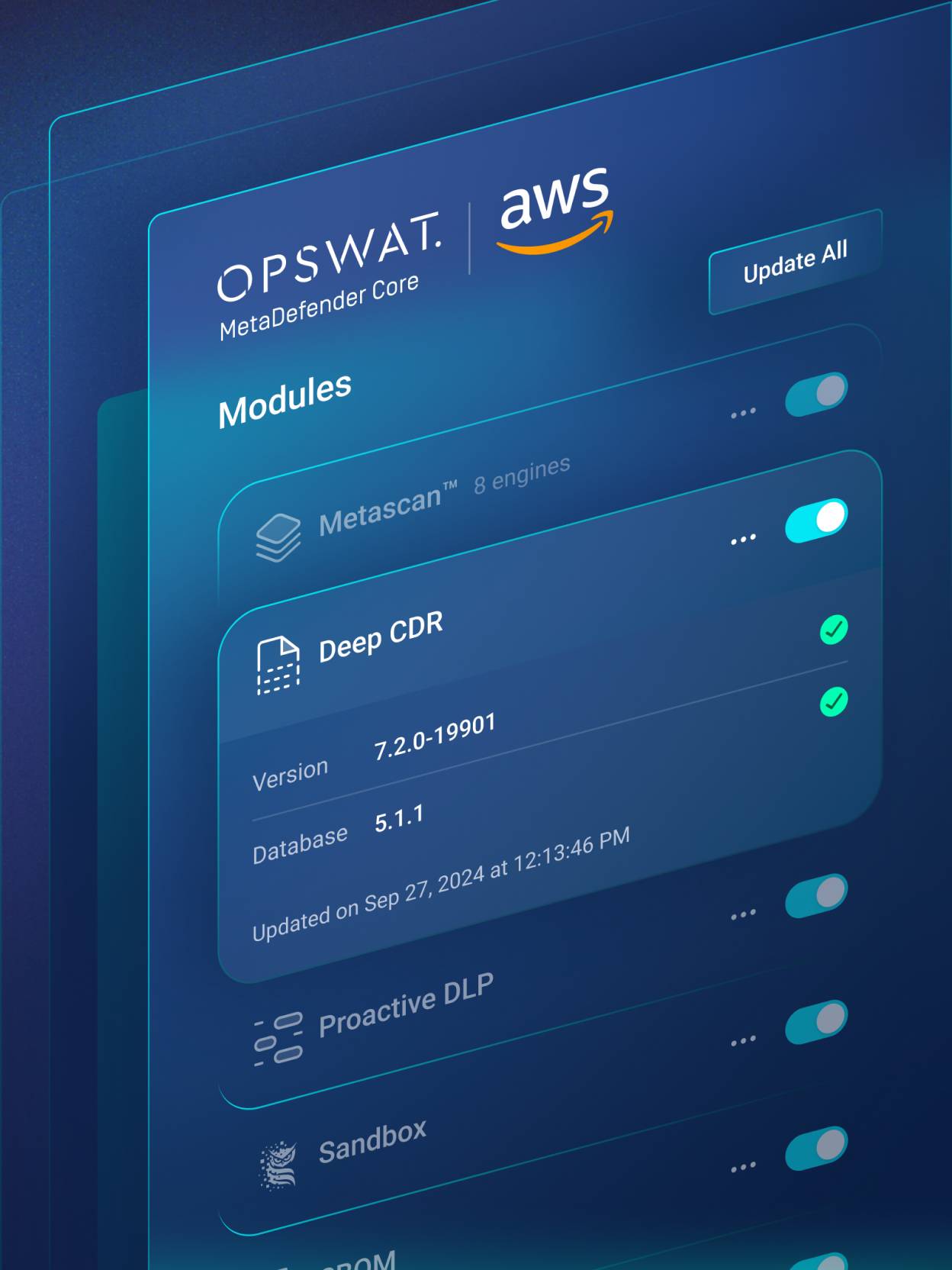
Customize how potentially harmful objects are handled to align with your specific goals.
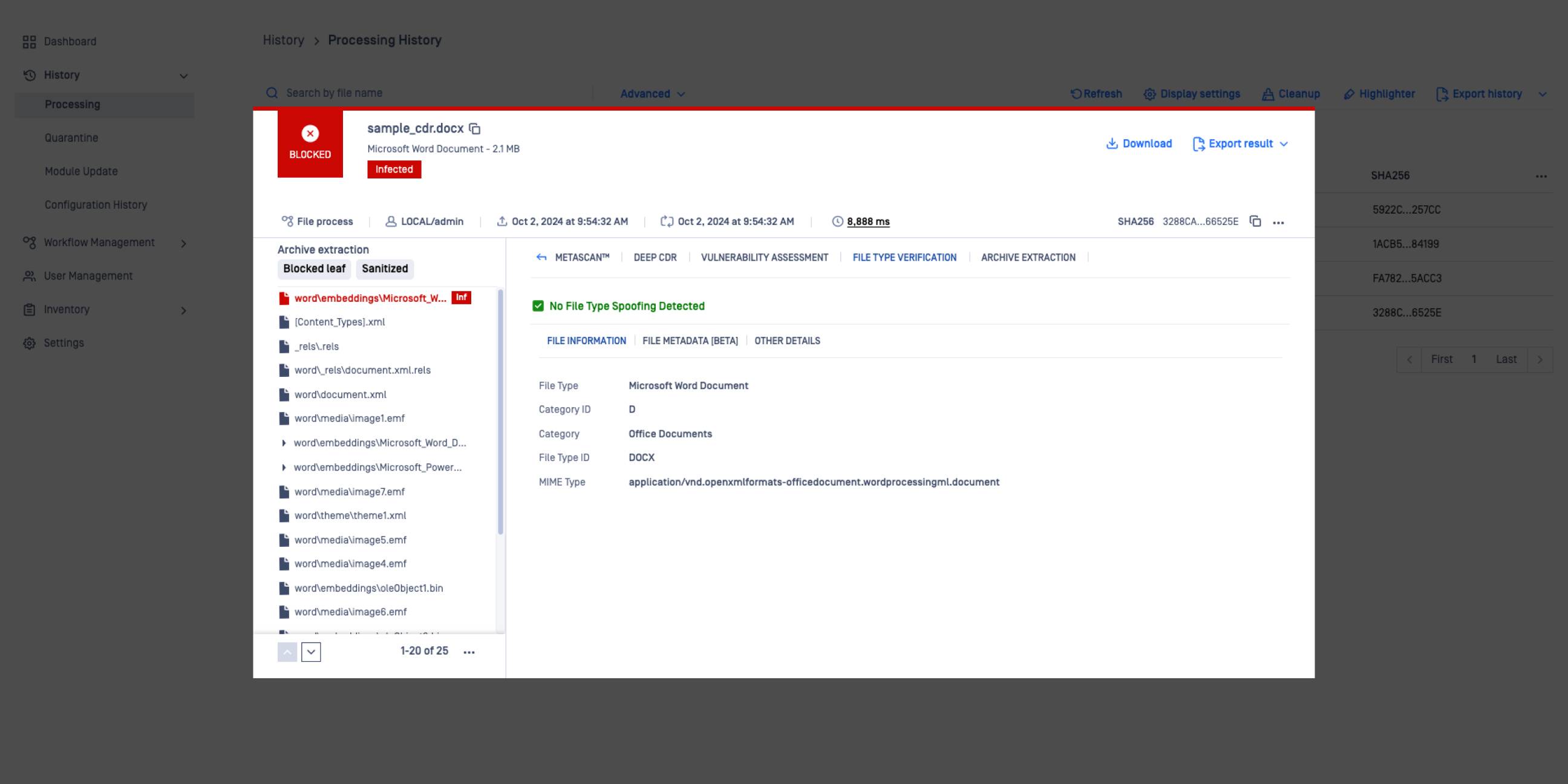
Object listing enhances visibility into all processed objects within a sanitized file.
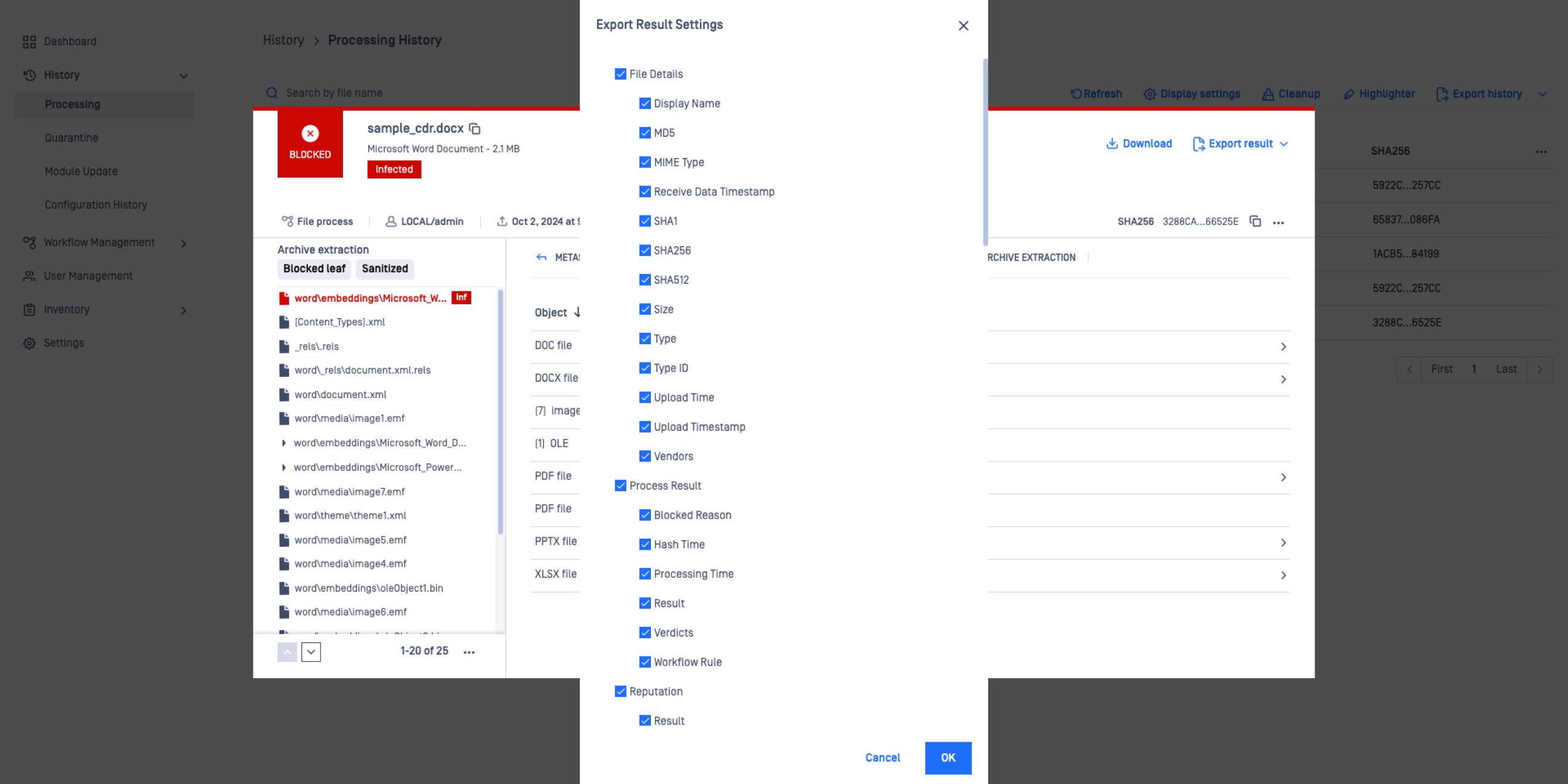
Deep CDR™ Technology returns detailed forensic info for the disarmed files.
 Zero-day Protection
Effectively eliminate zero-day targeted attacks by relying on prevention rather than detection
- Deep CDR™ Technology
Real-time data enhances visibility and control.
- Sanitized Objects
Object listing enhances visibility into all processed objects within a sanitized file.
- Customizable Action
Customize how potentially harmful objects are handled to align with your specific goals.
- File Type Verification
Object listing enhances visibility into all processed objects within a sanitized file.
- Deep Diagnostic Data Export
Deep CDR™ Technology returns detailed forensic info for the disarmed files.
Explore 200+ Supported File Types
Explore the file types below and click through to see performance data, supported versions and review sample files.
Deployment Options
Deep CDR™ Technology Reports & Diagnostics
100% Sanitization Rate in AV-Comparatives' Independent Review of Deep CDR™ Technology
OPSWAT Deep CDR™ Technology: First and Only to Achieve 100% Total Accuracy Rating from SE Labs
100% Rating in SecureIQ Lab’s Content Disarm & Reconstruction Test
Deep CDR™ Technology Performance Testing
See detailed processing speeds of some the most popular file types in different operating environments.
Customers Talk about Deep CDR™ Technology

“We could see their product had a proven track record for what we needed it to do. We felt confident in engaging OPSWAT for a solution.”

“We believe that OPSWAT and FileZen S are indispensable to our city in order to conduct operations that are safe and do not compromise efficiency.”
“...OPSWAT’s Deep CDR™ Technology gives us the broadest list of supported files, the best integrations to third parties, and the easiest management interface.”
"With OPSWAT’s MetaDefender [Email Security] in place, every entry point is covered.... Knowing that no malicious content can enter our network gives us peace of mind."
“OPSWAT’s was far superior compared to the sanitization engines proposed by other companies.”
“With a CDR solution [like OPSWAT], we can be sure that files uploaded to our platform are clean of all malware.”
“We rigorously evaluated Deep CDR™ Technology's capabilities, focusing on its ability to pre-empt disruptions to productivity, safeguard data integrity...”

“You have to control what goes onto your network, period. It's going to take holistic solutions like OPSWAT... to reduce that threat.”









Recommended Resources
 Datasheet
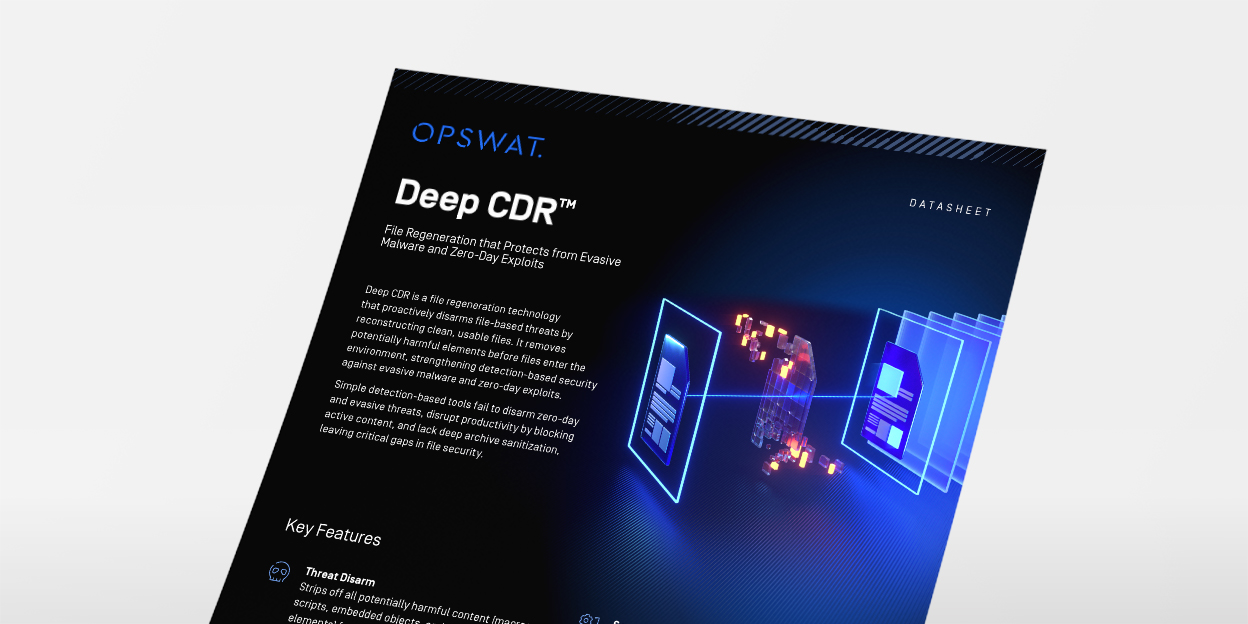
Deep CDR™ Technology Datasheet
- Brochure
Deep CDR™ Technology Brochure
- Blog Article
How Base64 Encoding Opens the Door for Malware
- Blog Article
How Emerging Image-Based Malware Attacks Threaten Enterprise Defenses
- Blog Article
Stop QR Code Phishing - Protect Critical Infrastructure
- Blog Article
Is there anything you can do about Follina?
- Blog Article
Deep CDR™ Technology prevents Advanced Maldoc Techniques - VBA Stomping
- Blog Article
BLINDINGCAN: A New Trojan Strain Abusing Microsoft Attached Document Template
- Blog Article
Automating Content Disarm and Reconstruction (CDR) Testing with OPSWAT Visual Comparison
- Blog Article
Preventing Evasion Techniques in Excel Files with Deep CDR™ Technology
- Blog Article
67 Reasons – Why You Need Deep CDR™ Technology
- Blog Article
Questions to Ask When Selecting a CDR Vendor
- Blog Article
Deep CDR™ Technology brought to you by OPSWAT and F5
- Blog Article
Deep CDR™ Technology Sanitizes Hidden Threats in an archive file
 Blog Article
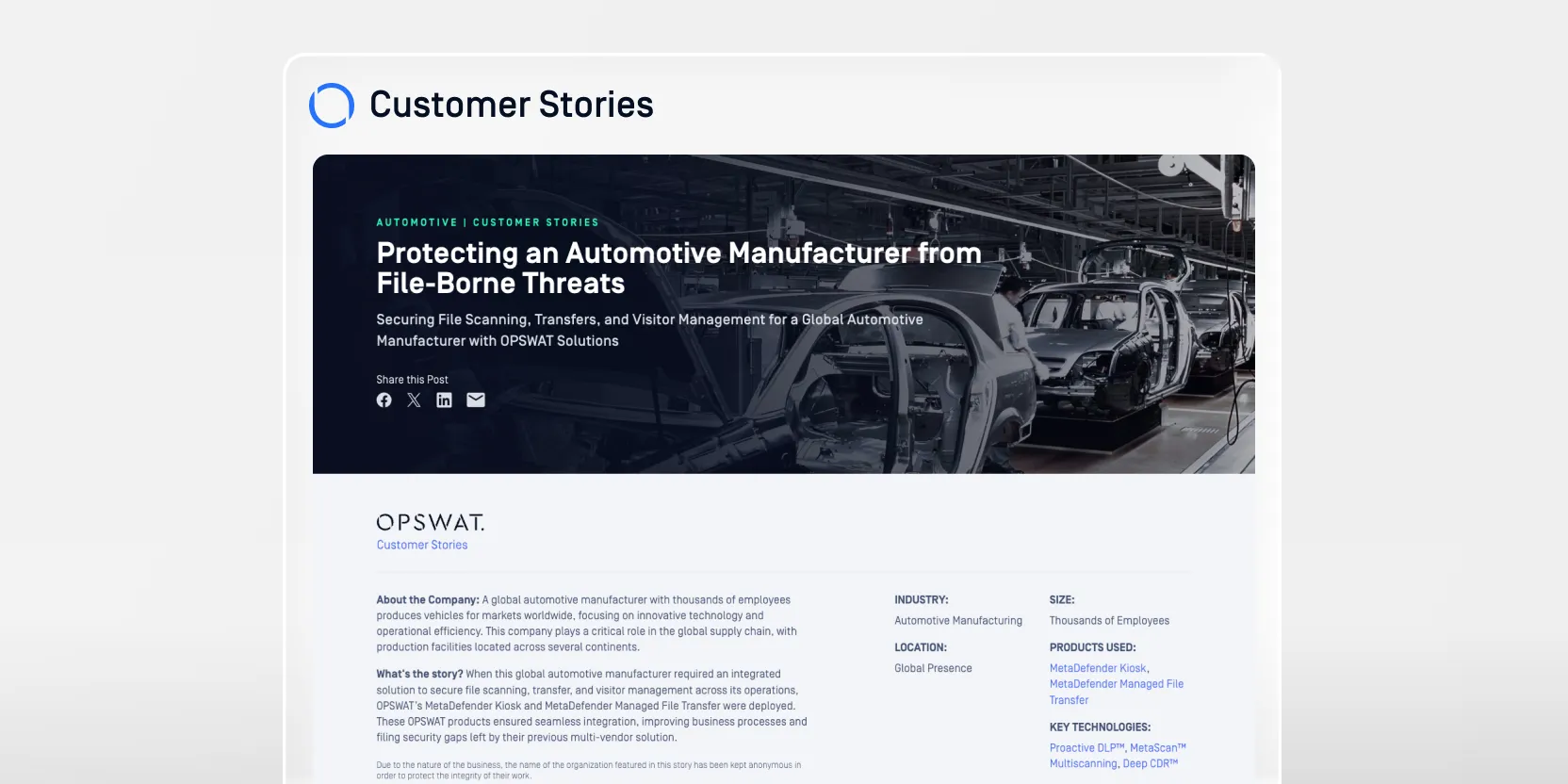
Protecting an Automotive Manufacturer from File-Borne Threats