
This article applies to all MetaDefender Core releases deployed on Windows and Linux systems from version v5.14.2
Overview
The Client Identity capability in MetaDefender Core (MD Core) lets integrators attach source/client metadata to scan requests. This allows administrators to identify which client system or integration submitted a file for scanning and improves traceability in multi-client deployments.
Why This Matters
In environments where multiple systems connect to a shared MD Core instance (for example, Kiosks, MFT workflows, or API gateways), it is often necessary to:
Track the originating client for each request
Improve auditability of scan traffic
Speed up troubleshooting and reporting
About the client-identity Header
client-identity is an optional header designed to carry identification context for scan requests.
In a chained workflow (example: MetaDefender Kiosk → MetaDefender MFT → MetaDefender Core), this metadata can represent one or more client hops and helps MD Core log who/what initiated the scan.
Typical Metadata Included
The header can contain details such as:
Client/system name
Client hostname
User name associated with the request
Deployment ID (unique identifier for the client site/instance)
Timestamp captured at the client side (when the file/request was received)
Client product/version information
Scan Workflows That Support Client Identity
Client identity metadata can be submitted with common scan flows, including:
Synchronous analysis
Asynchronous analysis
Local scan
Scan from link
Batch scanning
Multipart upload sessions
Common API Operations Where Client Identity Applies
Client identity information can be used with the scan request and later retrieved/validated through API calls such as:
Fetch / Status Requests
Fetch analysis result
Fetch analysis result by hash
Retrieve batch analysis status
Submission Requests
Submit file for analysis (async)
Submit file for analysis (sync)
Create/initiate batch
Create multipart upload session
Where You Can View Client Identity Information
Once submitted, client identity details can be reviewed from multiple sources:
MetaDefender Core Web Console
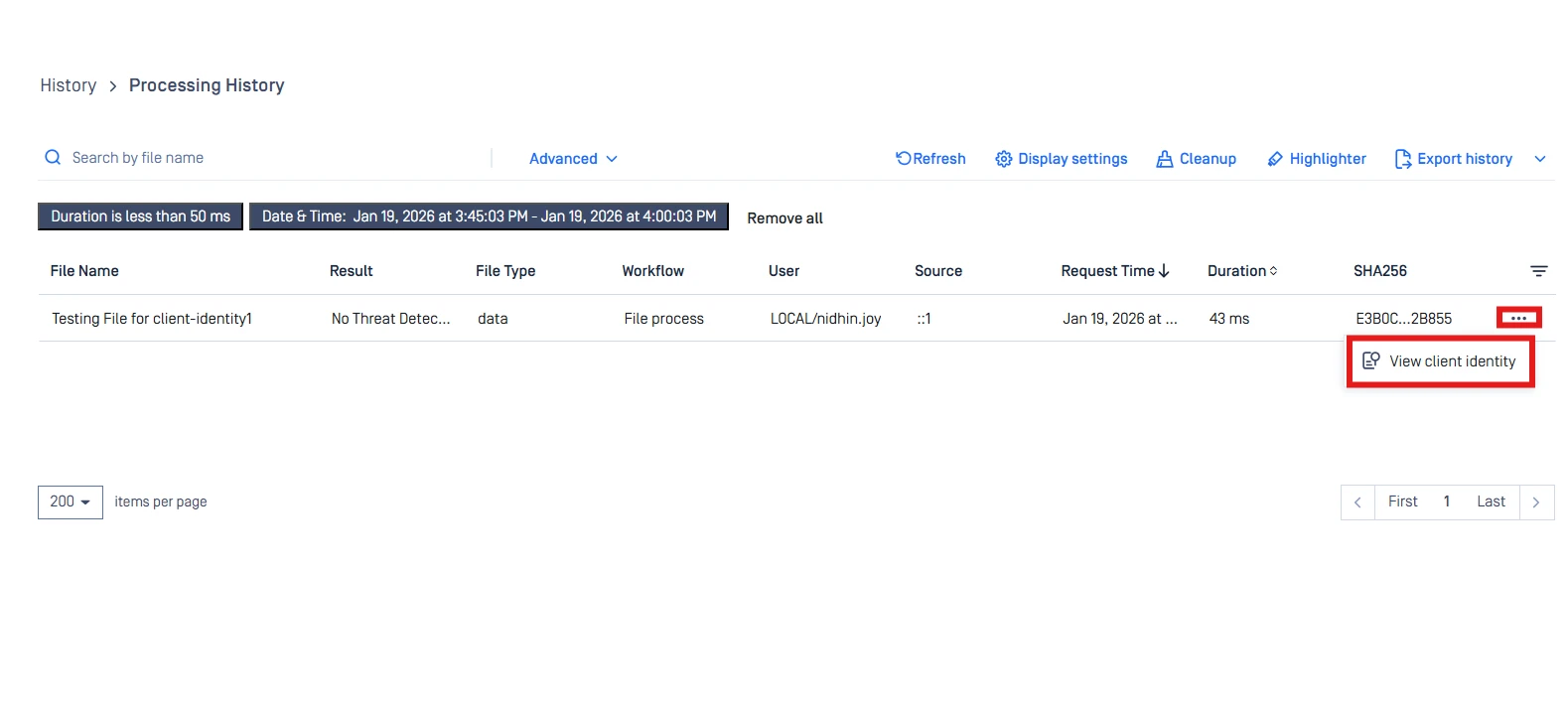
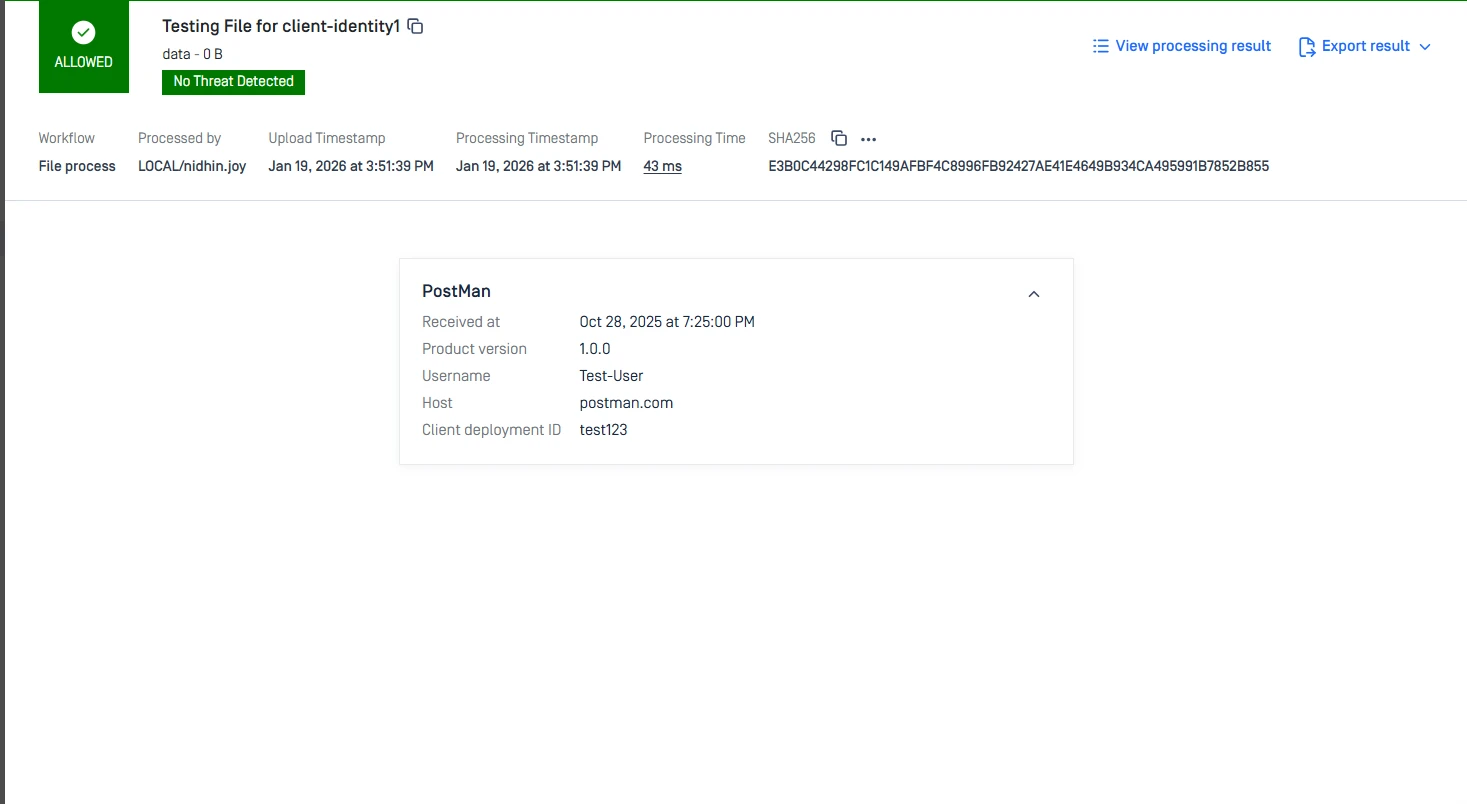
View scan request details through the UI (Processing History → View Client Identity).
Processing Result JSON
The client identity payload is included as part of the processing result output.
My OPSWAT Central Management (MOCM)
MD Core forwards client identity as part of scan reporting for centralized monitoring and reporting.
Example JSON Payload
Standard Example
Example Used in Testing
Parameter Description
Field | Type | Description | Key Types |
|---|---|---|---|
deployment_id | String | Unique identifier for the originating client deployment. | REQUIRED |
user_name | String | User identity associated with the scan request. | REQUIRED |
product_type | String | Client integration/product name (e.g., Kiosk, MFT, Postman). | REQUIRED |
version | String | Client product version sending the request. | OPTIONAL |
host | String | Hostname or domain of the client source system. | OPTIONAL |
timestamp | Number | Unix timestamp (milliseconds) captured for the request at the client side. | REQUIRED |
Implementation Steps
Include the
clientsobject in the scan request payload sent to MD Core.Add the
client-identityheader (if required by your integration approach).Submit the scan request using Postman or your application.
Open Processing History in the MD Core UI and select View Client Identity.
Verification
Validate that the values shown match what was sent from the client.
Screenshots:
PostMan/API Client:
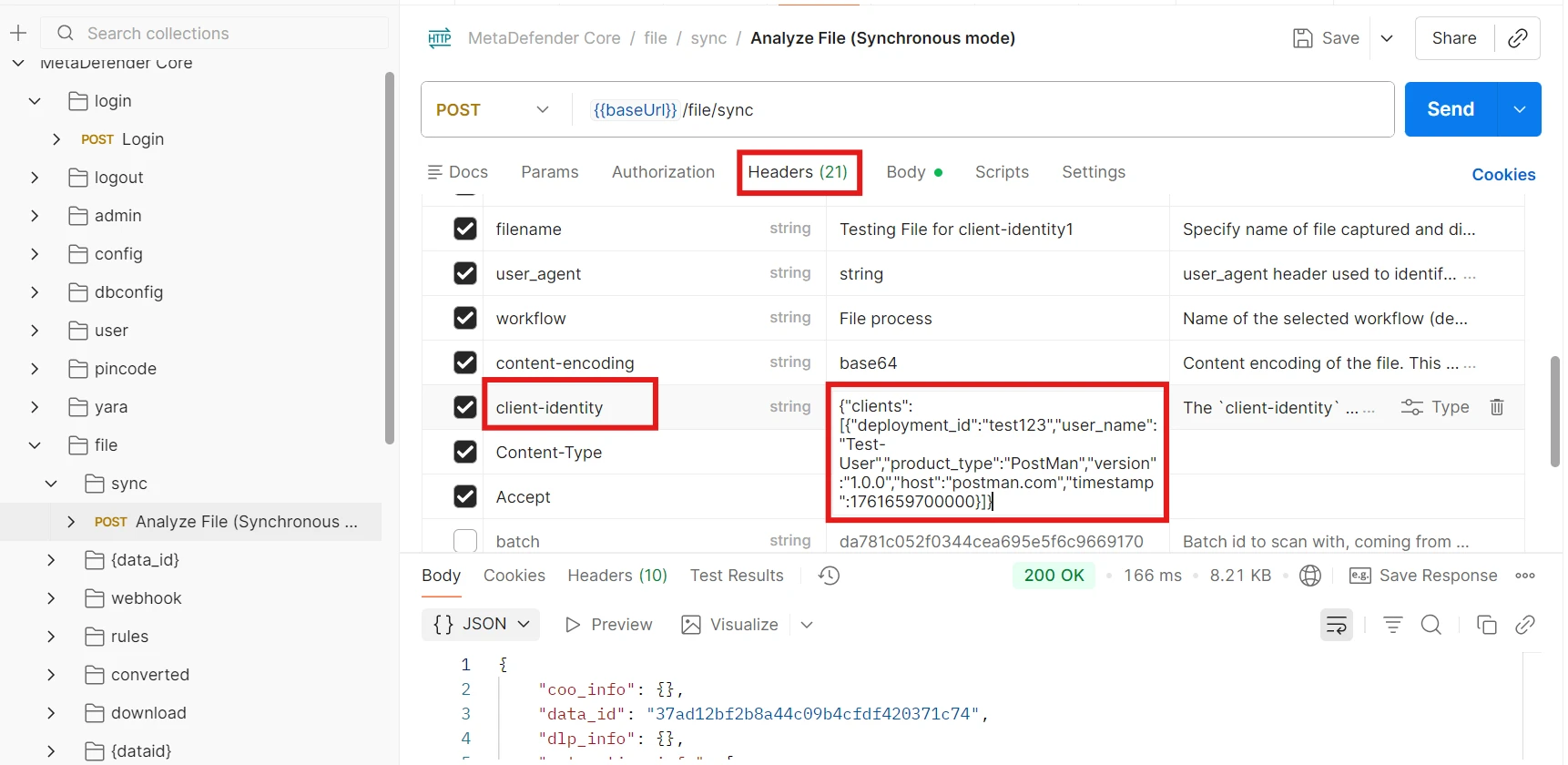
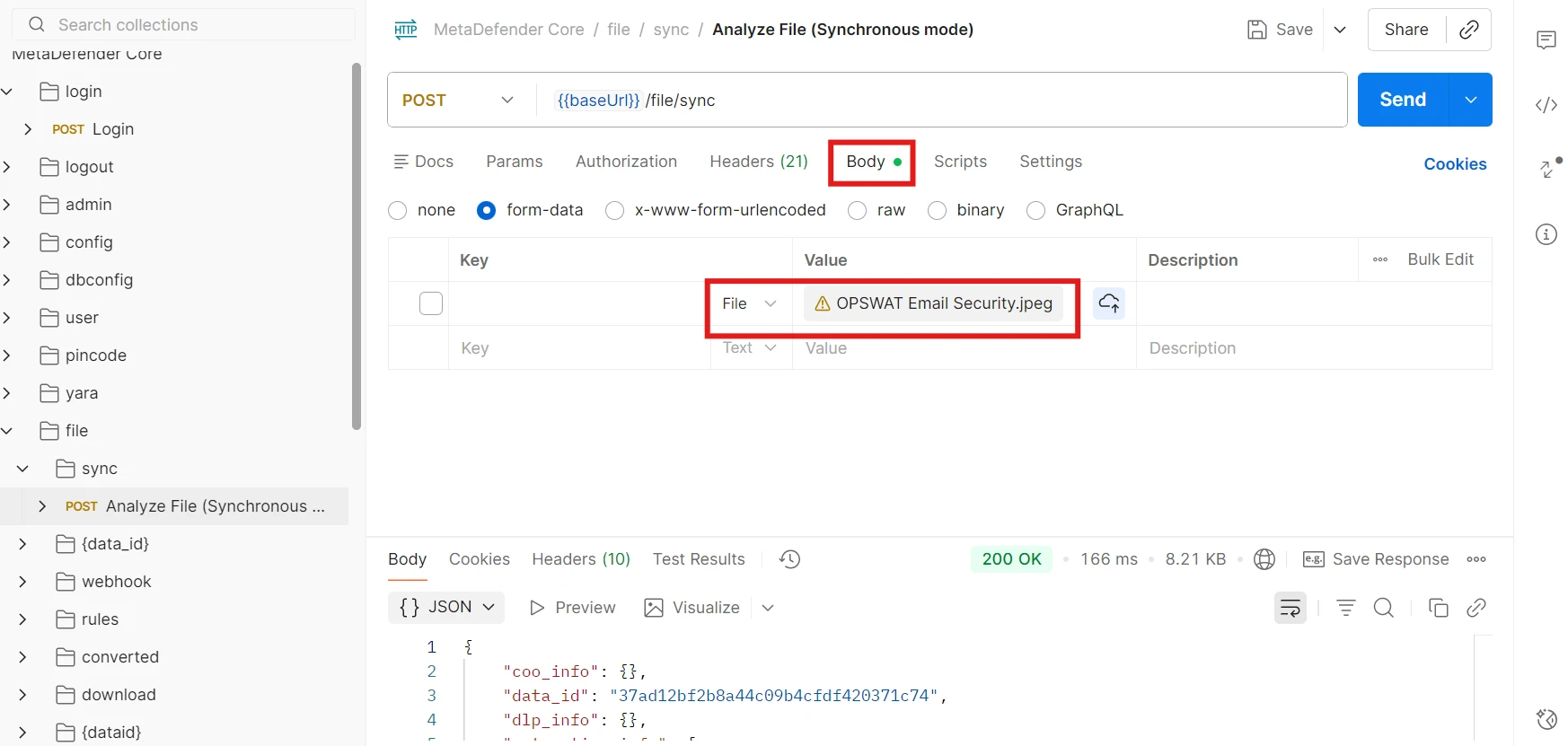
MD Core:
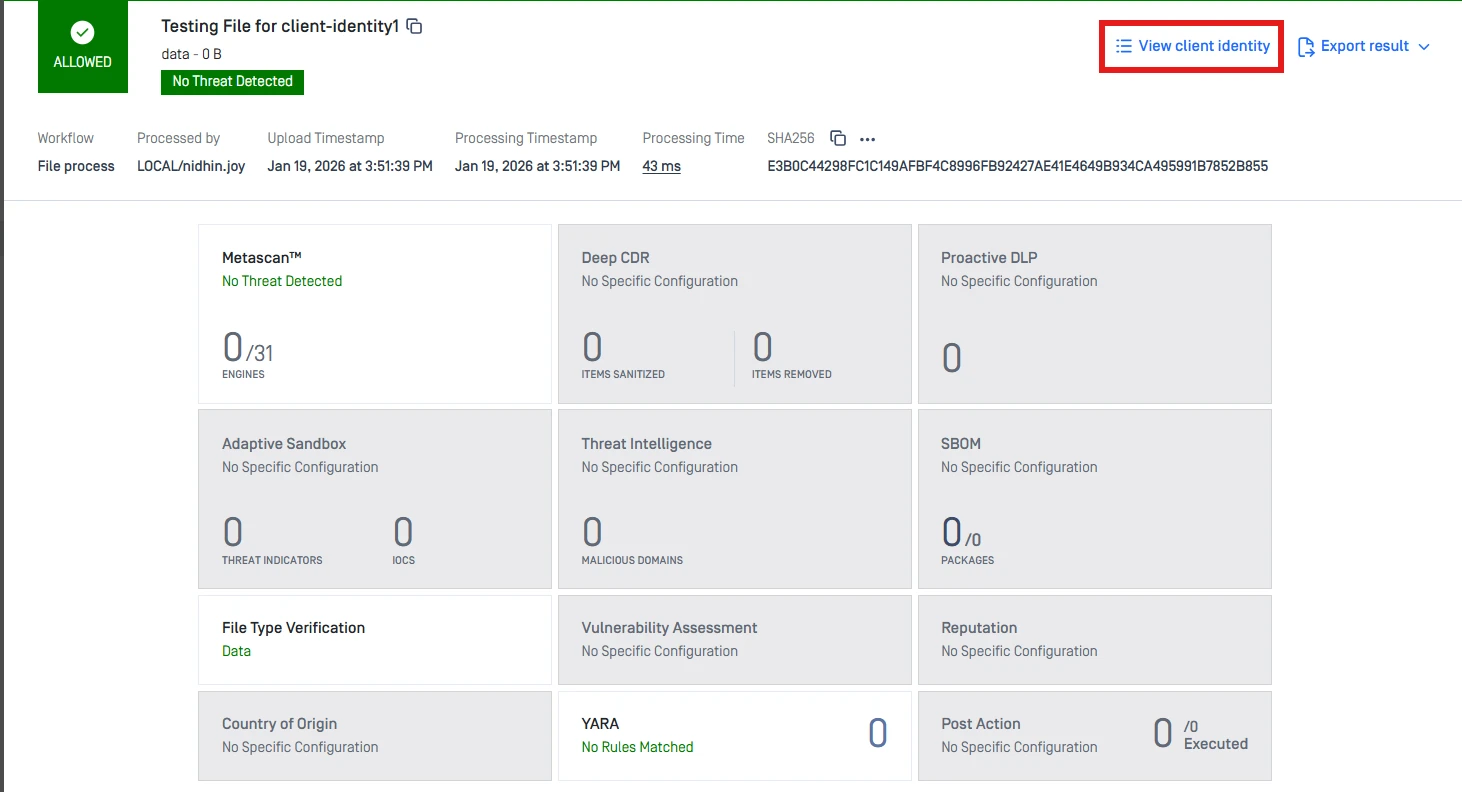
Or:
Notes / Best Practices
Use consistent naming conventions for
deployment_id,host, andproduct_typeacross all integrations.
If Further Assistance is required, please proceed to log a support case or chatting with our support engineer.