
This article applies to all MetaDefender Core releases deployed on Windows and Linux systems.
When the license associated with MetaDefender Core reaches its expiration date, the licensed modules and engines will stop receiving updates. This may impact the effectiveness and security posture of your system, as engine definitions and threat intelligence become outdated.
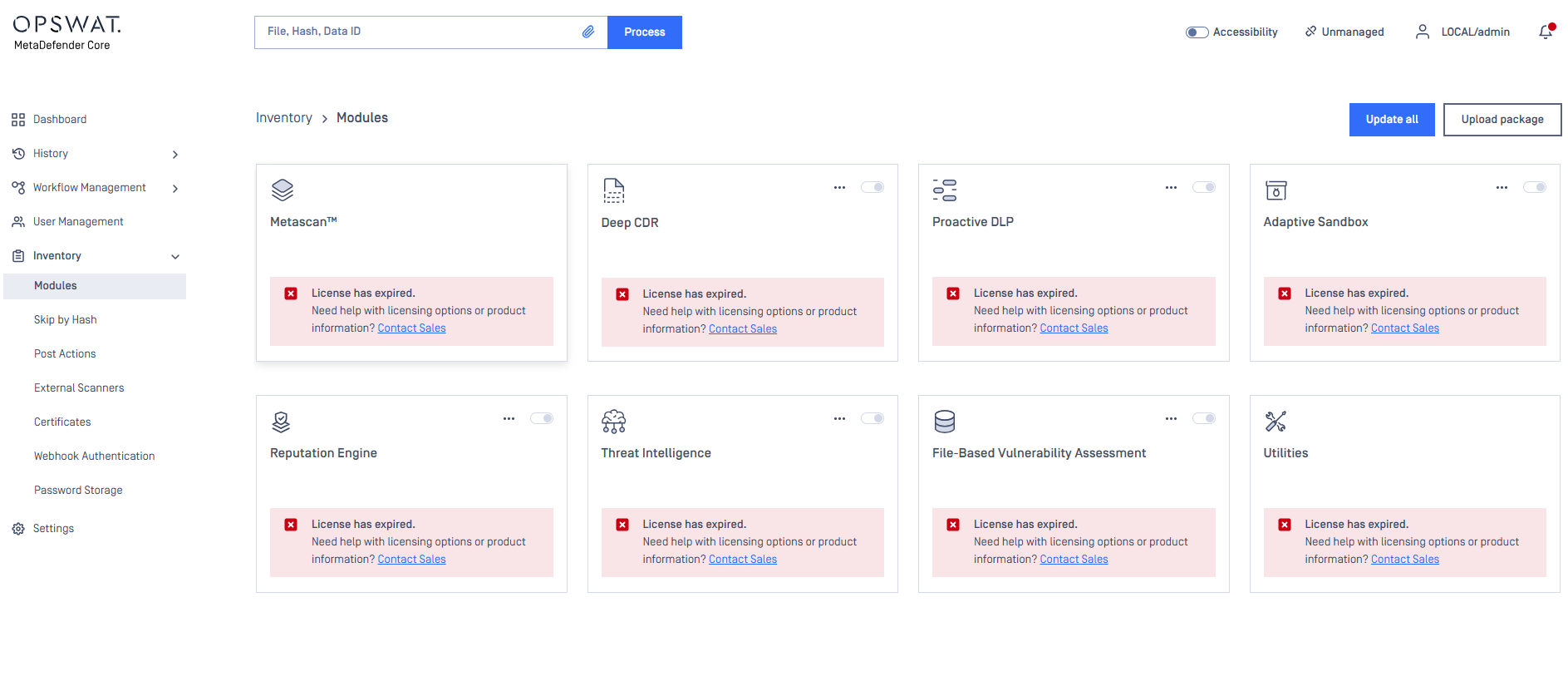
Once the License Has Expired:
Engine Updates Will Cease All associated engines—such as Metascan, Deep CDR, Threat Intelligence, and others—will no longer receive updates.
License Expiration Banner A red warning banner will appear in the MetaDefender Core UI (as shown in the image), indicating that the license has expired and prompting you to contact Sales.
Manual Updates Restricted Even if updates are attempted manually, engine or module updates will fail until a valid license is restored.
Unable to Scan Files Once the engines have expired, MetaDefender Core will be unable to scan any files until the license is renewed.
What to Do Next:
Please contact our Sales team to renew or extend your license based on your usage needs.
If Further Assistance is required, please proceed to log a support case or chatting with our support engineer.