
In what situation should we define an alarm?
The scope of an alarm is to raise awareness when an issue appears, thus the alarm should be always set.
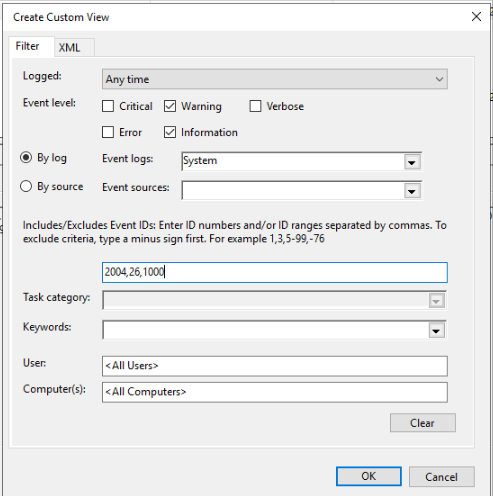
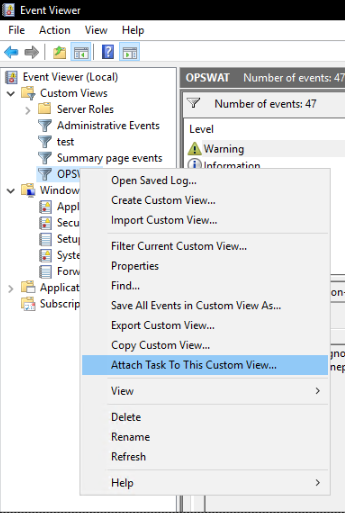
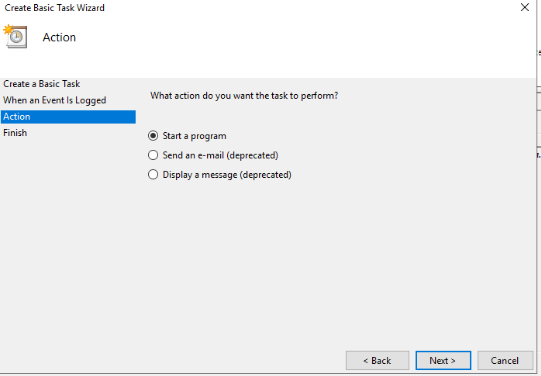
A script can be triggered to follow a specific action.
When the event level is selected, which keywords should be specified to determine those related to OPSWAT?
The applications that might fail during such events are listed below:
For MD Core:
pg_ctl.exe
ometascan.exe
Engineprocess.exe
Engineprocess32.exe
OMMSProcessor.exe
postgres.exe
nginx.exe
clamd.exe
In which section does Event ID 2004 (Resource-Exhaustion-Detector) create an alarm? I couldn't find any examples.
The Event ID 2004 will be found in System, with a Warning level. This will provide the list with 3 applications which used most RAM during this event.
The event itself should trigger a warning or alarm as it states that there is a memory availability issue, and the system might become unstable. If the event also contains any of the mentioned applications at point 2, it means that OPSWAT applications require more resources than available.
There is no problem for Application error (Event ID 1000), I saw them in the event viewer and provided detailed information for their definition. I am especially expecting full details and examples from you for event id 2004 and 26.
Please find below some examples for event ID 2004:
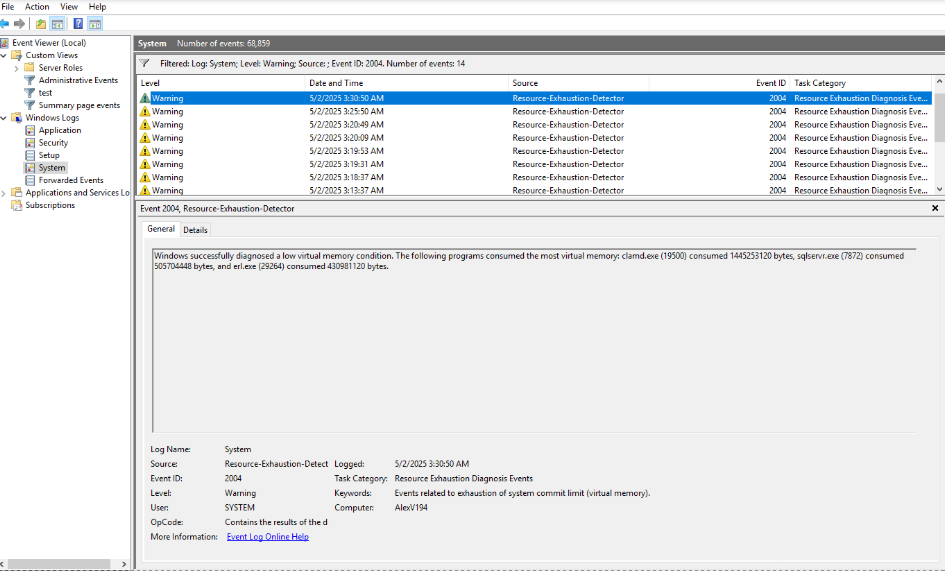
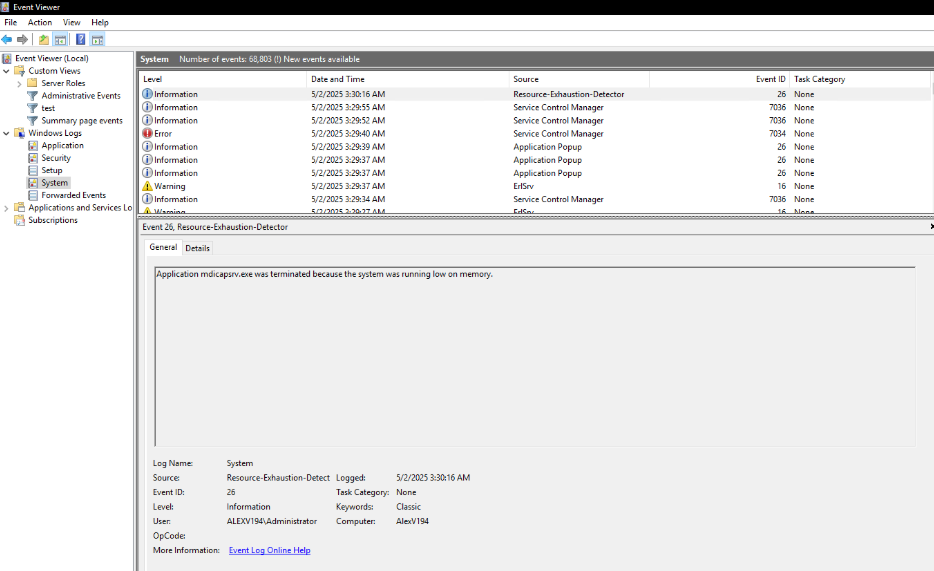
Also, for the event ID 26:
If Further Assistance is required, please proceed to log a support case or chatting with our support engineer.