
For security purposes, an API Key, once displayed, cannot be retrieved again. Store your API Key securely, as it will be required each time you configure webhook registration. This API Key serves as the secret key for HTTP POST header authentication.
Steps to Generate an API Key:
Navigate to Users.
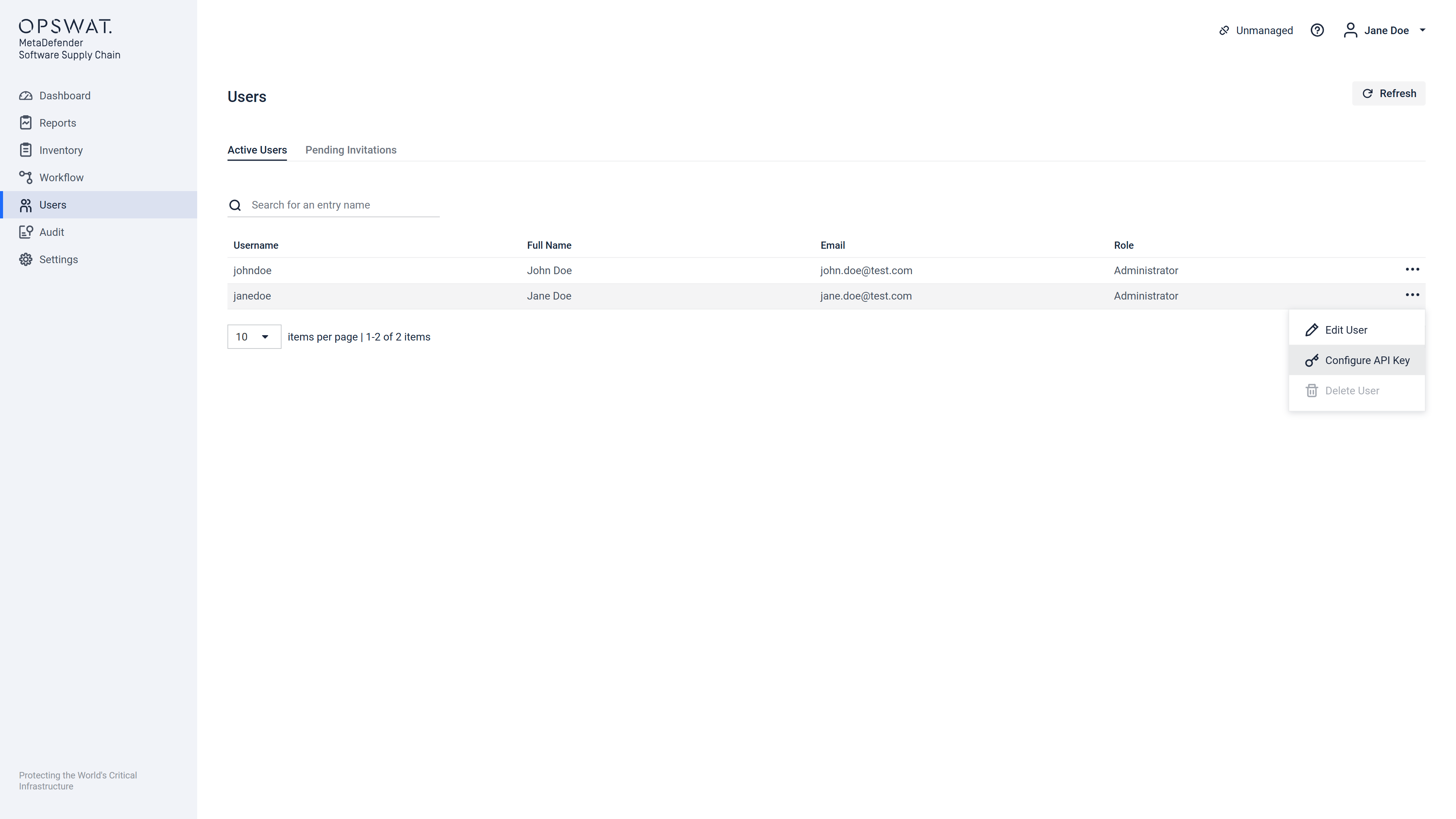
Locate your user name, click the three-dot (ellipsis) options menu, and select Configure API Key.
A popup window will appear:
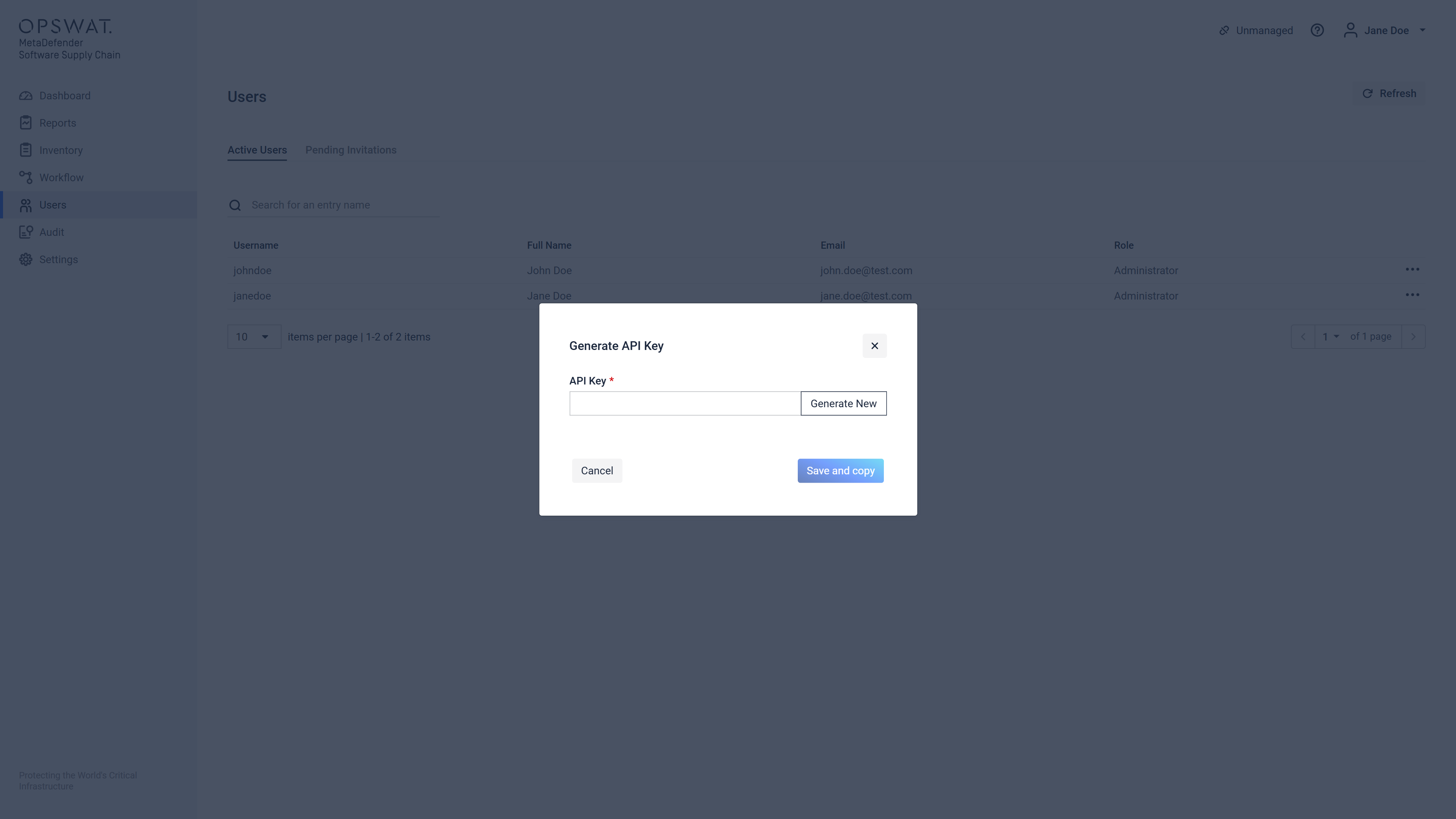
Click on Generate New to create a new API Key.
A new API Key will appear. Note: This key is inactive until the next step is completed.
Ensure you securely copy this key immediately, as it will not be visible again once saved.
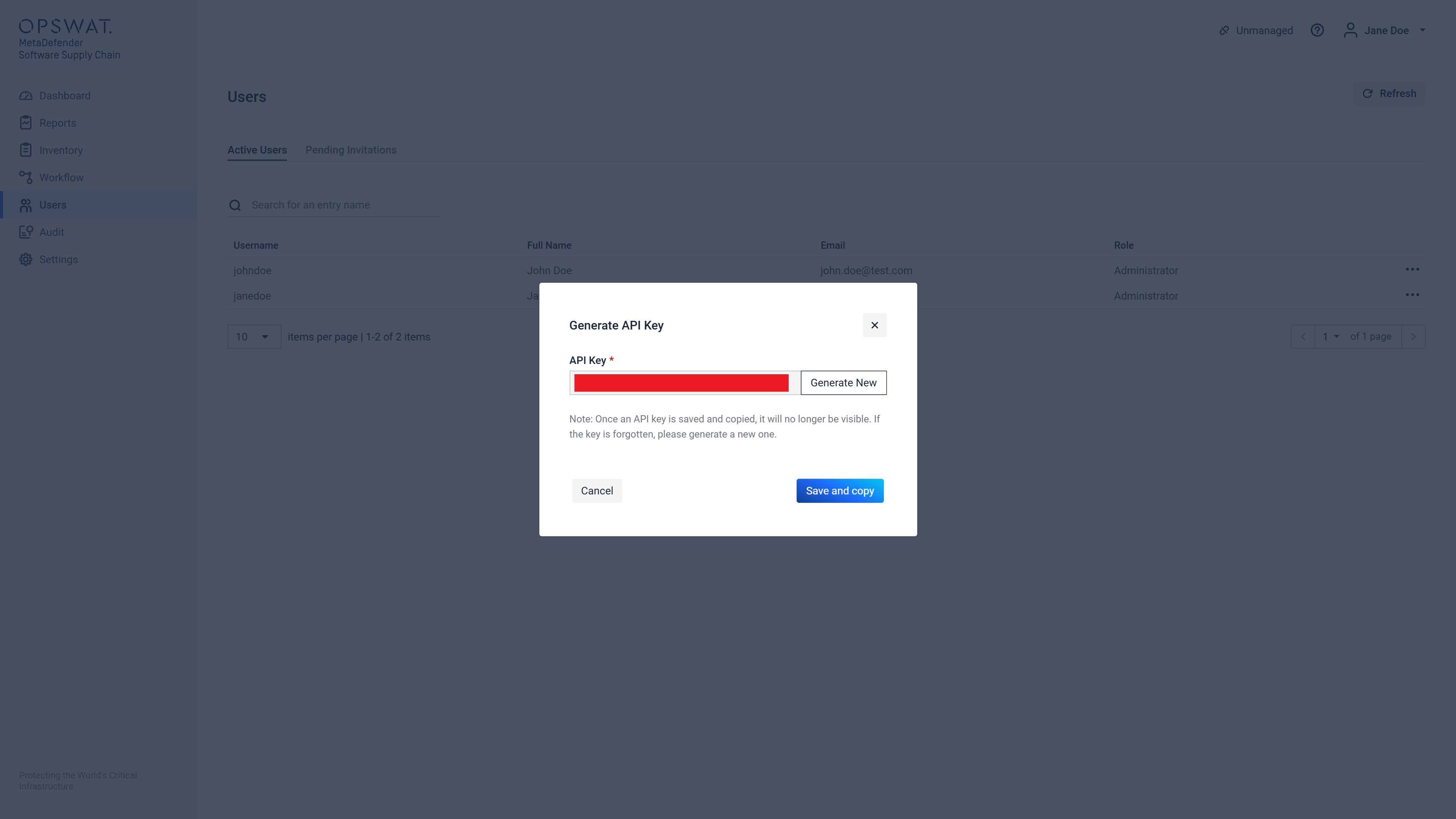
Click Save and Copy to activate the new API Key and replace any existing key.
Use the API Key in a request
Include your API key in the HTTP request headers using the ApiKey header.
Keep the API key secret. Do not include it in URLs or client-side code.
Note: API requests are limited to 12,000 per minute per user.