
Every user can change their own email address from their profile.
Open the avatar menu in the upper-right corner and select Profile, or go to Settings → Profile.
In the Personal Information card, update the Email field and click Save. You will be asked to confirm your current password before the change is applied:
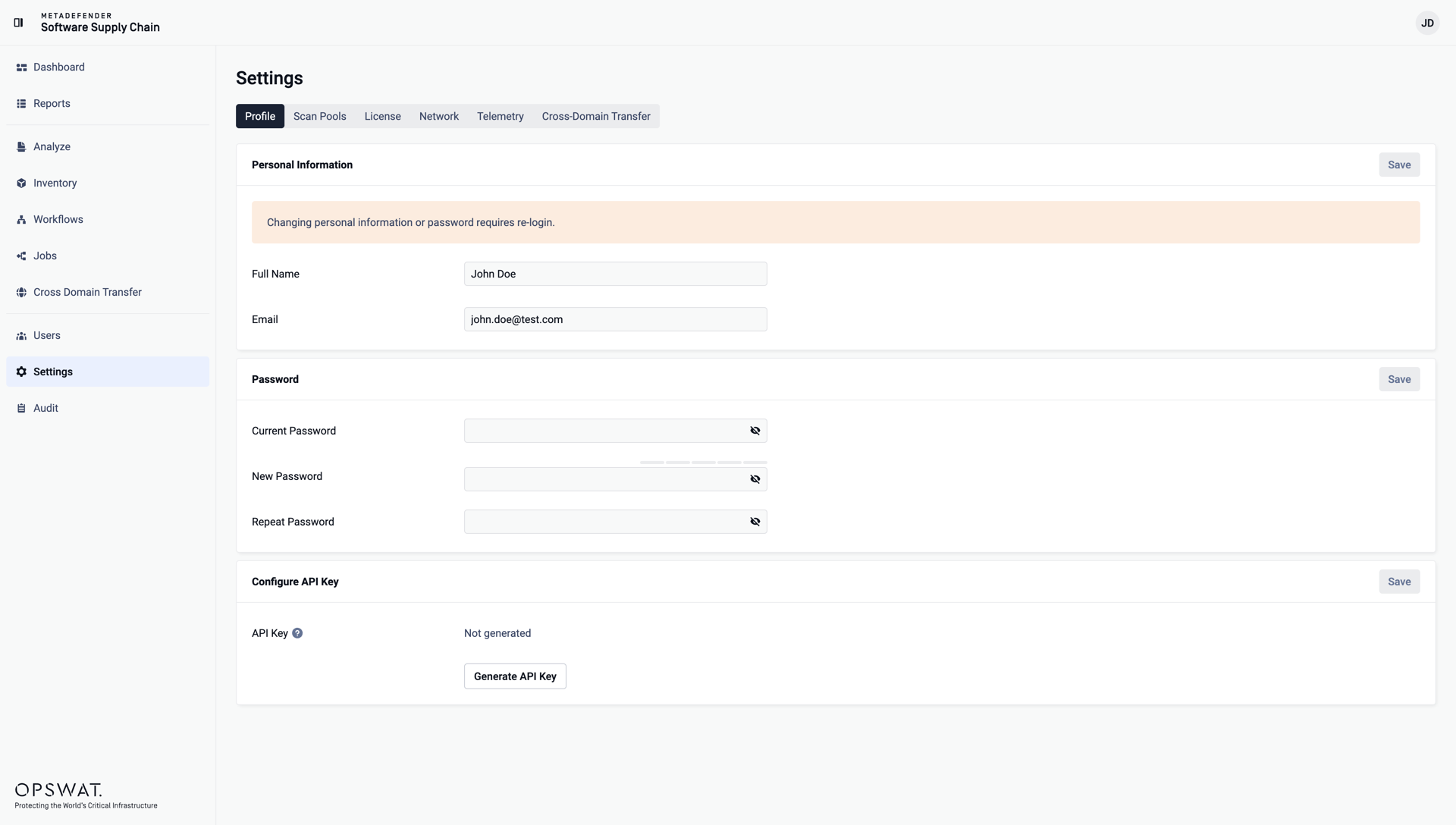
Changing personal information requires a re-login: after saving, you are signed out and redirected to the login page.
Reviewing a user's details
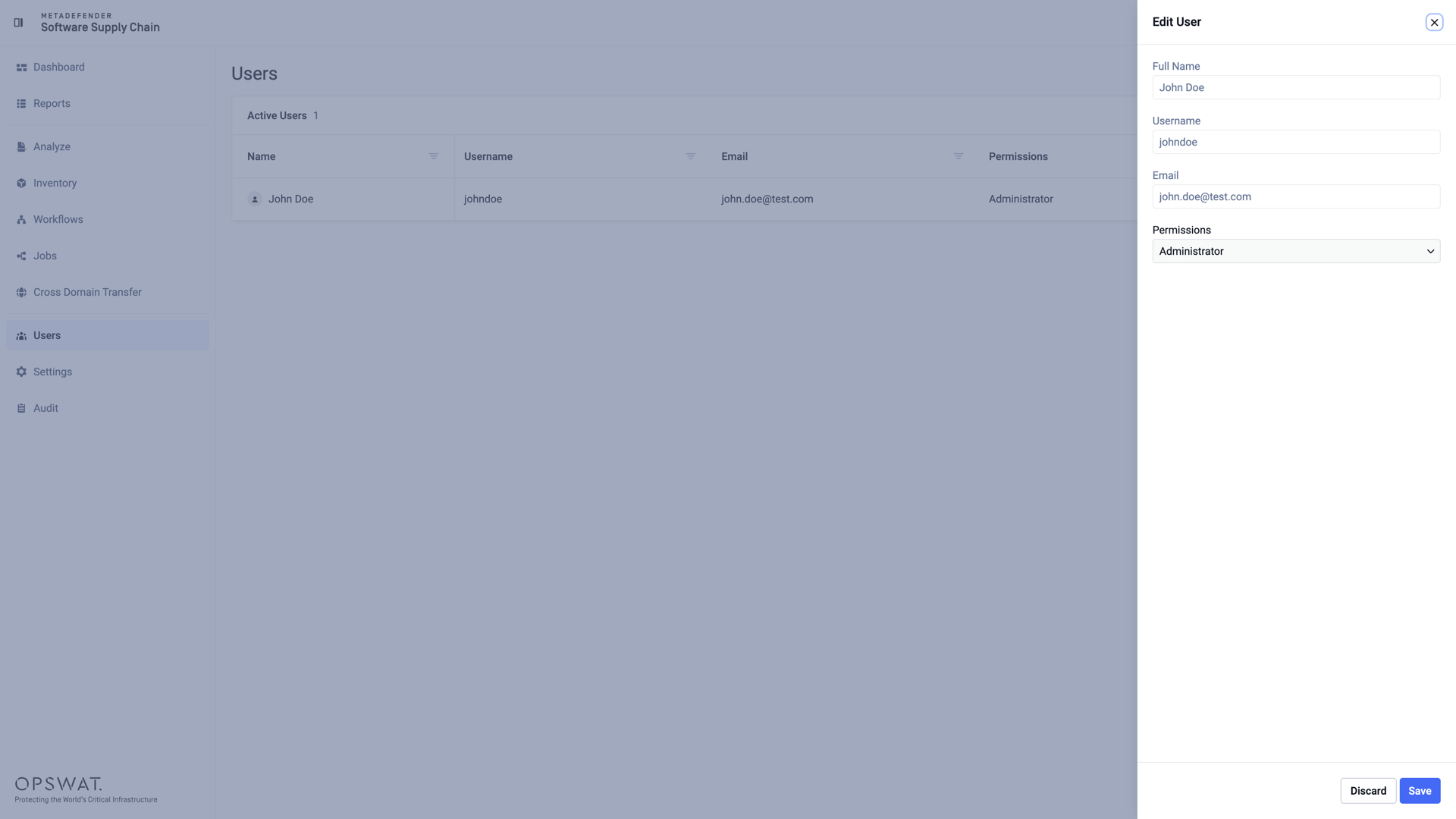
Administrators can review the details of any account - full name, username, email, and permissions - by clicking the edit action of a user on the Users page:
Was this page helpful?
Configuration