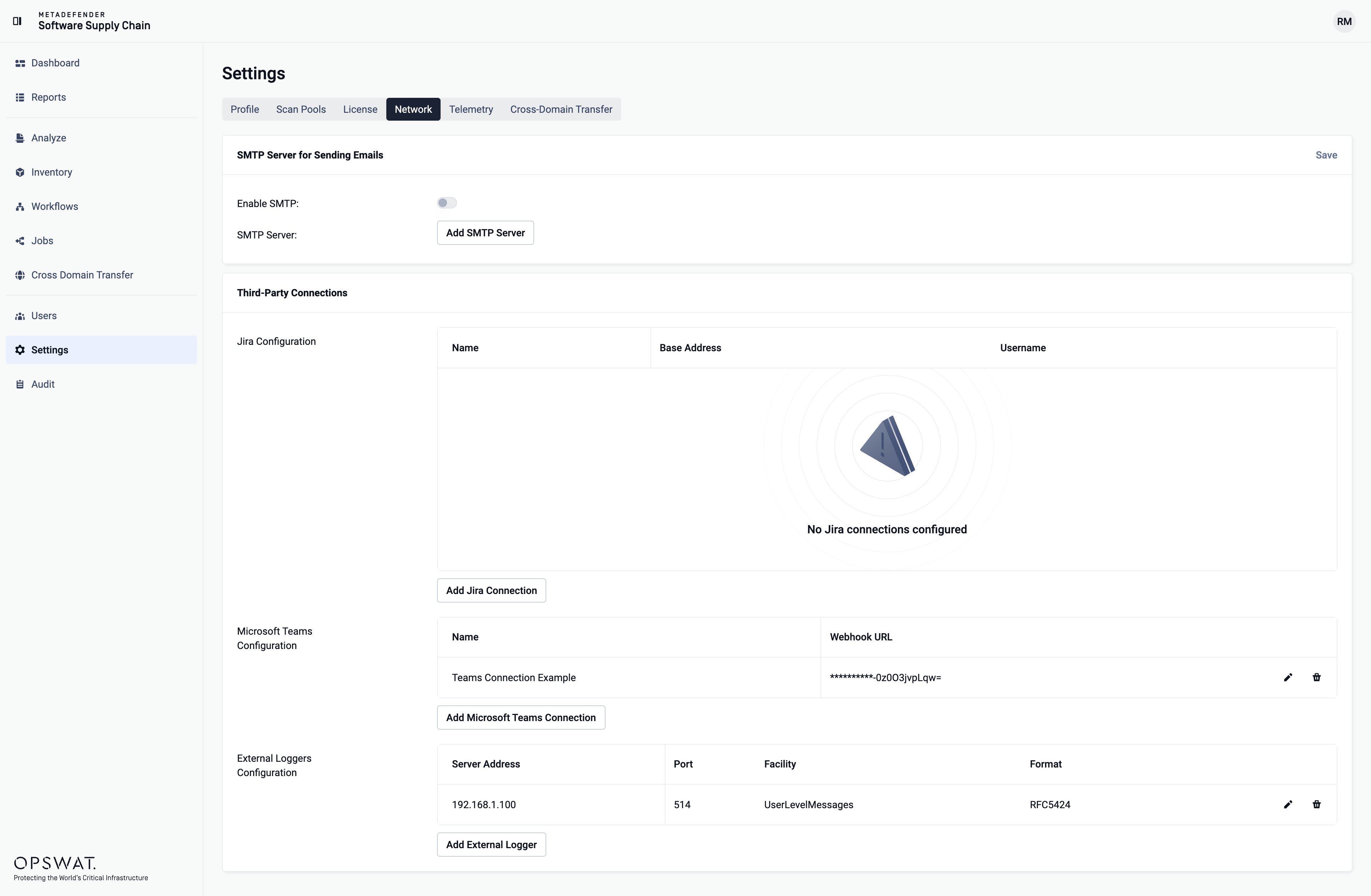
To configure a Syslog server for sending logs to an external syslog server, navigate to 'Settings' menu, and go to the 'Network' tab:
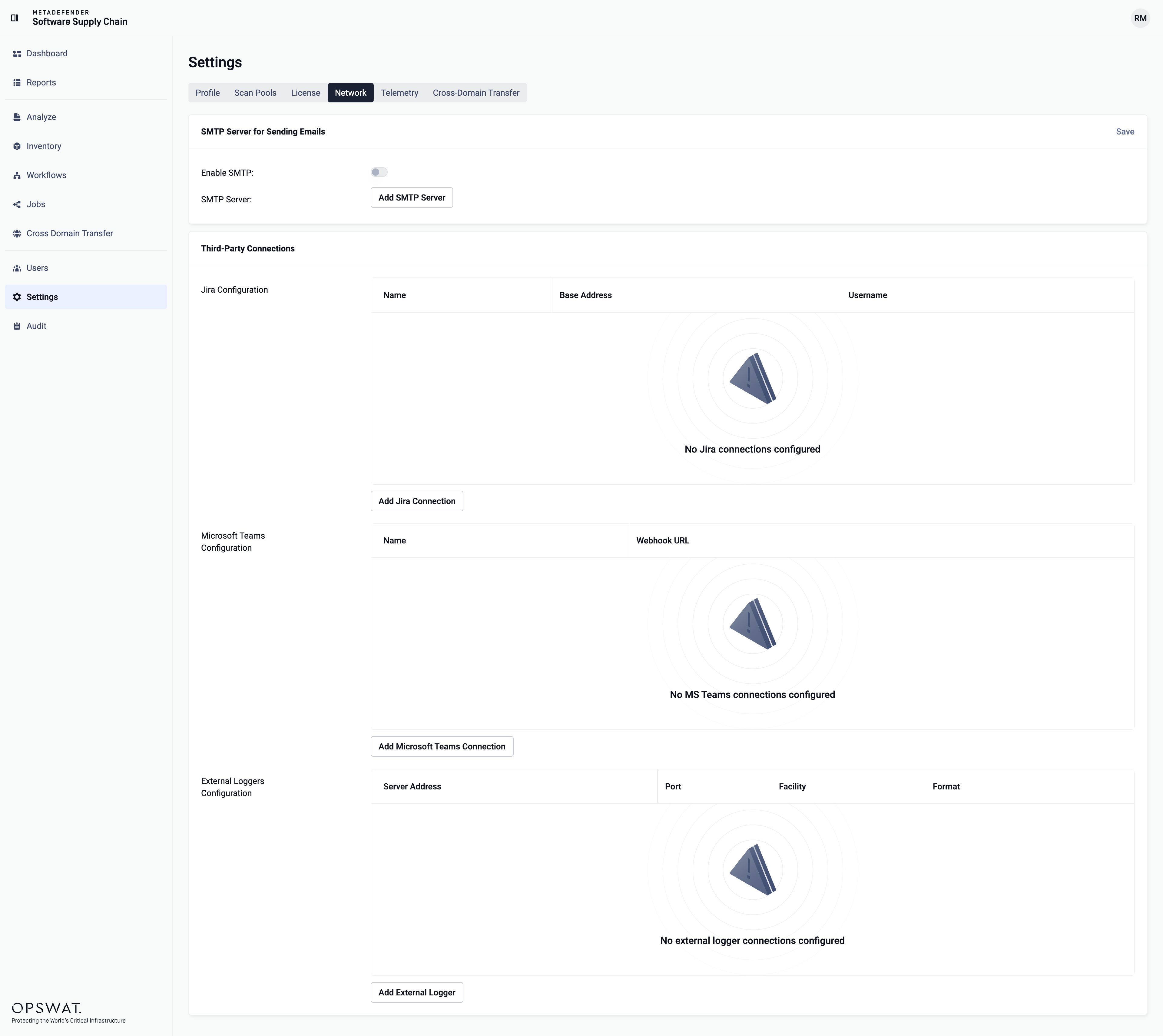
To add a Syslog server configuration, click on "Add External Logger" button in the "External Logger Server" section:
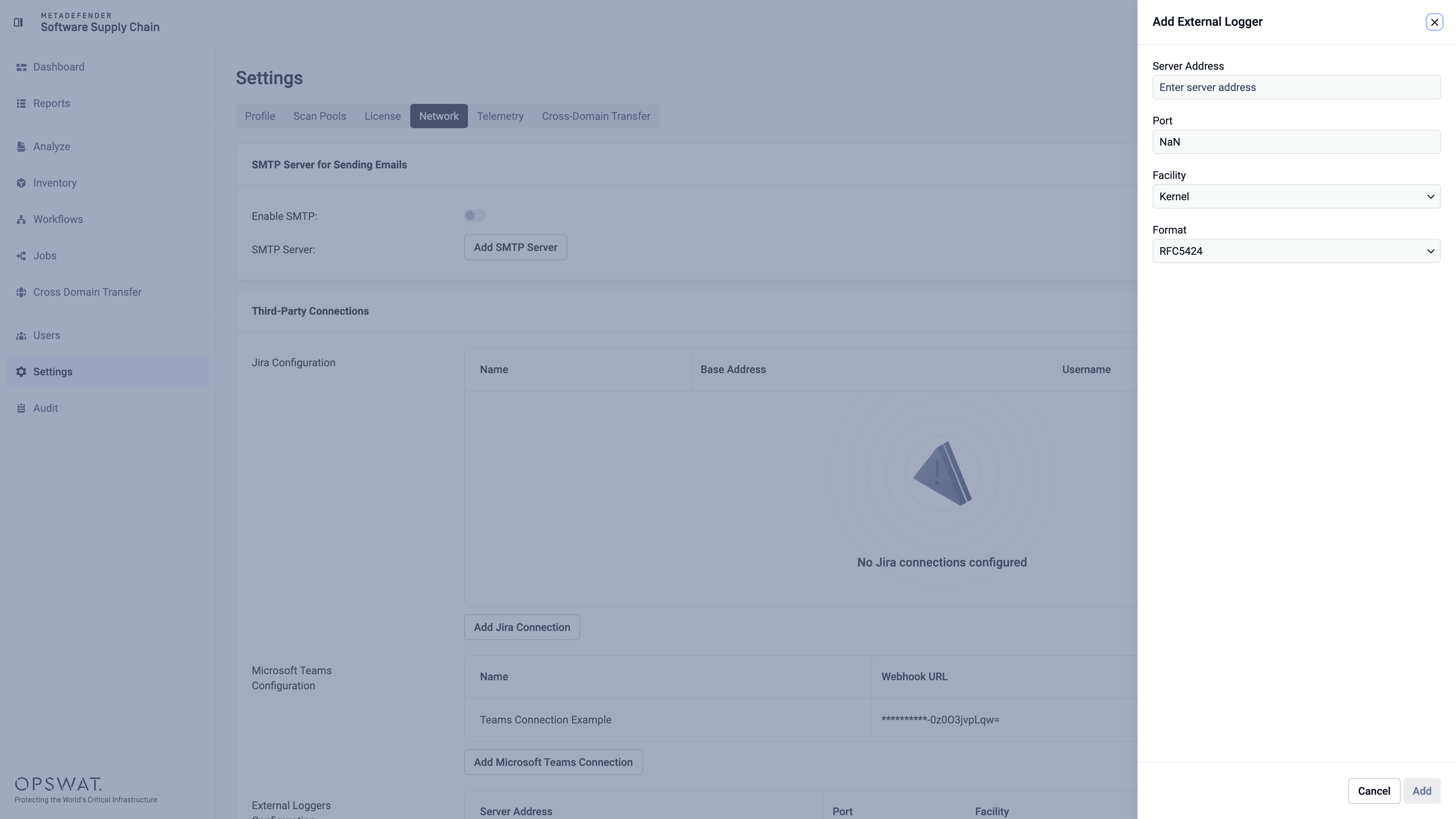
Fill in the required fields, example:
Server Address: Enter the IP address or hostname of your syslog server
Port: Specify the UDP port number
Facility: Choose the appropriate syslog facility (e.g., Local0, Local1)
Format: RFC5424 (standard syslog message format)
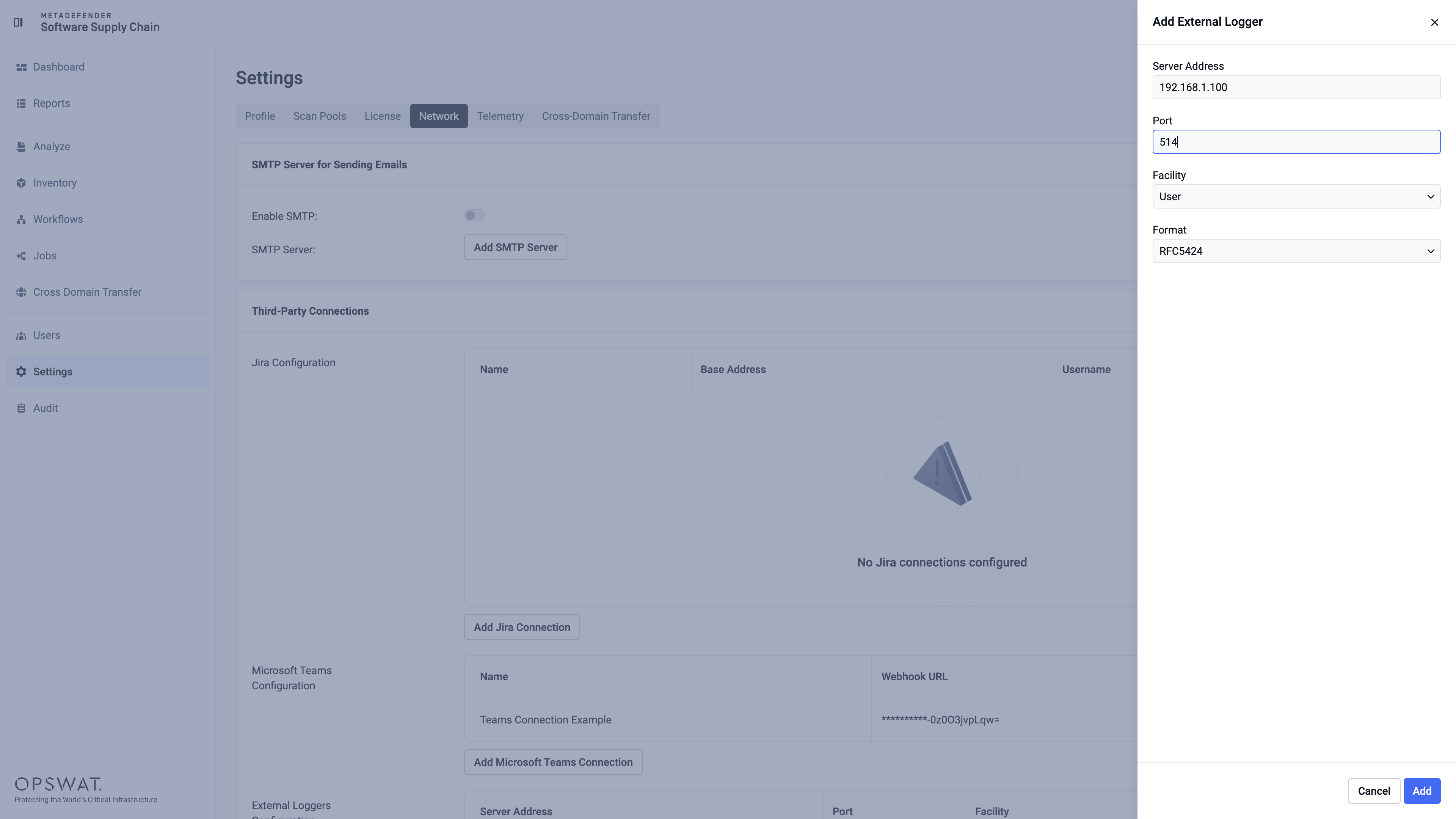
Once configured, logs will automatically be sent to the specified syslog server.
By default, only high-priority audit logs will be sent to the syslog server.
To edit or remove an existing syslog server, locate the server in the list, click the three dots button, and select either "Edit" to modify the configuration or "Delete" to remove the server.