
You can review your Active Sessions in the Profile section on the Settings page.
Open the avatar menu in the upper-right corner and select Profile, or go to Settings → Profile.
Scroll to the bottom of the page:
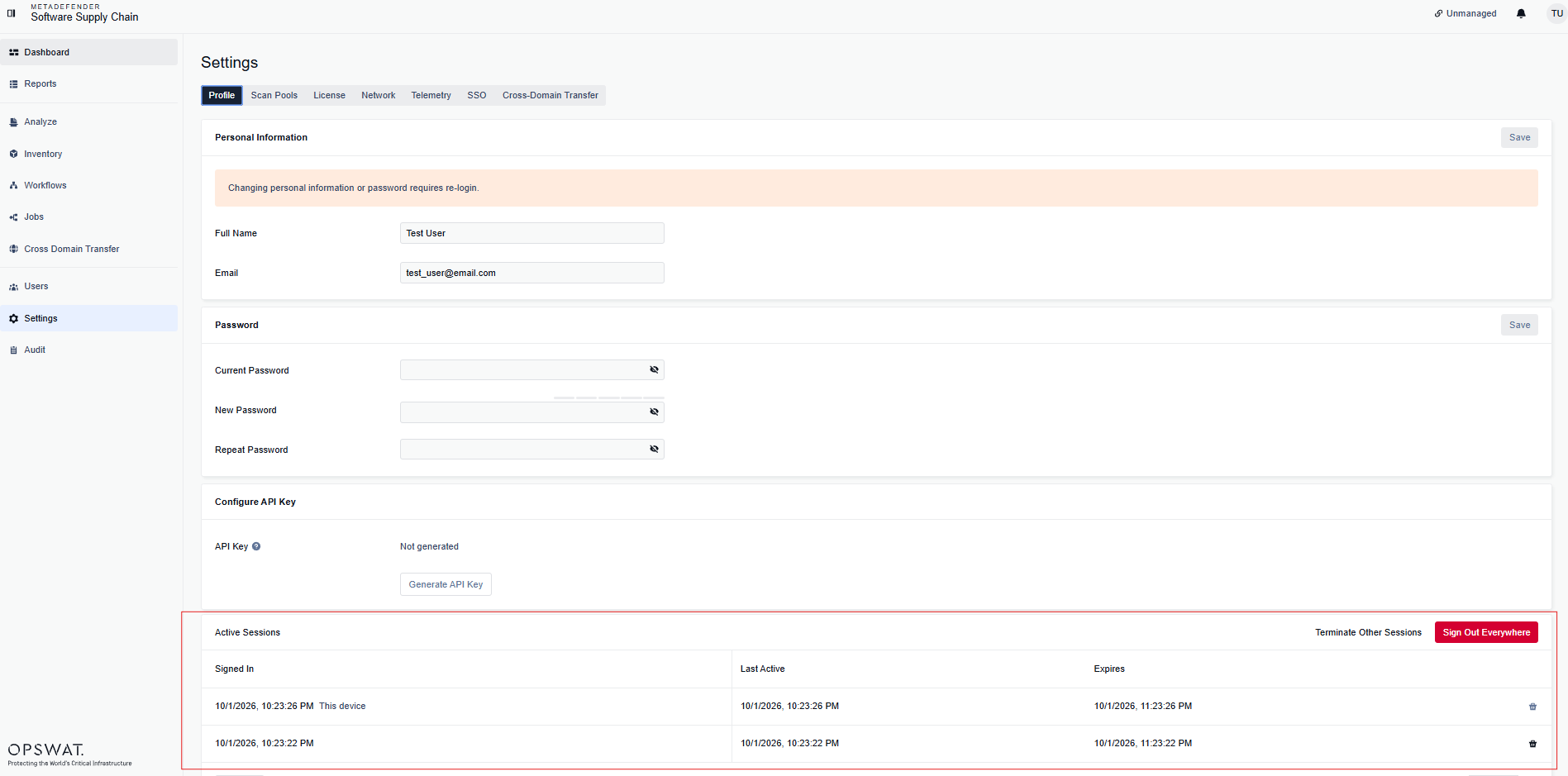
You can:
Terminate an individual session:

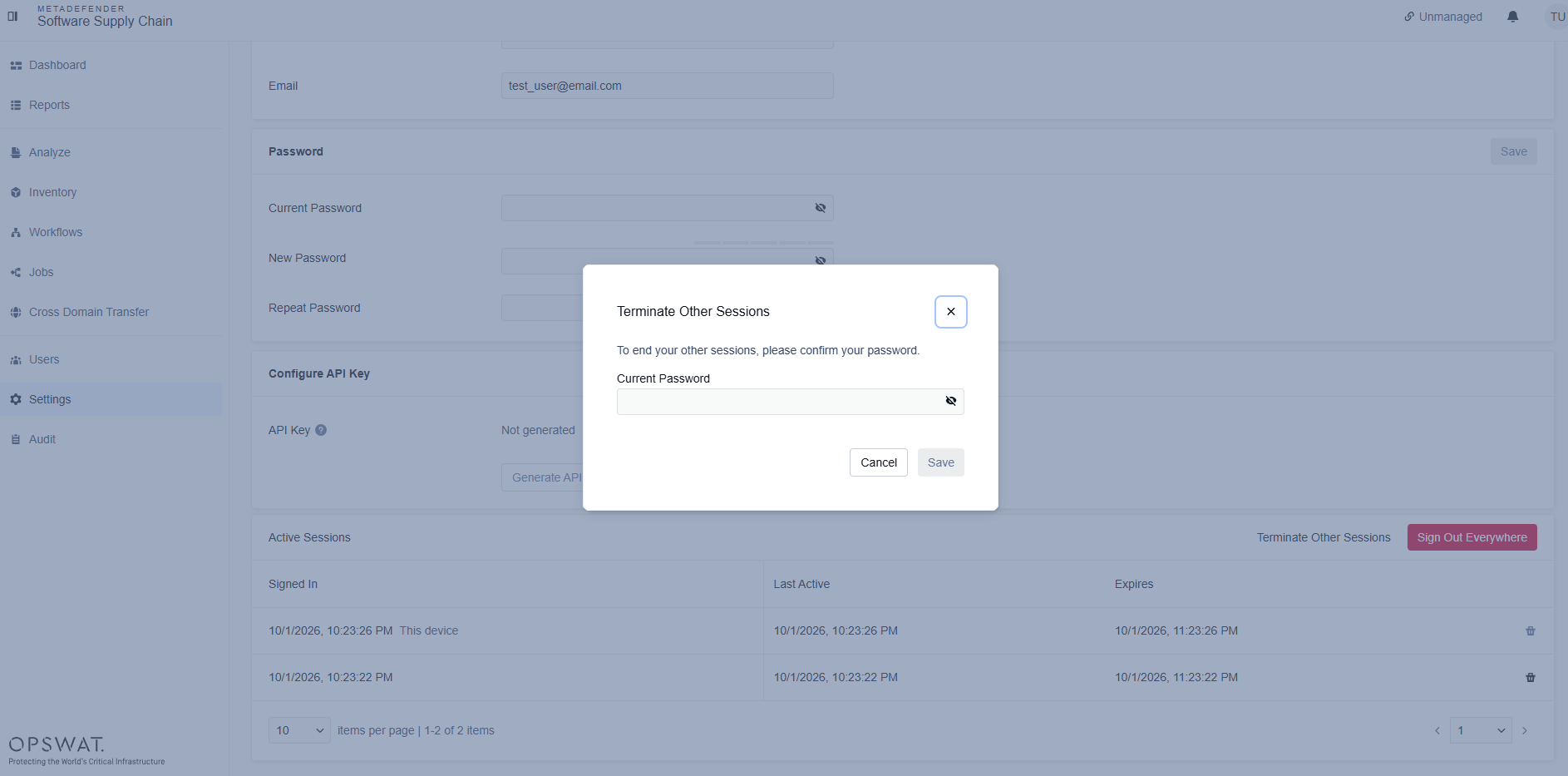
Terminate every other session, except your current one:

Terminate all sessions, including your current one:

For each action, you will be prompted to confirm your password:
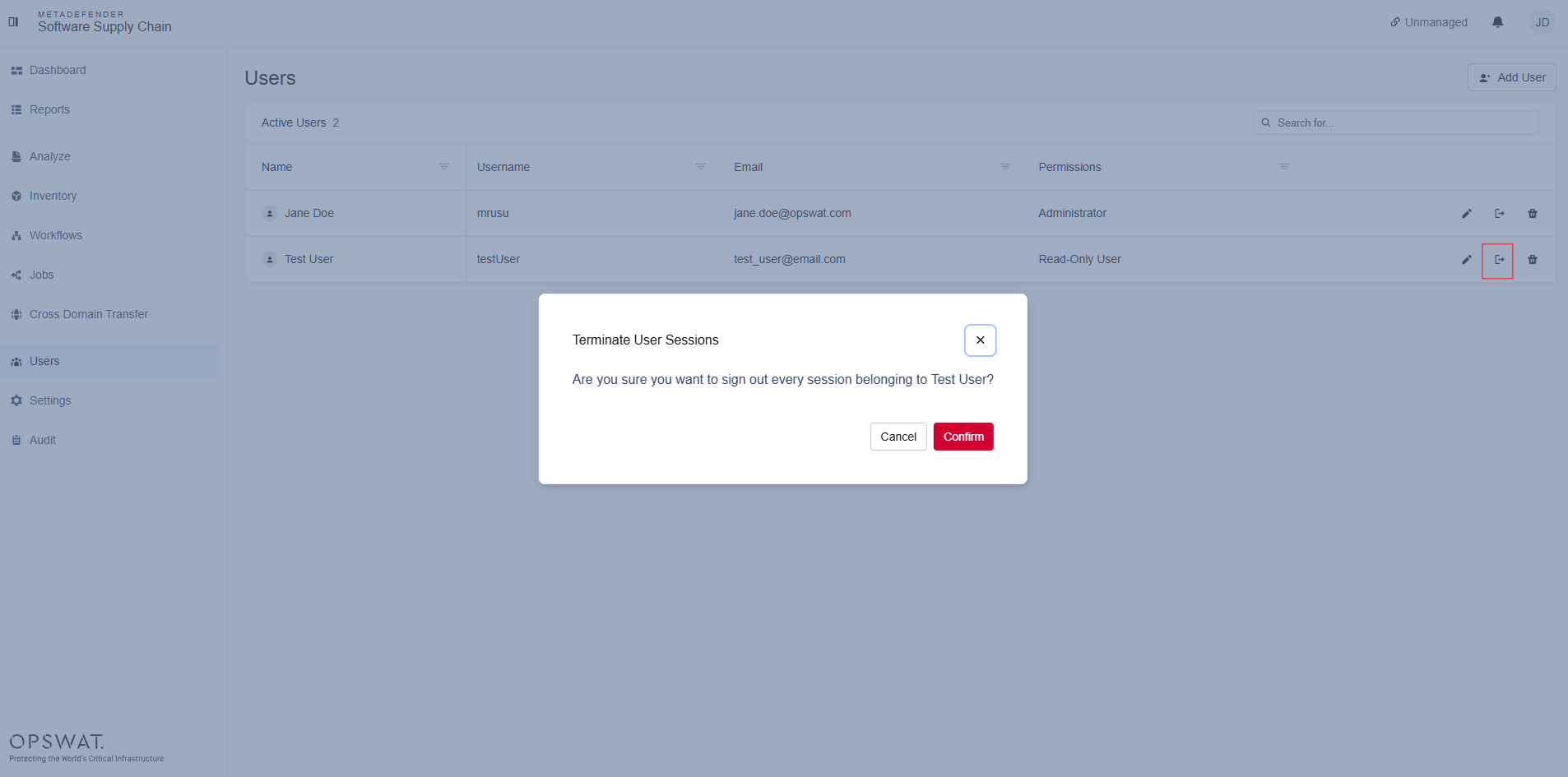
Also, as an administrator, you can terminate other user's active sessions
Go to Users page
Select the Terminate User Sessions action for the designated user:
Was this page helpful?
Configuration