
This article applies to all Kiosk version
Summary: When upgrading MetaDefender Kiosk, preserving the existing configuration and environment is essential to ensure operational continuity. This article outlines how the Kiosk workflow is backed up and restored as part of the upgrade process, using an internal automation script provided by OPSWAT.
Key Phases of the Upgrade Process
The Kiosk upgrade workflow includes the following automated phases:
1. Preparation
Before starting the backup process, the system prepares necessary tools by copying them from the existing Kiosk installation directory to the runtime path used for backup.
Source directory: C:\Program Files (x86)\OPSWAT\Metadefender Kiosk\Client
2. Backup Phase
Before uninstalling the existing version of Kiosk, a secure backup is created. This includes:
Kiosk workflow configuration
Disclaimer settings
UI theme customizations
License information
The backup data is initially stored in a temporary backup folder
Afterward, this folder is compressed and encrypted into a secure archive:
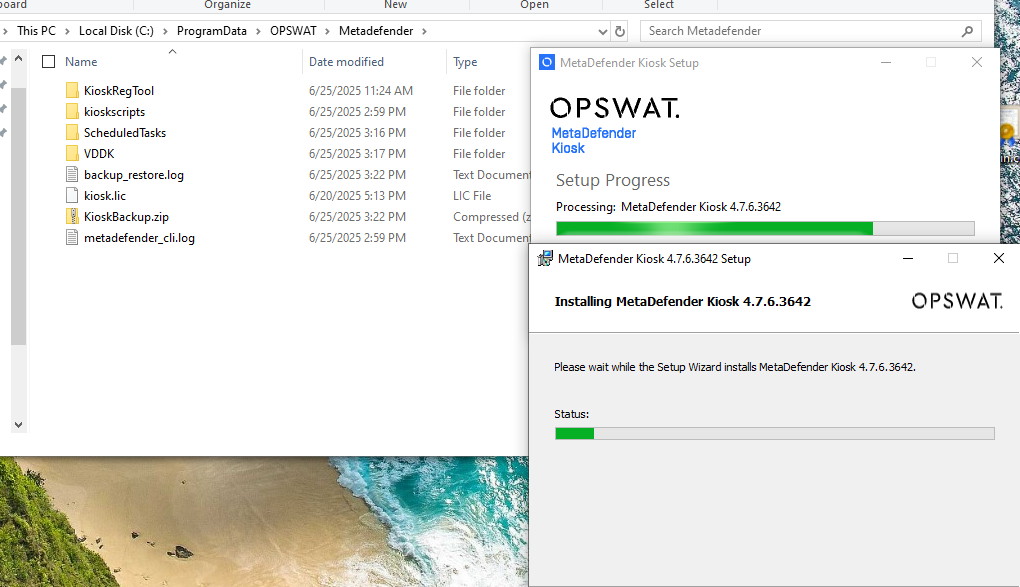
This ZIP file ensures the data is protected and can be restored across versions or on different machines.
Note: If an old backup exists, it will be deleted and replaced during the process.
3. Uninstallation and Installation
Once the backup is completed:
The older version of MetaDefender Kiosk is silently uninstalled.
The new version is installed in-place using predefined parameters.
4. Restoration Phase
After the new version is installed, the system attempts to restore previous settings in the following order:
If the encrypted ZIP archive (
KioskBackup.zip) is present, it is extracted and used for restoration.If the ZIP is missing but the backup folder (
KioskBackup) still exists, the folder is used instead.If neither backup source is available, the system assumes a fresh install and performs branding cleanup to remove temporary or legacy visuals.
When restoration completes successfully, the following log entries can typically be found under the main Kiosk log directory (C:\ProgramData\OPSWAT\Metadefender\):
In certain cases, the upgrade process may be interrupted due to system policy restrictions, unexpected system reboots, or corrupted files. If this occurs, the automated restoration process may fail, and the backup folder could be deleted as part of the cleanup routine.
To prevent configuration loss, OPSWAT strongly recommends that all users manually back up their Kiosk configuration before performing an upgrade. This can be done by following the steps in our official guide: 🔗 Backing Up and Restoring the Configuration – OPSWAT Docs
If you require further assistance, please follow these instructions on How to Create Support Package?, before creating a support case or chatting with our support engineer.