
Tags are keywords that make it easier to find your files later.
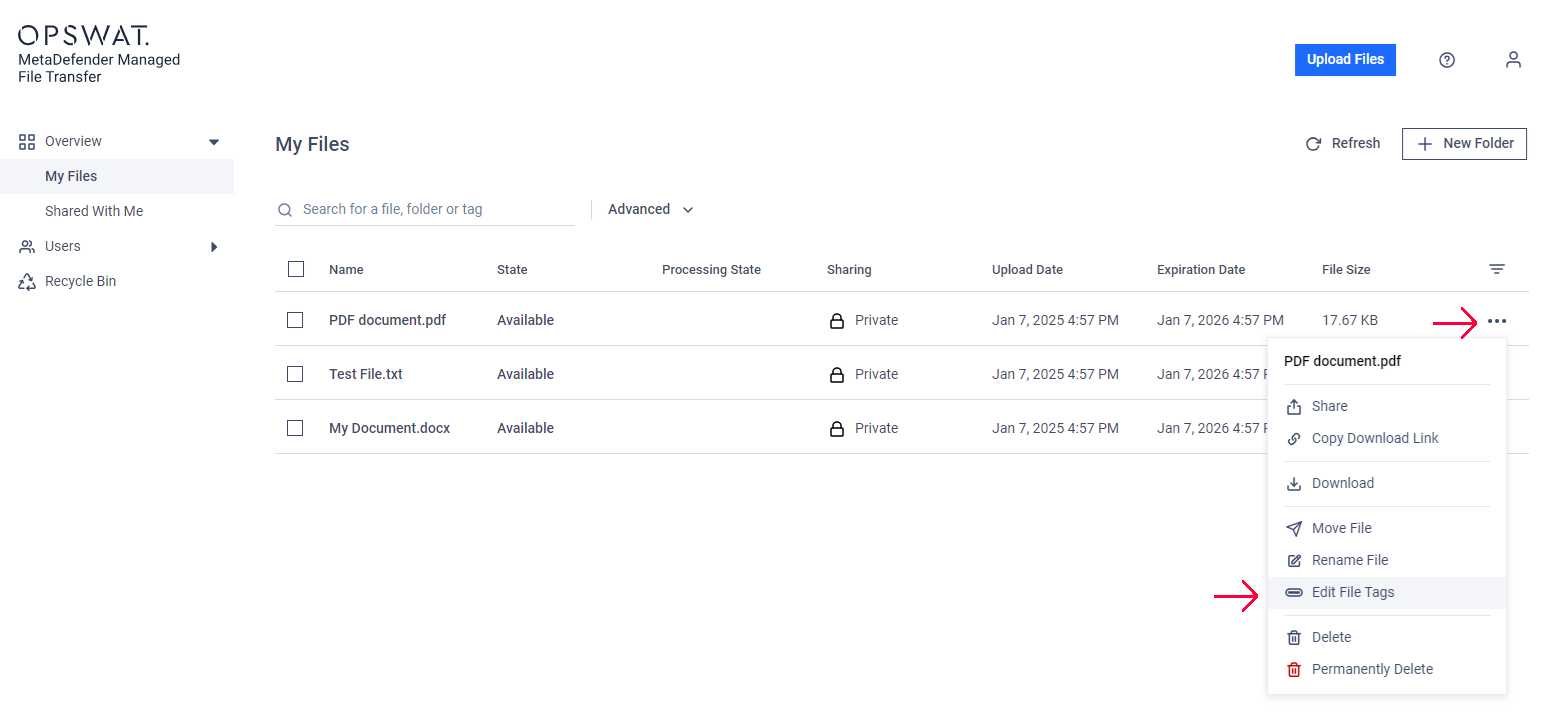
Click the "action" menu (three dots) next to the file name on the right.
Select "Edit file tags."
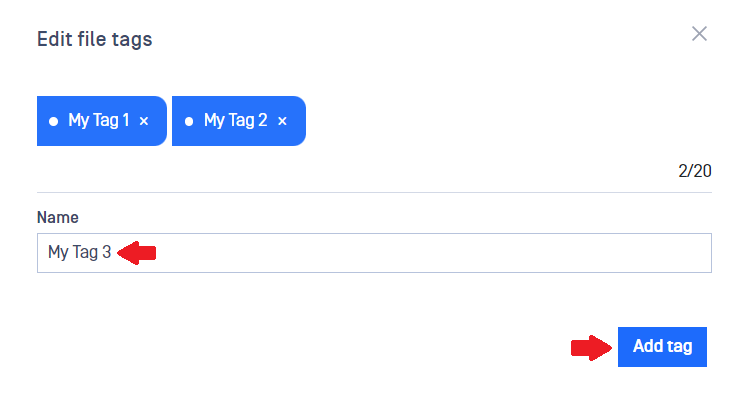
Enter a new tag in the text box and click "Add tag." To remove a tag, click the "x" next to it.
Search
You can search for files using these tags.
Info
Tag search is case insensitive, so tags like "MyProject" or "myproject" will return the same results.
You can assign up to 20 tags to each file, and a tag can be up to 50 characters long.
Was this page helpful?
End-User Guide