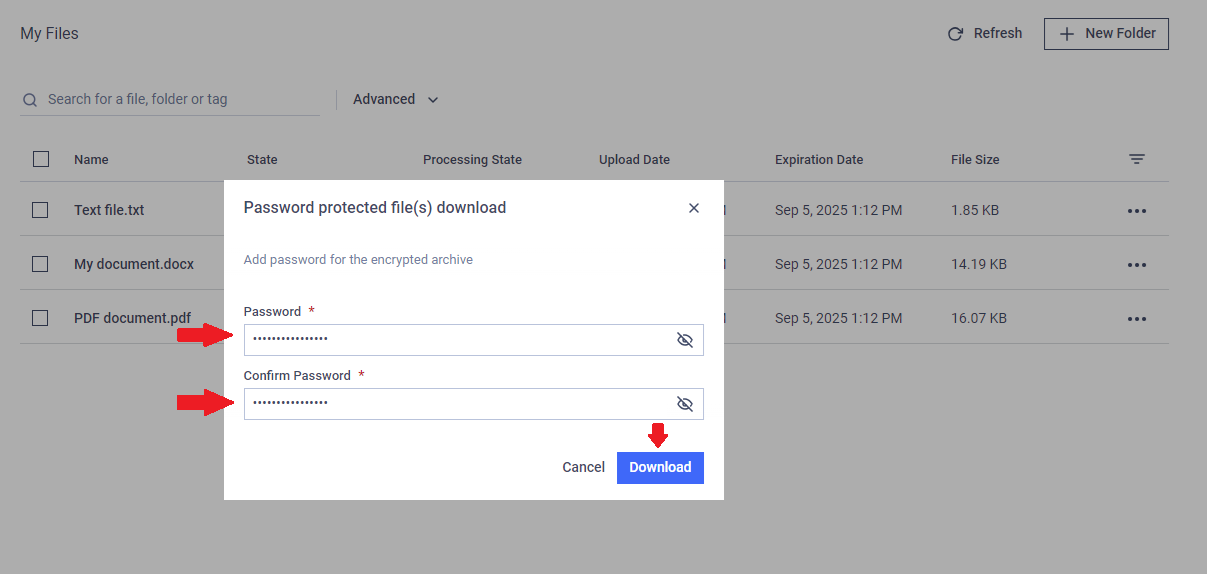
You can download files and folders individually or as a package.
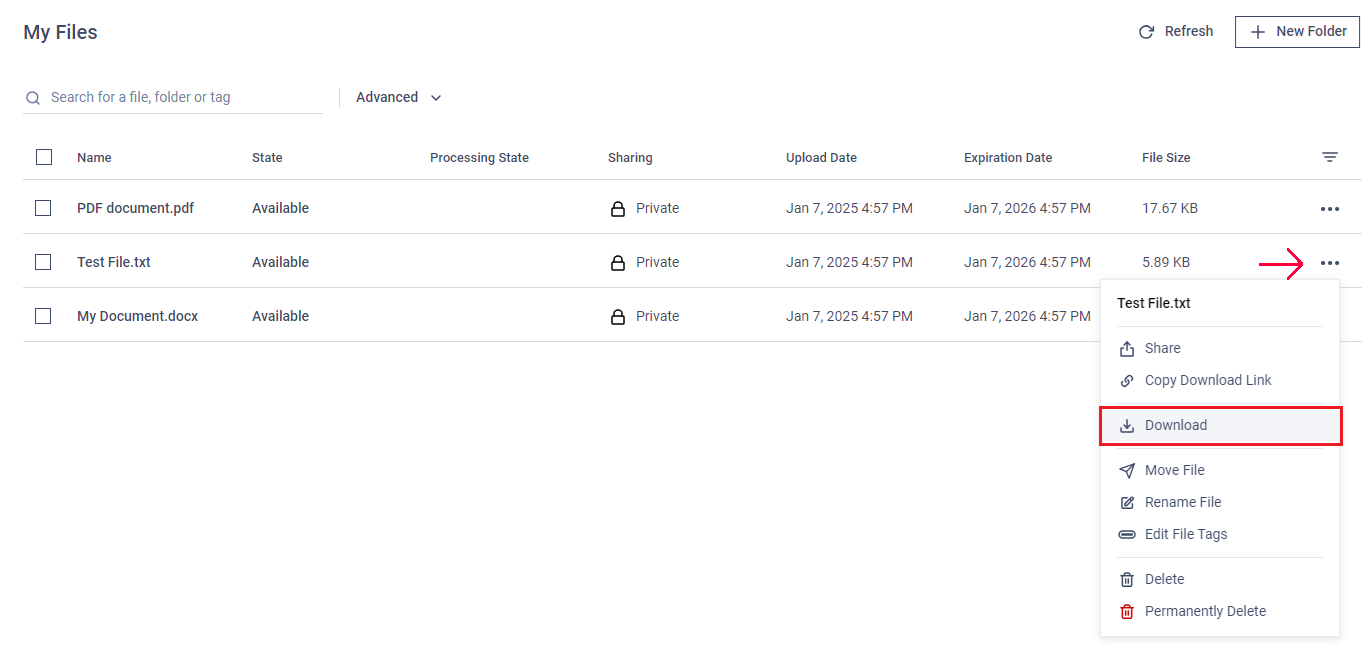
Downloading a Single File
Click the "action" menu (three dots) next to the file on the right.
Select "Download."
Downloading Multiple Files
Select the files using the checkboxes.
Click "Download" from the menu above the file list.
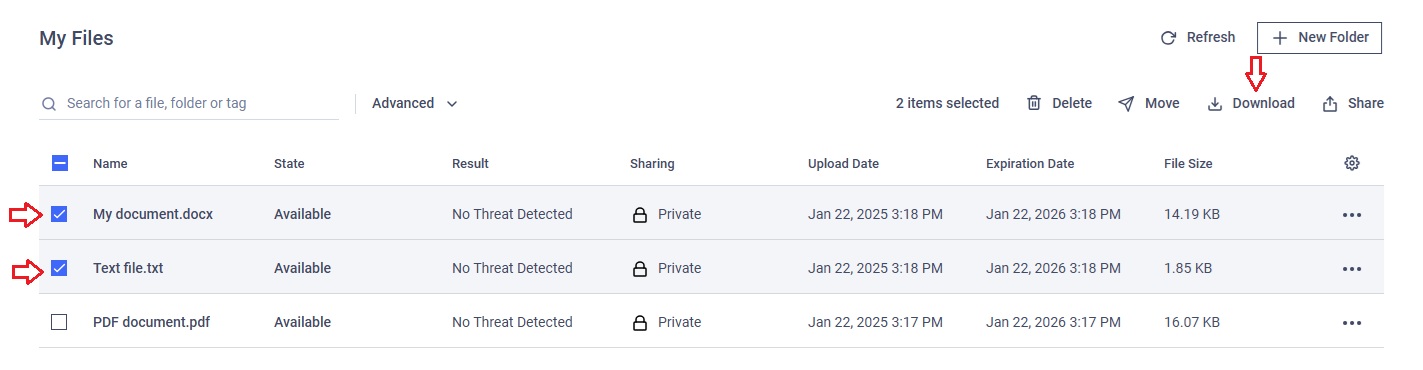
The three-dot menu is designed for downloading individual files and does not support group download.
When you select multiple files, they will be downloaded as a single ZIP file, which you must extract before using the files.
Password-Protected (encrypted) Download
MetaDefender MFT may require password protection for downloads, depending on the settings configured by your administrator:
Disabled : Files download immediately without encryption. You cannot password protect your downloaded files.
Enabled : You have the option to enable password protection (encryption) on your downloaded file(s).
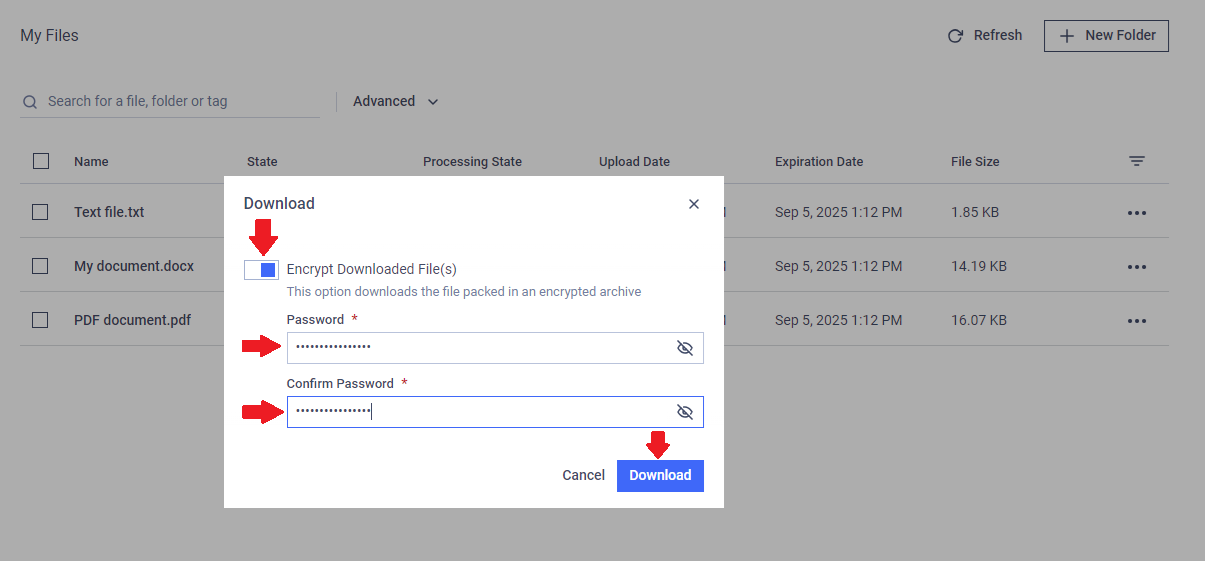
Enforced : You must enter a password to protect (encrypt) your downloaded files.