
You can restore files that you have deleted and sent to the Recycle Bin.
Files permanently deleted will not be moved to the Recycle Bin and therefore cannot be restored.
Files in the Recycle Bin are automatically deleted after a specified period, which you can check on the Recycle Bin page.
Restoring a Single File
Select "Recycle Bin" from the side menu.
Click on the "action" menu (three dots) next to the file on the right.
Select "Restore File" from the menu.
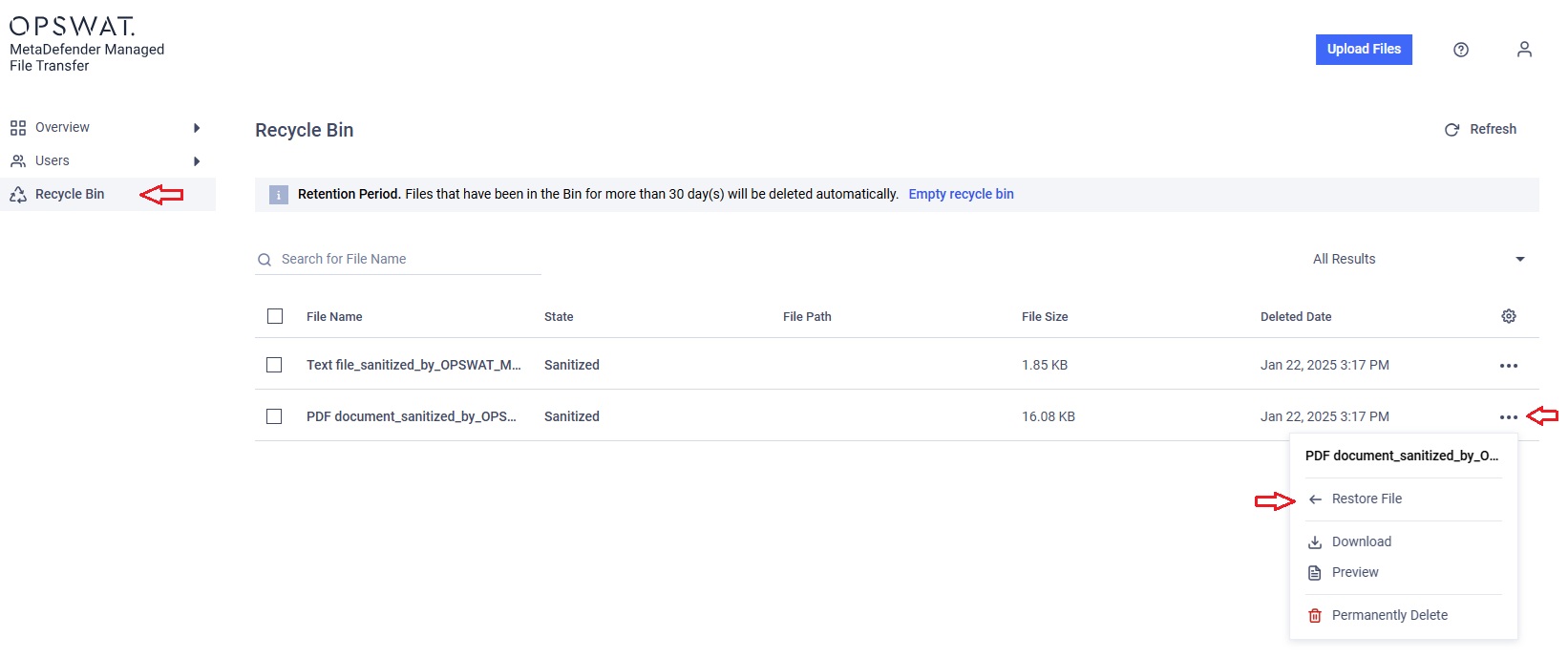
You can also download any file from the Recycle Bin directly, just as you would from the "My Files" page, without needing to restore them first—unless the file is marked as "Blocked."
Restoring Multiple Files at Once
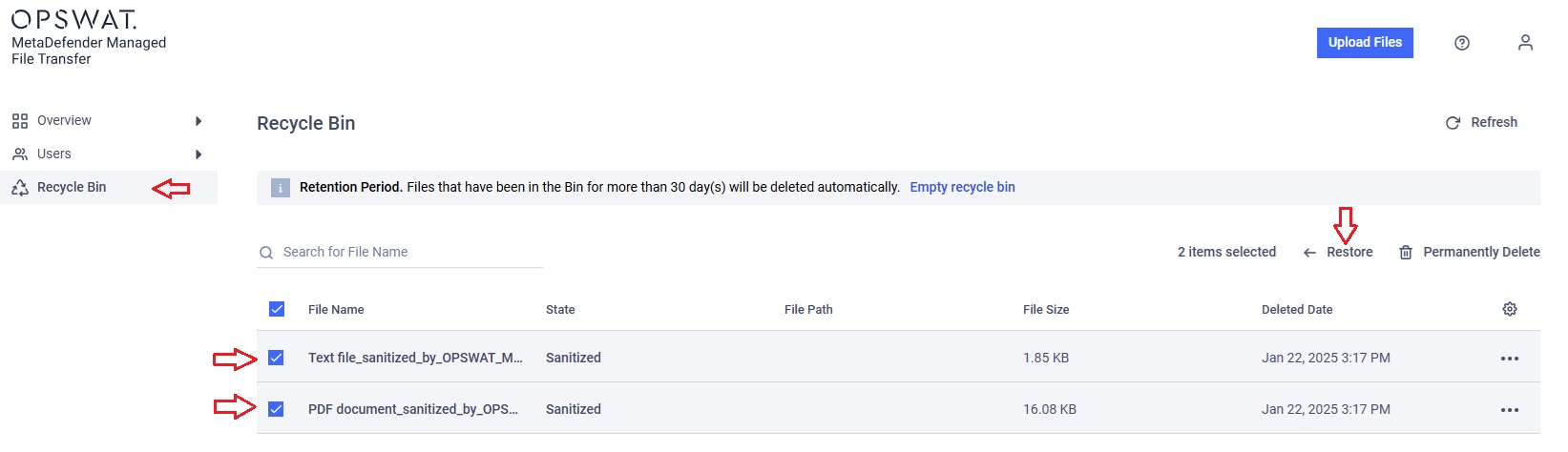
Select "Recycle Bin" from the side menu.
Check the checkboxes next to the files you want to restore.
A menu will appear above the table.
Click "Restore" in the menu above the table.
Folder structures cannot be restored; only the files within the folders are moved to the Recycle Bin.