
Scanning files can detect potential threats.
Automatic Scanning
MetaDefender Managed File Transfer™ automatically scans uploaded files to detect potential threats.
Scanning occurs automatically during file uploads
Periodic rescans may also be performed by the MetaDefender® MFT application, depending on the system settings.
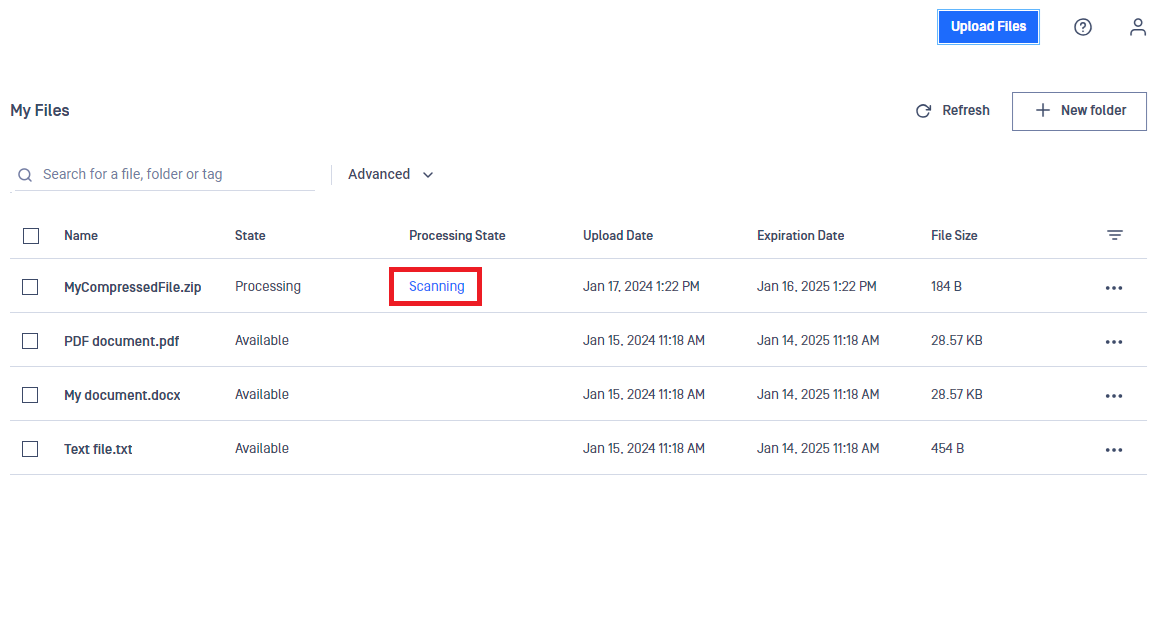
During the scan process, the status will display as "Scanning" in the "Processing State" column.
Manual Rescanning
You can manually rescan files any time.
To ensure file security, rescan files manually that have been uploaded a long time ago or files you suspect may contain threats.
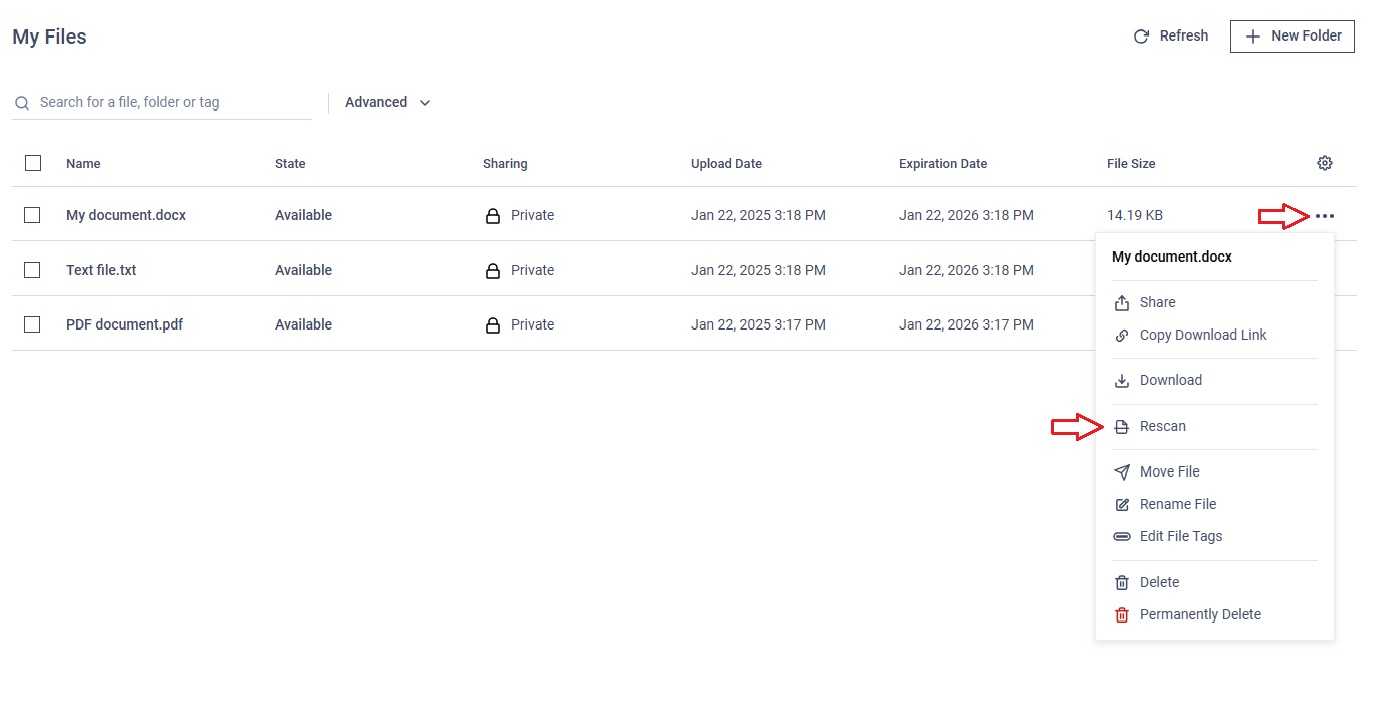
Click on the three-dot menu and select "Rescan."
A message and the "Processing State" column will indicate that the rescan has started.
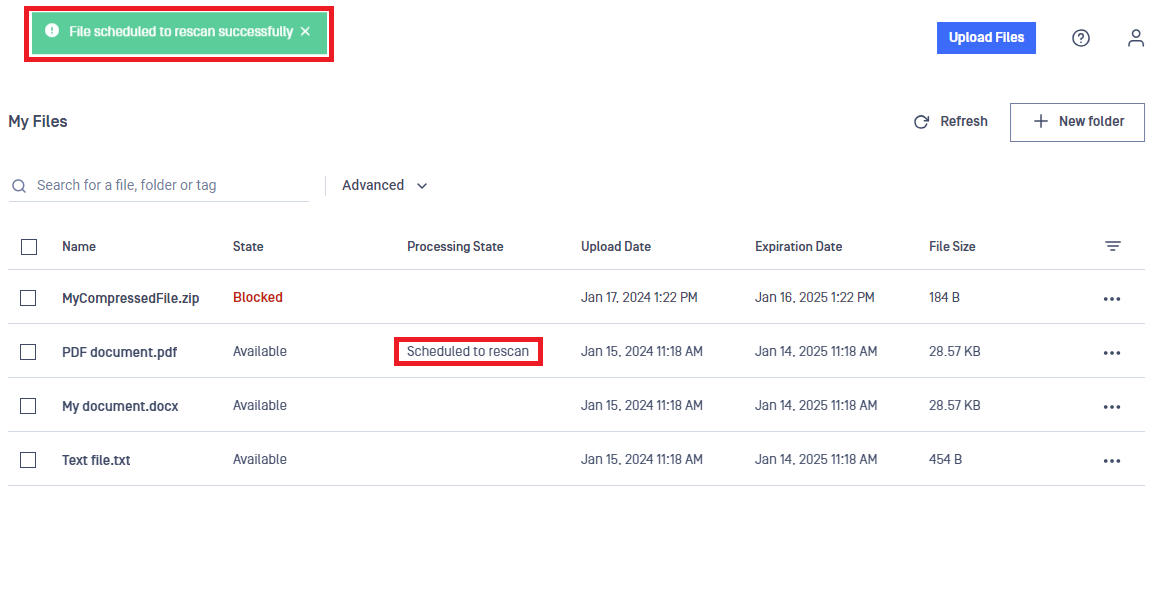
The scan results will be displayed in the table and on the File information page.