End-User Guide
v3.9.4
Search this version
End-User Guide
End-User Guide
Title
Message
Create new category
What is the title of your new category?
Edit page index title
What is the title of the page index?
Edit category
What is the new title of your category?
Edit link
What is the new title and URL of your link?
Creating Folders
Copy Markdown
Open in ChatGPT
Open in Claude
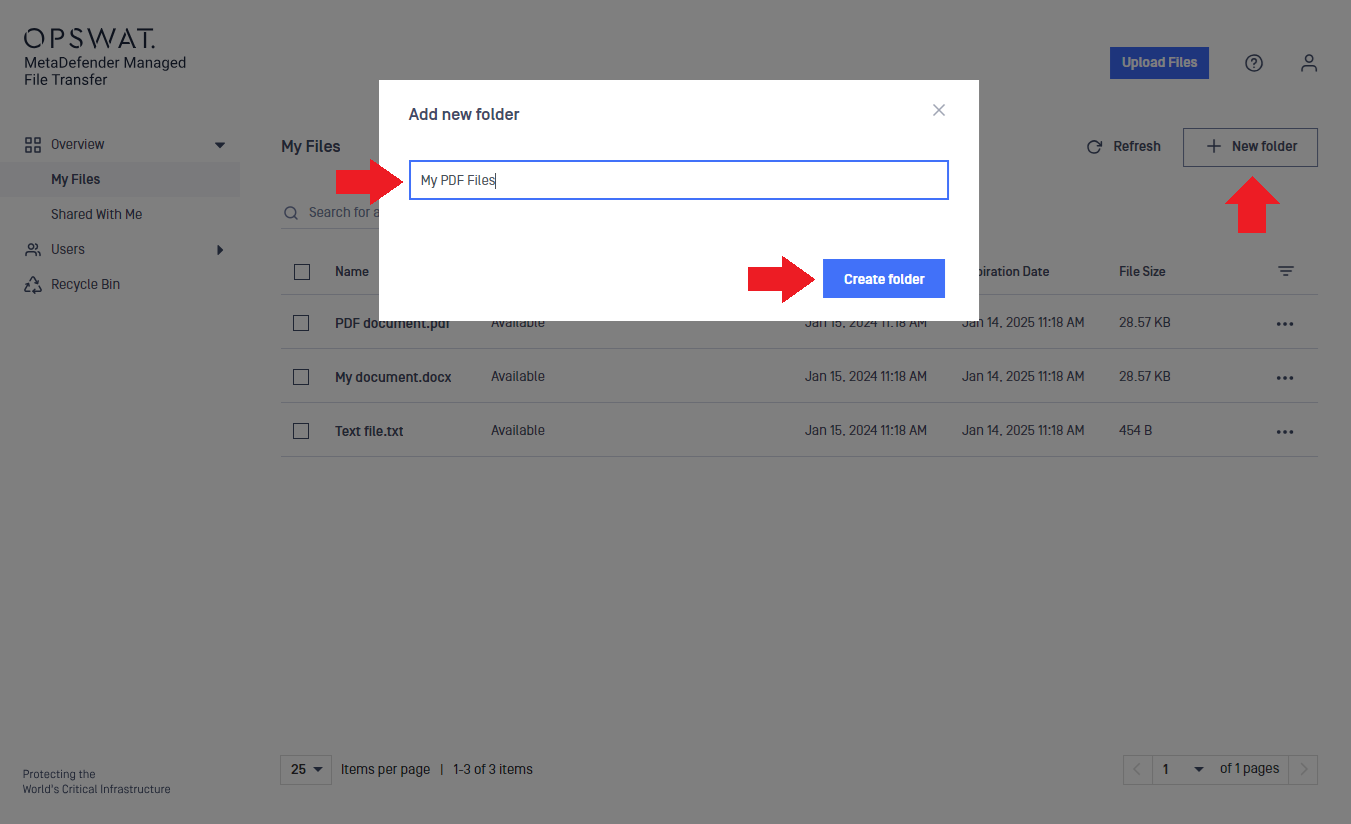
To create a new folder:
- Click the "New folder" button.
- Enter the folder name in the text box.
- Click "Create folder."

Folders can also be created during uploads.
You can move files into these folders later.
Folder names are case-sensitive, meaning that images and IMAGES can coexist in the same location. Pay attention to capitalization to correctly identify each folder.
Type to search, ESC to discard
Last updated on
Was this page helpful?
Next to read:
Refreshing the File ListDiscard Changes
Do you want to discard your current changes and overwrite with the template?
Archive Synced Block
Message
Create new Template
What is this template's title?
Delete Template
Message