
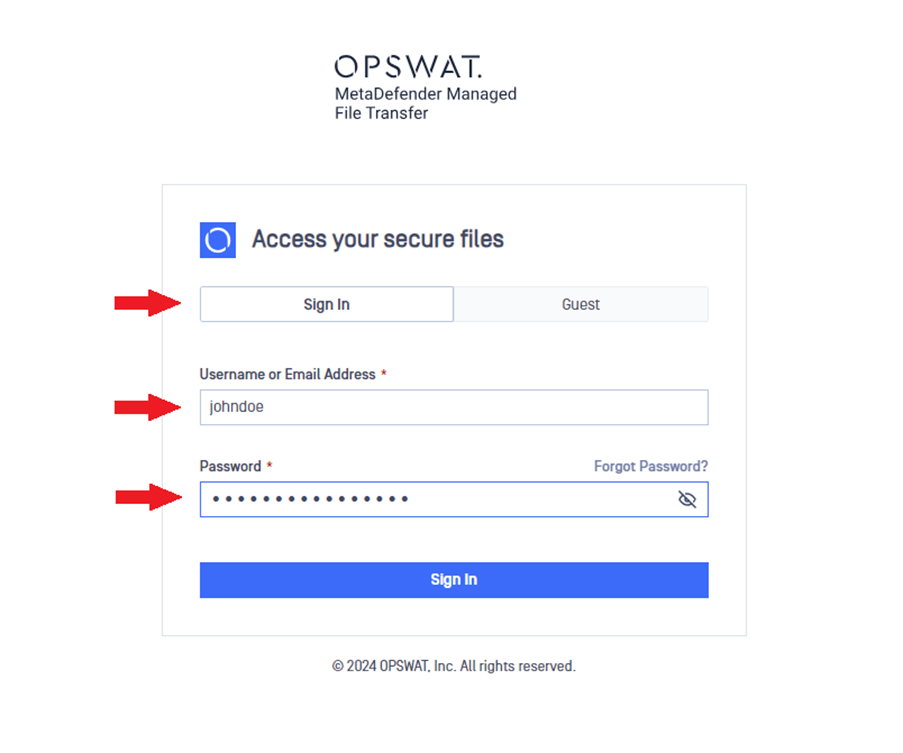
On the "Login" page, enter your credentials and click "Sign In." Ensure you’re on the "Sign In" tab, not the "Guest" tab. If you forget your password, click the Forgot Password link to reset it.
Info
External users can sign in the same way as local users.
Signing in as an Active Directory User
Active Directory users have additional login options, allowing them to sign in with AD-specific formats. Besides using a standard username or email address, they can log in using either the "domain\username" or "username@domain" formats.
For example, if "johndoe" is a user in the Active Directory "example.com," he can sign in using:
"example\johndoe" with the domain specified before the username
"johndoe@example.com" with the User Principal Name (UPN) format
Was this page helpful?
End-User Guide