
Why files are not sanitized?
This article applies to all MetaDefender Core V4 and V5 releases deployed on Windows or Linux systems.
There are a few details too look at when the files you scan are not being sanitized:
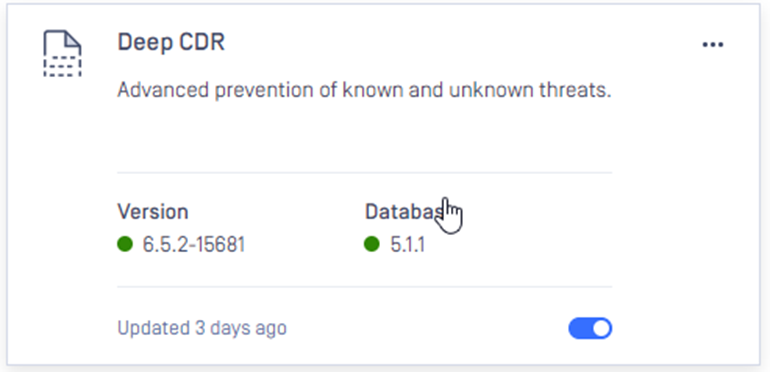
Make sure that the Deep CDR engine is enabled.
Make sure that the extension of the file you are scanning is enabled in the DEEP CDR module.
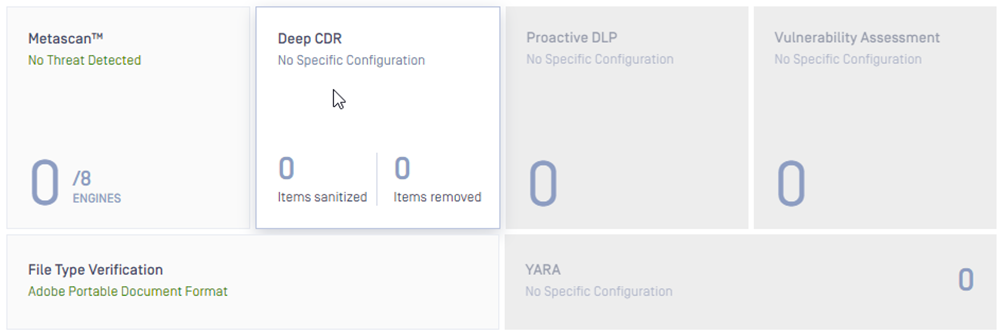
To do so, please access the MetaDefender Core WEB UI (by default http://localhost:8008) and access Workflow Management -> Workflows -> Select your workflow -> DEEP CDR tab
Here navigate to “Enable for filetypes”

Click on Edit and enable all extensions that you want to sanitize:
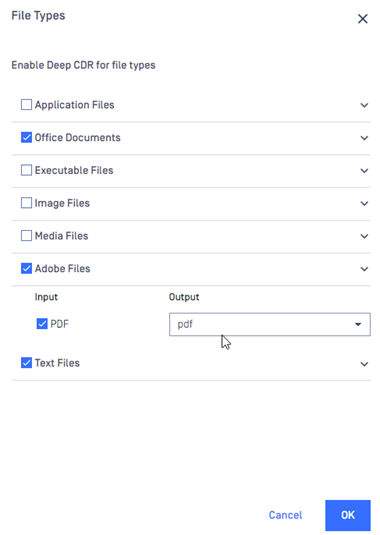
Once selected, click OK and then Save changes.
If you have followed the instructions above but Files are still not sanitized please follow these instructions on How to Create Support Package With Bundle Tools?, before creating a support case or chatting with our support engineer.