
How to upgrade an End-of-Life [EOL] MetaDefender Core?
This article applies to all MetaDefender Core releases deployed on Windows and Linux systems.
Please review our EOL policy:
Please find our End-of-Life policy here: https://www.opswat.com/docs/mdcore/knowledge-base/how-long-is-the-support-life-cycle-for-a-specific-version-releas
Please review the system requirements and ensure to meet them before upgrading
Export configurations under MetaDefender Core > Settings
Take a snapshot of the machine
Follow installation guide for your deployment model. Ex. Standalone Mode, Shared Database Mode
Version 4.18 and older:
These versions of MetaDefender Core utilize the SQLite Database, whereas the newer version of MetaDefender Core utilizes the Postgres Database. We currently do not have a migration plan, therefore we require a complete uninstall and fresh install of MetaDefender Core.
Before upgrading, please take screenshots and/or notes of the current settings, user management, and workflows as they will be lost in the uninstall
Version 4.19 and newer:
Upgrade Options
If you are jumping from an older version to a much newer version, we suggest the following two options:
Option 1: Upgrade Gradually
Upgrade Gradually, every other main version until you reach a version that is no longer EOL. For example: 4.19 > 5.0 > 5.2 > 5.4 > 5.6 > 5.8
You may need to stop the “OPSWAT MetaDefender Core” service before performing the upgrade on older versions.
Windows:
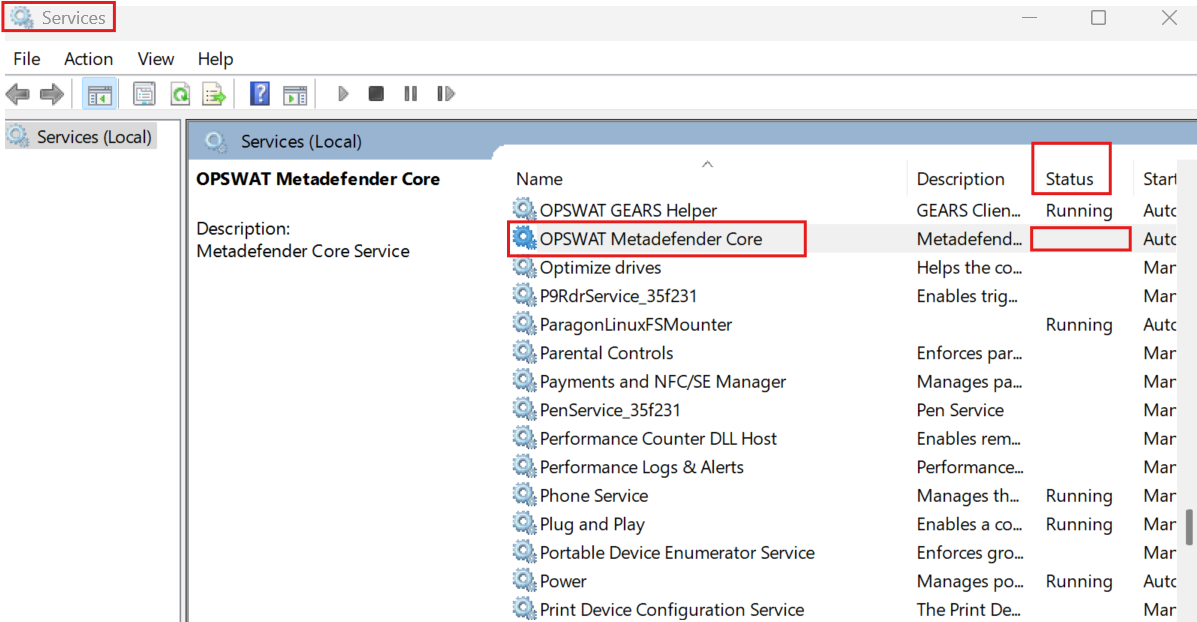
Linux:
Run command in terminal
sudo systemctl stop ometascan
After upgrading, please reboot the machine for the necessary changes to take effect.
Once on a supported version, you can upgrade to the latest version available.
If on version 5.11.1, upgrade directly to 5.14 or newer.
Some versions are only compatible with certain Postgres versions. Please check the release notes and system requirements of the desired version.
Option 2: Fresh Install
Export configuration settings in settings or take screenshots and/or notes of the configuration in workflows, settings, user management. Export processing data for your records [History > Processing > Export History]. Uninstall the current version and fresh install the latest version. Import configuration settings or manually configure the configuration based on notes/screenshots.
If Further Assistance is required, please proceed to log a support case or chatting with our support engineer.