
Oracle Cloud Storage can be integrated into MetaDefender Storage Security (MDSS) in two different ways:
Using the S3-Compatible API – This method allows MDSS to connect to Oracle Object Storage using S3-style access credentials (Access Key and Secret Key).
Using the Oracle Native SDK (OCI SDK) – This method uses Oracle’s native authentication system with API keys or IAM roles for a more direct and secure integration.
Integration via S3-Compatible
1. Prerequisites
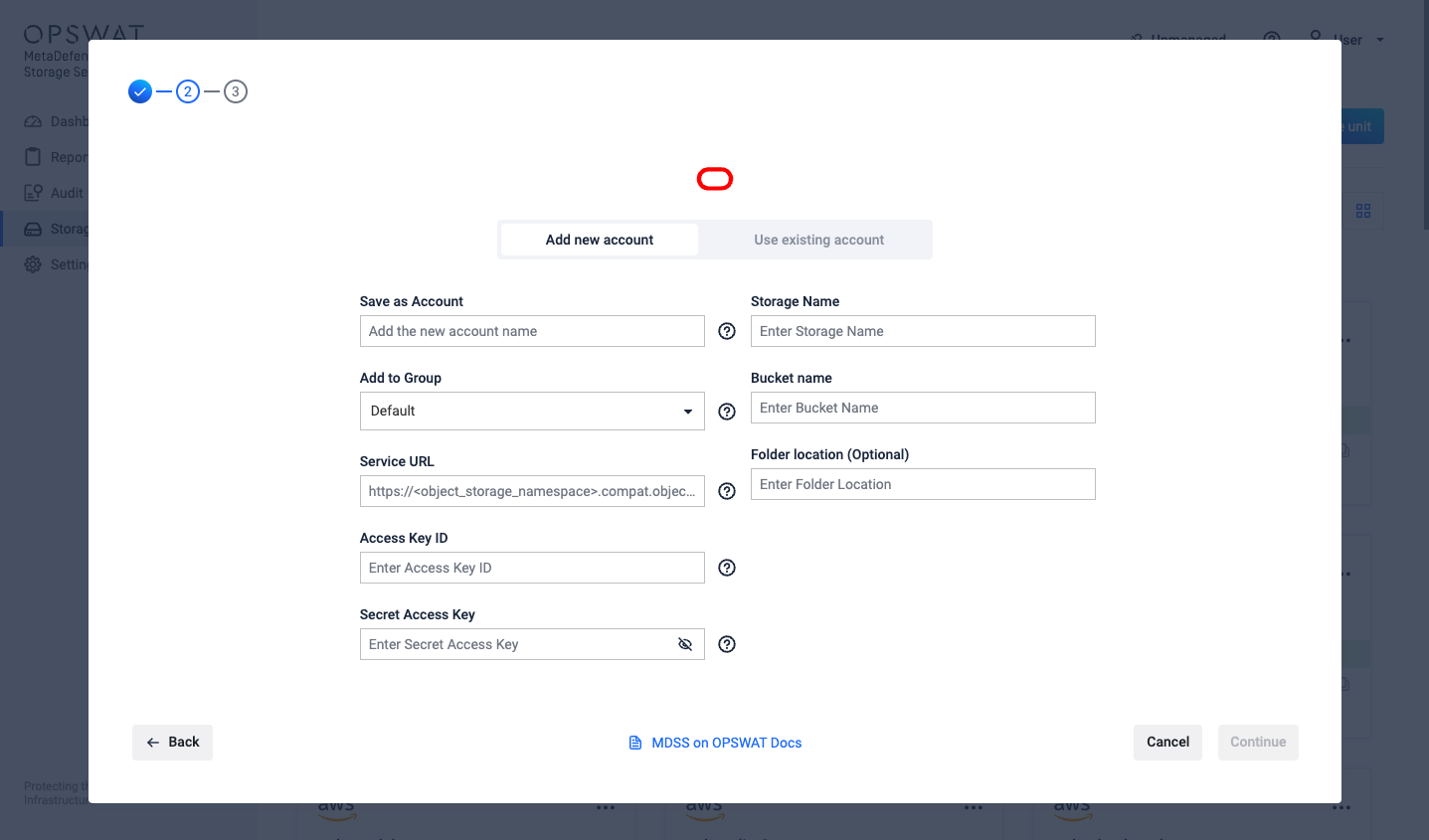
In order to Add an Oracle Cloud storage in MDSS, you will need the Oracle Cloud Service URL, Access Key Id / Secret Access Key and the bucket name.
2. Obtaining the Service URL
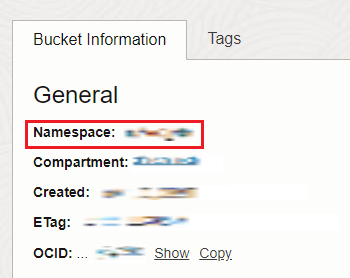
To construct the URL, you will need to have you bucket's object storage namespace and region. The namespace can be found the navigating to one of your existing buckets and opening it. Afterwards, construct the URL like this: https://<your_object_storage_namespace>.compat.objectstorage.<your_region>.oraclecloud.com
3. Obtaining Access Key ID
Log in to your Oracle Cloud dashboard at cloud.oracle.com
In the top-right corner, open the Profile menu by clicking on your profile icon and afterwards, click on My profile
From the Resources tab**,** navigate to Customer secret keys and either click Generate secret key or copy an existing one from the list
4. Obtaining Secret Access Key
Log in to your Oracle Cloud dashboard at cloud.oracle.com
In the top-right corner, open the Profile menu by clicking on your profile icon and afterwards, click on My profile
Click Generate secret key and give the key any name you like
Save the generated key secret somewhere safe. You can only see it at creation
5. Adding the Oracle Cloud storage in MDSS as an S3 Compatible
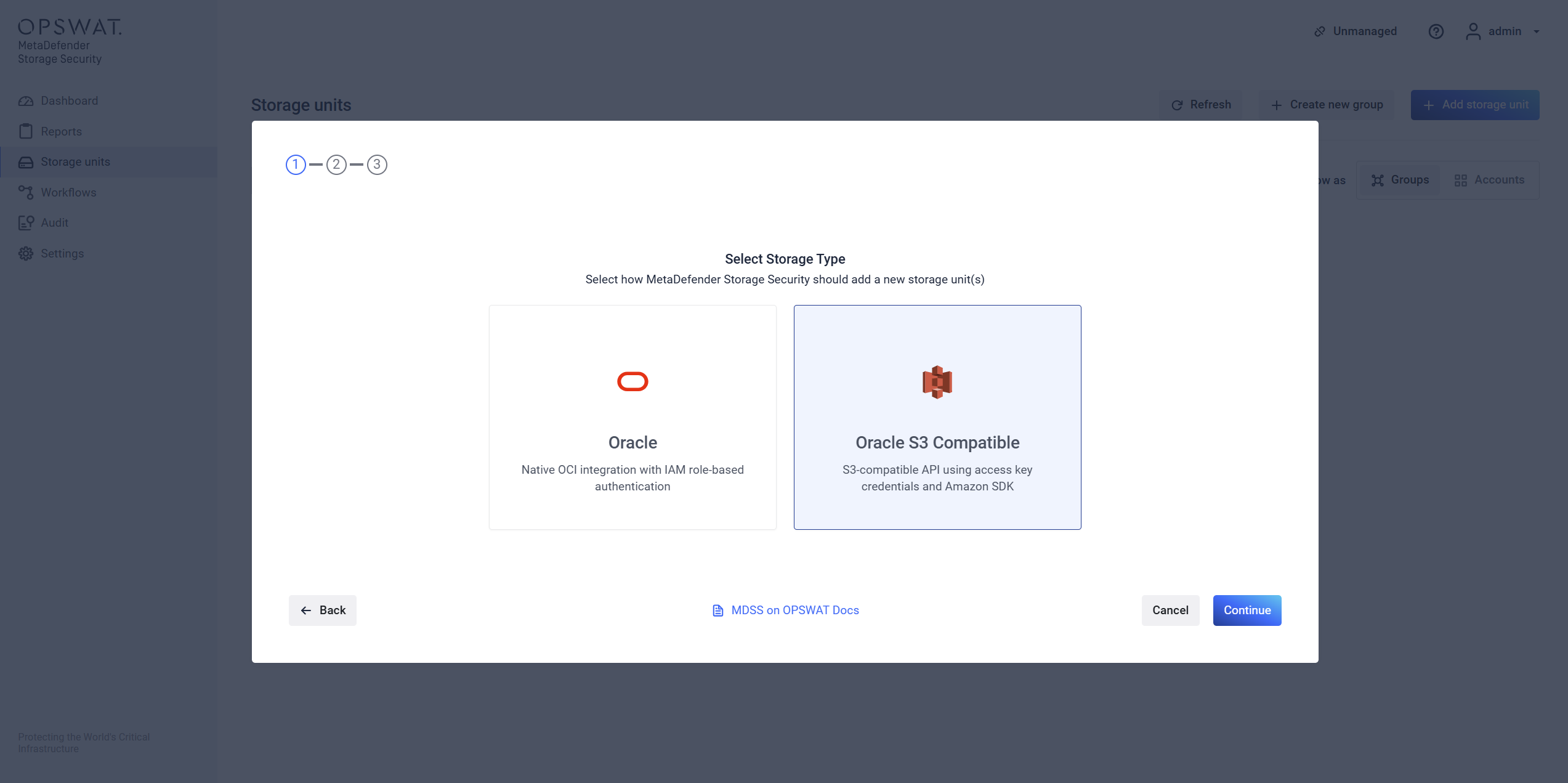
Once you have the details above, go to your MDSS web page, Inventory tab, click Add New > Account, choose Oracle S3 Compatible and fill the form.
Integration via Oracle Native SDK (OCI SDK)
1. Prerequisites
In order to Add an Oracle SDK storage in MDSS, you will need an Oracle API Key including UserId, Fingerprint, Tenancy, Region and Private Key, and the bucket name
From the left side menu, navigate to Inventory, click Add New > Account, choose Oracle and click Next
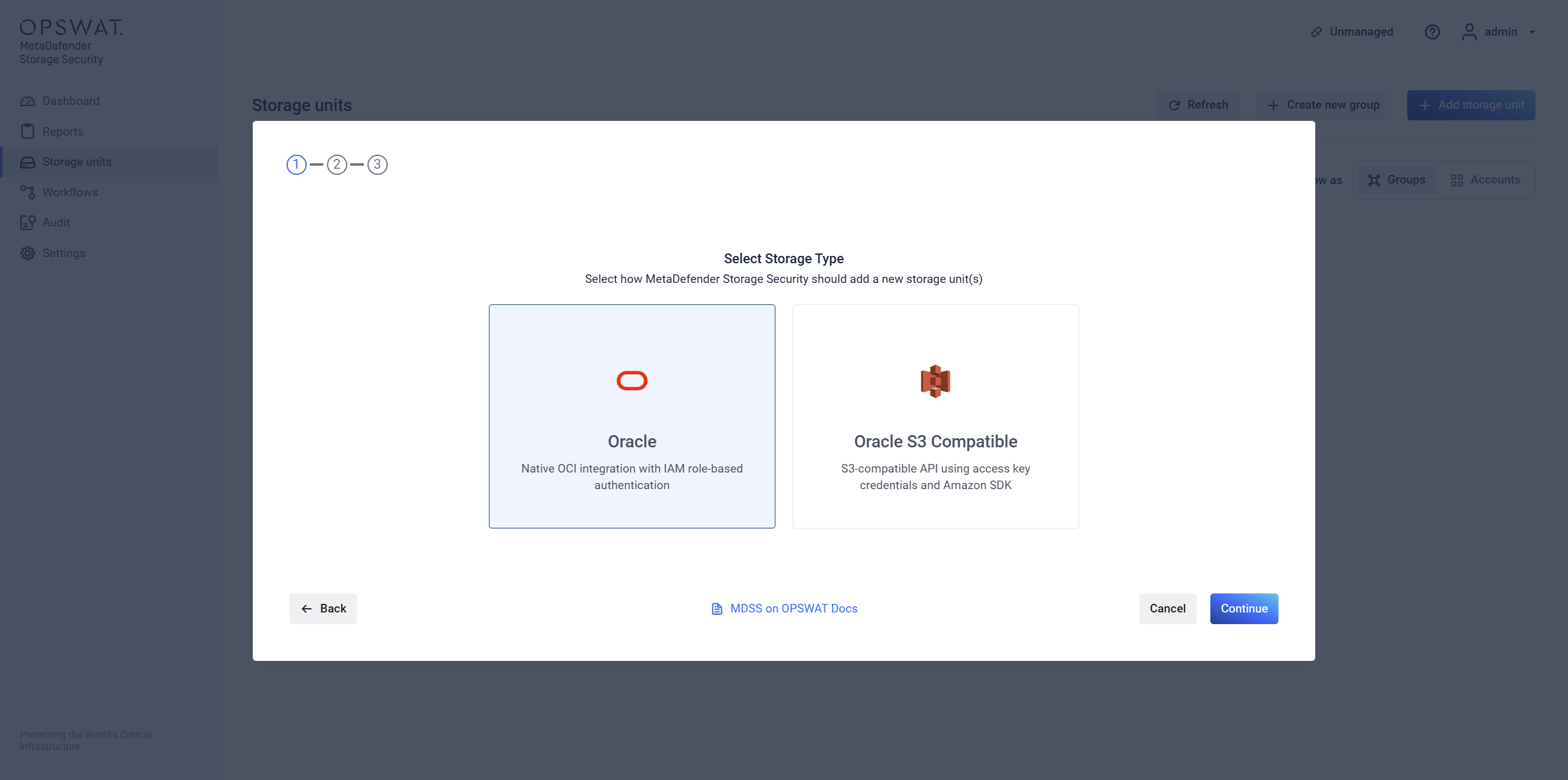
Choose the Oracle option
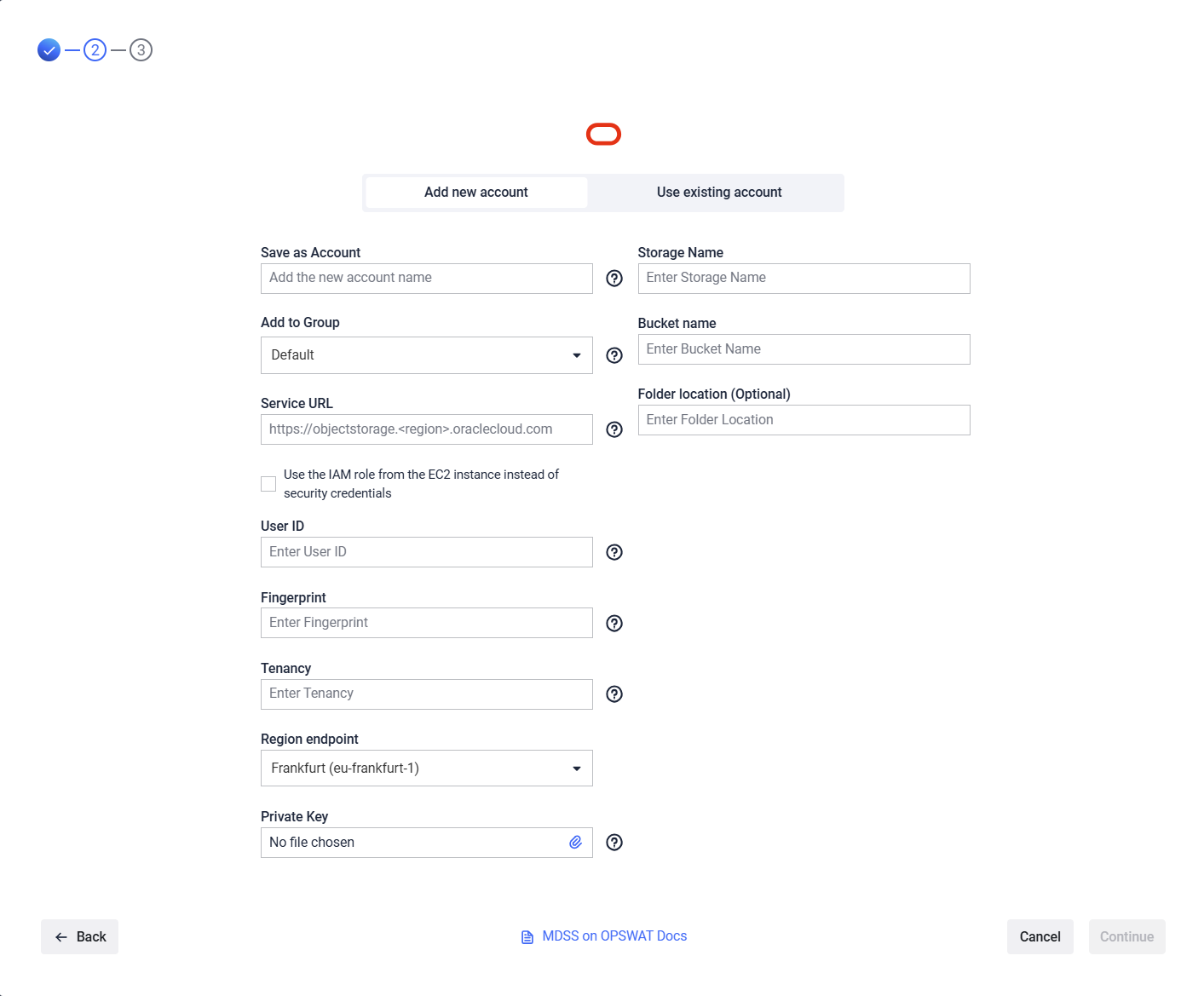
Give your storage a name so you can easily identify it later
There are two ways to connect:
via the IAM role from the instance: please skip to using IAM Role for authentication
using security credentials
Enter your User Id, Fingerprint, Tenancy, Region and Private Key
Enter the name of the bucket you wish to process with MetaDefender Storage Security.
If you wish to only process a particular folder enter the name or path of the folder in the Folder location field. Leave this field empty if you wish to process the entire bucket.
Select Continue in order to finish the process.
Where can I find the Credentials?
To generate the required credentials please follow these steps:
Log in to Oracle Console and go to My Profile in the top right
From there go to Token and Keys tab
Click Add API Key
Download the Private Key and Click Add
After that all the required credentials will be generated and can be copied into MetaDefender Storage Security
Using IAM Role for authentication
Allow your MetaDefender Storage Security instance to use the Instance Principals to access Object Storage (buckets and objects) securely without embedding credentials.
Create a Dynamic Group with at least the following matching rule
instance.id = <your instance id>Create an IAM Policy with the following statements
Allow dynamic-group <your-dynamic-group> to manage buckets in tenancy
Allow dynamic-group <your-dynamic-group> to manage objects in tenancy
This setup allows your MDSS instance to securely access Oracle Object Storage using Oracle Cloud’s native identity management system.