
By default, the communication between a clients and an My OPSWAT Central Management On-Premises server is not encrypted. If HTTPS is enabled, the server can enforce secure connections between clients and the server on SSL channels. This section describes how to enable SSL for My OPSWAT Central Management On-Premises.
Enabling HTTPS
My OPSWAT Central Management On-Premises supports accessing admin console and API via HTTPS. This feature is not enabled by default.
There are two ways to enable the feature:
Using my own domain (custom domain)
Using a provided subdomain for On-Premises deployment (Free custom Subdomain *.maop.site)
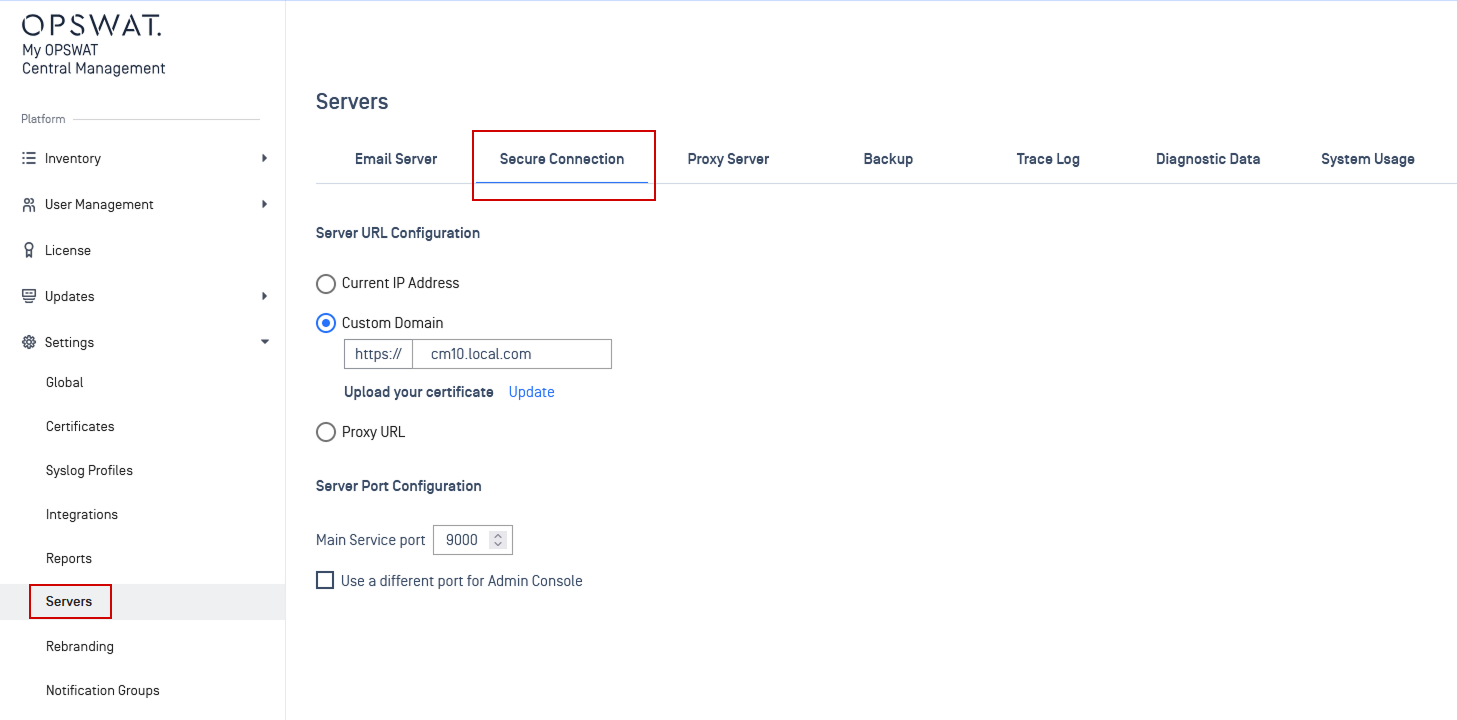
Using my own domain (Custom domain)
The administrator needs to enter their own domain and upload SSL/TLS certificate.
You should use a valid domain and certificate. If you’re using a self-sign certificate, you must install the certificate on any device clients that connect to your own domain.
Using a provided subdomain for On-Premises deployment (Free Custom Subdomain *.maop.site)
My OPSWAT Central Management On-Premises will provide a subdomain such as <customer company>.maop.site
My OPSWAT Central Management On-Premises will use a wildcard cert to issue a cert for the subdomain
By using DNS API, My OPSWAT Central Management will associate the On-Premises IP to <customer company>.maop.site
My OPSWAT Central Management On-Premises will use the wildcard cert for *.maop.site