
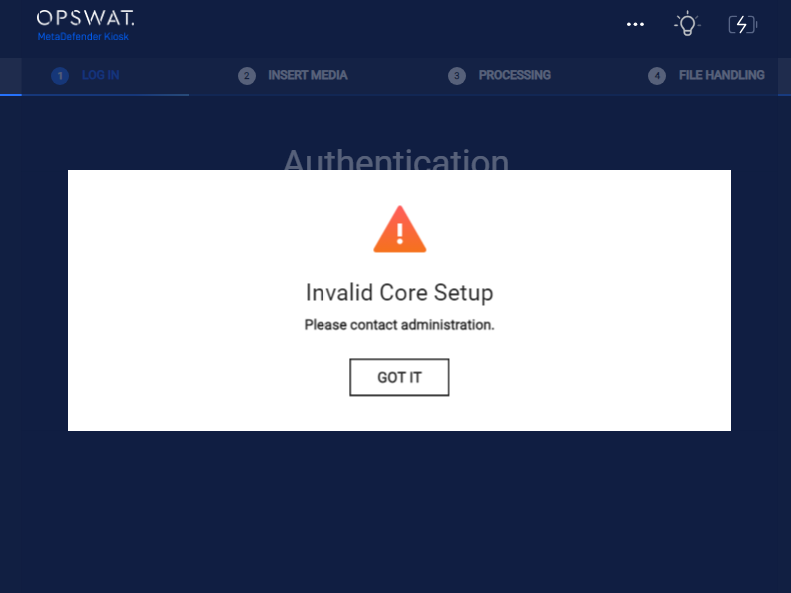
Why does Kiosk show "Invalid Core Setup"?
This article applies to all MetaDefender Kiosk releases deployed on Windows.
Introduction
There are many different reasons why you may view the “Invalid Core Setup”, please review the below:
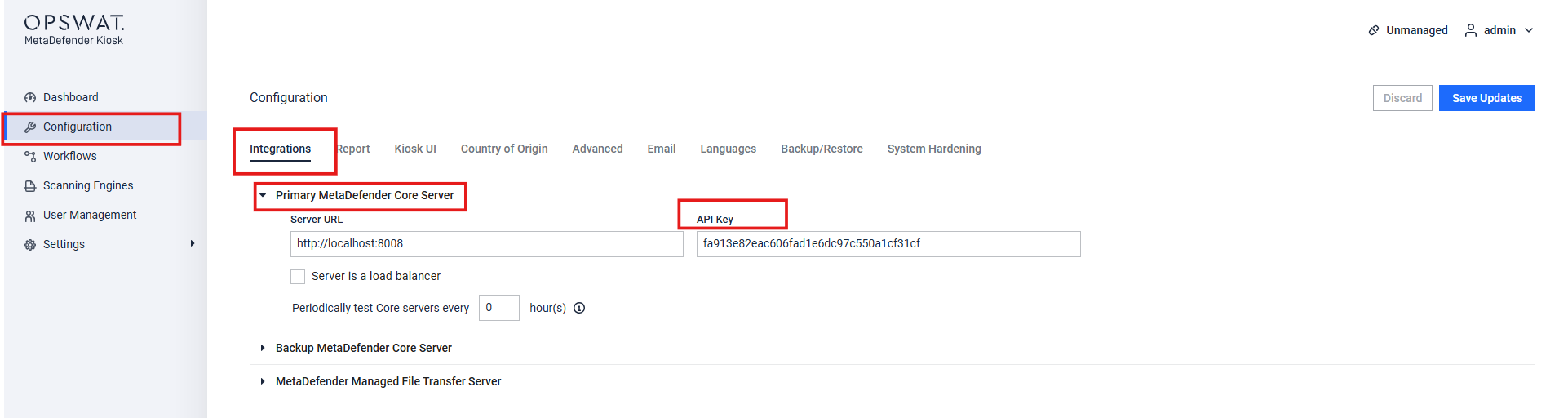
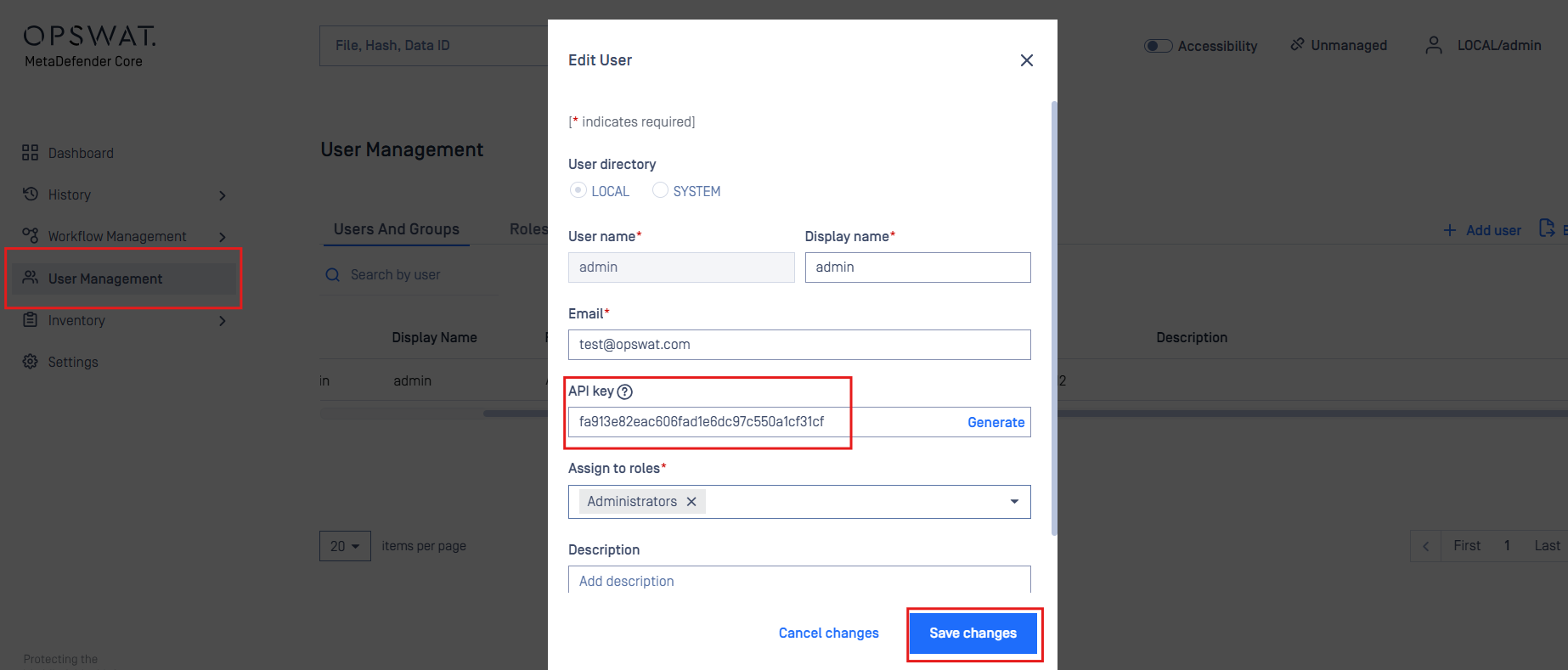
Incorrect API key
Navigate to Kiosk > Configuration > Integrations > Primary MetaDefender Core Server. Compare the API key with the admin local user on MetaDefender Core
Incorrect MetaDefender Core “Server URL”
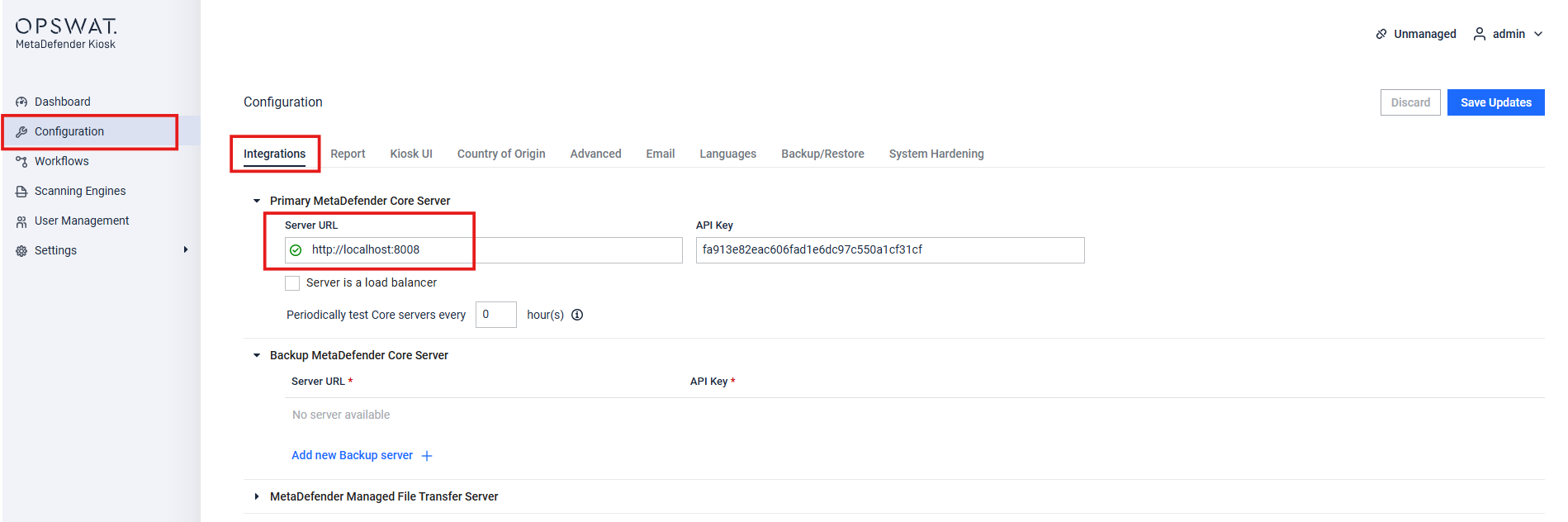
Open the MetaDefender Core Website in the Kiosk machines Browser and copy the URL and paste it here, ending with the port
If MetaDefender Core has a certificate enabled for HTTPS, please use the https://<FQDN>:8008
Example: https://certificateSAN:8008
Unlicensed MetaDefender Core or MetaDefender Kiosk
Confirm that both the MetaDefender Core and MetaDefender Kiosk are properly licensed.
MetaDefender Core:
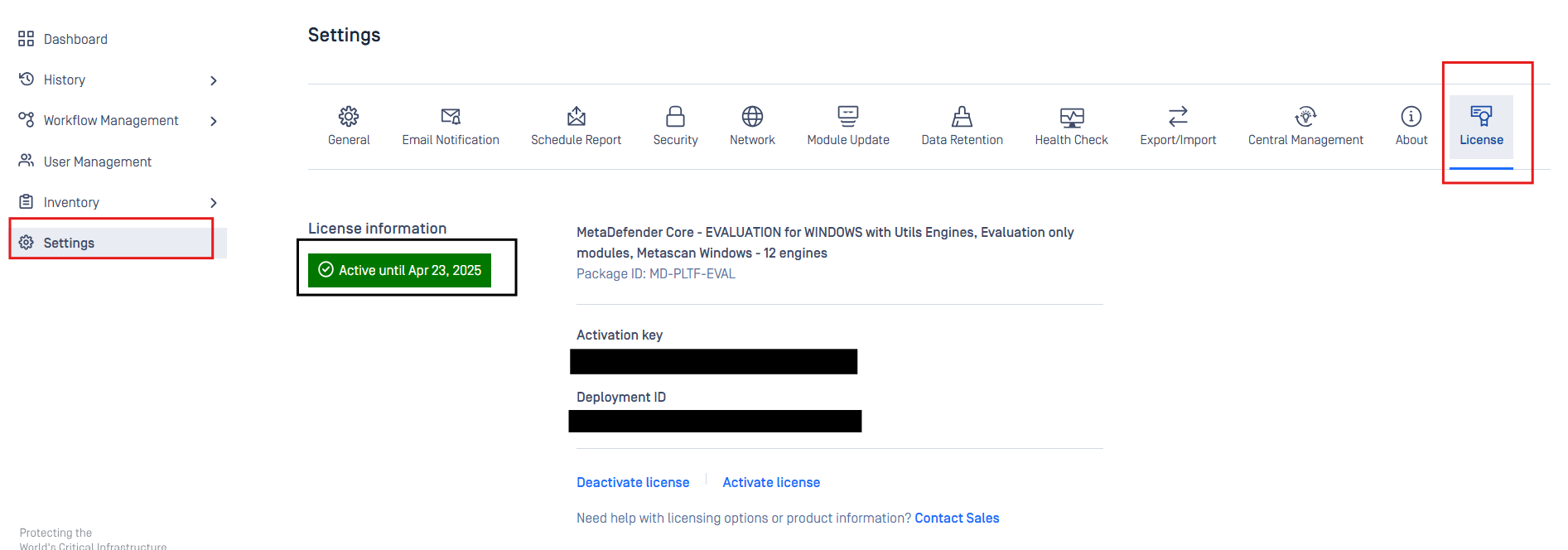
MetaDefender Kiosk:
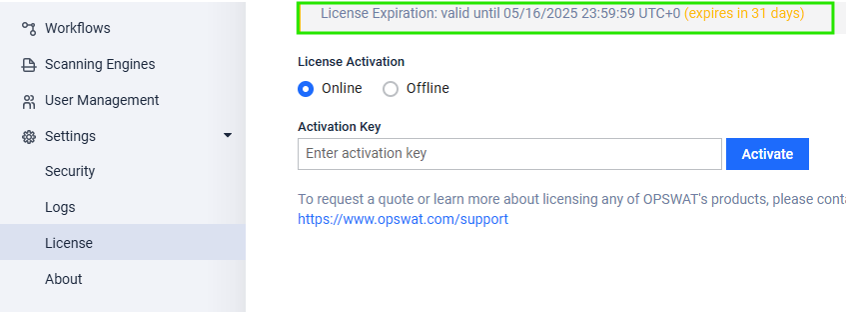
How to activate Kiosk offline: https://www.opswat.com/docs/mdkiosk/installation/managing-license-information
Network connectivity issue between MetaDefender Core and MetaDefender Kiosk
Check for network issues that might prevent communication between the Kiosk and Core. Consult with your networking team if necessary. Example: Firewall, proxy, low bandwidth
Expired Certificate If the certificate on the MetaDefender Core machine is expired, update and install it correctly on the Kiosk's Windows OS inside the Local Machines Trusted Root Certificate Store.
Open the MetaDefender Core website from the Kiosk machine after performing the change
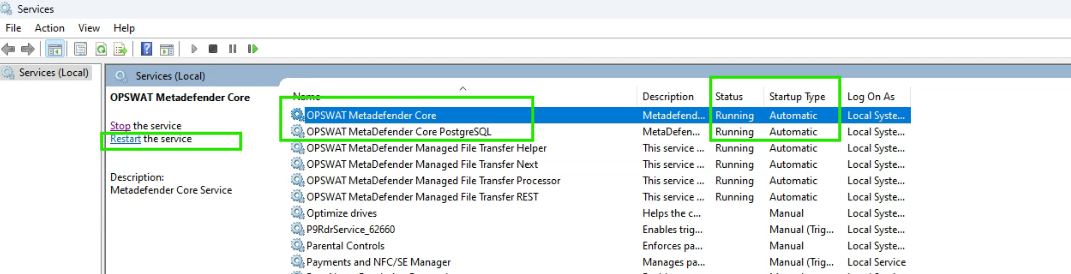
MetaDefender Core service is not running
Verify that the MD Core services are running properly. Restart them if necessary.
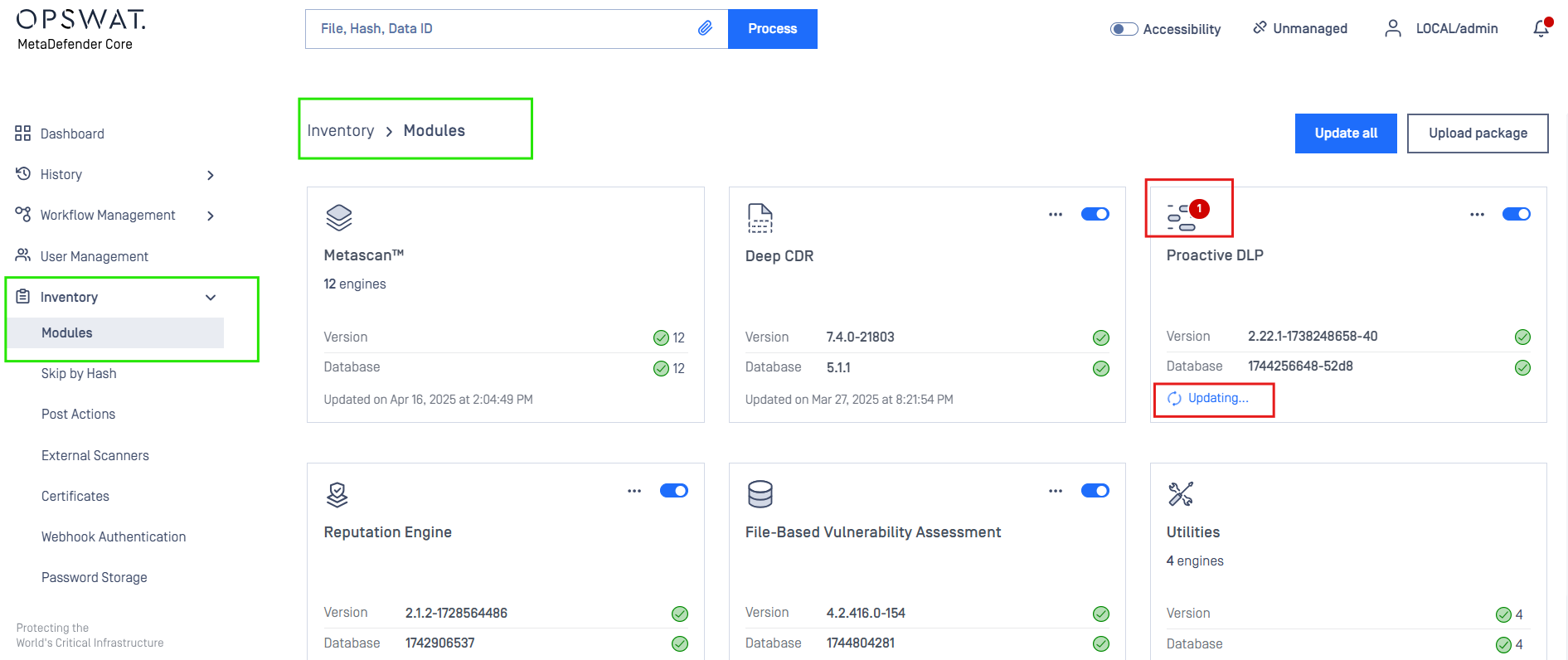
MetaDefender Core Modules inactive/permanently failed
If required engines are still updating, please wait until they are complete.
If they are missing dependencies, check our “System Requirements” to resolve
If Further Assistance is required, please proceed to log a support case or chatting with our support engineer.