
Online procedure
Make sure the primary MetaDefender Core deployment is activated
Gather the deployment ID and Activation key from the primary MetaDefender Core deployment
Navigate to the secondary MetaDefender Core instance and take the following steps
Select the Register as back-up instance option on the back-up MetaDefender Core machine
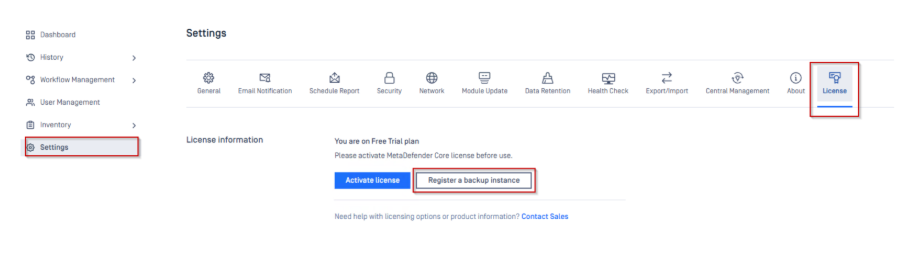
- Add the necessary variables from the primary MetaDefender Core deployment and “register” (Primary Core deployment ID and Activation key)
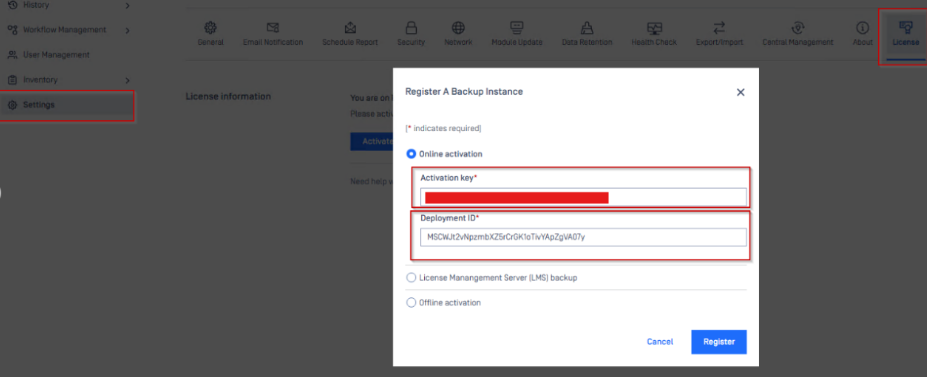
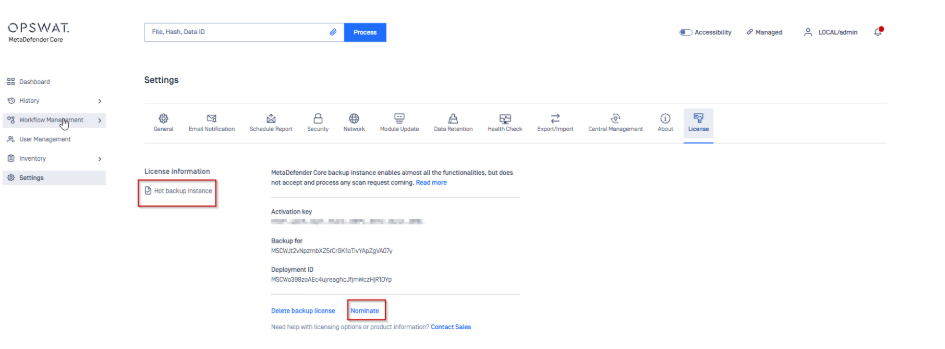
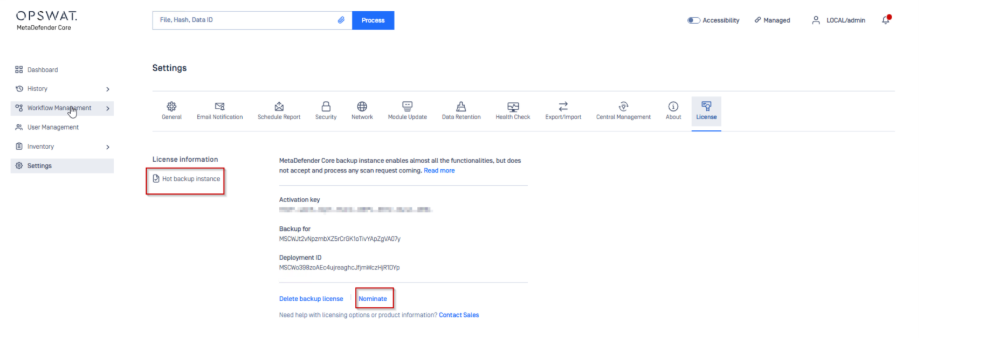
Once the steps are completed, we can observe the successful result on the back-up MetaDefender Core console.
Api call (online environment)
In order to successfully set up hot swap backup configuration between 2 or more MetaDefender Core deployments via API calls the following steps need to be followed:
Make sure the primary MetaDefender Core deployment is activated
Gather the deployment ID and Activation key from the primary MetaDefender Core deployment
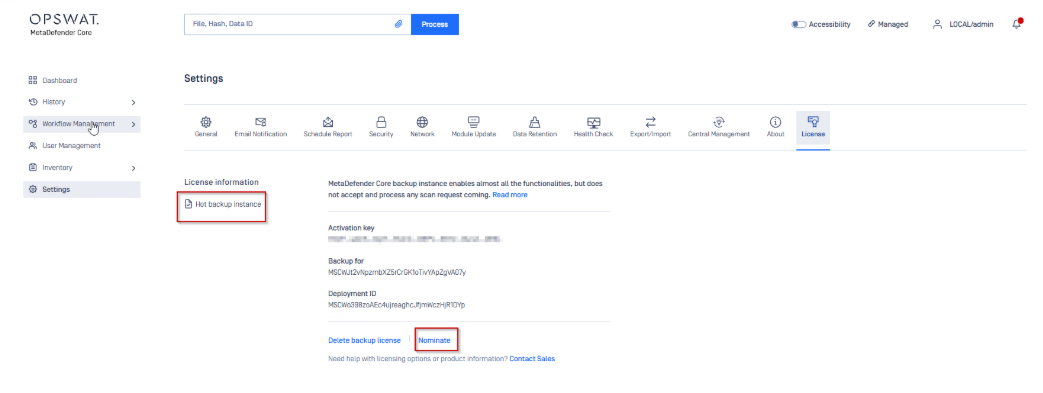
Use the API call listed below with any preferred solution.
A Postman example is highlighted below. Make sure the following information is available before the API call is send:
API Key from the backup MetaDefender Core server
Activation key
Primary MD Core instance deployment ID
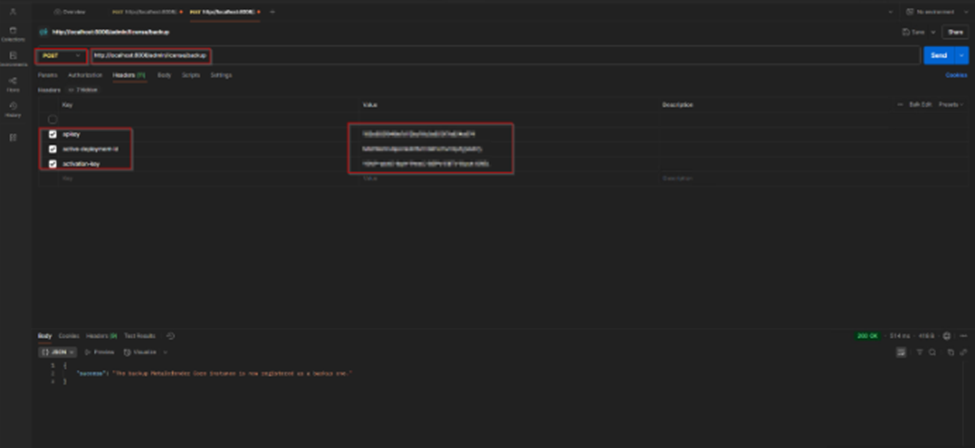
Once the steps are completed, we can observe the successful result on the back-up MetaDefender Core console.
Api call (offline environment)
In order to successfully set up hot swap backup configuration between 2 or more MetaDefender Core deployments via API calls the following steps need to be followed:
Make sure the primary MetaDefender Core deployment is activated
Gather the deployment ID, Activation key, and the offline yml activation file from the primary MetaDefender Core deployment
Use the API call listed below with any preferred solution.
A Postman example is highlighted below. Make sure the following information is available before the API call is send:
API Key from the backup MetaDefender Core server
Activation key
Primary MetaDefender Core instance deployment ID
.yml activation file from the Primary MetaDefender Core instance
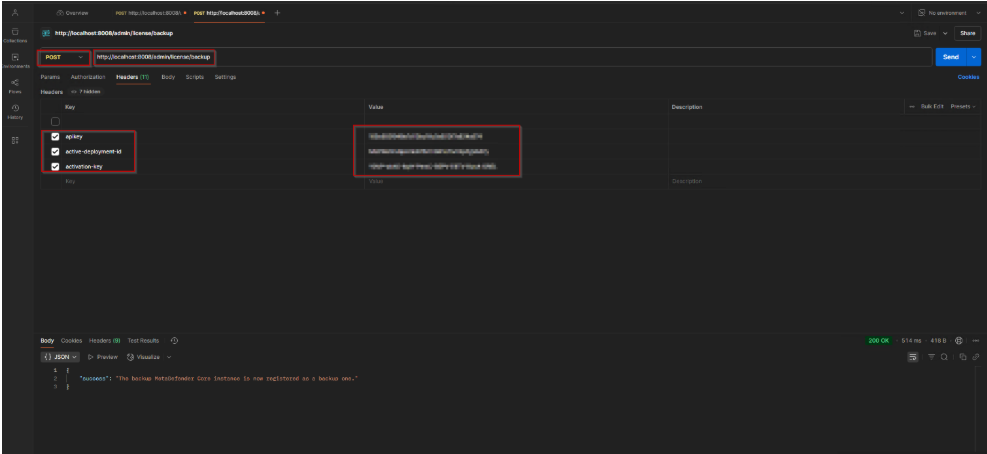
Use that yml file content in body content of the REST API
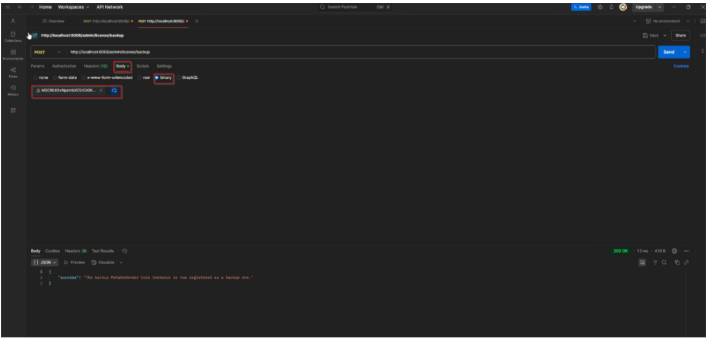
Once the steps are completed, we can observe the successful result on the back-up MetaDefender Core console.
If you encounter any issues during the activation process or require further assistance, please contact OPSWAT support via My OPSWAT at: https://my.opswat.com/home
Our support team will be able to provide you with the necessary guidance and resolution for any license-related concerns.