
How to Set Up MetaDefender Core to Connect to Syslog via TLS?
This article applies to MetaDefender Core versions 5.15.1 and later, deployed on both Windows and Linux systems.
In this version, MetaDefender Core introduces a user interface for configuring syslog settings (refer to the Release notes).
Your Splunk server is configured to listen on a TLS port and is using a self-signed certificate.
You can easily set up the syslog integration through the MetaDefender Core web UI:
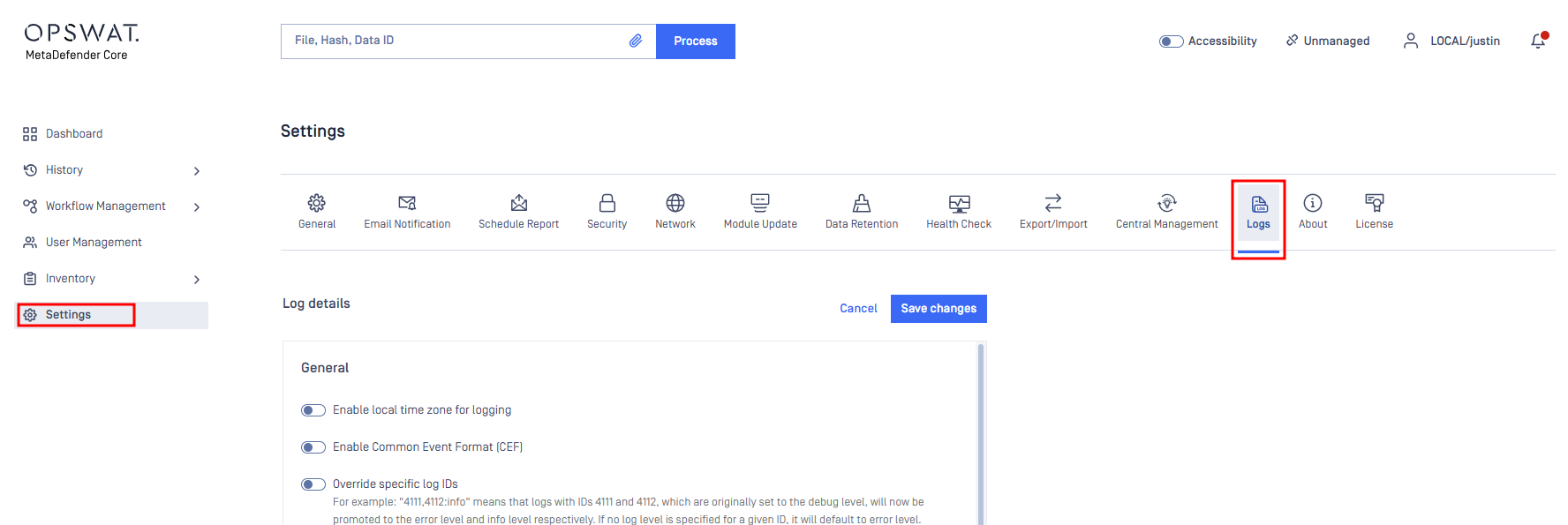
Access the Web Dashboard.
Navigate to Settings > Logs to begin the configuration.
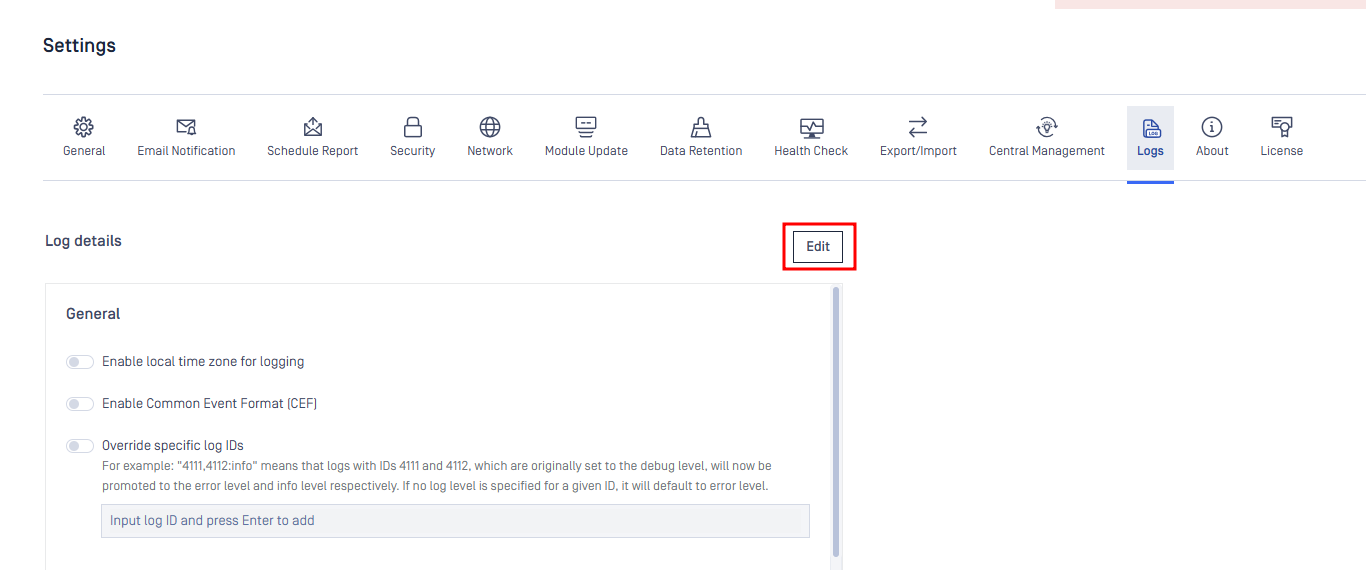
Next, click on “Edit” to modify the syslog settings.
You will now see an option in the settings to allow the use of self-signed certificates.
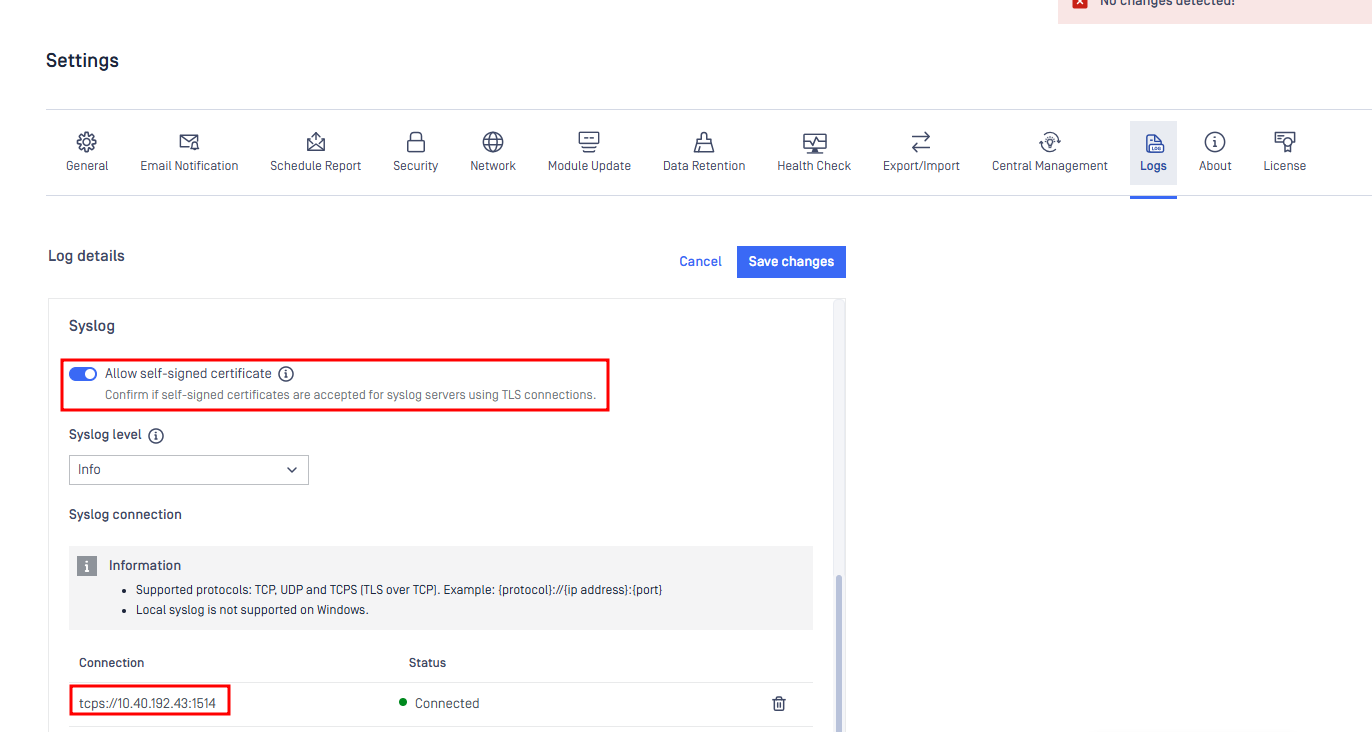
Once enabled, the syslog connection status will show as “Connected,” indicating that MetaDefender Core has successfully established a connection with the syslog server.
If Further Assistance is required, please proceed to log a support case or chatting with our support engineer.