
Event-based scanning is available for Nexus Binary connections. It is not available for Nexus Container connections.
Log in to Nexus Repository as an administrator.
Click the gear icon to open the administration menu, then select "System" → "Capabilities":
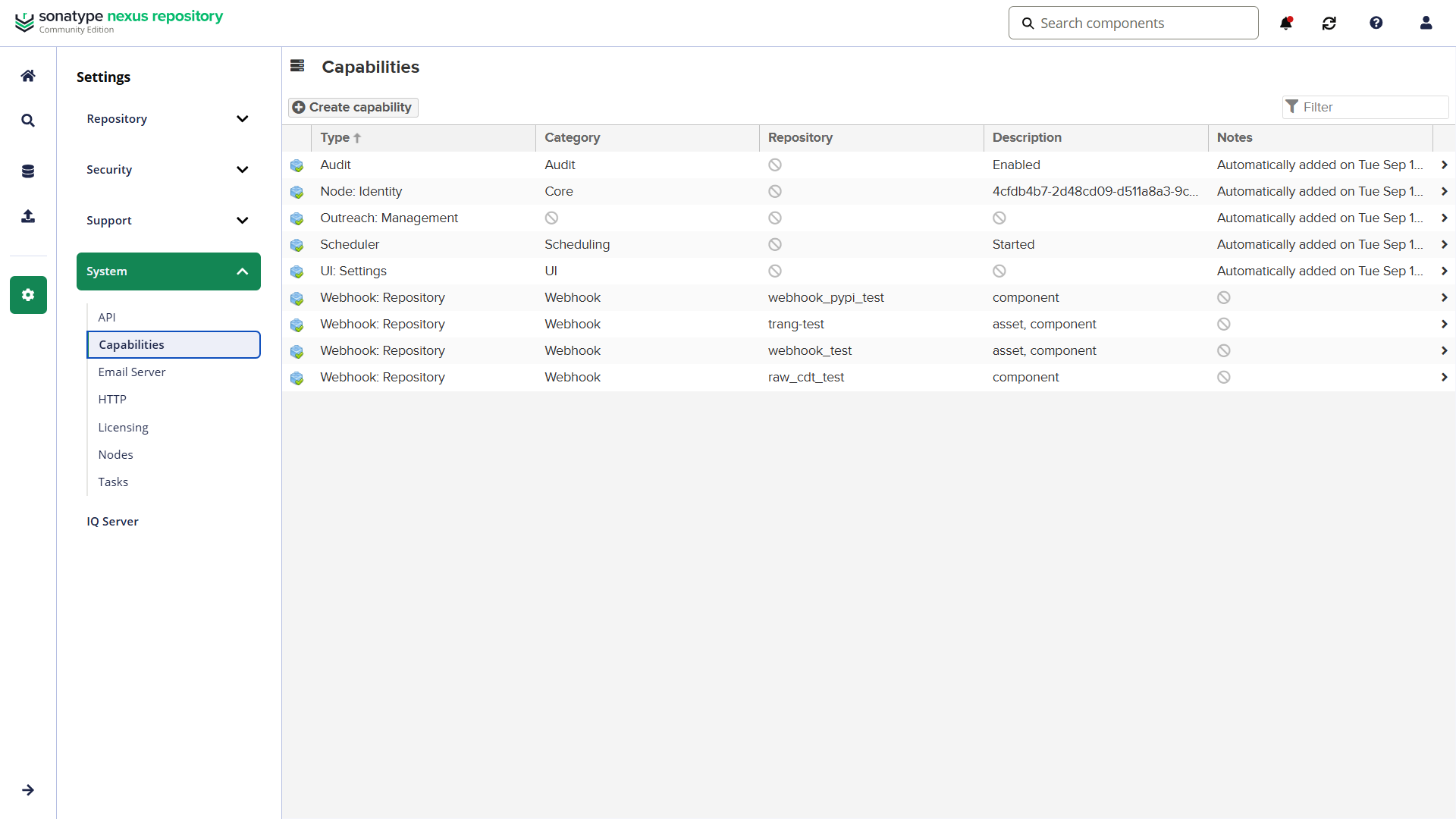
Click "Create capability" and select "Webhook: Repository". The webhook configuration page opens:
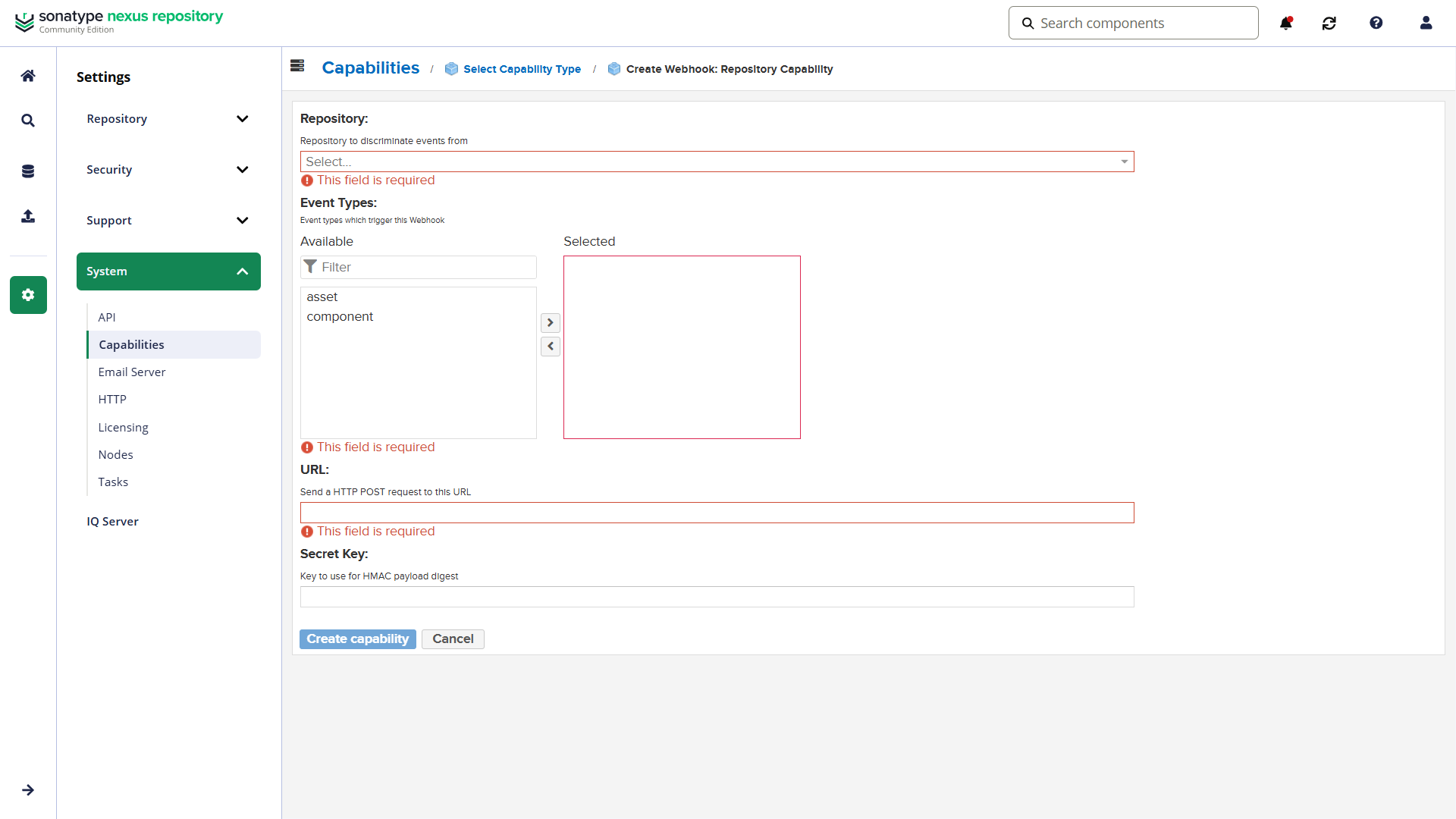
Under "Repository", select the repository that needs event-based scanning.
Under "Event Types", select "component".
Insert the MDSSC Webhook URL that you generated for this connection into the "URL" field.
Insert your MDSSC API key into the "Secret Key" field.
Use the API key of the user who generated the Webhook URL. If this user generates a new API key, update the Secret Key in Nexus.
Click "Create capability".
To test the webhook, upload a component to the repository. MDSSC scans the uploaded component version, not the whole repository.
MDSSC scans components that are created or updated. Deleted components, asset events, and Docker and Helm components do not start a scan. Nexus does not have a test button, so upload a component to test the webhook.