
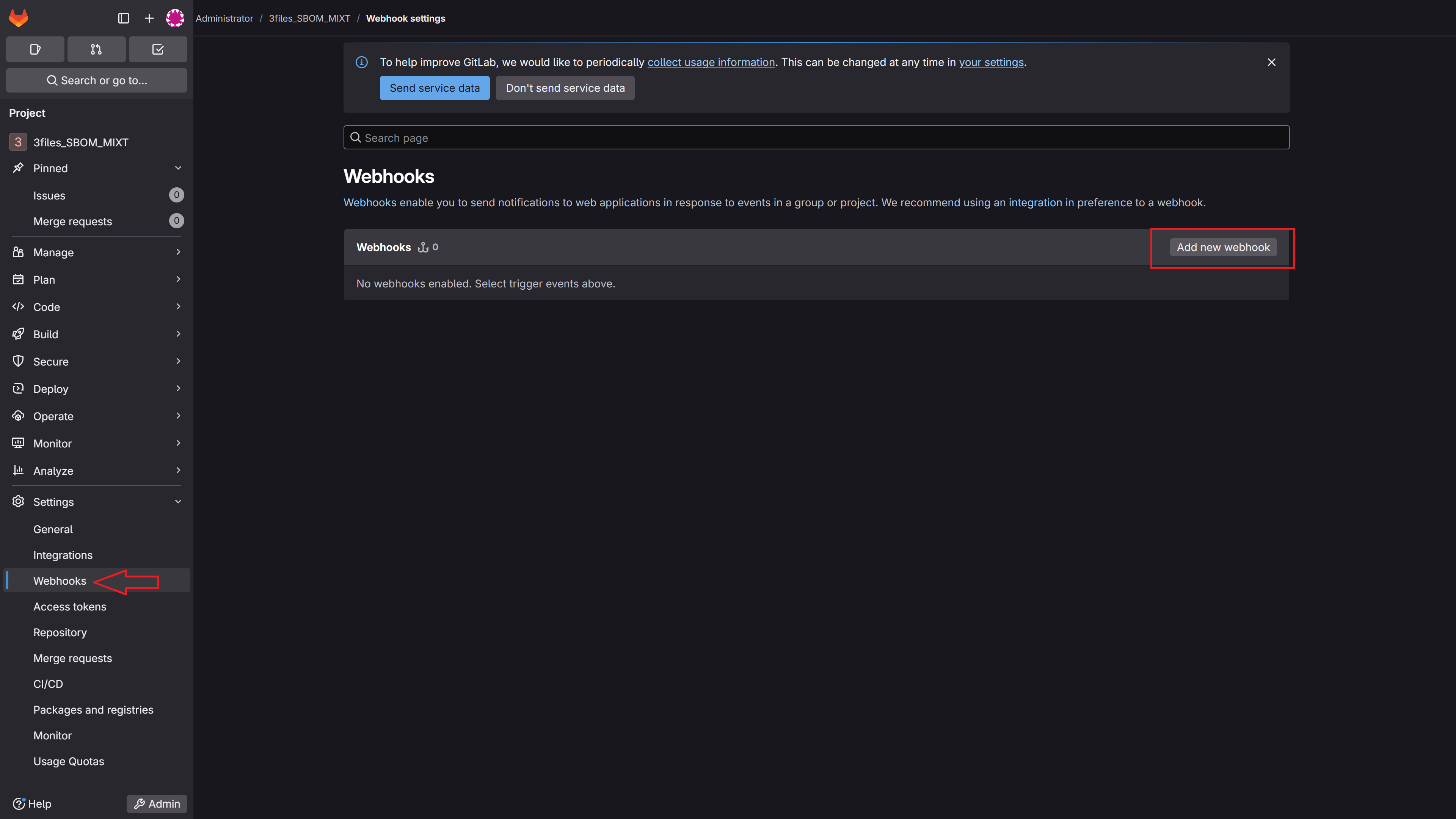
Go to your GitLab instance → select the repository chosen in MetaDefender Software Supply Chain → Settings → Webhooks → Add new webhook
Fill the necessary details by giving a name (optional), the URL will be the generated URL from MetaDefender Software Supply Chain, select a compatible event type (in this example, we use push event) and also add a custom header including the API Key:
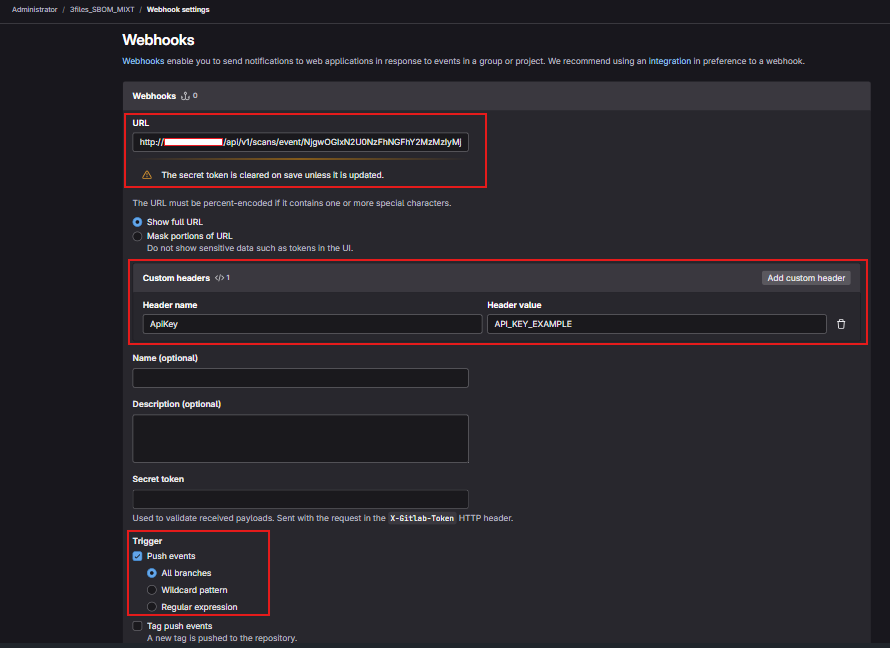
After that hit the
Add webhookbutton and the new webhook will be added to the list:
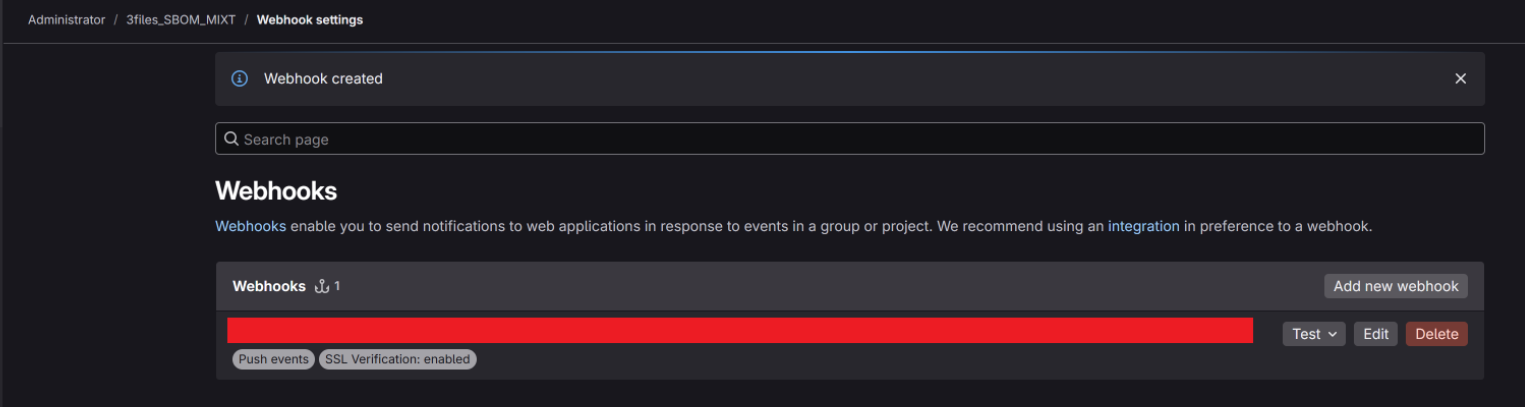
Now, when something is pushed into the GitLab repository, a scan will be automatically triggered.
Was this page helpful?
Operating