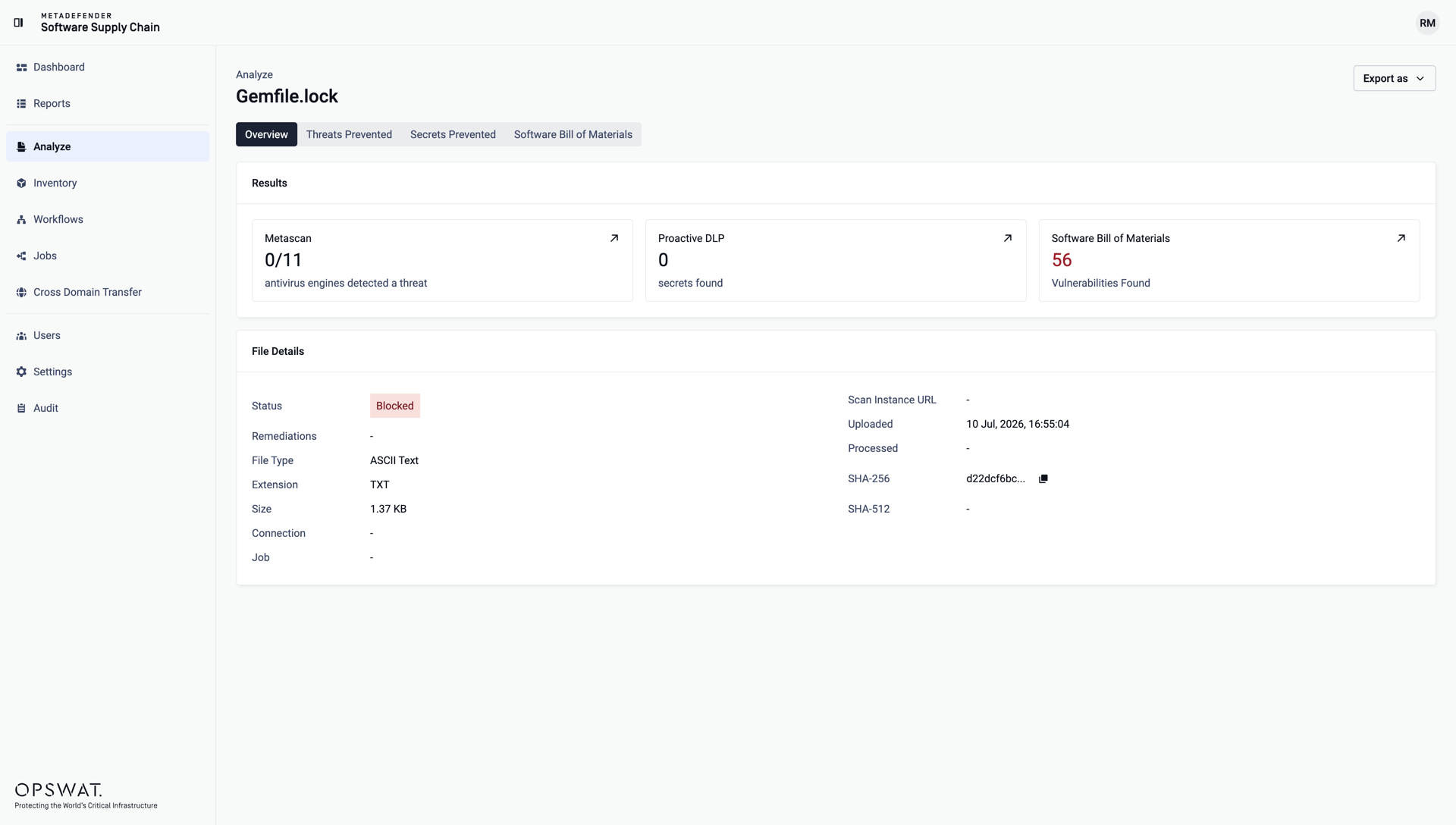
The Analyze page lets you scan individual files without connecting a repository - drop in a dependency manifest, an installer, an archive, or any other file, and MetaDefender Software Supply Chain analyzes it with the same technologies used for repository scans.
Analyze files
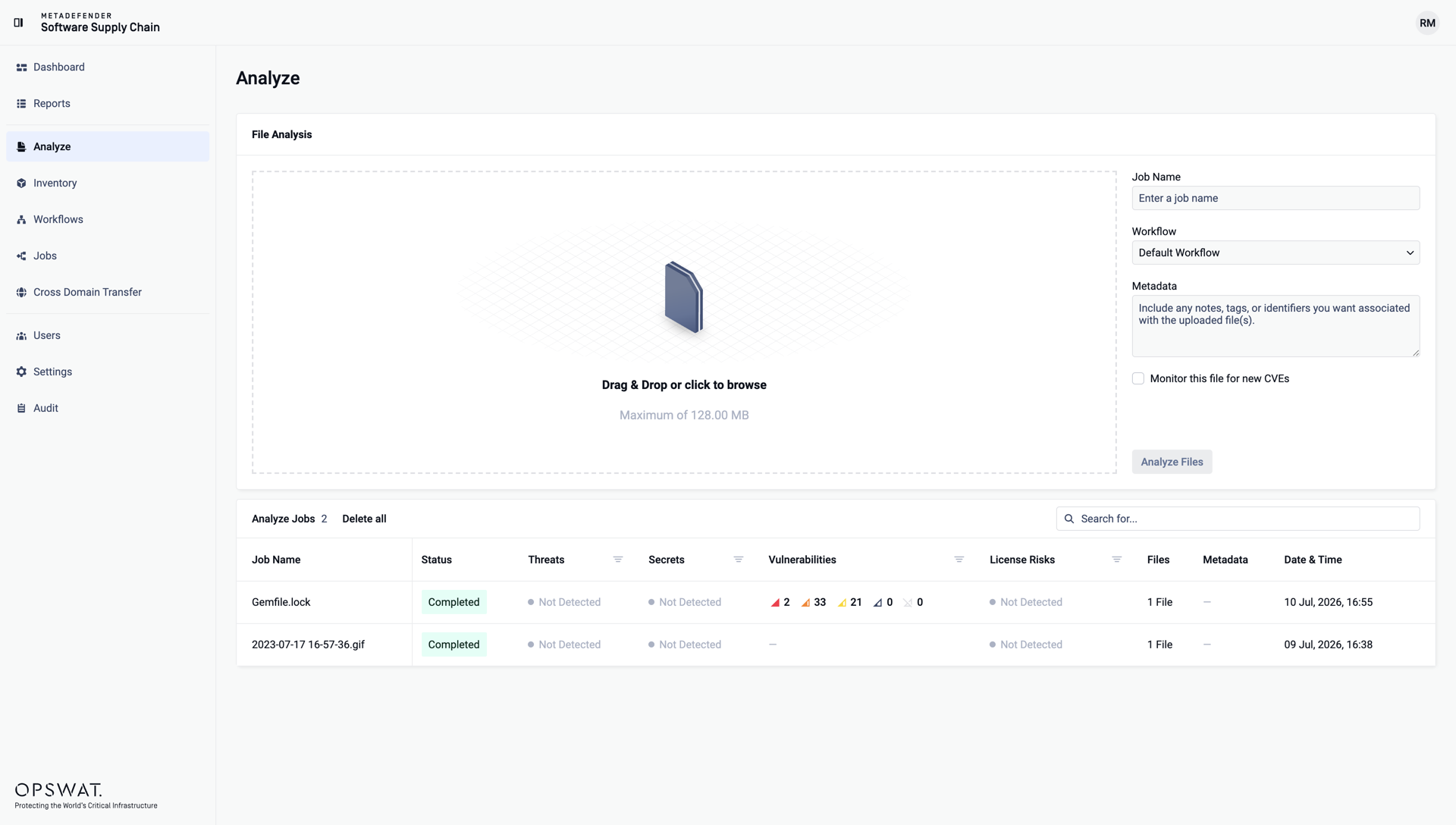
Drag and drop your files into the upload area, or click it to browse. Multiple files can be uploaded at once, up to the displayed size limit.
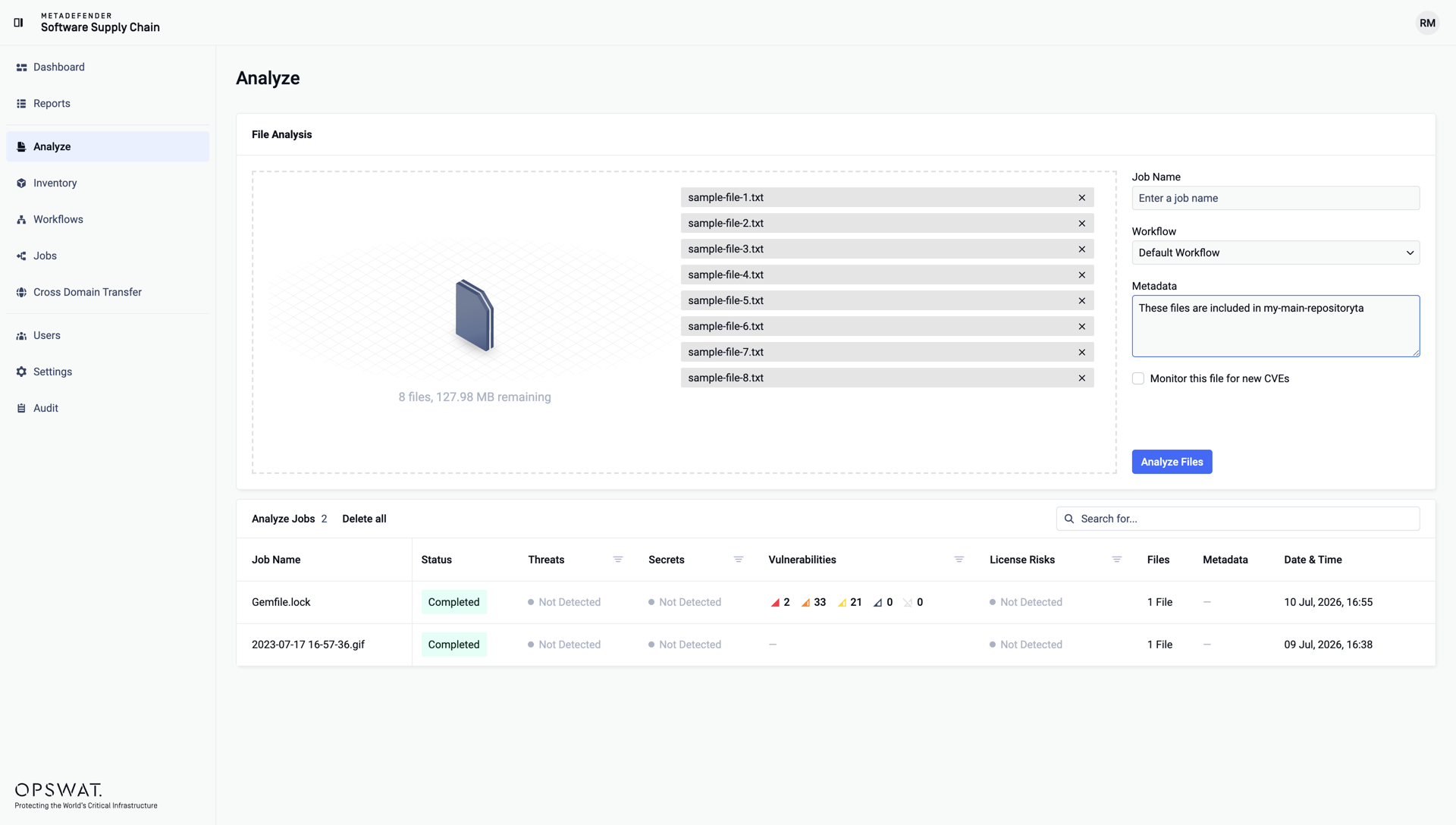
Optionally give the analysis a Job Name, select the Workflow to apply, and add Metadata - any notes, tags, or identifiers you want associated with the uploaded files.
Click Analyze Files:
Analysis results
Each analysis appears in the Analyze Jobs table below the upload area, with its status and the detected threats, secrets, vulnerabilities, and license risks. Use the search field and filters to find a specific analysis, or Delete all to clean up the list.
Click a job to open the detailed results of the file. The Results cards summarize what each technology found - Metascan (antivirus engines), Proactive DLP (secrets), and Software Bill of Materials (vulnerabilities) - and the tabs let you drill into each area. The Export as menu downloads the results: