
The CVEs tab of the Reports page is the vulnerability-centric view of your scan results: every CVE found across your scans, listed once, even when it affects multiple packages or repositories. The severity summary at the top shows the total number of vulnerabilities by severity:
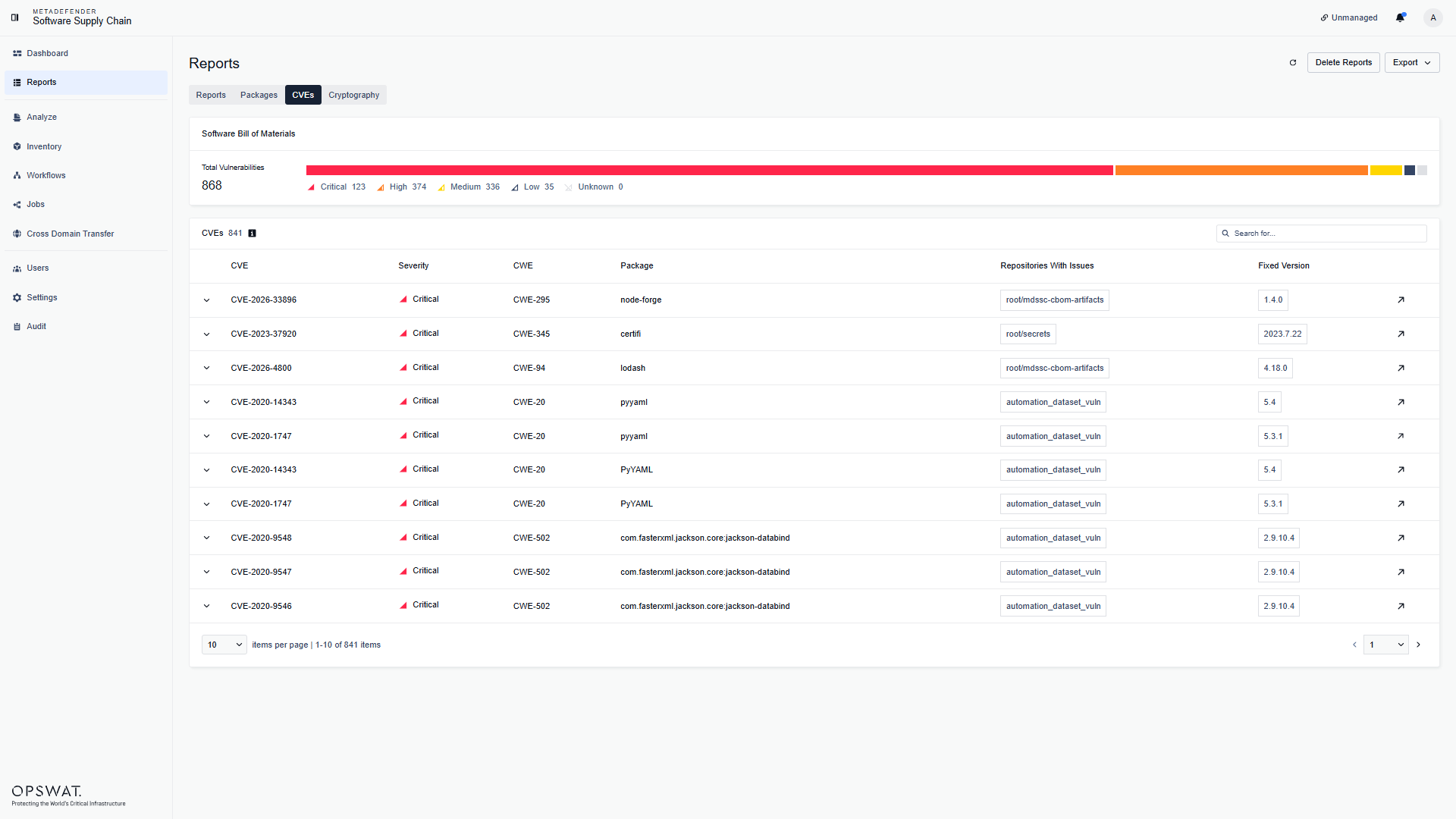
For each CVE you can see its severity, the CWE, the affected package, the repositories where it was found, and the version that fixes it. Use the search field to find a CVE, and the severity summary to filter by severity. Use the arrow at the end of the row to open the CVE reference in a new tab.
CVE details
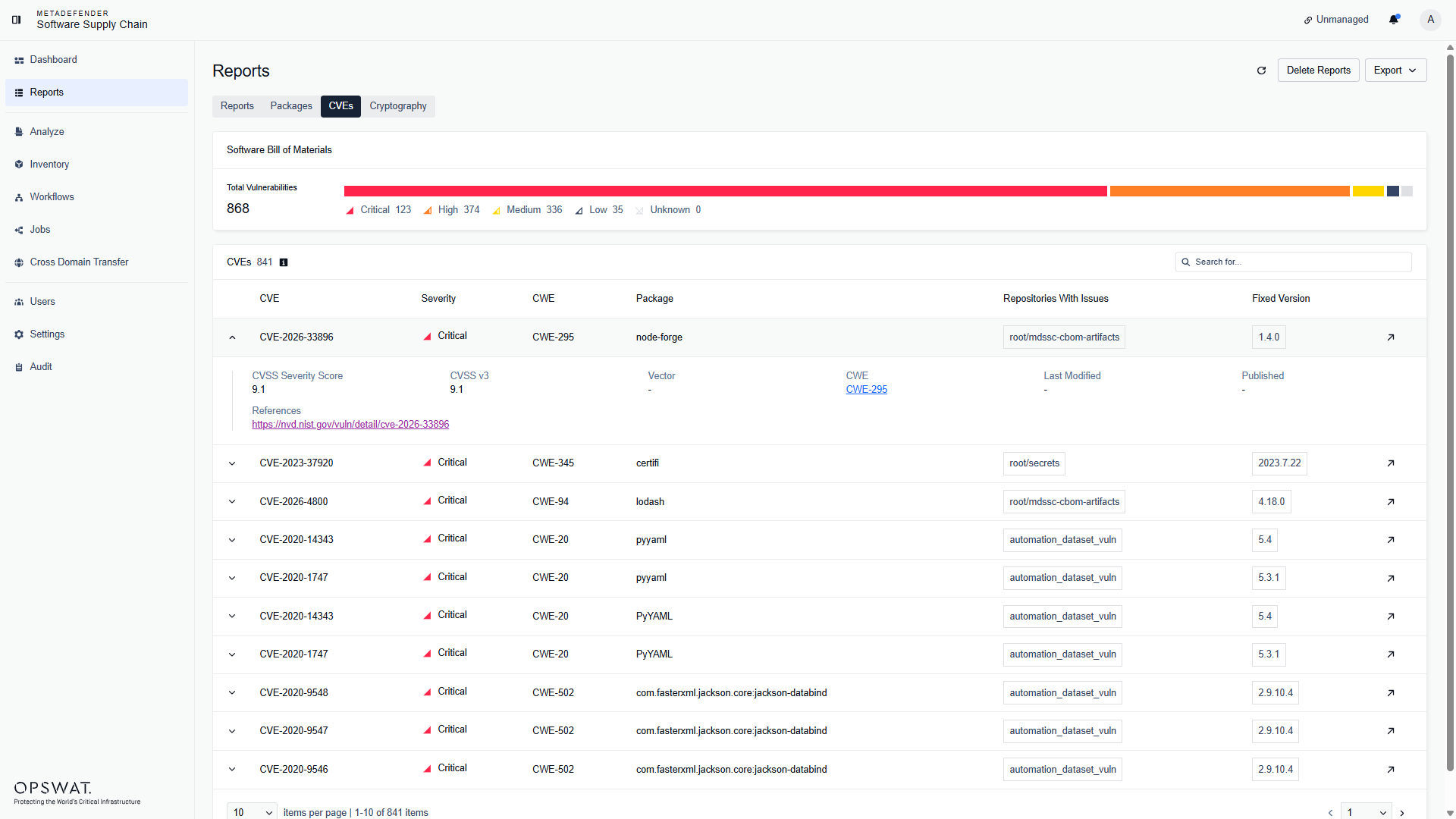
Expand a row to see the details of the CVE: the description, the CVSS score and vector, the CWE, the published and last modified dates, and the references:
Was this page helpful?
Operating