The Reports tab of the Reports page lists a scan report for every scanned repository and reference:
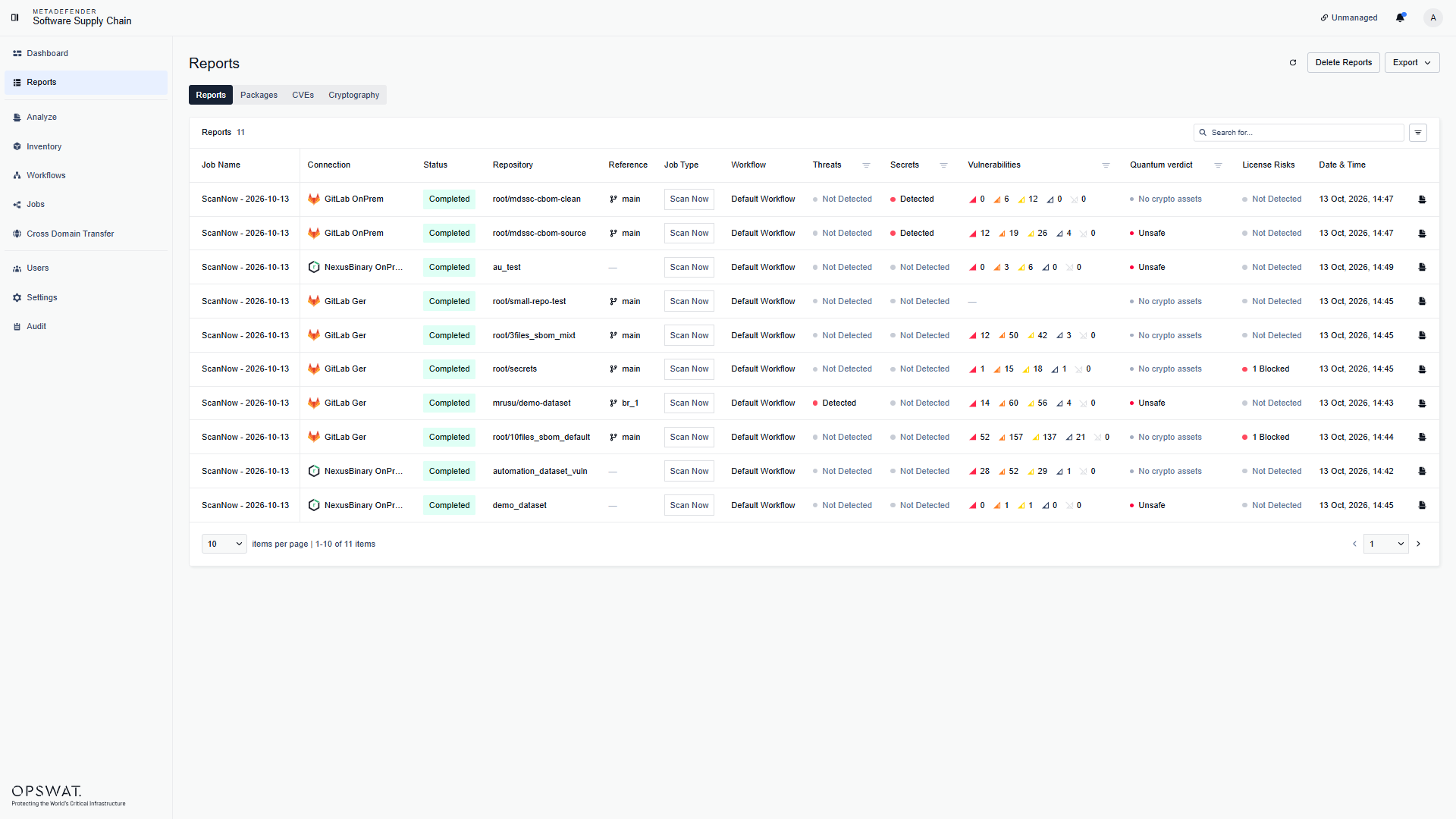
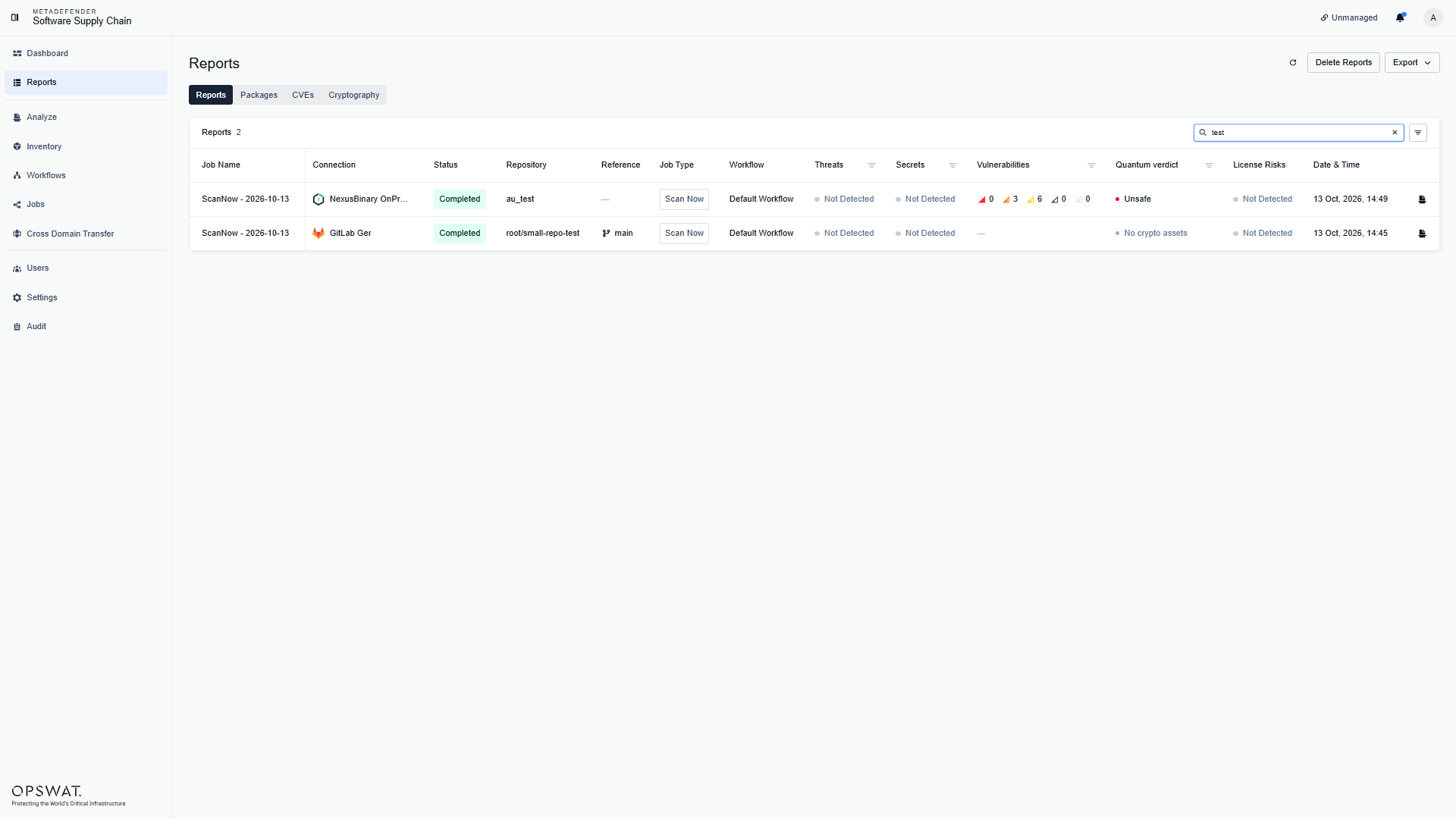
Each row shows the connection, the scan status, the repository and reference, the job type, the quantum verdict, and whether threats, secrets, vulnerabilities, or license risks were detected. Use the search field to find a repository by name, and the filter button to filter by service, service type, status, workflow, vulnerabilities, quantum verdict, licenses, threats, or secrets:
Report details
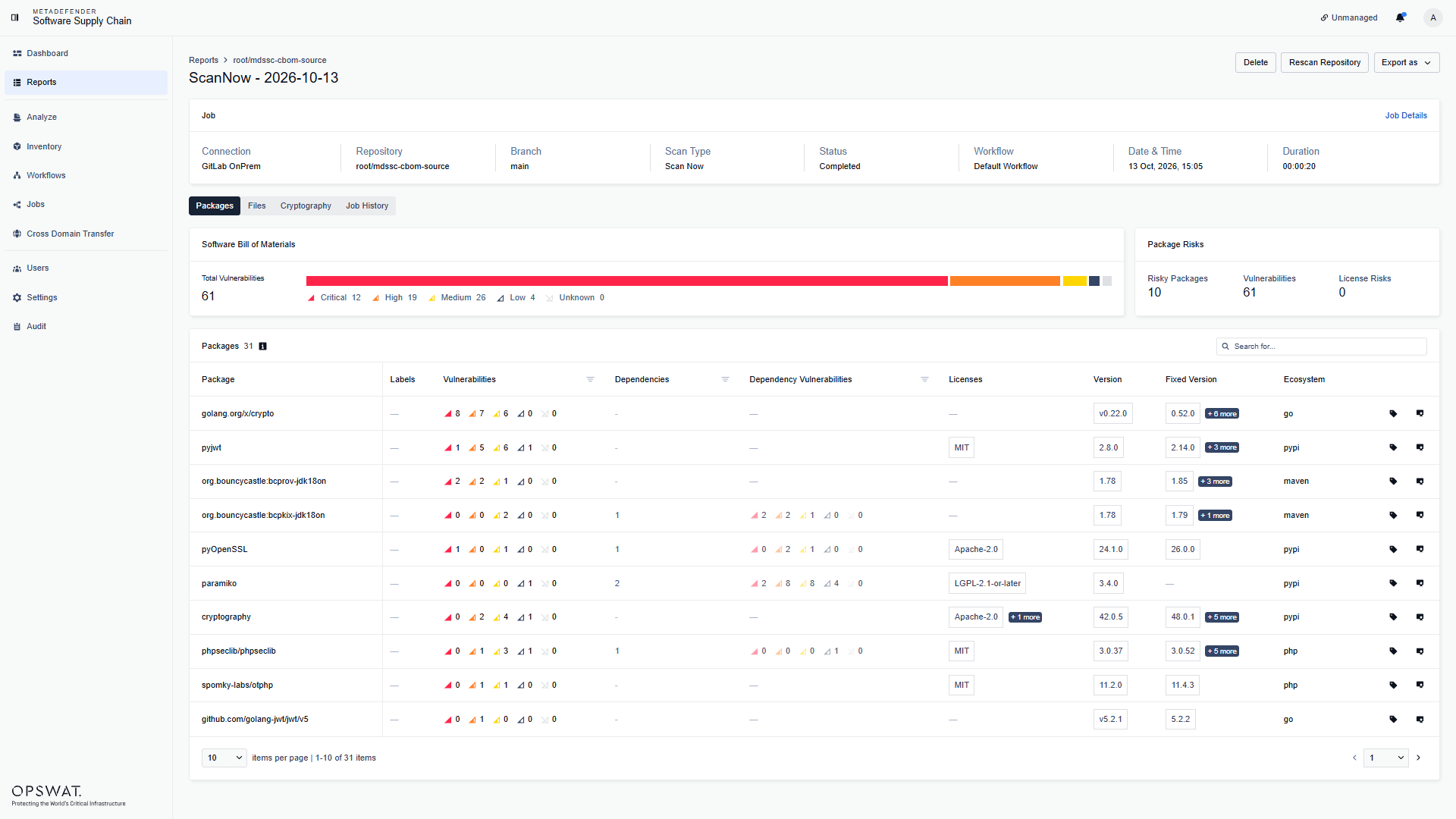
Click a report to open its details. The header summarizes the job: connection, repository, branch, scan type, status, workflow, date, and duration. From here you can Delete the report, Rescan Repository, or use Export as to download the results.
The report is organized into tabs:
Packages: the Software Bill of Materials of the repository - every package that was discovered, with its vulnerabilities, dependency vulnerabilities, licenses, version, and ecosystem. The severity summary and the Package Risks card at the top give the totals at a glance:
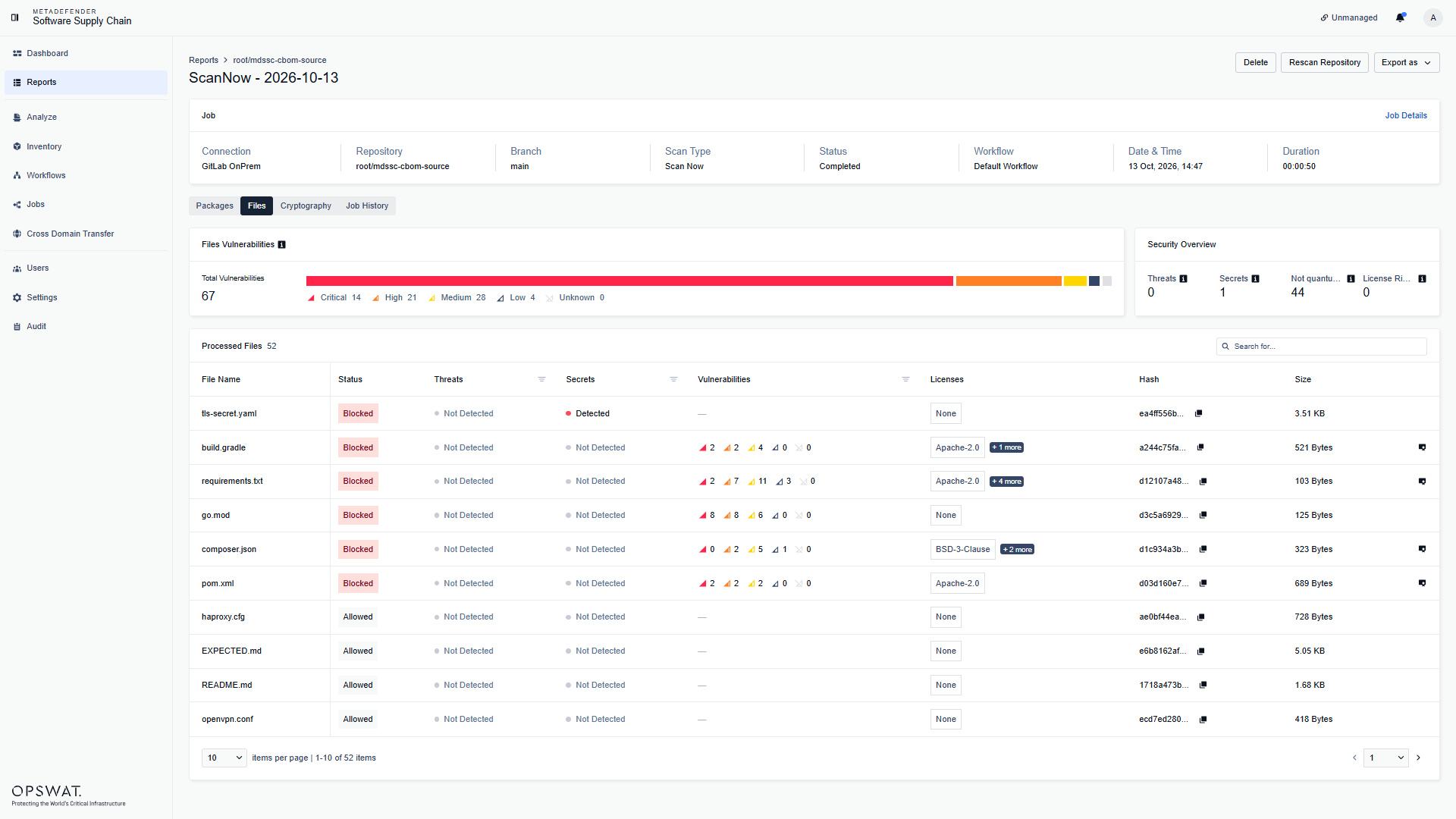
Files: every processed file, with its status (Allowed or Blocked), detected threats, secrets, vulnerabilities, licenses, hash, and size. For container scans, this tab is named Layers and shows the image layers instead:
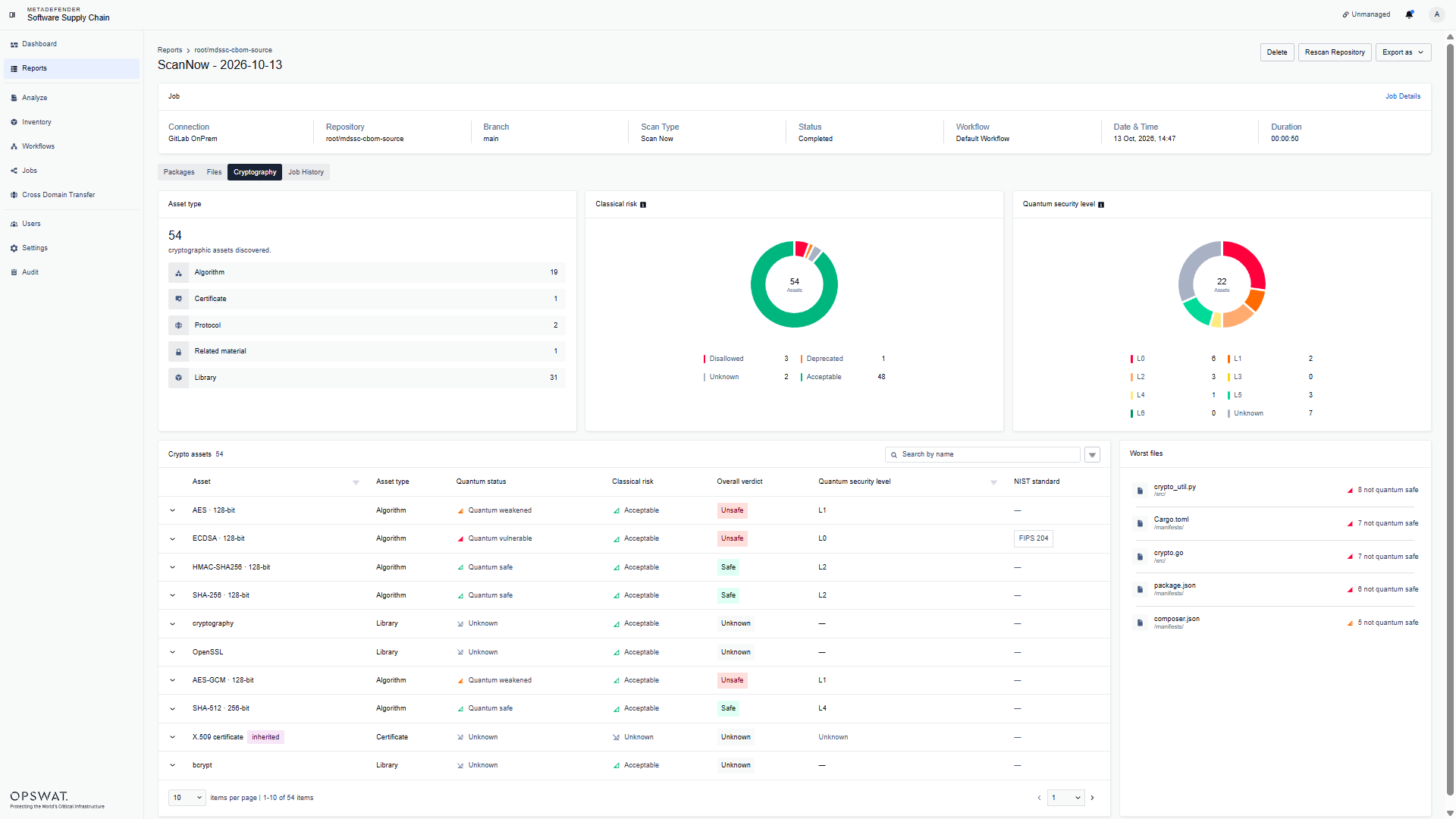
Cryptography: the Cryptographic Bill of Materials of the repository - every asset found in the repository, with its asset type, quantum status, and classical risk. The Asset type, Classical risk, and Quantum security level cards at the top give the totals at a glance:
Job History: the previous scans of the same repository, so you can compare how the results evolved over time.
File details
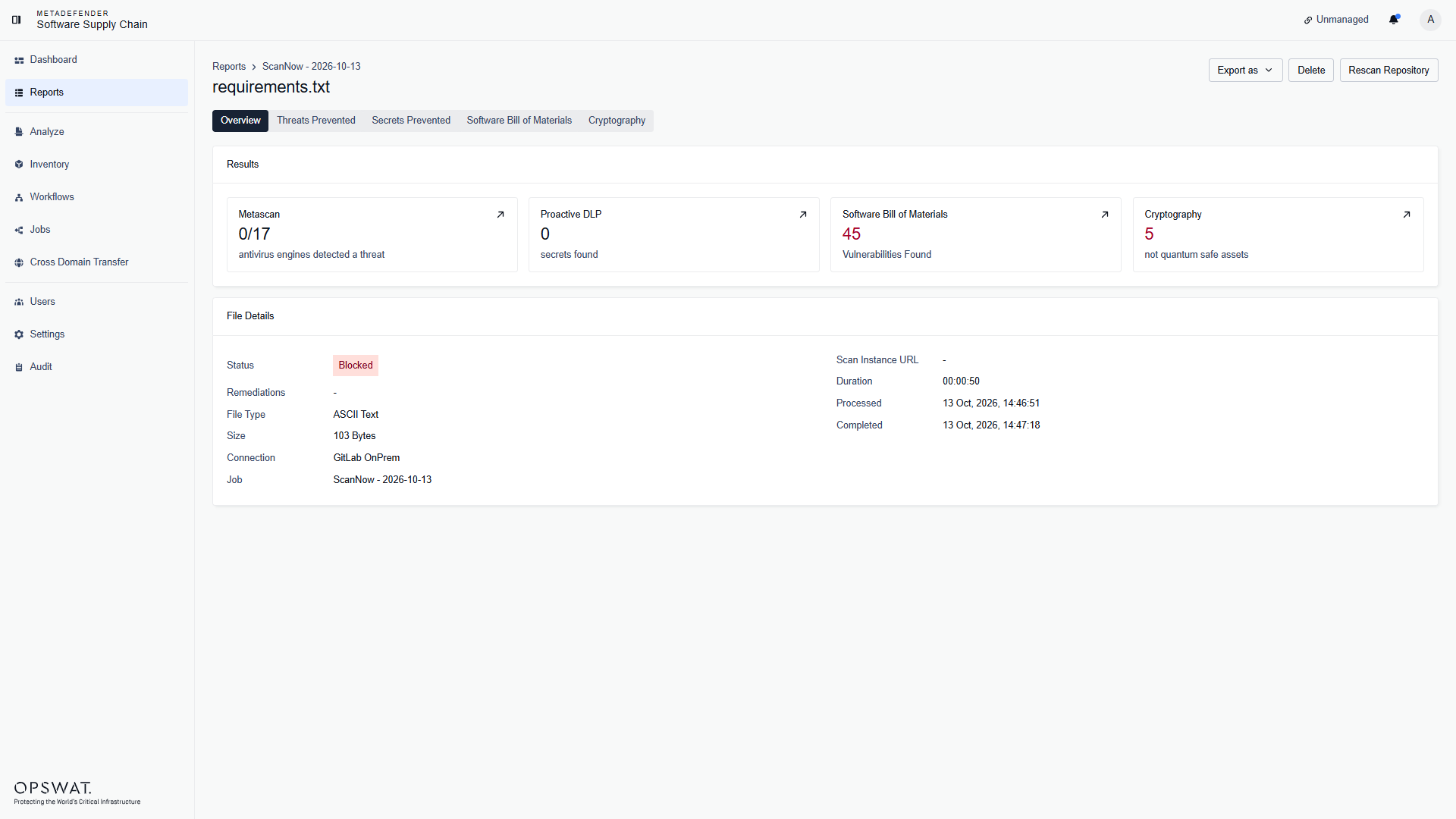
Click a file in the Files tab to open its analysis. The Results cards summarize what each technology found - Metascan (antivirus engines), Proactive DLP (secrets), Software Bill of Materials (vulnerabilities), and Cryptography (cryptographic assets) - and the tabs above let you drill into the threats prevented, the secrets prevented, the SBOM findings, and the cryptographic assets: