
Knowledge Base
v4.7.10
Search this version
How to manual update Microsoft Edge in Kiosk Hardened Image
The purpose of this document is to provide instructions on how to manually update Microsoft Edge in Kiosk device with Kiosk Hardened Image.
Step 1. Close the Microsoft Edge application
Step 2. Uninstall the current version of Microsoft Edge
Click Start, search for Control Panel > Uninstall to uninstall programs
Select Microsoft Edge, click on Uninstall
Step 3. Download (link) and run the offline installer for Microsoft Edge to perform the installation
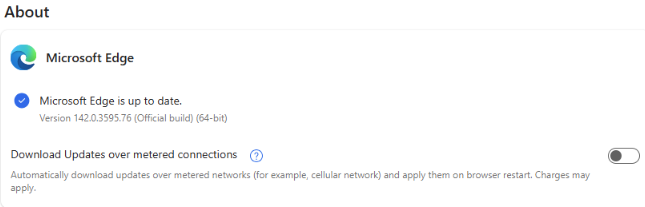
Once the install was completed successfully, open Microsoft Edge > Settings > About Microsoft Edge to verify the version
Info
This guide was created based on Kiosk Hardened Image version 25.10.0. Behavior may differ on other versions.
Last updated on
Was this page helpful?
Knowledge Base
Knowledge Base
Configuration & Setup
Error & Troubleshooting